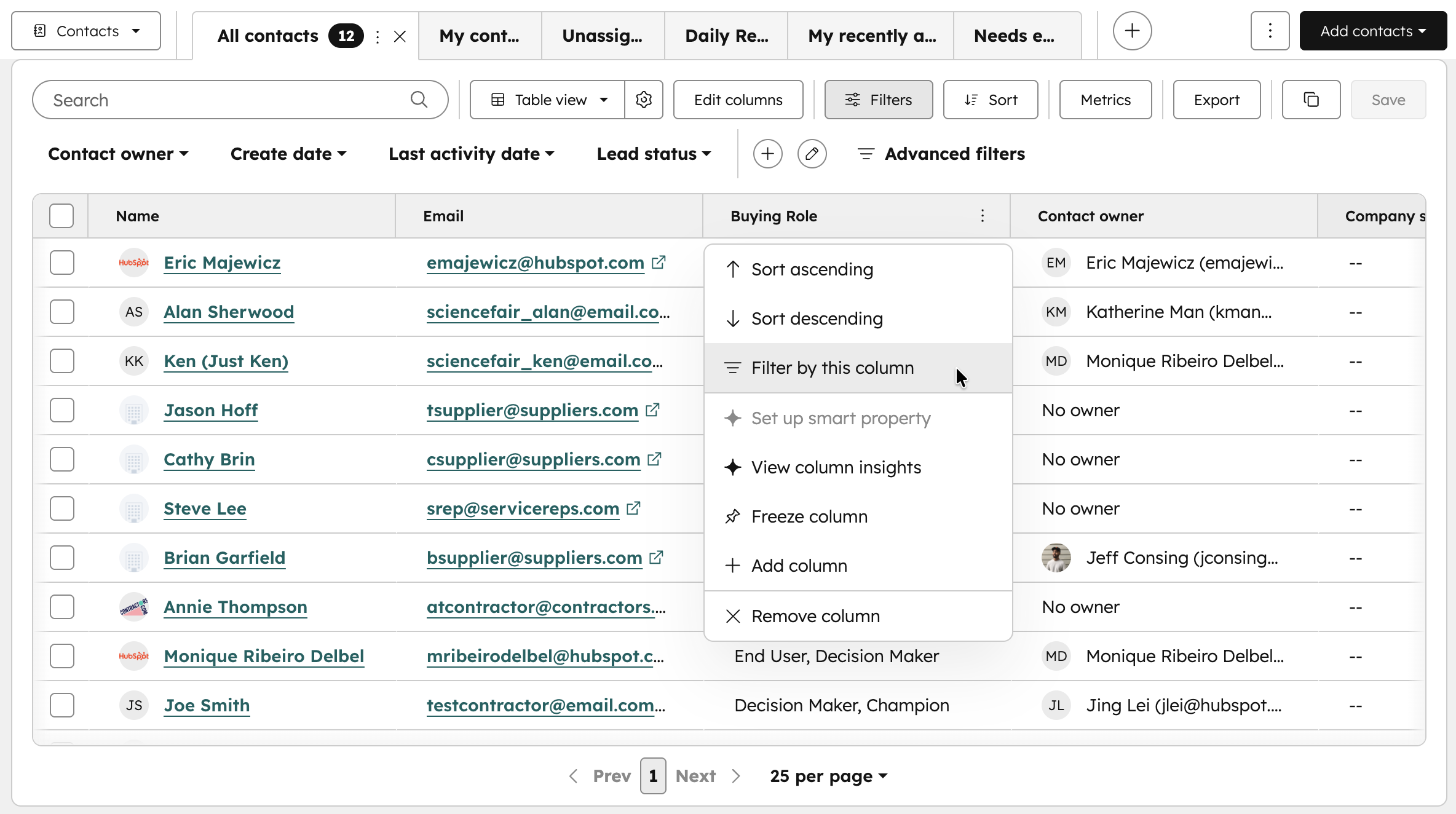
What is it?
You can now filter records by clicking directly on column headers in CRM tables.
Why does it matter?
Filtering your CRM data is now faster and more intuitive. Previously, you had to open a separate menu and search for properties to create filters. Now you can filter directly from column headers using a familiar spreadsheet-style interaction, making it quicker to manage your pipeline, update deals, or organize contacts.
How does it work?
On any CRM index page:
- Click the context menu on any column header.
- Select Filter by this column.
Who gets it?
This feature is available across all HubSpot products and pricing tiers.


.png?width=193&name=jos%20(1).png)




