What’s changed?
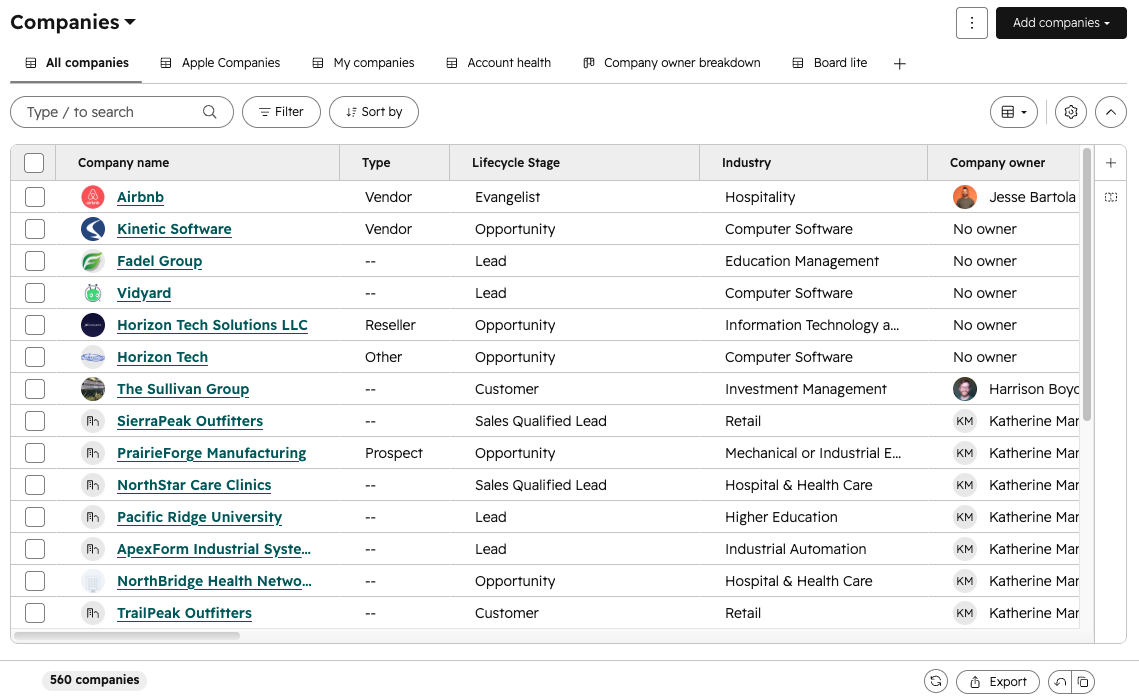
Edit Columns is now accessible via a one-click button in a persistent right rail on the table. It stays visible as you scroll — no hunting through menus required.
What is it?
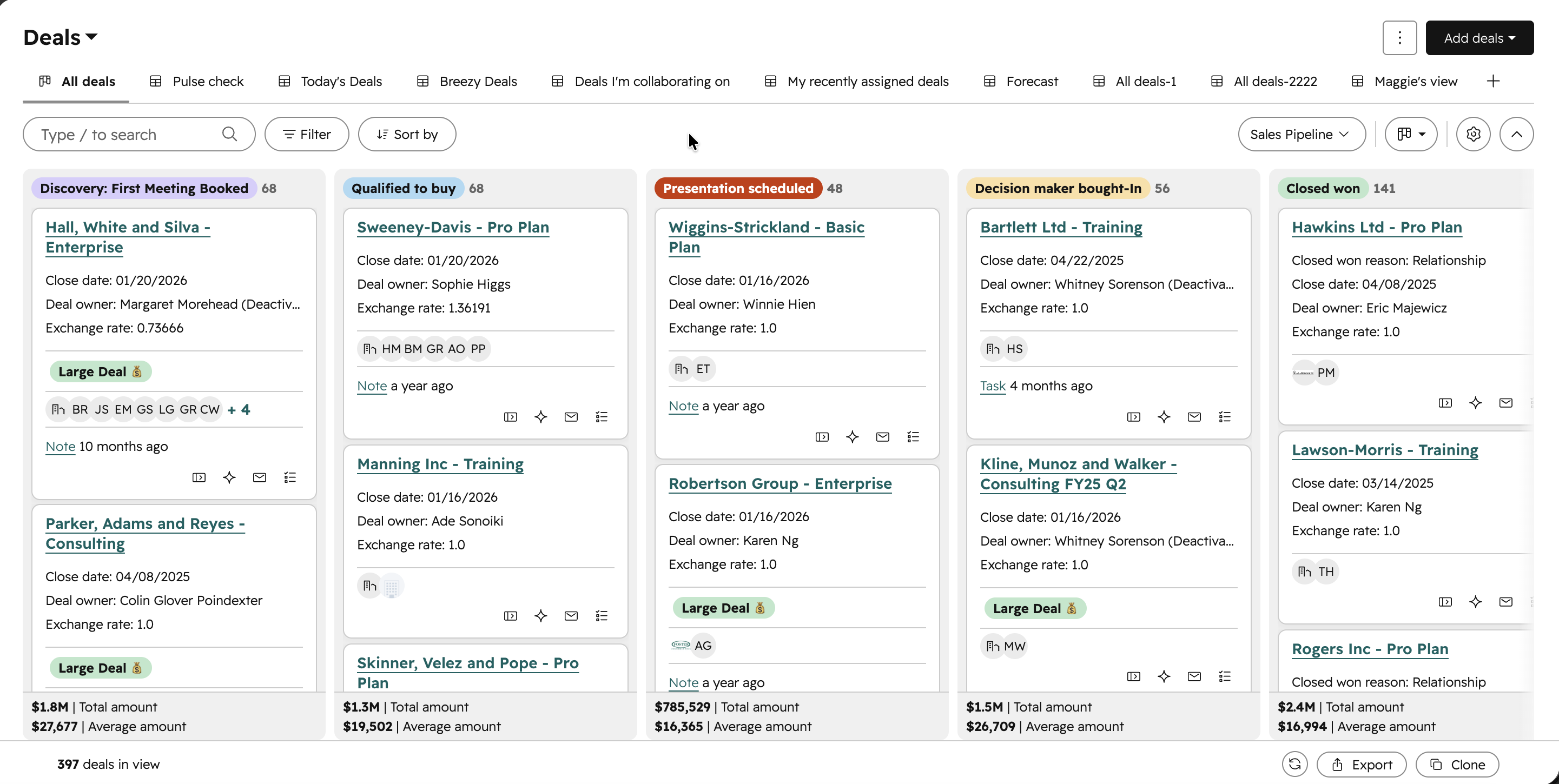
The CRM index page — the centralized place for Contacts, Companies, Deals, and other objects — has been updated with a cleaner layout, a simplified toolbar, and an improved board view, making it faster to navigate your records and take action without extra clicks. Visit the Streamlined Index Resource Center for a full walk-through of all the changes.
Why does it matter?
Finding records and moving them through your pipeline shouldn't require hunting through cluttered menus or fighting with slow drag-and-drop. These updates reduce the friction in your day-to-day CRM workflows so you can spend less time navigating and more time getting things done.
How does it work?
Table view updates
- - Redesigned tabs give you faster access to your pinned CRM views.
- - A streamlined toolbar surfaces the controls you use most: pipelines, search, filter, sort, and visualizations.
- - Drag-and-drop column reordering is smoother, and you can open the column editor directly with the CMD+SHIFT+L keyboard shortcut.
Board view updates
- - Updated visual design for a cleaner, more modern look.
- - Improved card drag-and-drop performance and reliability.
- - New lane-level controls let you:
- - Set custom colors for pipeline stages
- - Jump directly to stage settings
- - Add records to a specific stage
- - Create pipeline stage automations directly from the board
Who gets it?
This feature is available for all HubSpot hubs and tiers.



.png?width=193&name=jos%20(1).png)




