What is it?
Breeze Projects now supports connectors to your external apps. Connect services like Amplitude, Notion, Gong, Asana, Linear, and G2 directly to a project, and Breeze can pull data, take actions, and write back — all from within the project's conversation. Connectors you add to a project become part of its context: Breeze knows which tools are available and uses them automatically when your instructions call for it, so you don't have to manually trigger anything mid-conversation.
Why does it matter?
Projects already hold your instructions, files, and CRM references. But until now, Breeze couldn't reach into the external systems where your work actually lives — your analytics dashboards, your team's project tracker, your sales call recordings. You'd get analysis based only on what was inside HubSpot.
With connectors, a project becomes a complete workspace. You can ask Breeze to pull this week's metrics from Amplitude, summarize the trends, and drop the summary into a Notion page — all in one conversation, without leaving the project. Breeze carries the connector context across every thread in the project, so it knows what tools are available and when to use them. You set it up once in the project instructions, and every subsequent chat benefits.
How does it work?
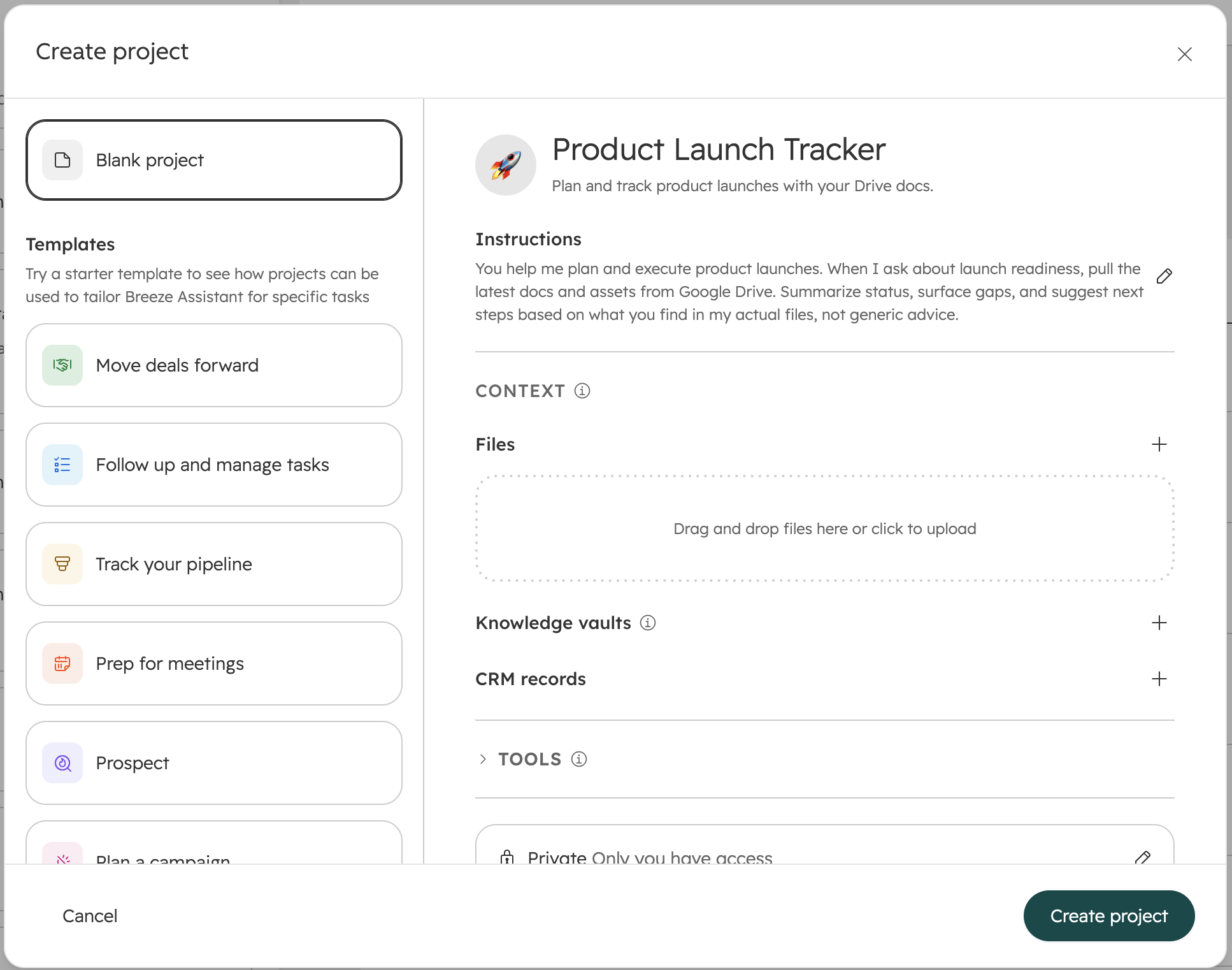
1. Create or open a project in Breeze Assistant. Add instructions that reference the connector — for example, "You have access to an Amplitude connector. Pull data for the BA dashboard and give me insights."
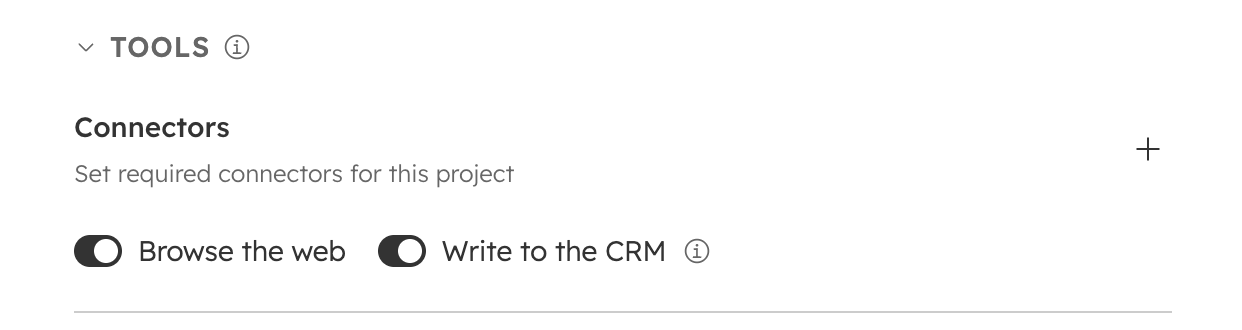
2. Expand the Tools section (collapsed by default) and click the "+" button under Connectors. You'll see your connected MCP connectors. Dashworks-era connectors are no longer shown — they're being sunset in favor of the new connector standard.
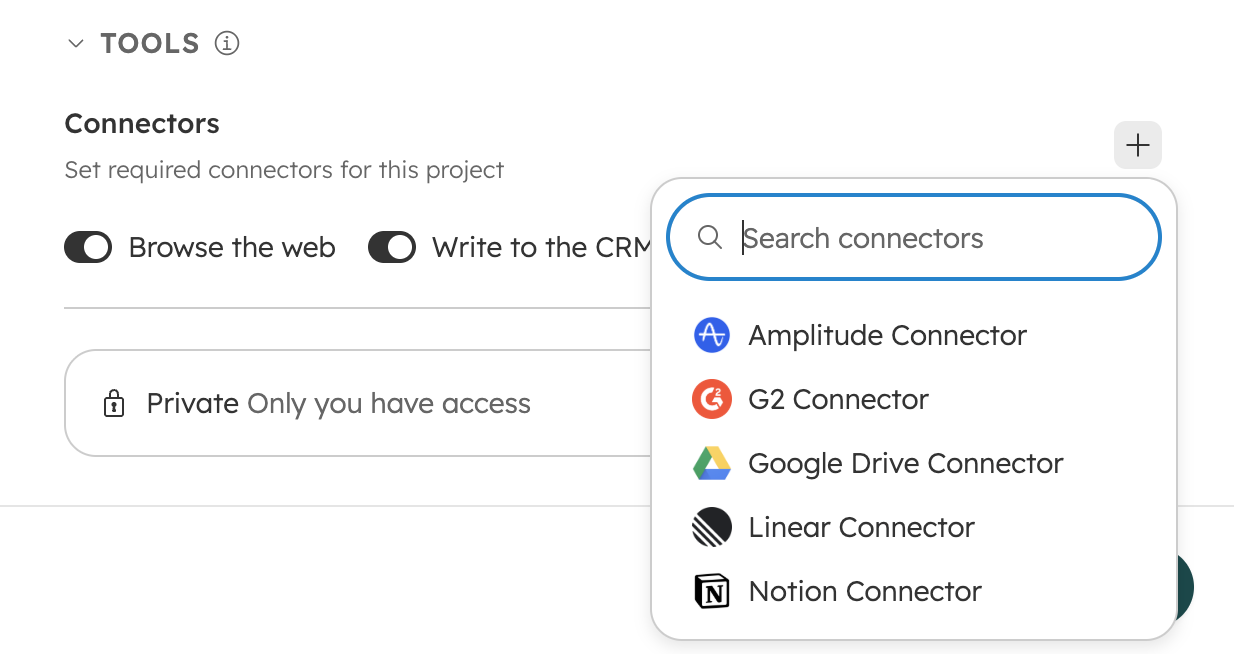
3. Select which connectors to enable for the project. Connectors mentioned in your project instructions are marked as required and toggled on by default. Any other available connectors appear in a separate section — you can enable or disable them individually.
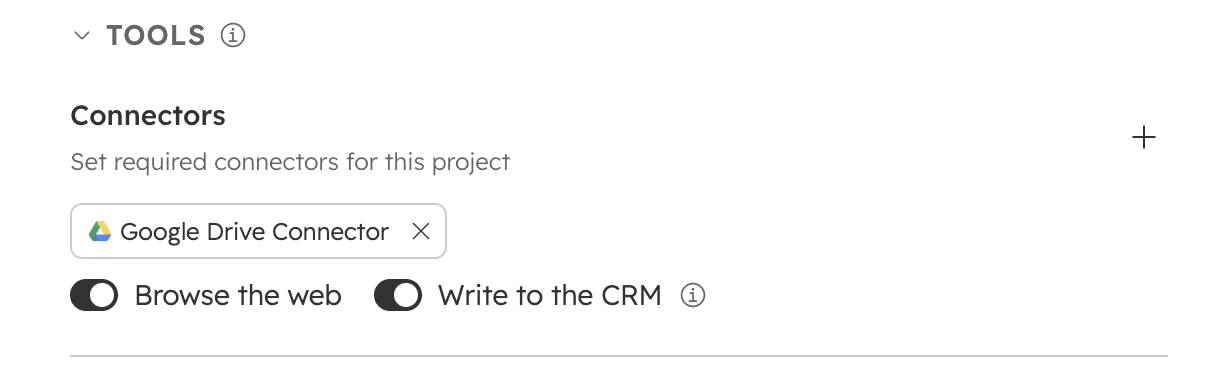
4. Start a chat. Breeze reads your project instructions and automatically calls the right connector. Ask "How are this week's metrics looking?" and it pulls live data from Amplitude, generates a summary with charts, and presents it inline.
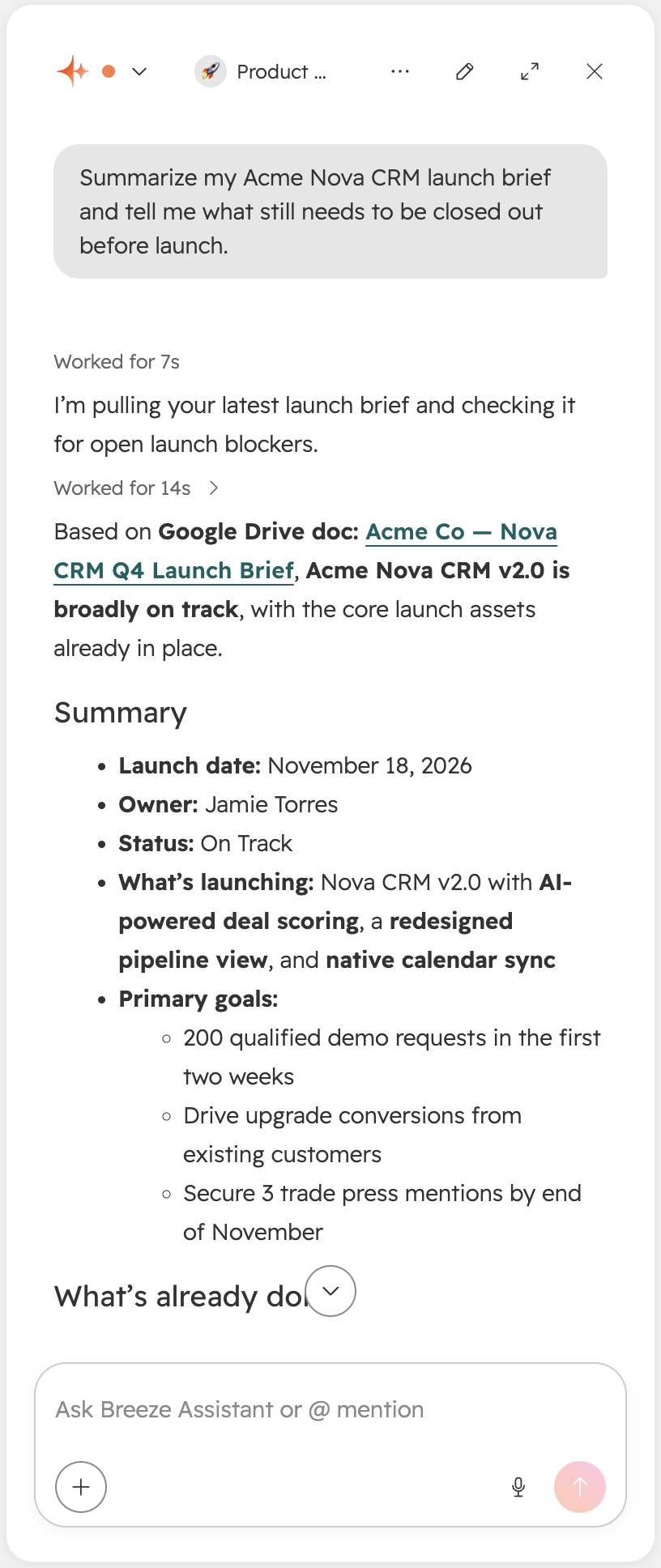
5. Mix and match connectors. A project can use multiple connectors at once. Ask Breeze to pull data from Amplitude and write the summary to Notion — it coordinates across both services in the same conversation.
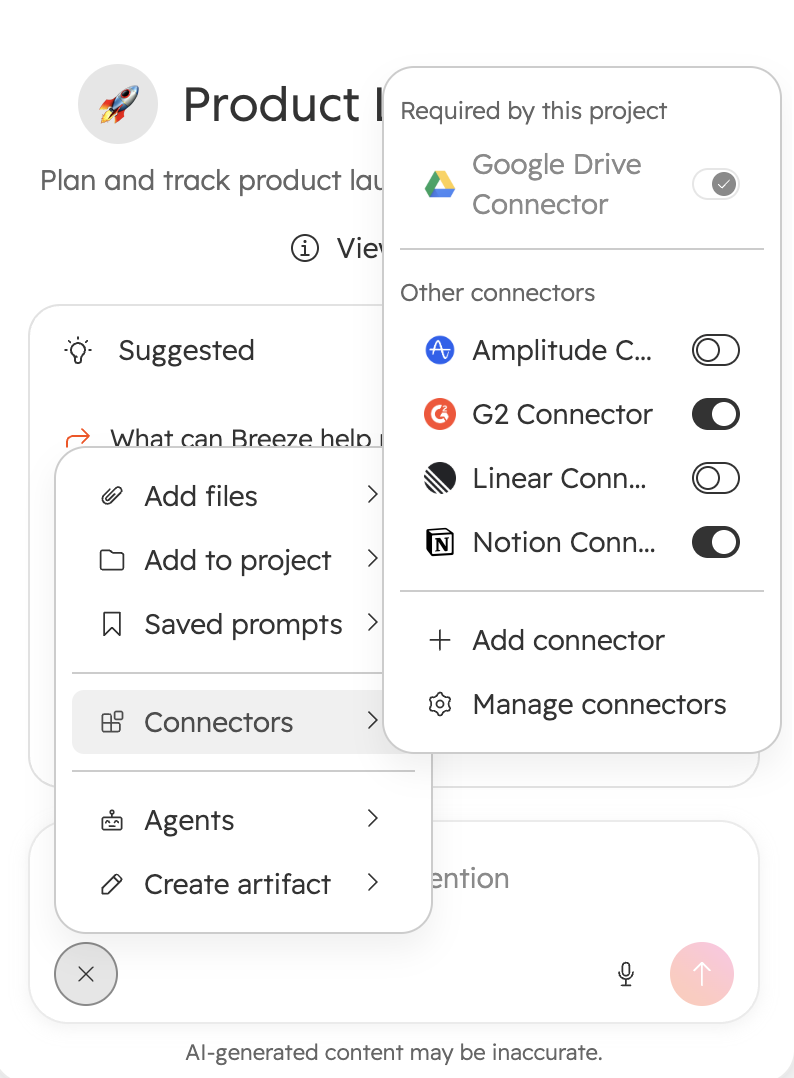
Available connectors at launch: Amplitude, Asana, G2, Gong, Linear, Notion.
Additional connectors — including Google Drive, Box, Dropbox, Zoom, Atlassian, and Slack — will roll out throughout the beta.
Who gets it?
All hubs and tiers



.png?width=193&name=jos%20(1).png)




