What is it?
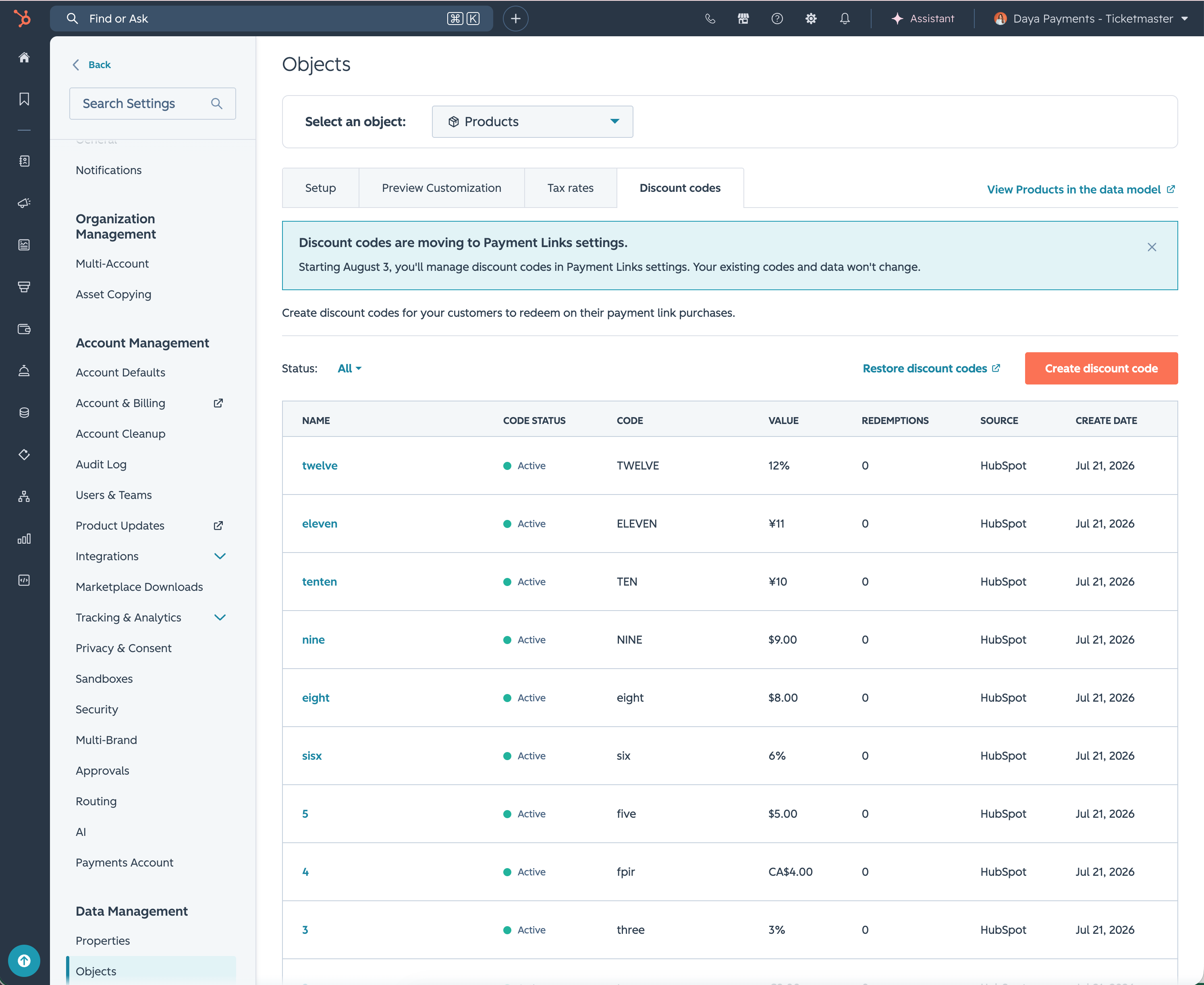
Discount codes have moved from the Products object settings to the Payment Links object settings.
Why does it matter?
Discount codes only apply during checkout for payment links — so managing them in the Products object created unnecessary back-and-forth. Now you can find, create, and manage them in the same place you manage the payment experiences where they're actually used.
How does it work?
All previously created codes migrated automatically. No action is required — your discount codes will continue to work without interruption.
To access discount codes going forward:
- Go to Settings > Data Management > Objects
- Select Payment Links from the object dropdown
- Click the Discount codes tab
From the Discount codes tab, you can:
- - View all existing codes, including name, status, code value, redemptions, source, and creation date
- - Filter codes by status: Active, Inactive, or All
- - Create a new discount code using the button in the top-right corner
- - Restore any archived codes using the restore link
Who gets it?
All Hubs and Tiers



.png?width=193&name=jos%20(1).png)




