What is it?
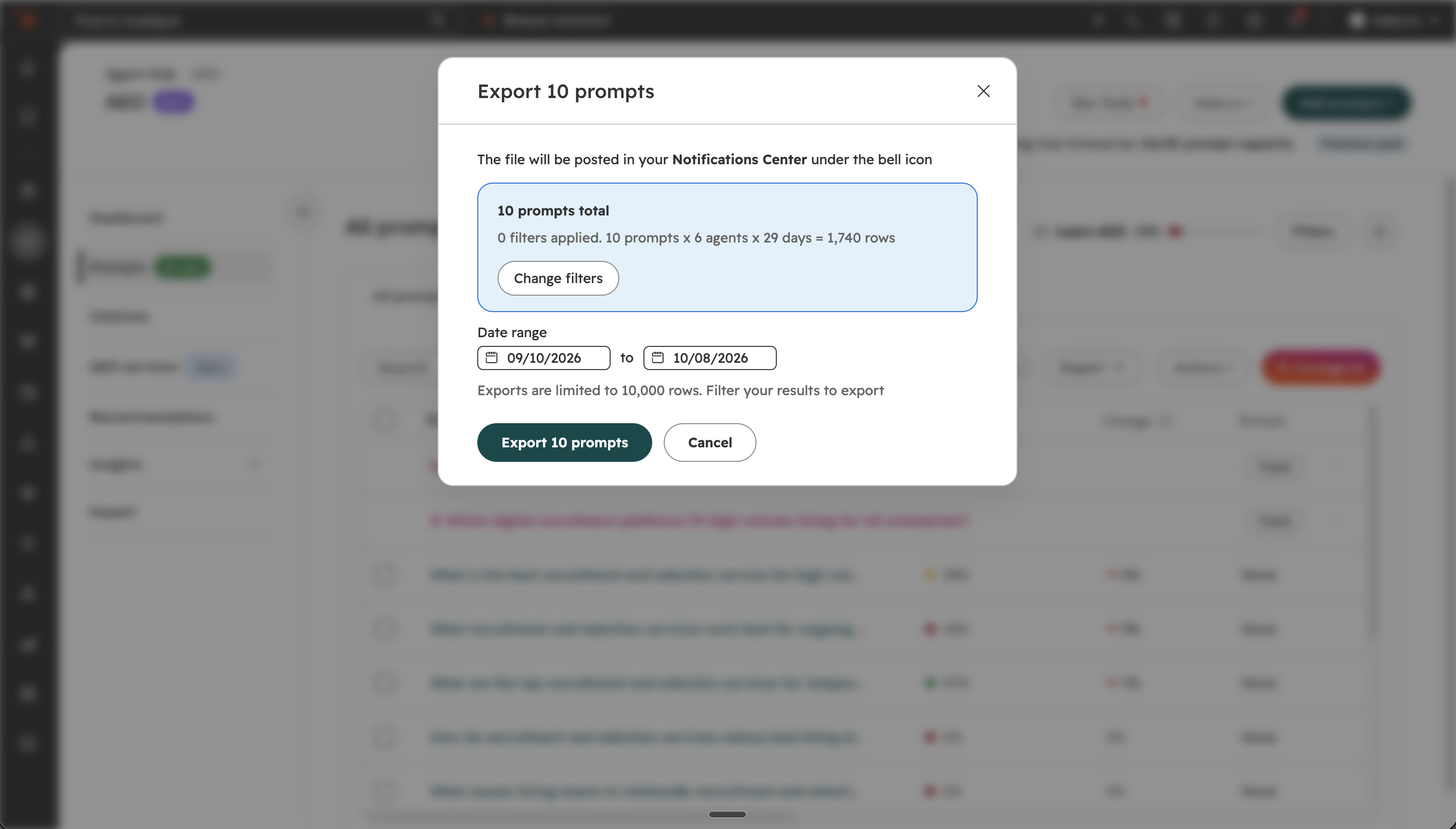
You can now export your tracked AEO prompt data as a CSV file. Each row is one answer and includes the prompt text, engine, location, ideal customer profile, buying journey phase, brand mentions, competitor mentions, citation URLs, and the full AI-generated response. A separate export gives you citation analysis by URL.
Why does it matter?
You can now use your raw prompt data for monthly scorecards, before and after experiment analysis, and offline reporting pipelines. Before, there was no way to export this data in bulk.
How does it work?
- Navigate to Marketing > AEO
- Click the Prompts tab
- Select Export to download your prompt data as a CSV file. If your dataset is large, the export is automatically split into multiple files.
Who gets it?
This feature is available for Marketing Hub Professional, Marketing Hub Enterprise, and HubSpot AEO customers.


.png?width=193&name=jos%20(1).png)




