What is it?
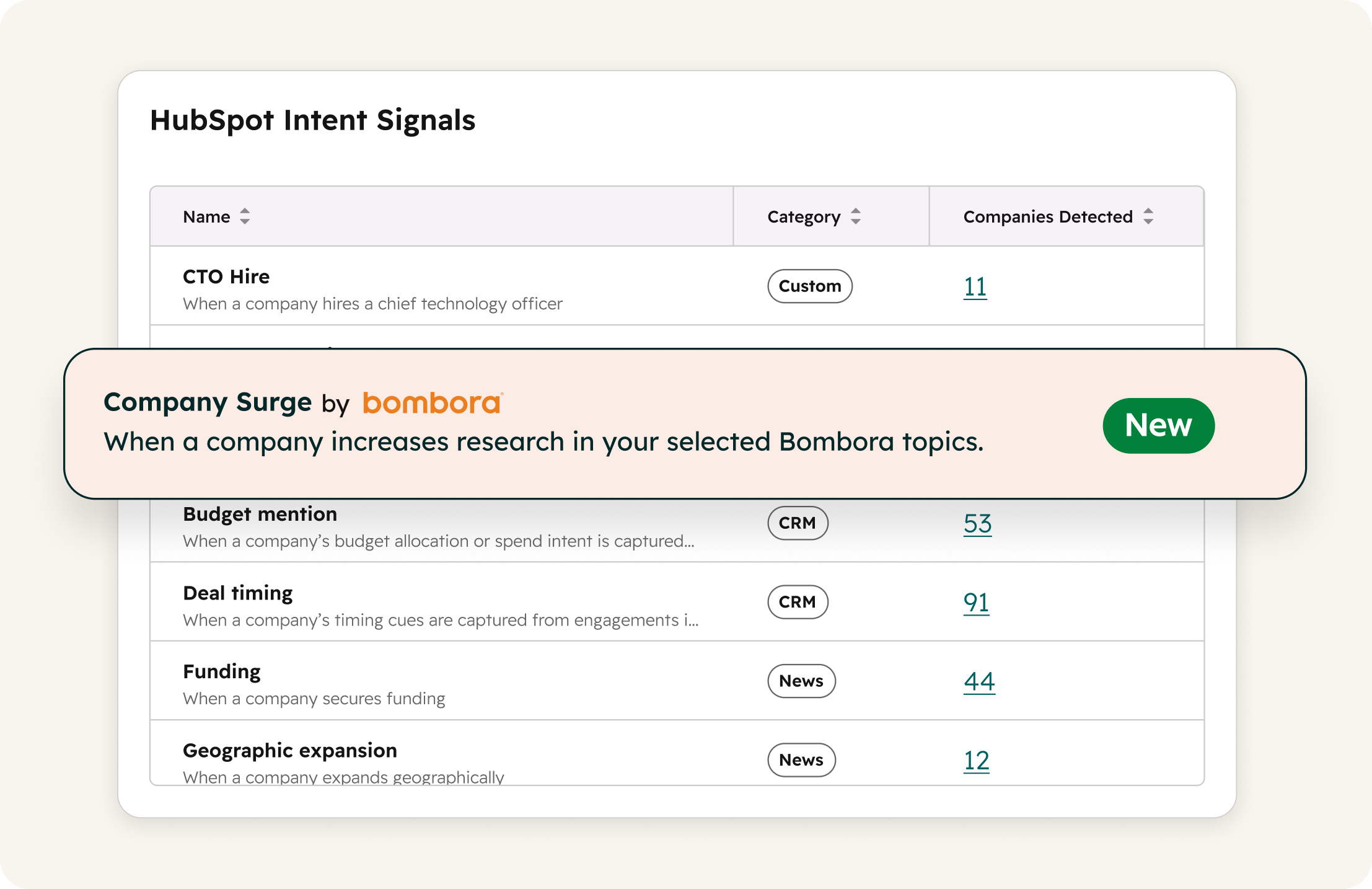
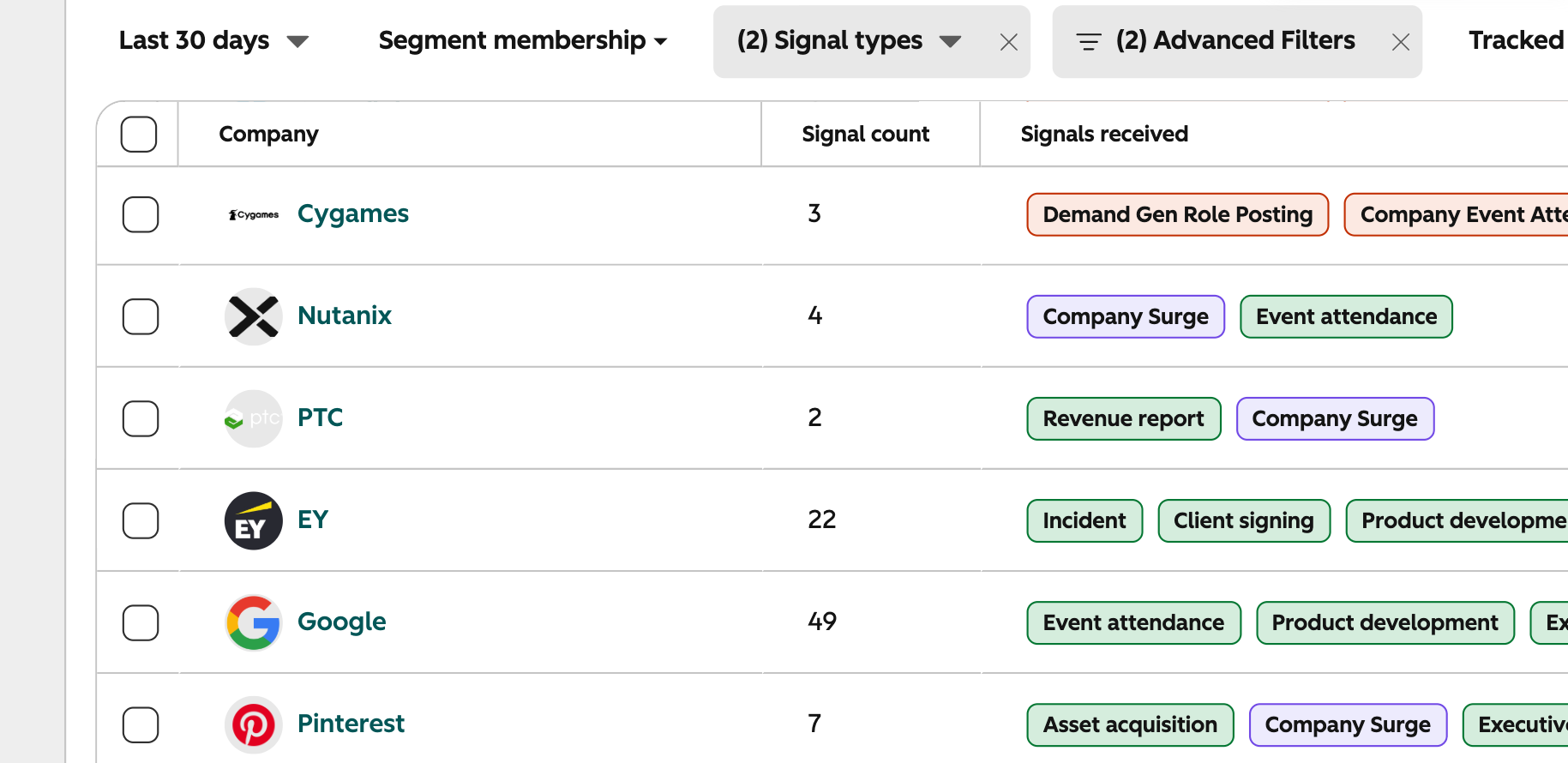
Company Surge signals, powered by Bombora, are now in beta and native to HubSpot as its newest intent signal.
This means you can see which accounts are researching your category right now. That intelligence shows up directly on company records and powers the workflows, segments, reporting, and scoring you've already built.
This signal is included in the cost of standard intent signal tracking — no existing Bombora account required.
Why does it matter?
Starting today, you have native access to data powered by Bombora's B2B Data Co-op, a one-of-a-kind data source that reflects the research activity of millions of companies across thousands of trusted publisher and business website sources.
Use Company Surge signals to do the following:
- - Catch accounts surging on the topics that matter to your business: Company Surge signals detect when companies are spiking in research. If an account is researching "CRM Software" or "Marketing Automation," you'll know — even if they haven't visited your website yet.
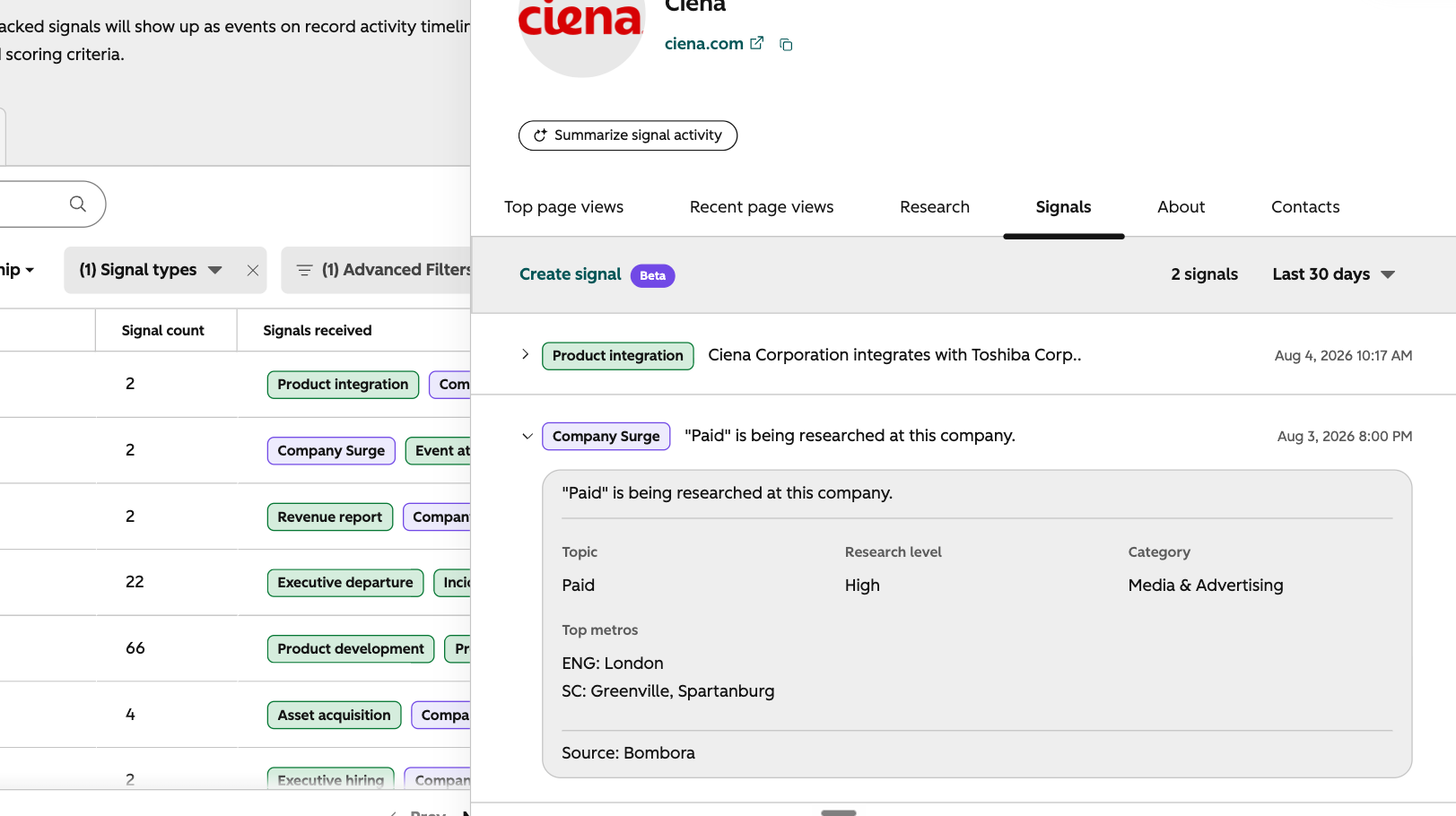
- - Prioritize instantly with High / Medium / Low research levels: Every Company Surge signal comes with a research level — High, Medium, or Low — so you can filter to the highest-priority accounts in seconds without interpreting raw scores.
- - Filter with Category and Top Metros metadata: Company Surge signals also tell you what category the surging topic falls into, and the places employees are researching topics from. Use this data to refine how you act on these signals.
- - Get Bombora intent intelligence included in your standard signal tracking: Every company you're already tracking for standard intent signals is automatically tracked for your Bombora topics too, at no additional cost. One tracking cost. One place to act. If you want to go deeper — more topics, more data volume — we encourage you to explore Bombora's plans directly with their team.
How does it work?
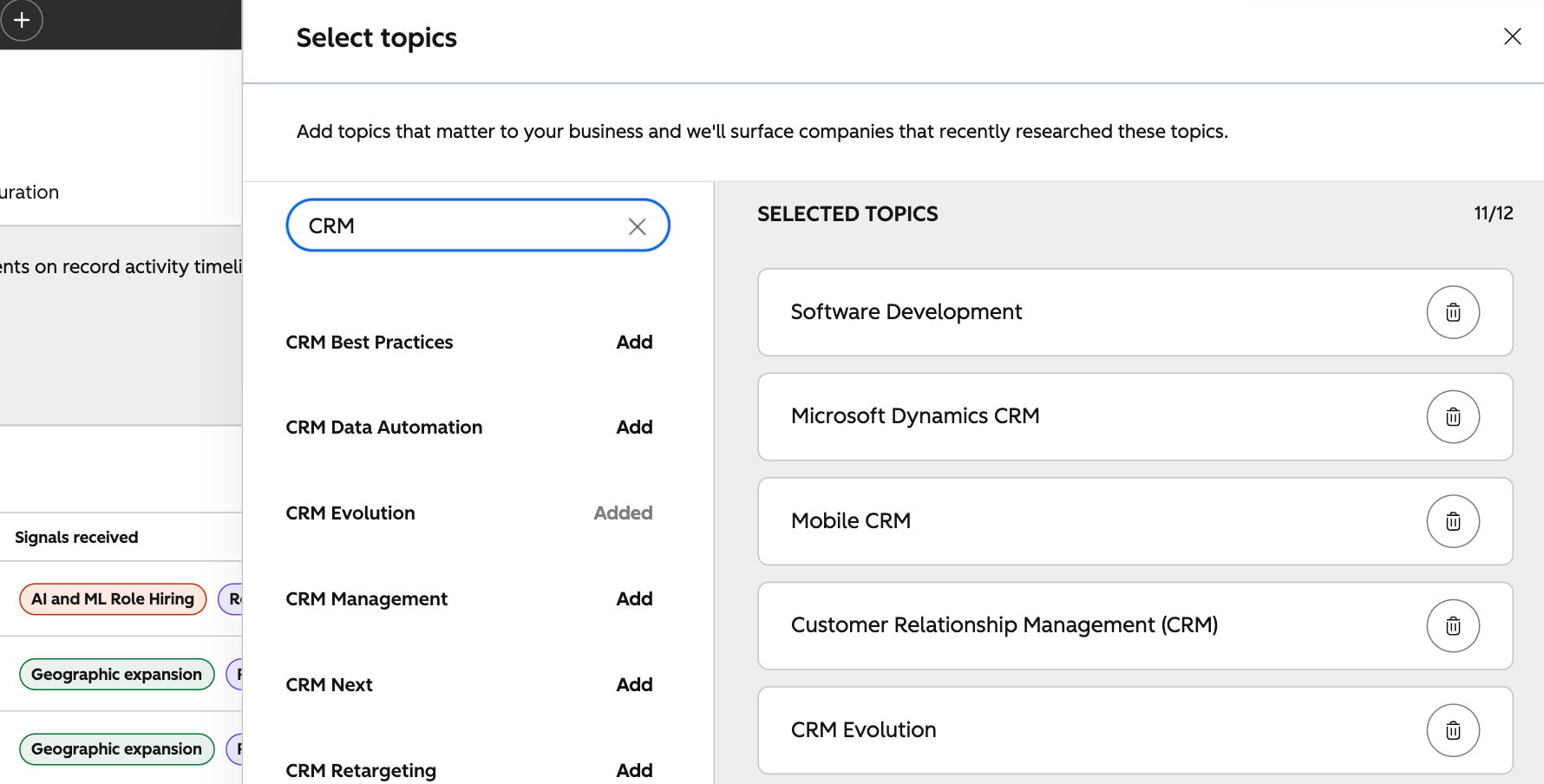
Set up Company Surge signals within Marketing > Buyer Intent > Signals tab > My Signals panel. Find the Company Surge signal row and click Select Topics. From there, you can:
- - Review and adjust up to 12 Bombora topics, pre-selected for your portal based on your website
- - Search by keyword to explore Bombora's full topic library and swap in topics that match your ICP's buying journey
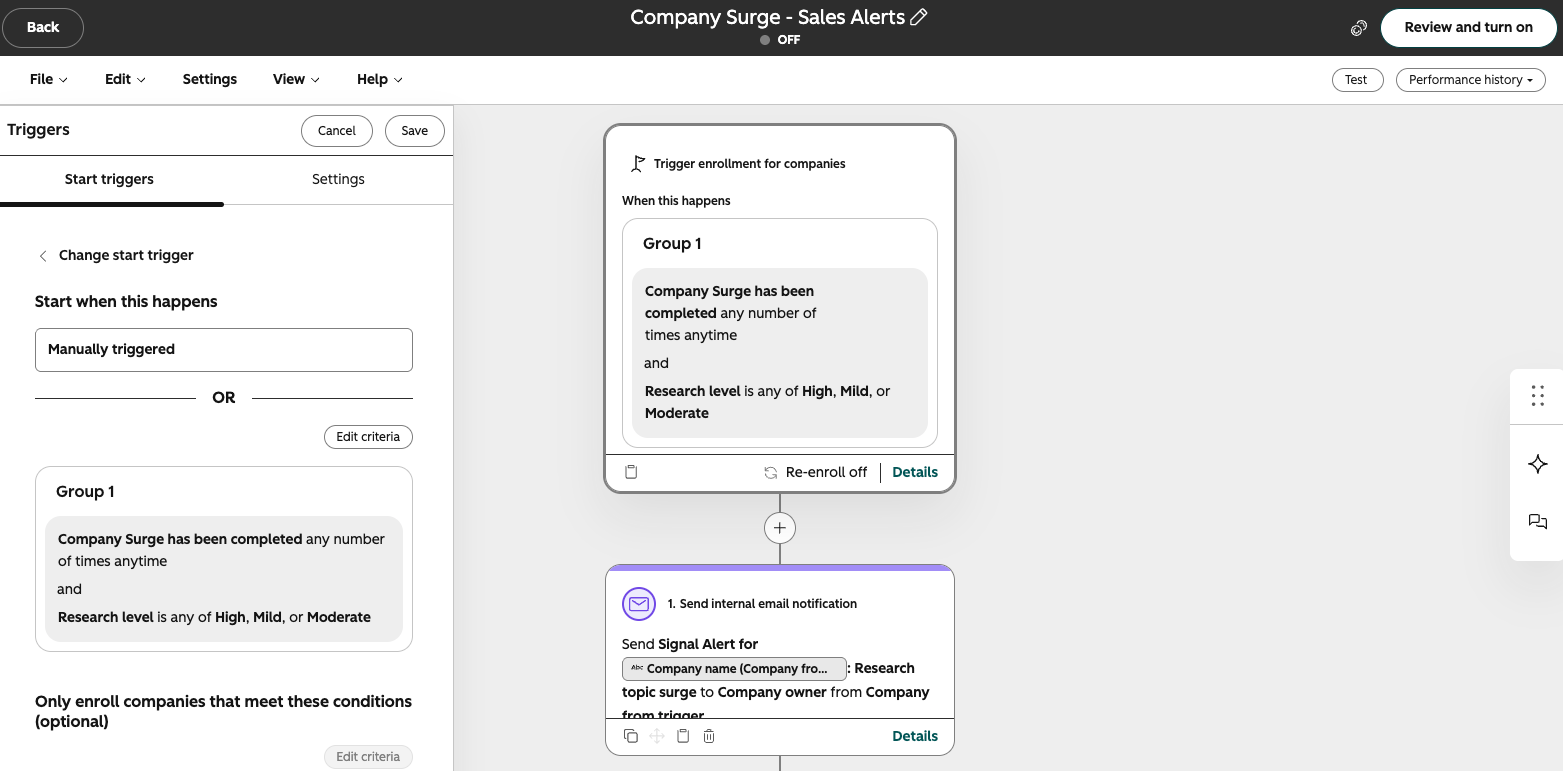
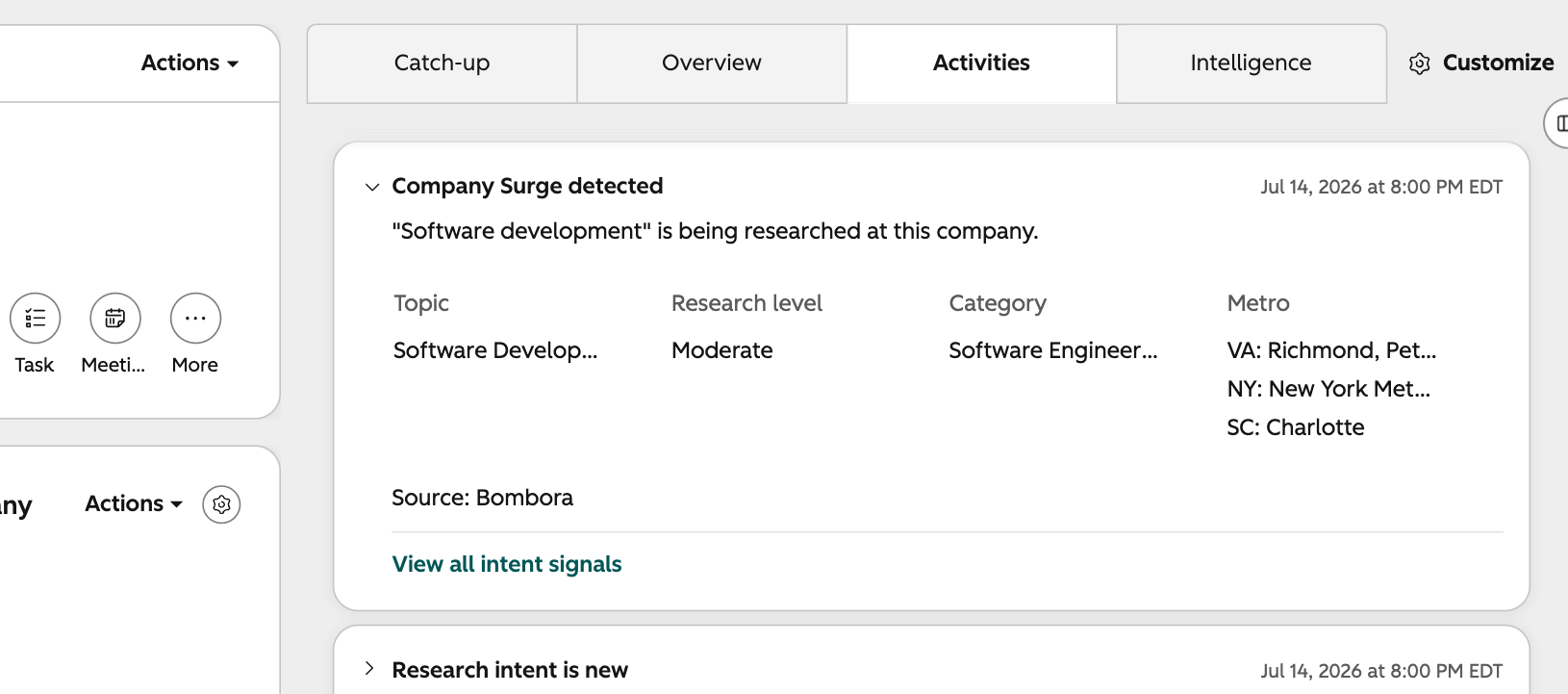
- - See these signals fire as events on company records, including topic name, research level, and top metro areas showing activity
- - Use research level, topic category, and top metros as workflow triggers, segment filters, personalization tokens, or lead scoring criteria
- - Track a company for standard intent signals, and we'll start monitoring that company for the Bombora topics you've selected, including companies you're already tracking, starting today
Company Surge events write to company records alongside your other 40+ standard intent signals, visitor intent, news events, job changes, and more, and your custom signals, in the same activity feed your reps already use.
Who gets it?
Available to all HubSpot customers with HubSpot credits.



.png?width=193&name=jos%20(1).png)




