What is it?
Customer Agent can now send payment links directly inside a conversation. When a buyer signals they're ready to purchase — by asking for product details, a price, or indicating they want to buy — the agent picks the right payment link from your library and sends it in the same chat, email, or WhatsApp thread.
Why does it matter?
A potential buyer asks about a product — what it costs, what's included, whether it's the right fit — and by the time the conversation wraps, they've gotten their questions answered but haven't bought. They're left to find the right page on your site, decide which option to pick, and check out on their own. This friction can stall deals.
Customer Agent now closes that gap. Instead of resolving the conversation and sending the buyer off to navigate your site, the agent can capture the purchase directly in the same thread — sending the right payment link the moment the buyer is ready, with the product and pricing already sorted out. The buyer doesn't have to figure out what they're buying or where to click, and you don't lose the sale to friction.
It also gives you a way to sell your products through agents without giving up control. You decide which payment links the agent can send, which ones it should actively offer, and which ones stay off-limits — so the agent can run a meaningful slice of your GTM motion while you keep the guardrails.
How does it work?
Watch Demo here!
The "Get paid quickly with payment link" action lives alongside your other actions in Customer Agent. The action can be enabled from the Actions library by selecting "Add action" or "View all actions".
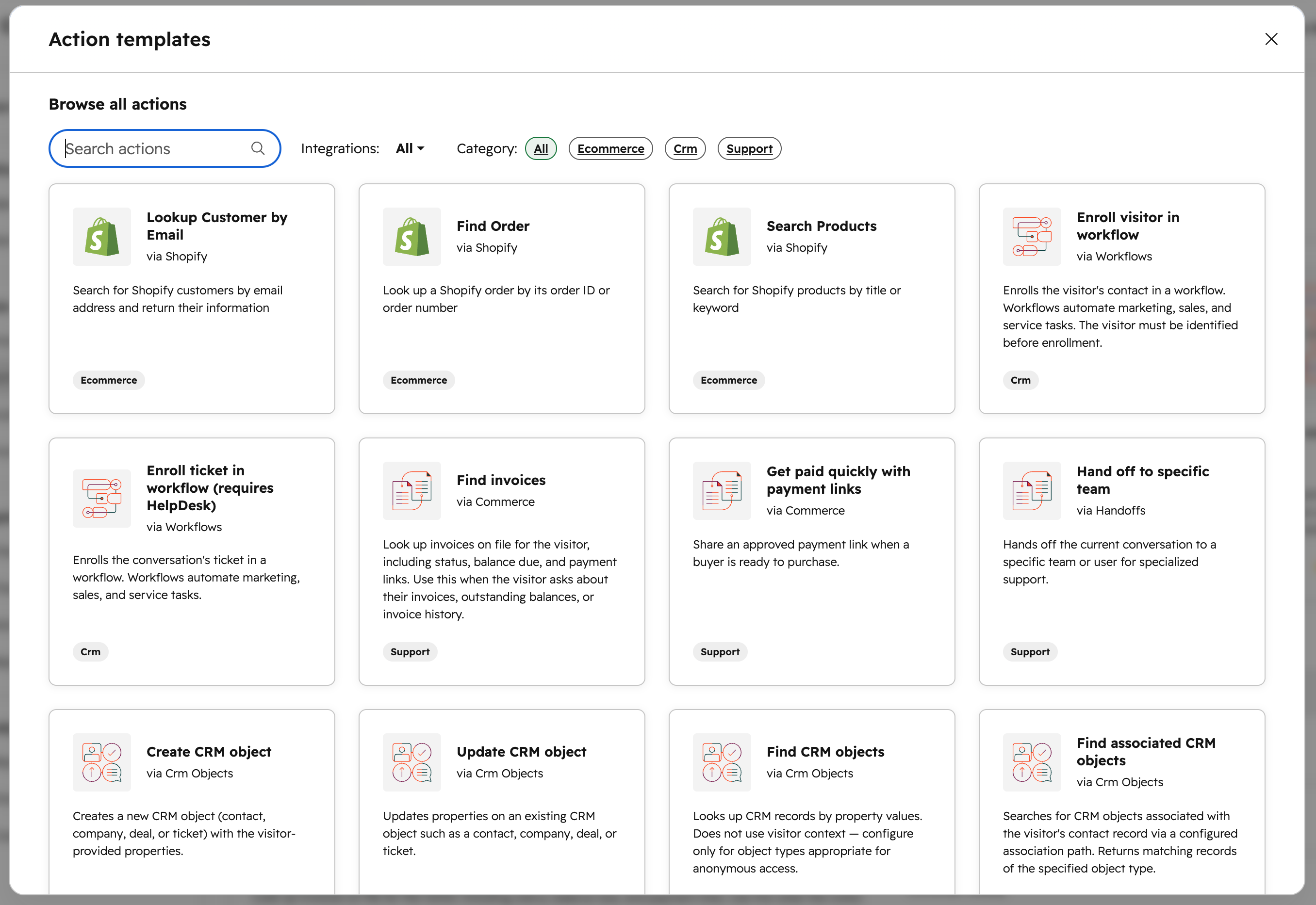
You can edit the action name and description to suit your internal naming conventions. You can also edit and add up to five trigger phrases. These trigger phrases are used to match customer purchase intent.
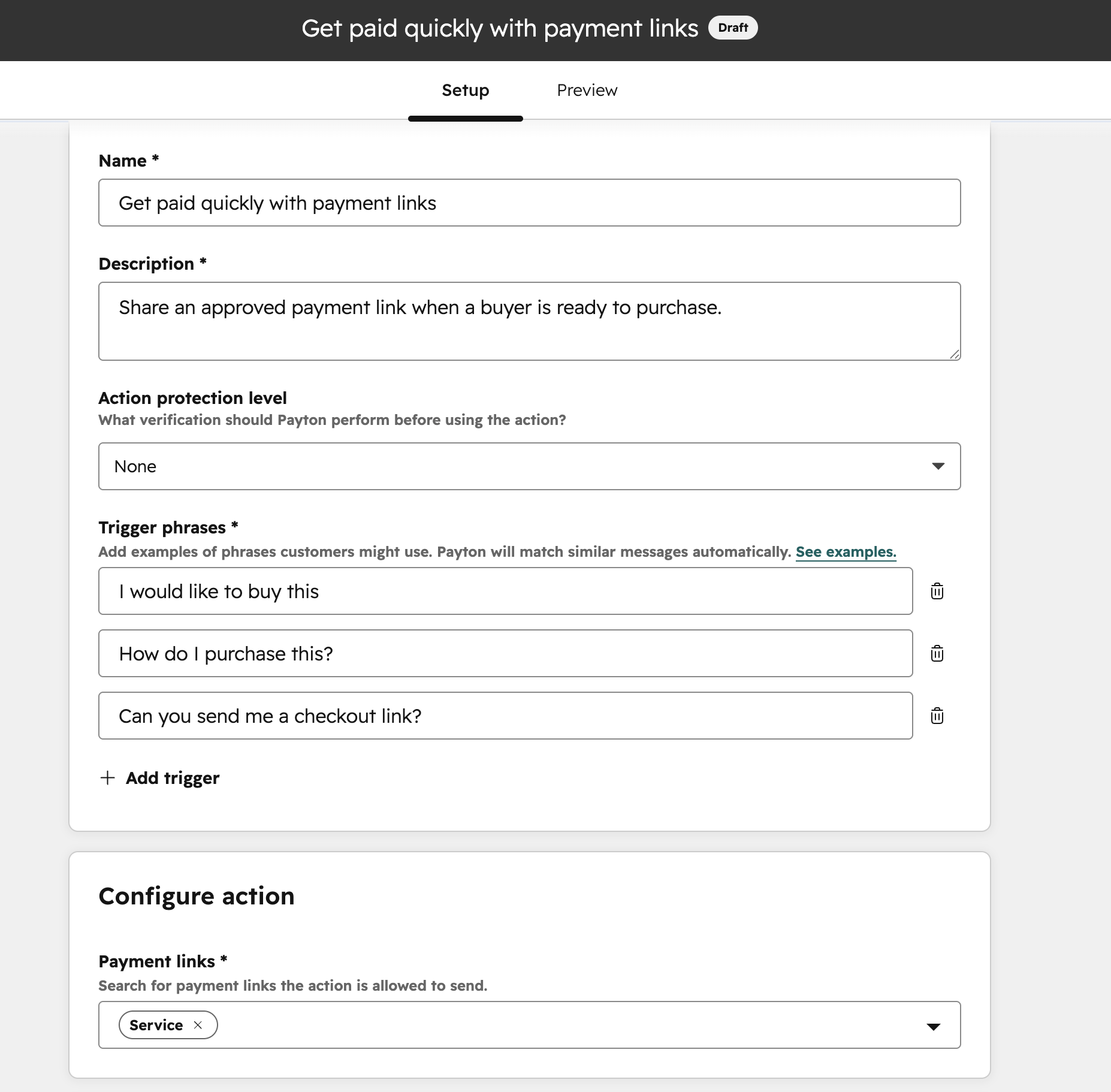
You pick which payment links from your library the agent can use, and you can leverage the triggers to add guidance for specific payment links so the agent knows when each one is the right fit. Note: One-time payment links cannot be configured in Customer Agent. You can also edit the response instructions to control how the agent responds.
When the action is enabled and a buyer expresses payment intent in a conversation, the agent will:
- - Pick the right payment link from your approved library
- - Send the link in whatever channel the conversation is on — chat, WhatsApp, or email.
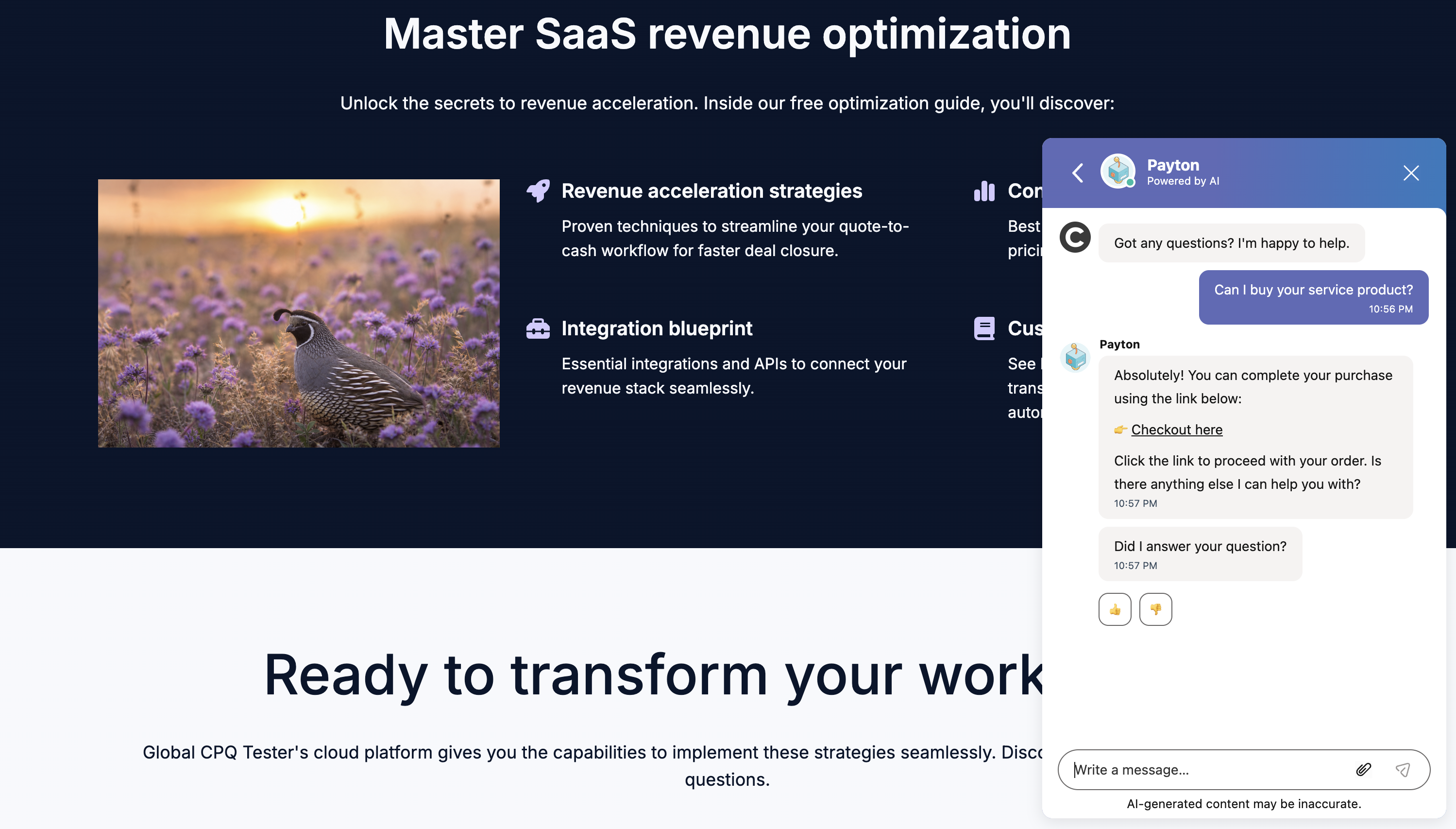
Note: The agent never changes the payment link configuration and does not create new payment links.
Who gets it?
All hubs and tiers


.png?width=193&name=jos%20(1).png)




