What is it?
Explicit recording consent is an optional Notetaker setting that lets admins require every meeting participant to affirmatively consent before a meeting is recorded. When enabled, participants receive a consent request via email before the meeting and the Notetaker will only record if everyone has consented to being recorded.
Why does it matter?
Recording consent requirements vary by country and organization, and some customers cannot record conversations based on notification alone. This gives admins a way to use HubSpot Bot Notetaker while meeting policies or legal requirements that require explicit opt-in consent from every participant before recording begins.
It also gives meeting organizers visibility into whether everyone has consented ahead of the meeting, reducing uncertainty about whether the Notetaker will be able to record.
How does it work?
Admins can turn on explicit recording consent in Seetings > Meetings > HubSpot Notetaker Bot. The setting is optional and off by default.
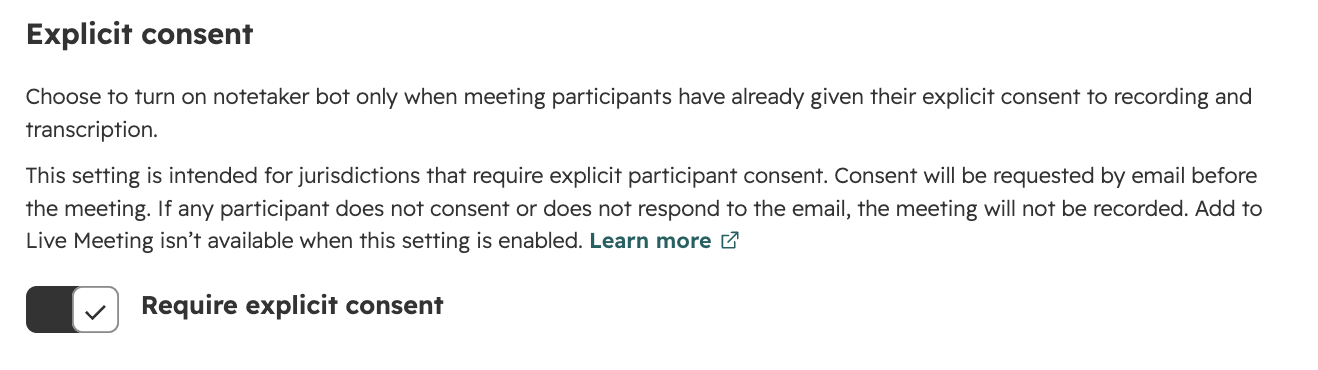
When enabled:
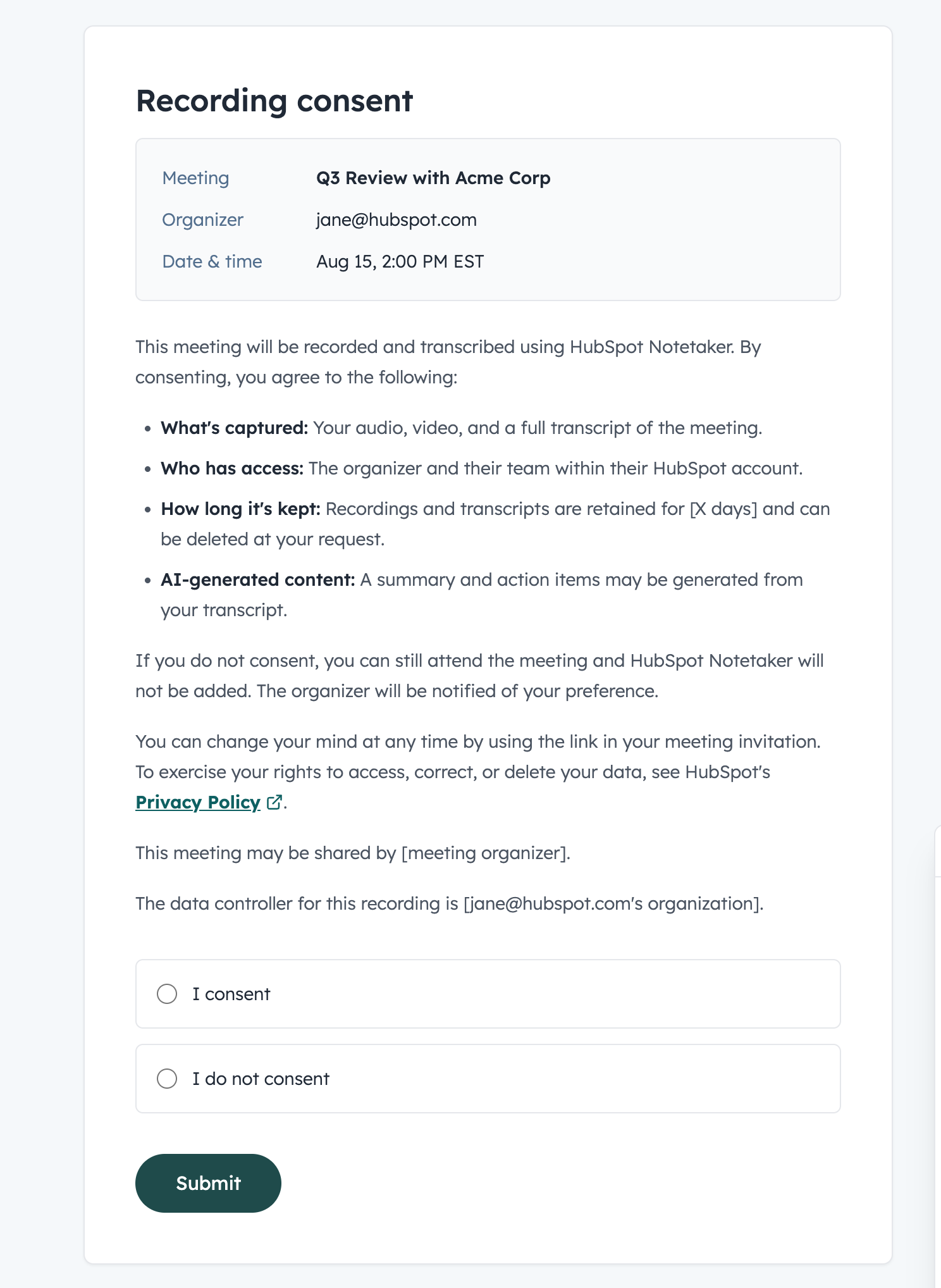
- - Participants receive an email before a scheduled meeting asking them to review the recording request.
- - The email links to a consent page where participants can consent or decline recording.
- - Participants can change their response before the meeting begins.
- - The meeting organizer can see each participant’s consent status in the meeting prep experience, including who has consented, declined, or hasn’t responded.
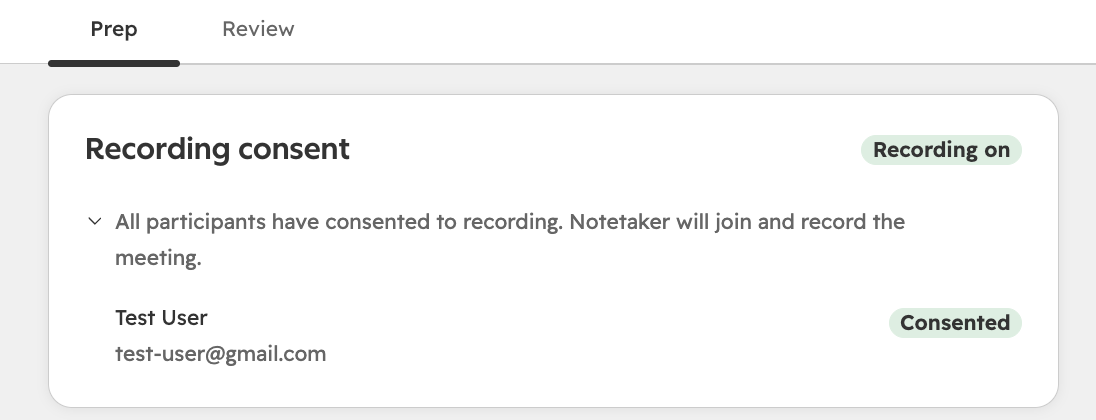
- - Notetaker only records if every participant has consented before the meeting starts. If anyone declines or doesn’t respond, the meeting will not be recorded.
- - Customers who don’t enable this setting continue using the existing Notetaker recording flow.
Who gets it?
Sales Hub Enterprise, Service Hub Enterprise, Sales Hub Professional, Service Hub Professional, Service Hub Starter, Sales Hub Starter



.png?width=193&name=jos%20(1).png)




