What is it?
Customers can associate quotes with custom objects. For example, if a customer creates a car custom object, each quote can be linked to a specific car model or trim, ensuring the quote reflects the correct configuration.
Why does it matter?
Linking quotes to a custom object keeps everything in one place, making it easy to reference quotes directly from the object and ensuring accurate reporting.
How does it work?
Start in Data model
- Create a new object or use an existing custom object
- Navigate to the quotes object
- Associate the object together by clicking the + sign and this will allow you to select your custom object
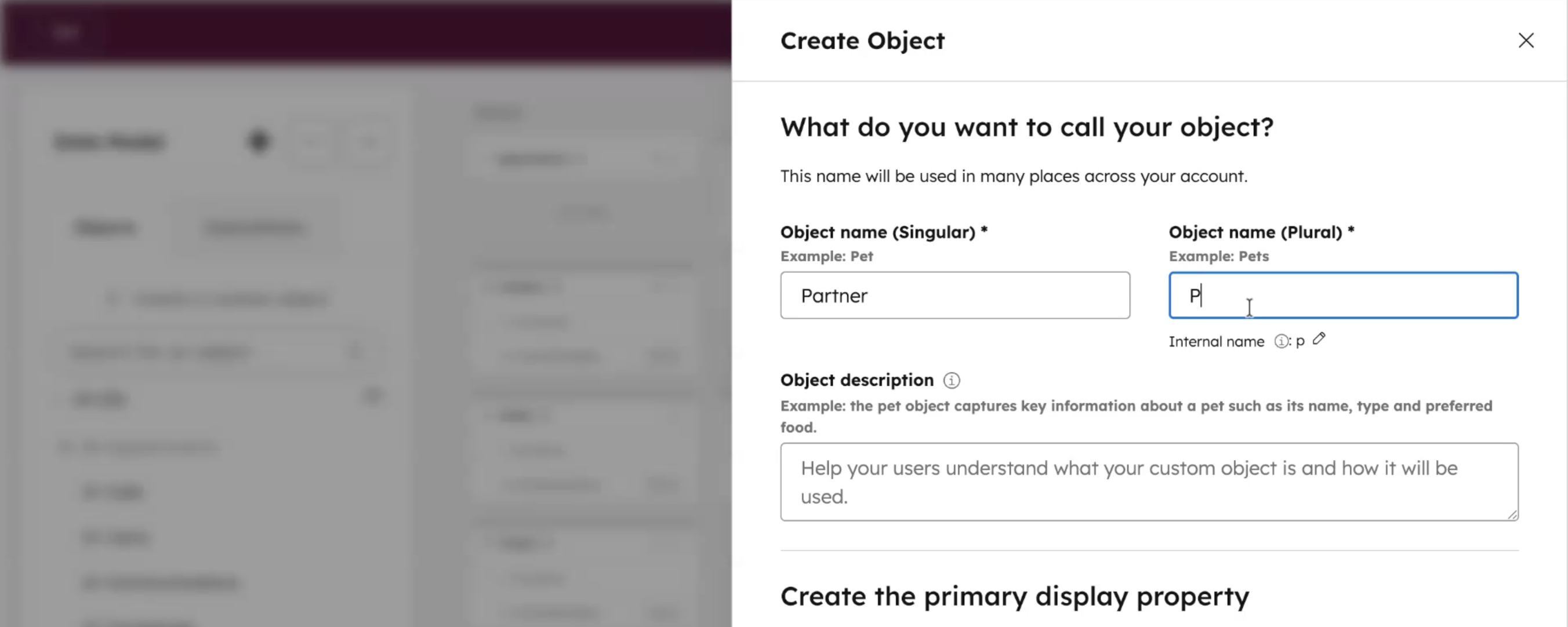
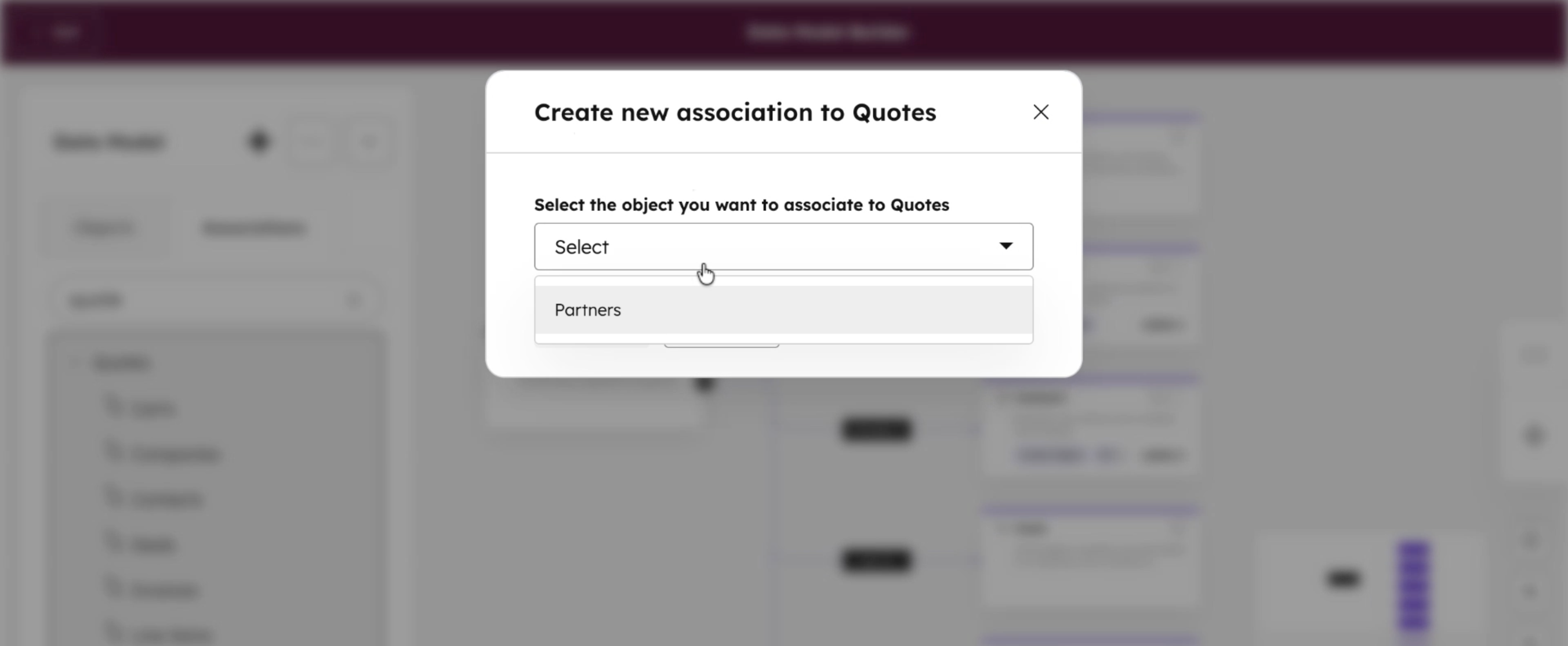
Navigate to your custom object:
- Within the record page, you'll be able to add a "Quotes" side card
- You can then click "add" and it'll display a list of quotes
- Once you select a quote, it'll be added to the side card
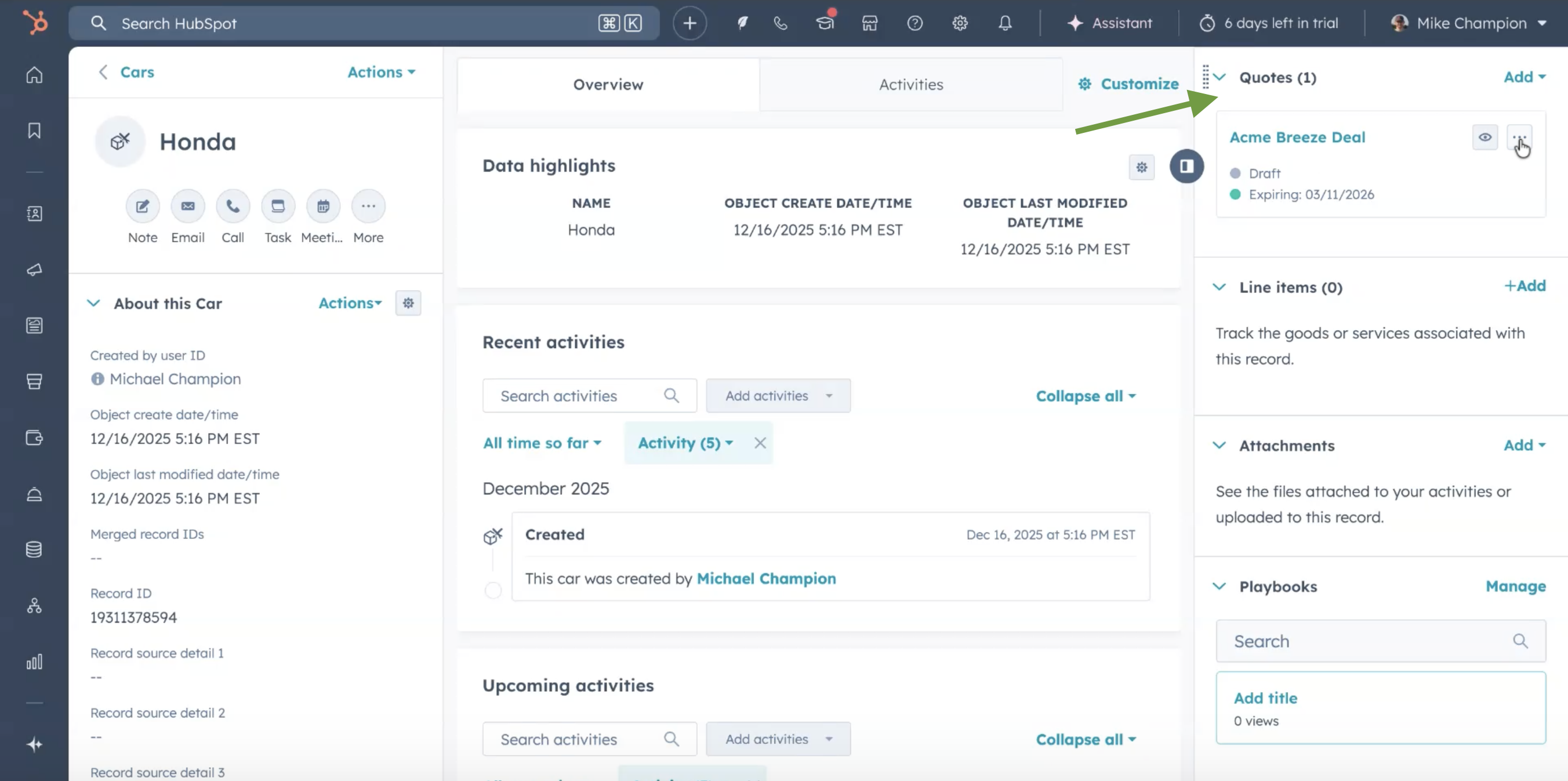
In Quote templates:
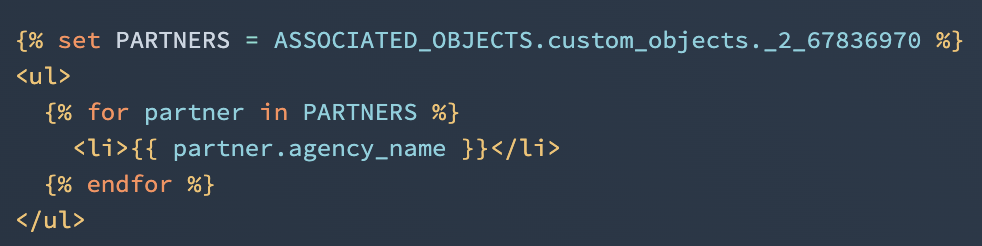
In quote templates the associated custom objects are available. Example displaying a "Partner" custom object with association to Quotes (where "_2_67836970" is the objectTypeId of the custom object type):
Who gets it?
All hubs and tiers



.png?width=193&name=jos%20(1).png)




