What is it?
You can now sync discount codes from Shopify to HubSpot and include them in your marketing emails using the new discount code module. Synced discount codes are stored as records in the discount code CRM object.
Why does it matter?
Discount codes are one of the most effective tools for driving ecommerce sales, whether you're welcoming new customers, launching a product, or re-engaging lapsed buyers. Until now, using Shopify discount codes in HubSpot emails meant manually copying codes across platforms. With discount code sync and the new email module, you can set up and send discount code emails entirely within HubSpot.
How does it work?
Step 1: Connect your Shopify store
- Connect your Shopify store using the HubSpot-built Shopify app.
Step 2: Turn on discount code sync
- In data sync settings, select Discount Code sync.
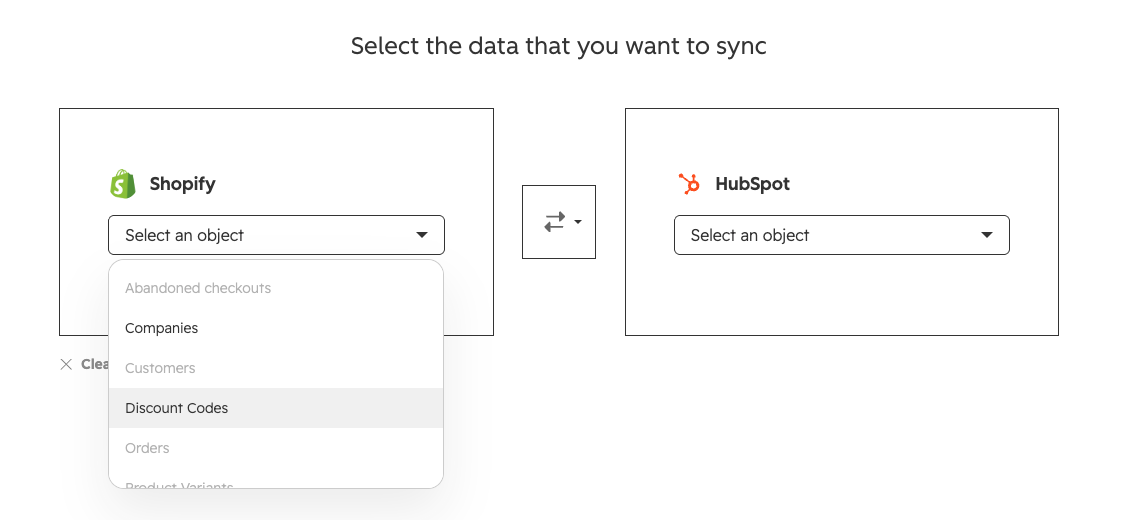
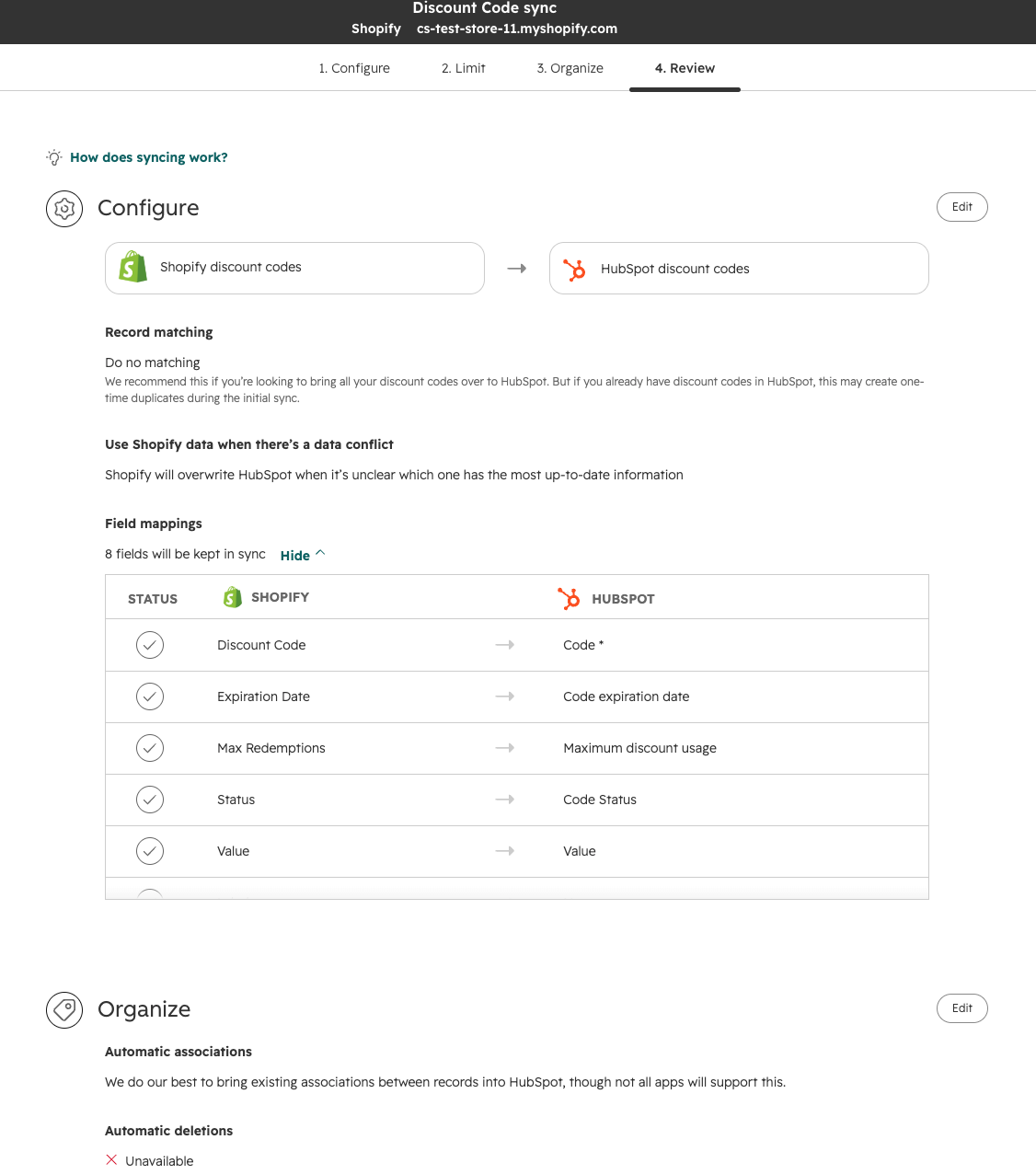
- Review the sync direction and product type settings, then turn on the sync.
Step 3: View discount codes
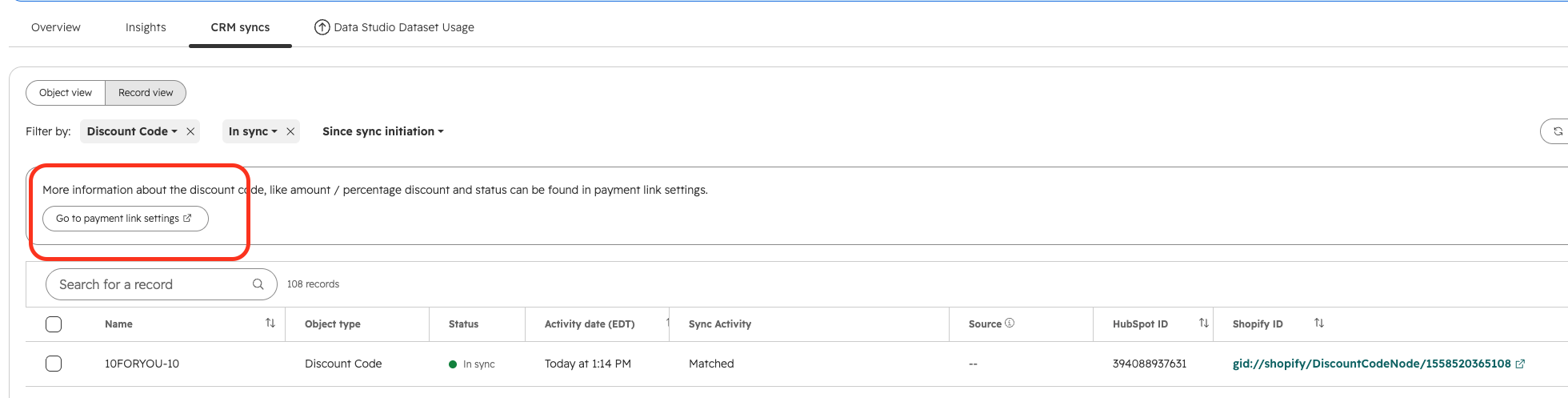
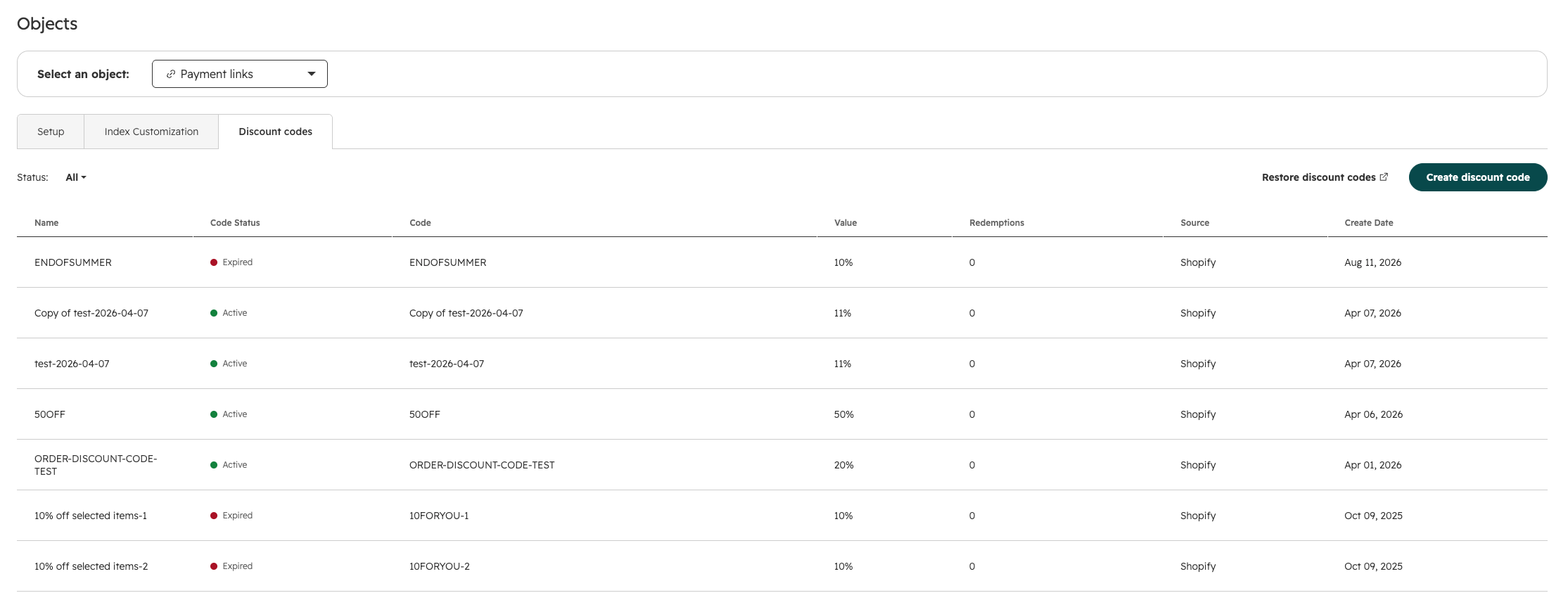
Discount codes from Shopify automatically sync to HubSpot as discount code object records.
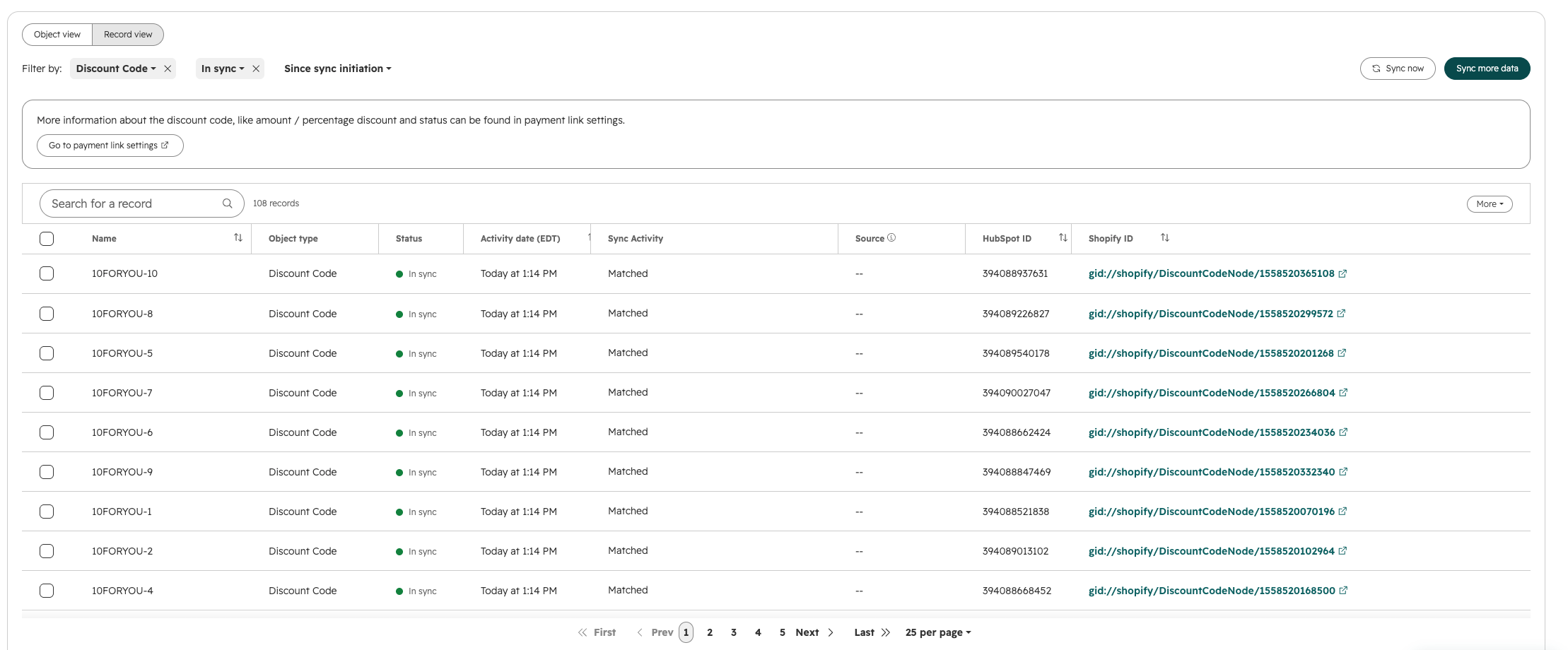
For a detailed preview with additional information, click the CTA within the record view.
Step 4: Add a discount code to a marketing email
Follow these steps to create a new marketing email. To include a Shopify-synced discount code:
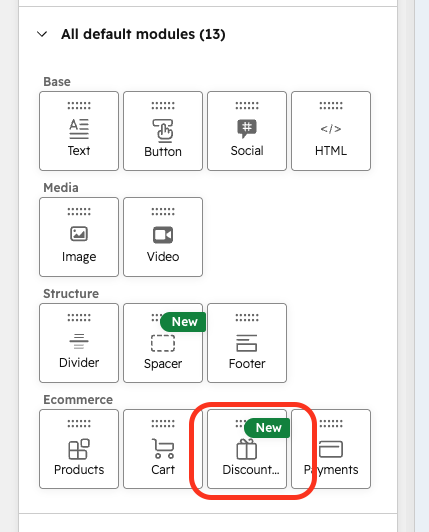
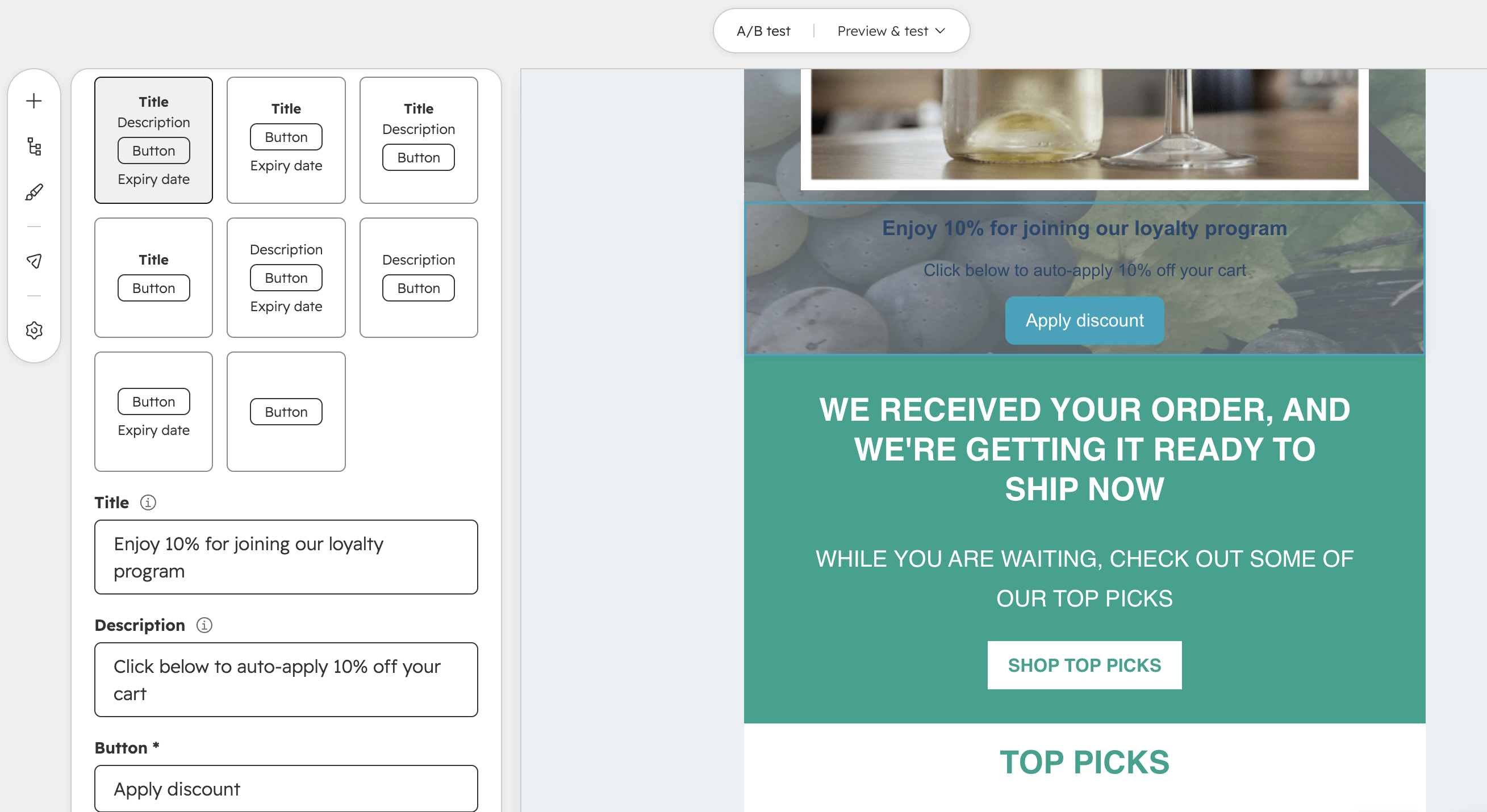
- Drag and drop the discount code module into your email.
-
- Select a Shopify store and unexpired discount code from the dropdown. (Expired codes are excluded.)
-
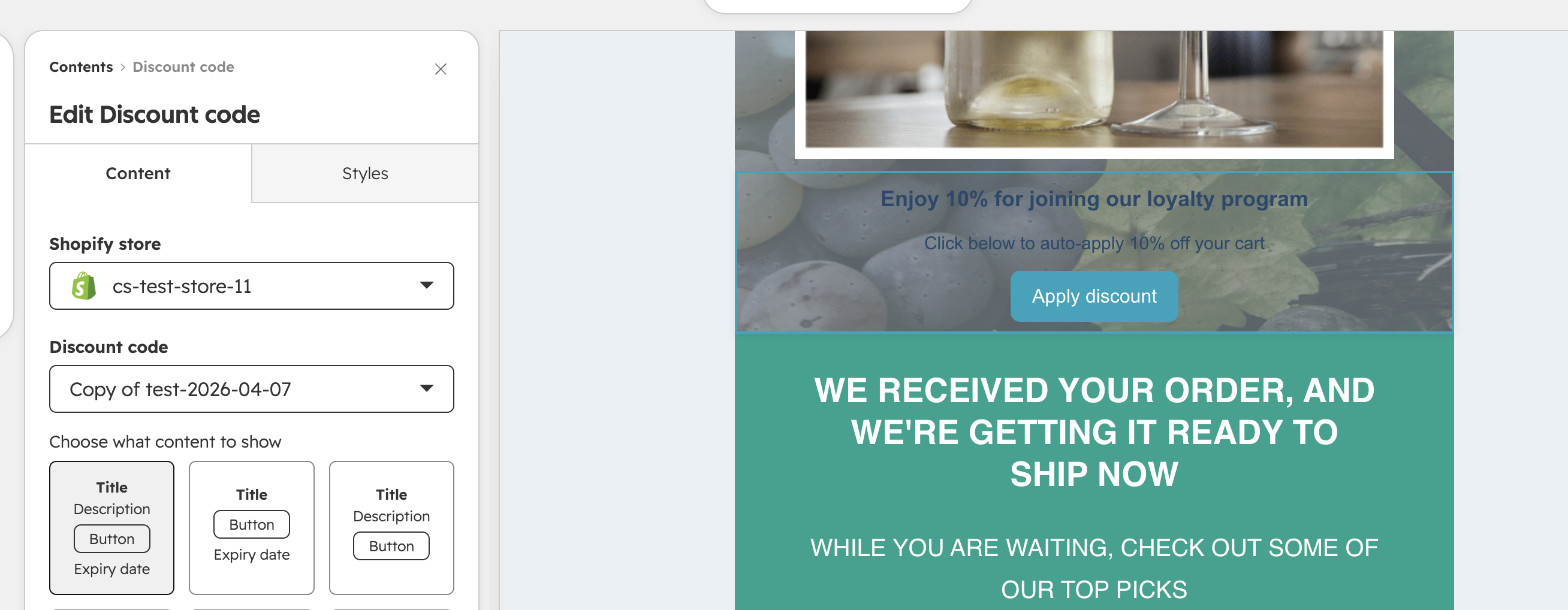
- Choose your button style, title, description, and button text to finish styling the discount code section.
Who gets it?
All customers using the Shopify app