What is it?
Ticket Capacity Limits are now available in Service Hub Pro, giving growing support teams a powerful way to control workload, protect agents from overload, and improve routing outcomes earlier in their scaling journey.
Admins can set per-user limits on how many tickets are automatically assigned — with flexible rules that reflect real work, not just open tickets.
Why does it matter?
As teams grow, relying on “open tickets” alone to manage workload breaks down quickly. Agents can appear overwhelmed even when they’re ready for more work, while others receive too much too fast.
With Ticket Capacity Limits in Pro, you can:
- - Prevent agent overload before it becomes a scaling problem
- - Distribute work more evenly across teams
- - Improve response times and customer experience
- - Rely less on manual reassignment or automation workarounds
This brings healthier workload management to Pro teams — without waiting until Enterprise scale.
How does it work?
Ticket Capacity Limits in Service Hub Pro include:
Per-user ticket limits
Set how many tickets can be automatically assigned to each agent.
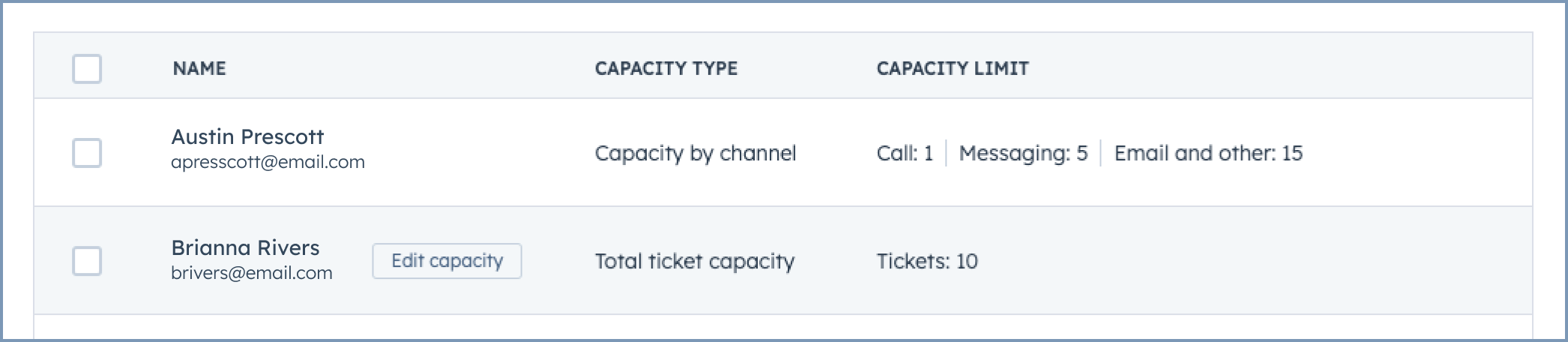
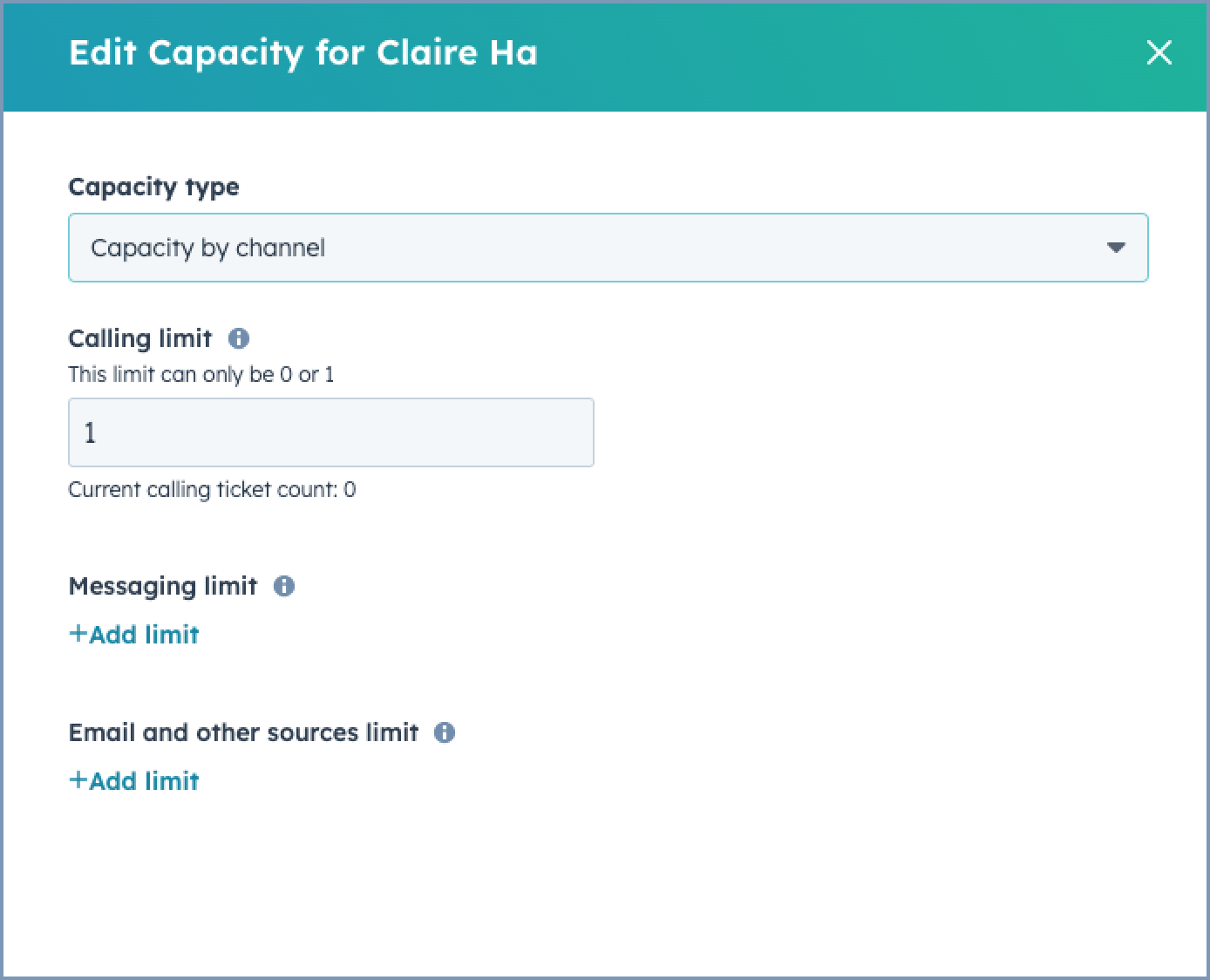
Capacity by ticket type
Apply different limits for Calling, Messaging, and Email/Other tickets to reflect different workloads.
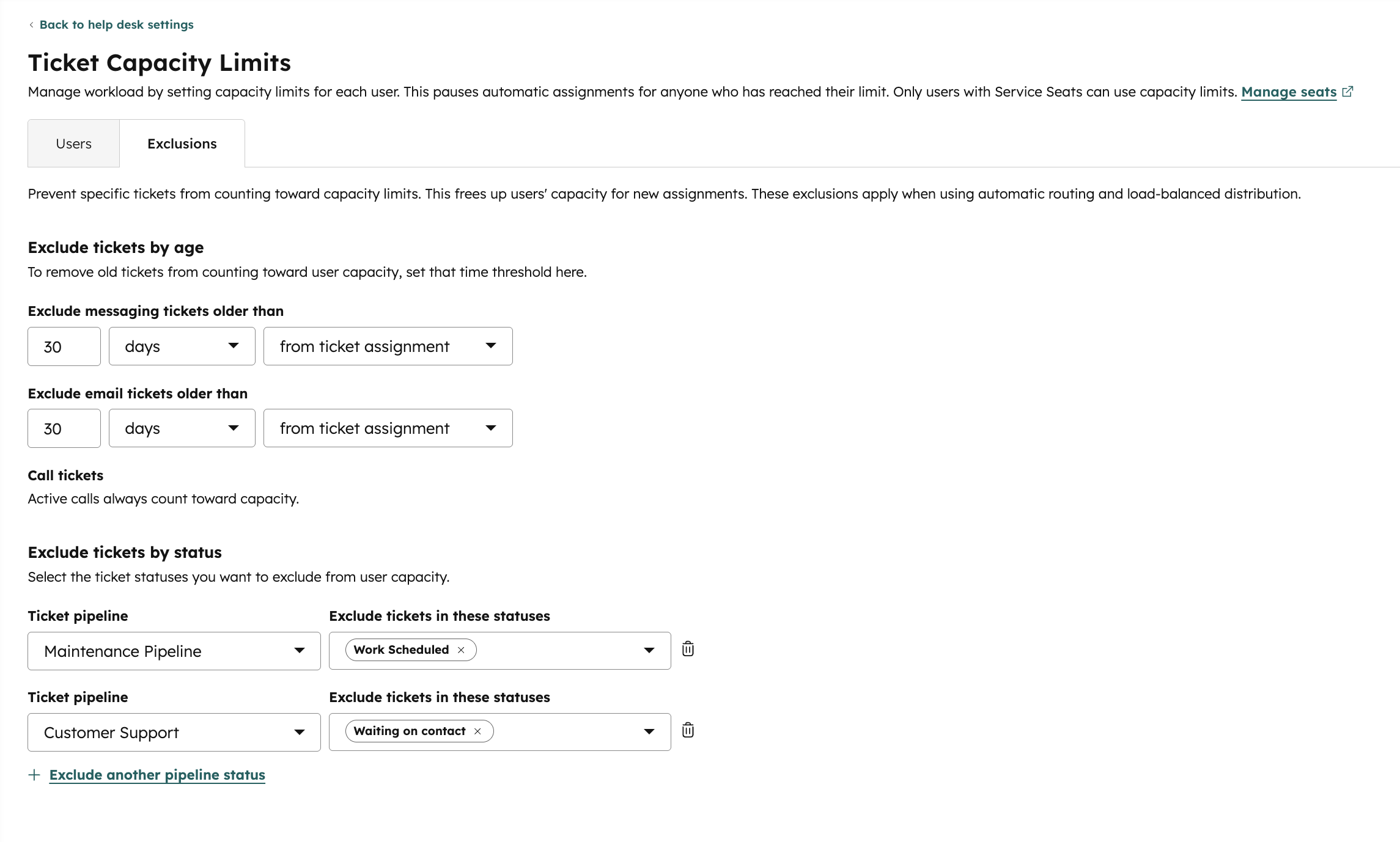
Smarter definitions of “active” tickets
Exclude tickets from capacity based on pipeline stage or ticket age, so inactive work doesn’t block new assignments.
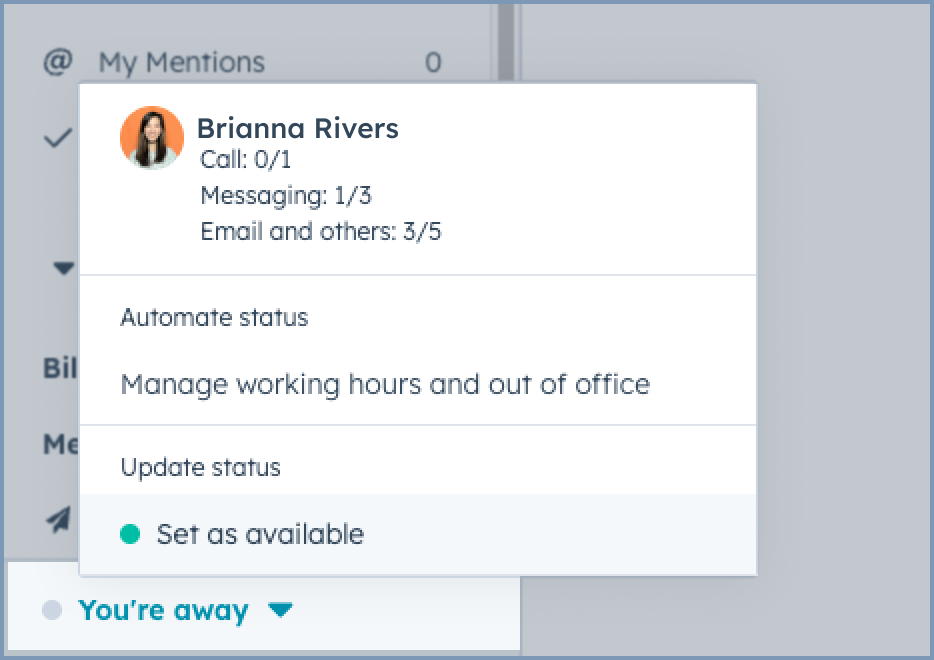
Capacity-aware routing and availability
Automatic assignment respects capacity, and agents can see when they’re at or near their limit.
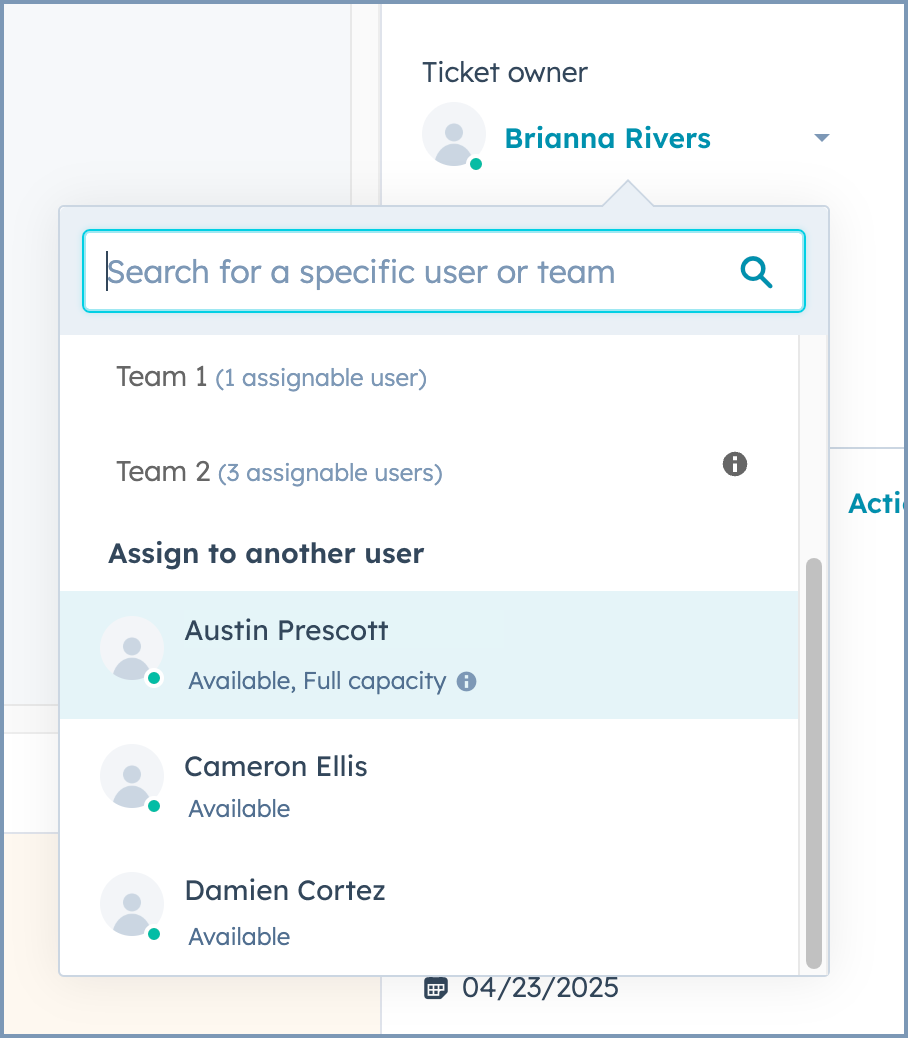
Visible context during reassignment
When assigning tickets manually, you’ll see whether another agent is already at capacity.
What’s included (and what’s not)
- ✅ Available for Help Desk tickets in Service Hub Pro
- ✅ Requires a Service Hub seat
- ❌ Inbox capacity limits remain Enterprise-only
Who gets it?
Service Hub Professional, Service Hub Enterprise



.png?width=193&name=jos%20(1).png)




