What is it?
You can now copy a buyer-facing Update payment method link for any subscription that wasn’t generated from a contract. The link used to appear only after a payment failed. Now it’s available whatever the payment status.
Why does it matter?
Failed payments are one of the most common causes of involuntary churn, and most of them are avoidable. With the link always available, you can get ahead of the problem instead of reacting to it:
- - Prevent failed payments. When a buyer mentions their card is expiring or they're switching cards, send the link right away. The update happens before a payment fails.
- - Resolve requests in one step. Instead of walking a buyer through where to go or collecting card details yourself, copy the link and send it. The buyer updates their payment method through a secure, buyer-facing page.
- - Protect recurring revenue. Fewer failed charges means fewer interrupted subscriptions, less retry and recovery work, and fewer awkward "your payment failed" conversations.
How does it work?
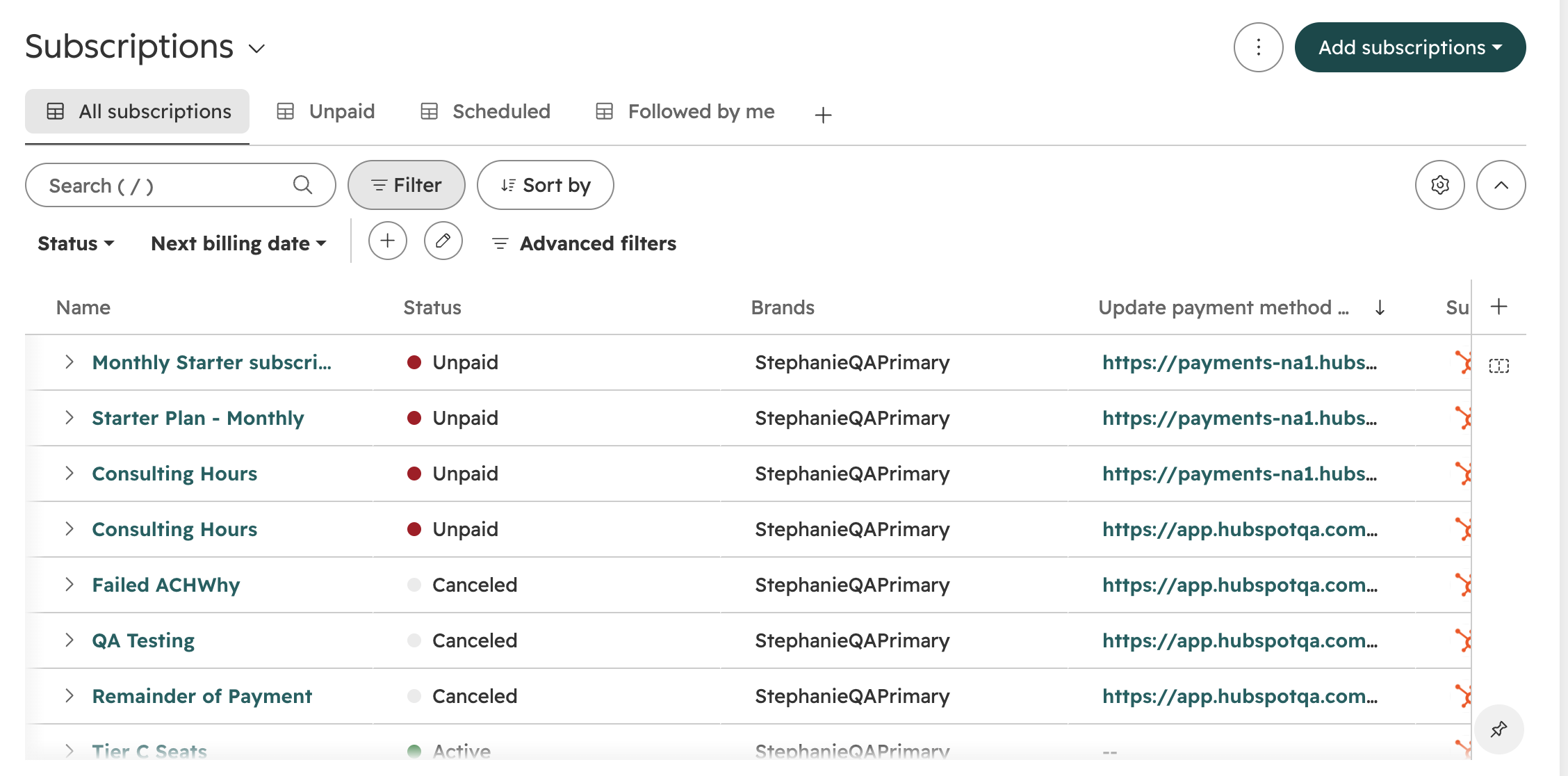
- Go to the Subscriptions index page.
- Add the "Update payment method" column to your table view.
- Each subscription row shows a link you can copy and send to the buyer.
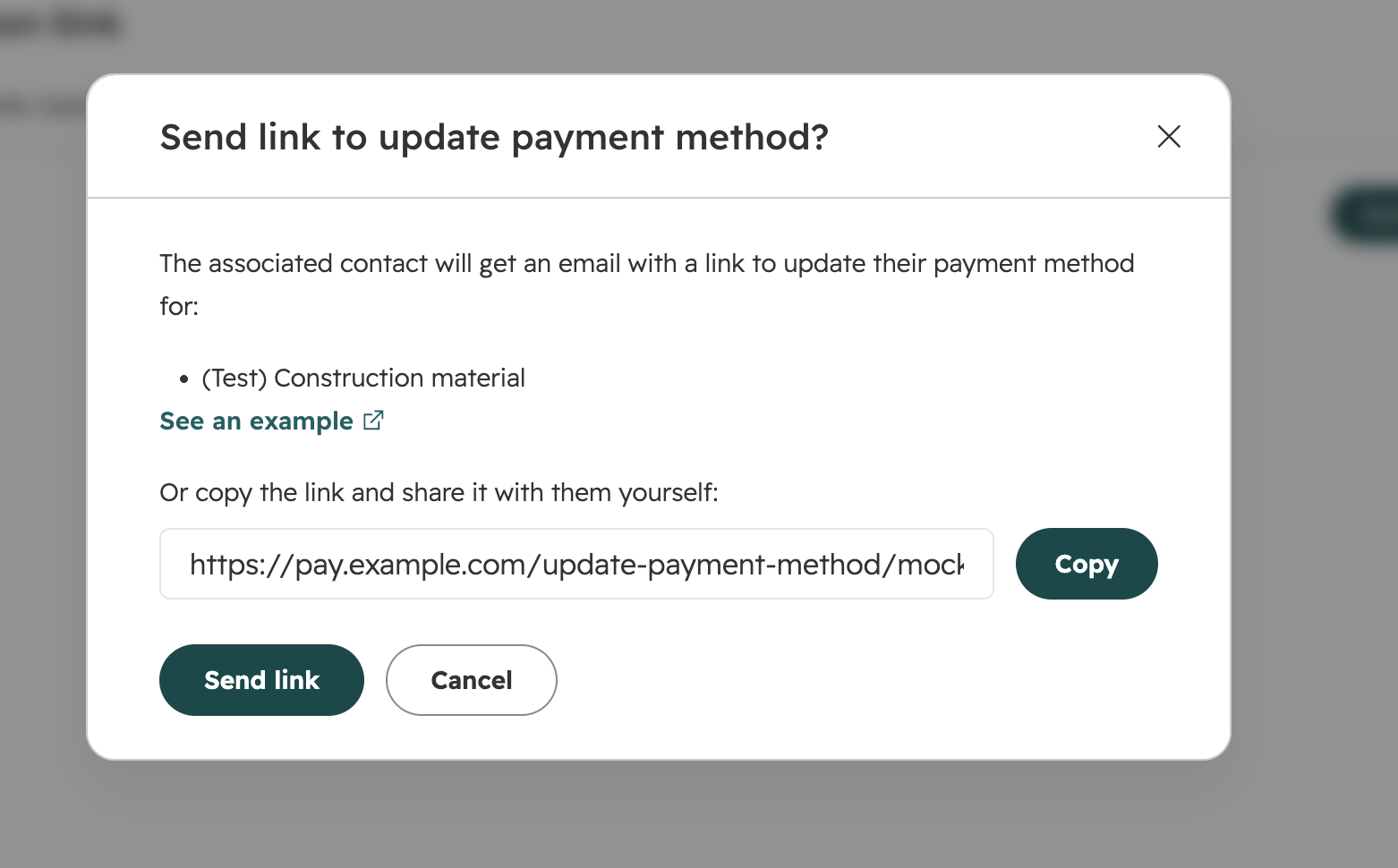
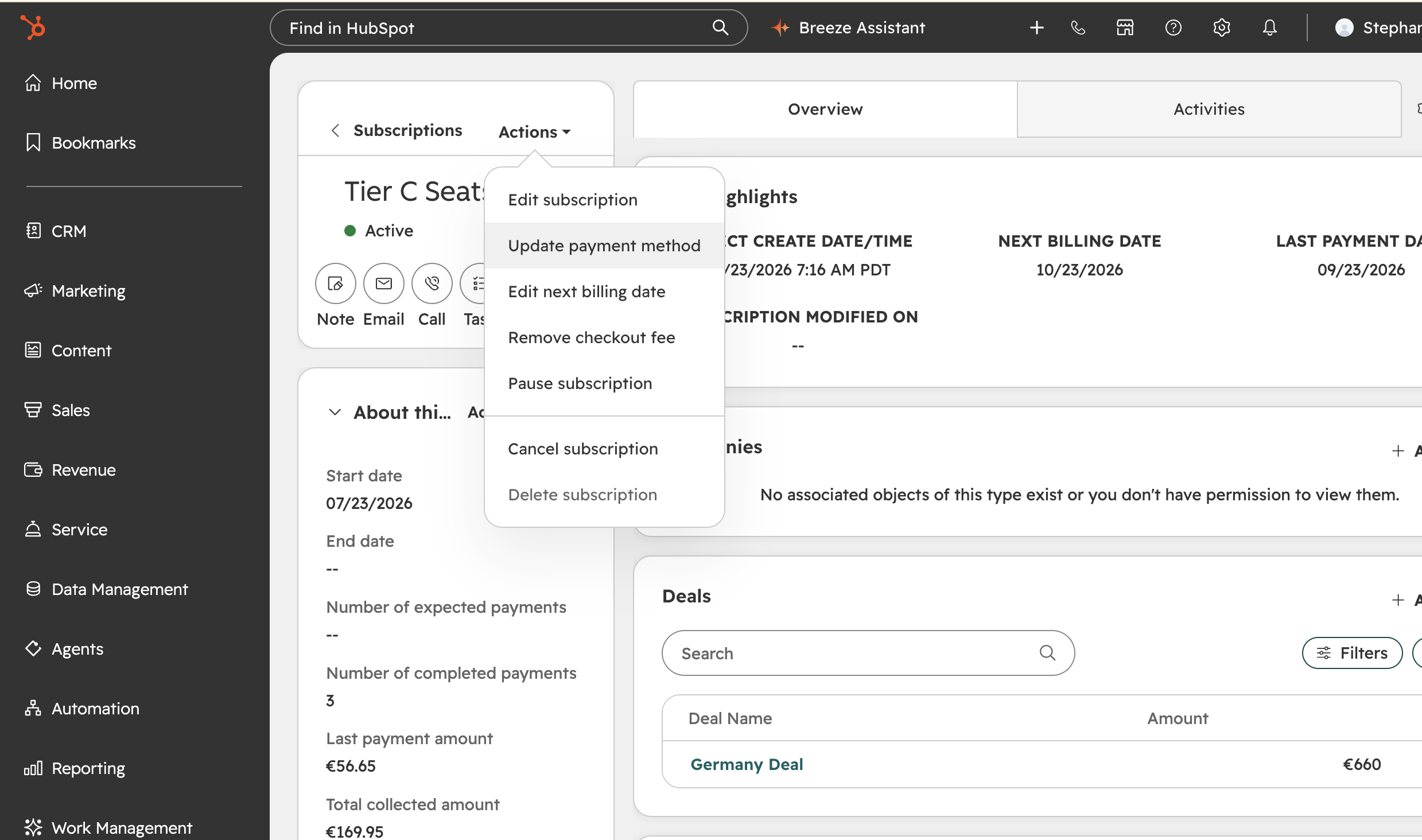
The buyer-facing “Update payment method” link is also available in the “Send link to update payment method” modal. To open it, go to a subscription and click “Update payment method."
If you are on the Professional and Enterprise tiers of at least one of the following hubs - Marketing Hub, Sales Hub, Service Hub, Data Hub, Smart CRM, or Revenue Hub, then you can set up a Workflow to send your buyer an email when their payment method is expiring soon using the date property of Payment Method Expiry Date.



.png?width=193&name=jos%20(1).png)




