What is it?
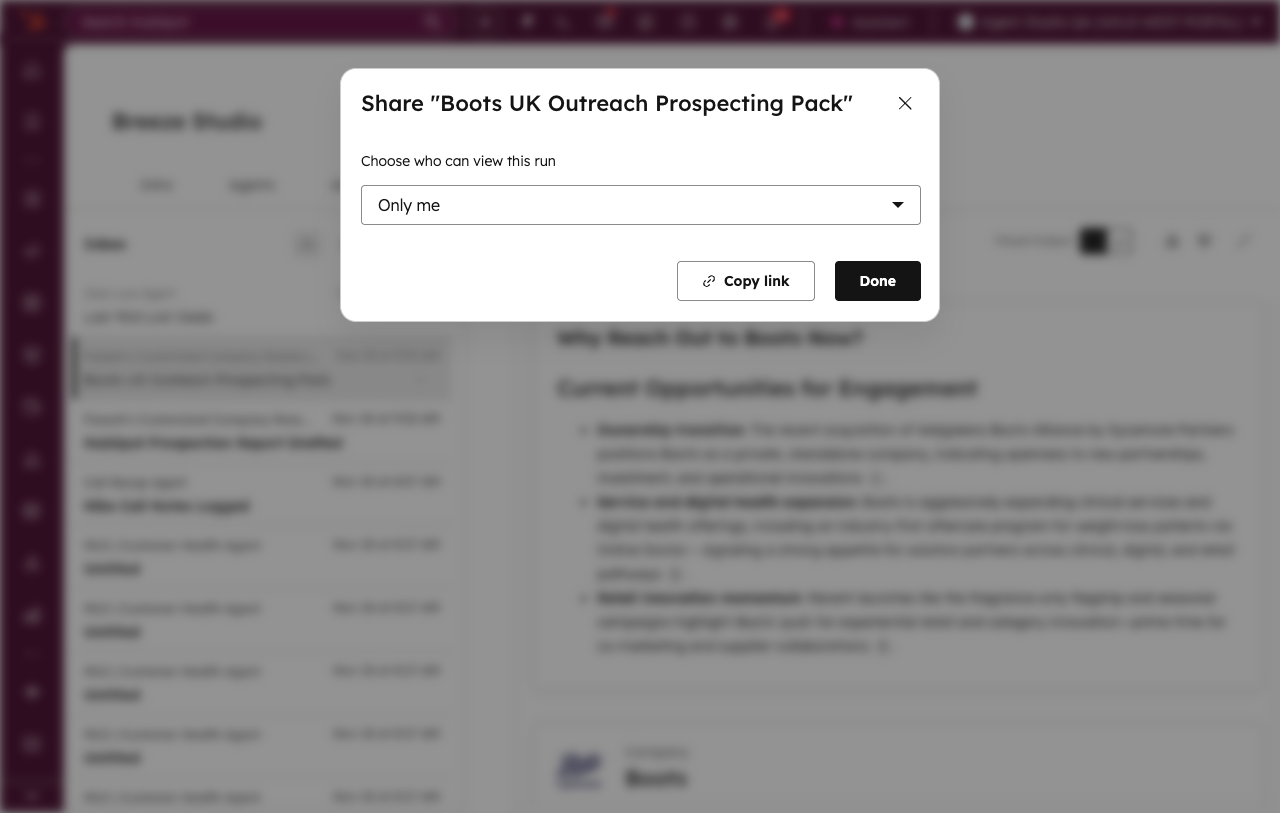
You can now share agent run outputs with teammates in your portal using shareable links, making run outputs and activity logs viewable in a 'Shared with me' filter.
Why does it matter?
Teams need a simple way to collaborate on, troubleshoot, and share agent run results without complex permission management or manual exporting.
How does it work?
Sharing a Run
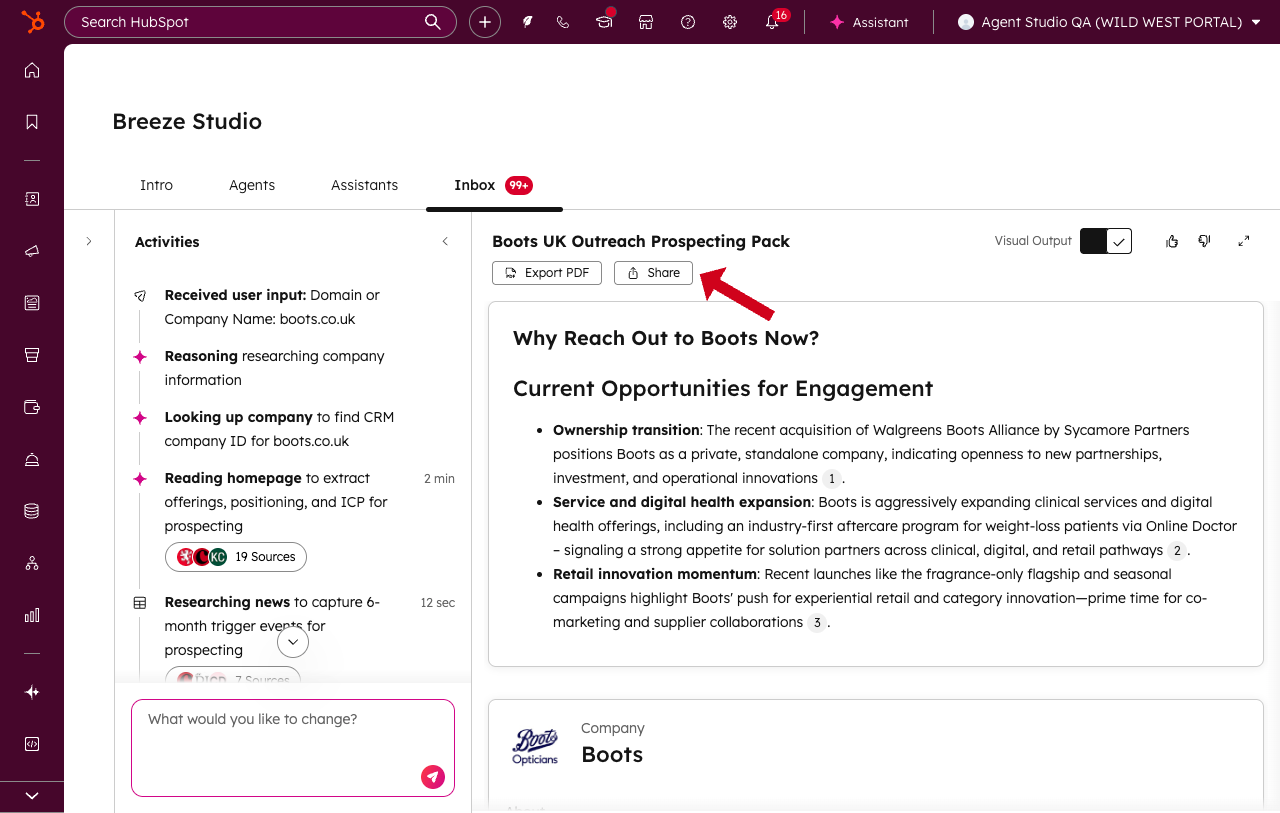
- Navigate to any run you own in the runs inbox.
- Click the 'Share' button.
- A modal appears; choose who you'd like to share the run with.
- Select 'Copy shareable link'.
- Share the link via email, Slack, or other methods.
Accessing Shared Runs
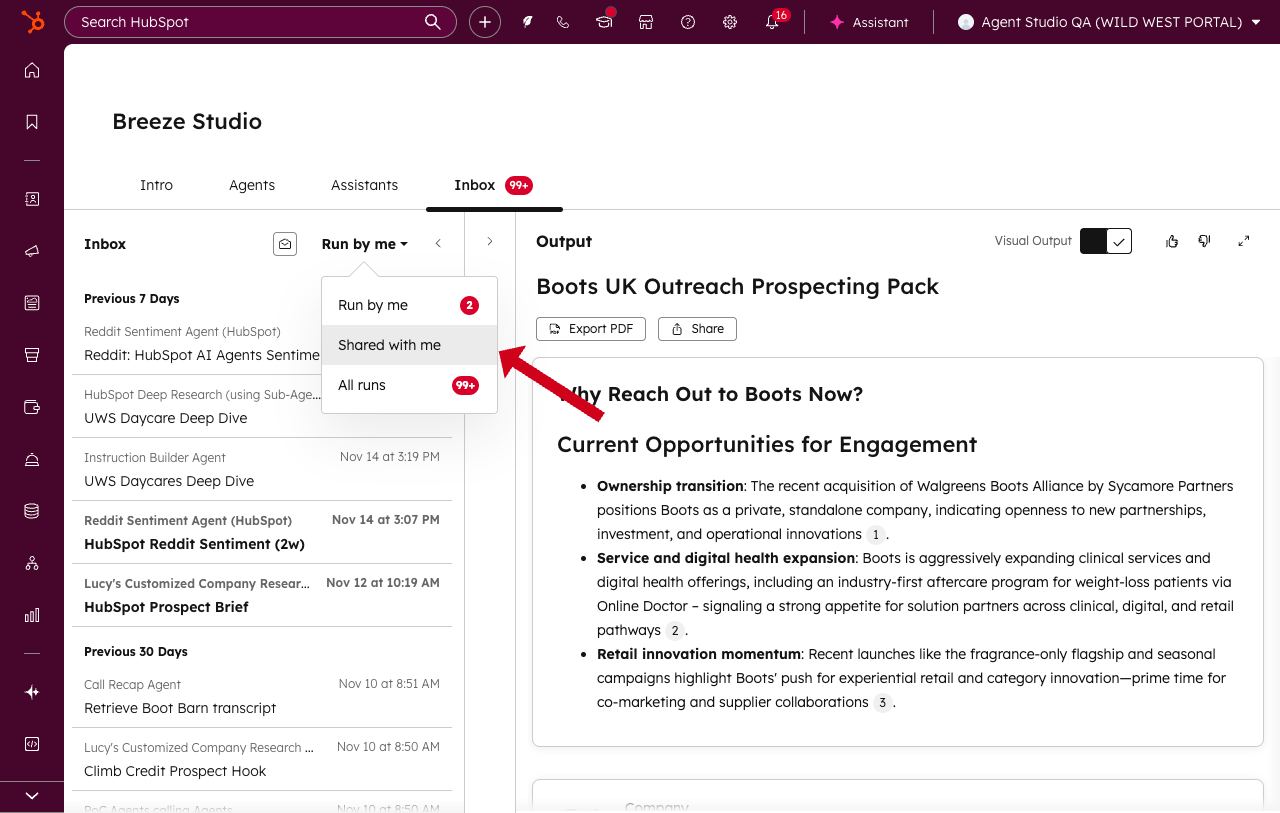
- Recipients click the shared link (must be in the same portal) to view the run's output and activity log in their inbox, under the 'Shared with me' filter.
Access Control
- Only users in the same portal as the run owner can view shared runs via link.
- Runs can be unshared by setting them to 'restricted' again.
Inbox Filters
- Runs inbox includes new filters: 'Me', 'Shared with Me', and 'All' (for superadmins), each with run counts.
Who gets it?
All hubs and tiers





.png?width=193&name=jos%20(1).png)




