What is it?
When generating a landing page using AI, the default setting is to use placeholder images. Users can choose to opt into one of the following instead:
- AI-generated images
- Images from their file manager
If no option is selected, placeholder images will be used.
Why does it matter?
Some users have strict brand or legal requirements for images and may prefer not to use AI-generated visuals. Additionally, AI image generation increases the overall time it takes to create a landing page.
By defaulting to placeholder images, we help reduce generation time and ensure users have full control over the image sources used on their pages.
If a user chooses to use images from their file manager, we can ideally save additional time by using pre-approved, on-brand media.
How does it work?
Note: To use this feature, ensure that “Give users access to generative AI tools and features > Files Data” is enabled within AI settings.
When a user reaches the generation step during landing page creation, they can select which image source they prefer:
- AI-generated images
- Images from their file manager
- Placeholder images (default)
If a user selects images from their file manager but no suitable match is found, the system will automatically fall back to a placeholder image.
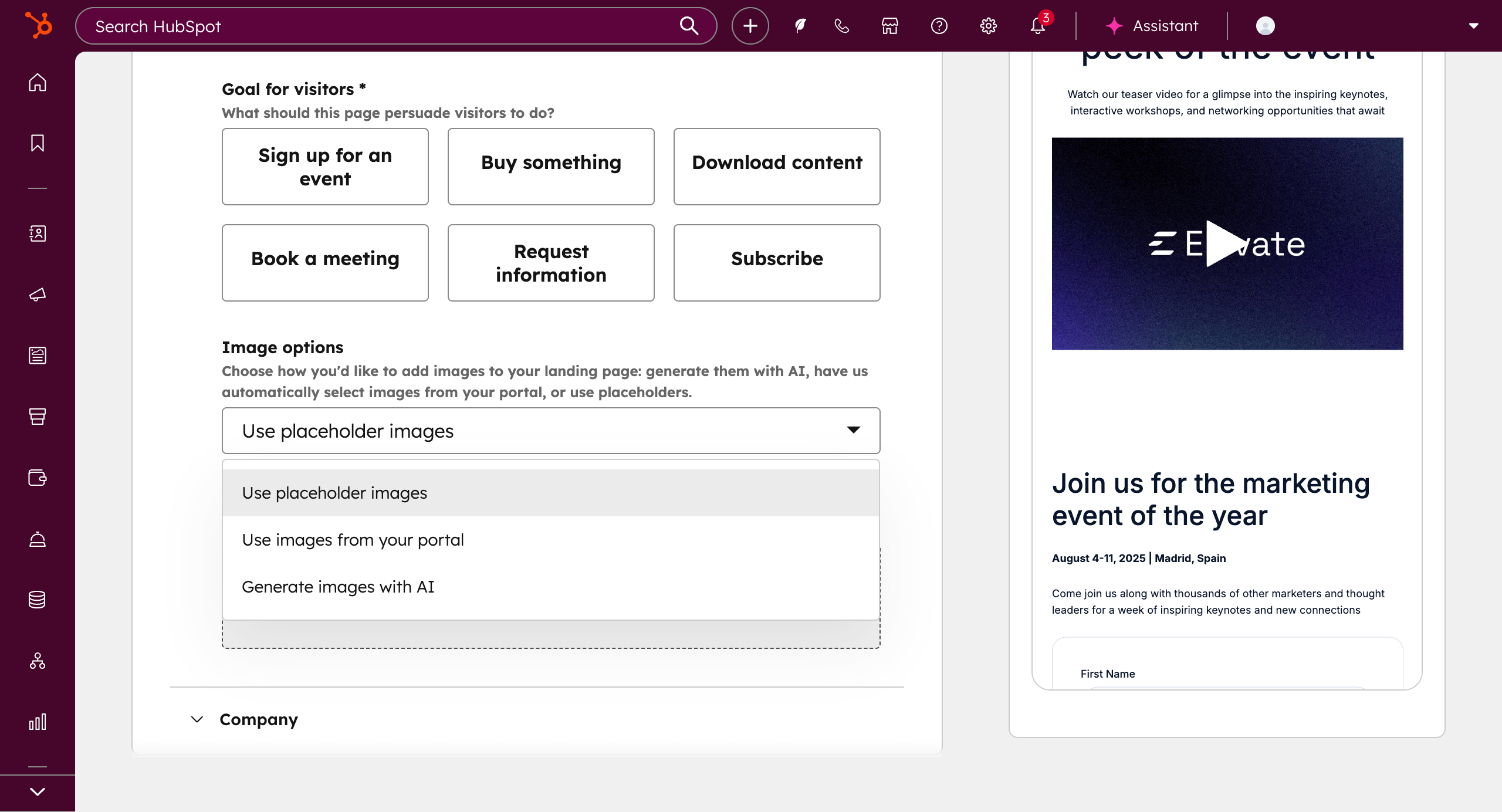
AI generated images can be later added directly within the editor.
Who gets it?
Content Hub Professional, Content Hub Enterprise





.png?width=193&name=jos%20(1).png)




