What is it?
An AI-powered filing agent in account cleanup that analyzes your unfiled workflows and suggests how to organize them into folders so you can review, adjust, and apply the changes in a few clicks.
Why does it matter?
Accounts with large numbers of workflows often have a backlog of unfiled assets that's easy to ignore and time-consuming to address manually. This agent does the analysis for you: it reads workflow names and descriptions, groups them into suggested folders, and lets you act on those suggestions without touching each workflow individually.
How does it work?
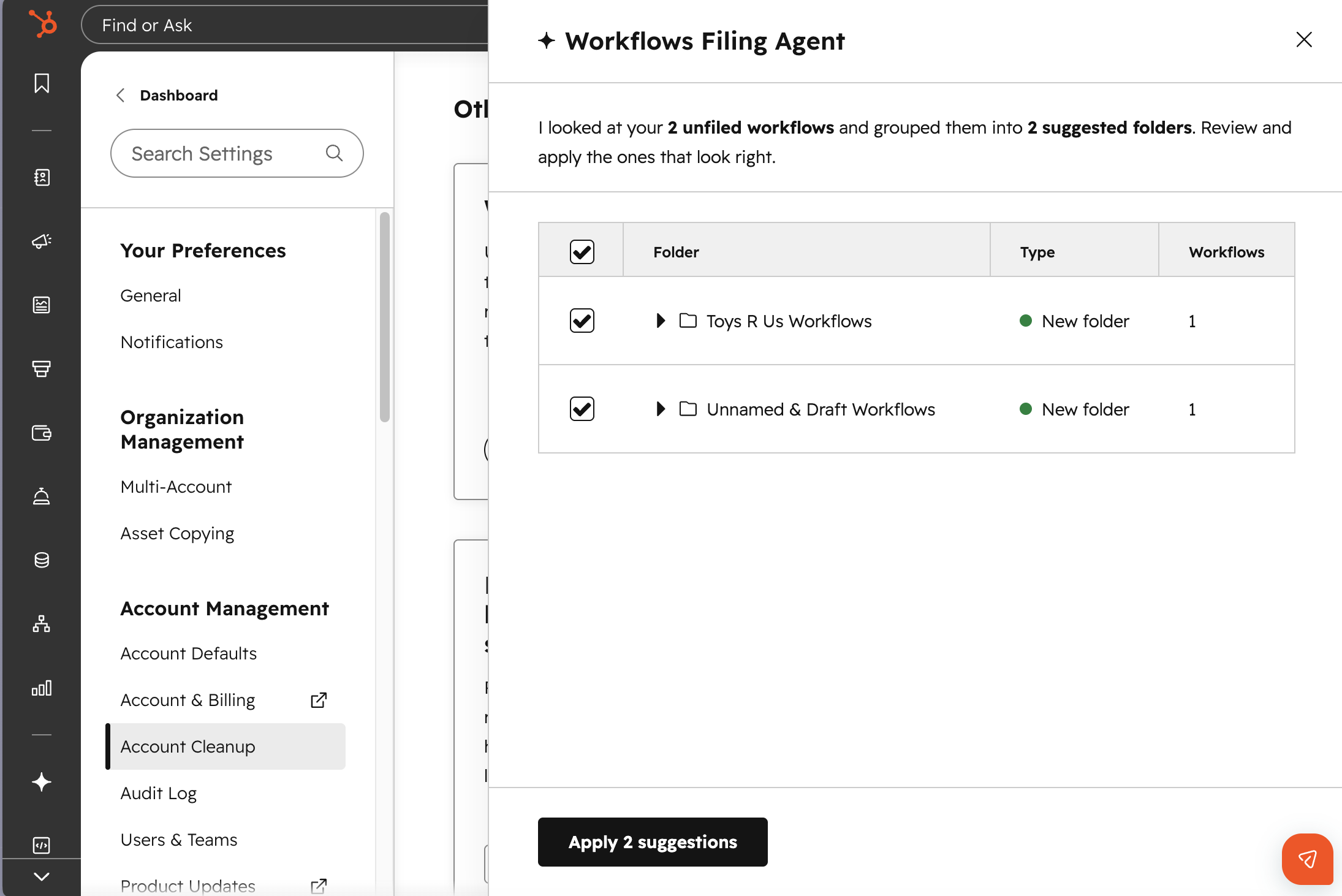
- In your HubSpot account, click the Settings icon in the top navigation bar.
- In the left sidebar menu, click Account Cleanup.
- Under Cleanup automations, click on the Workflows filing agent card.
- Click the button to trigger the assistant to analyze your unfiled workflows. The agent uses AI to review workflow names and descriptions and return folder grouping suggestions.
- Review the suggestions in the table. Each row shows the workflow, the suggested folder, and whether the folder already exists or would be created.
- Accept or reject individual suggestions as needed.
- Click to execute your selections. New folders are created and workflows are moved accordingly. A confirmation screen shows what was applied.
To analyze any remaining or newly unfiled workflows, you can re-trigger the assistant at any time.
Who gets it?
Commerce Hub Enterprise, Content Hub Enterprise, Marketing Hub Enterprise, Data Hub Enterprise, Sales Hub Enterprise, Service Hub Enterprise, Smart CRM Enterprise


.png?width=193&name=jos%20(1).png)




