What is it?
A native Azure Synapse to Data Studio connector that lets you connect your Azure Synapse instance to Data Studio.
Bring your specified source tables into Data Studio and activate that data across HubSpot by syncing to the CRM, building segments, powering workflows, and running reports.
Why does it matter?
This update removes a major blocker for customers who use Azure Synapse as their data lakehouse or warehouse. Now, you can combine the data in Azure Synapse with your HubSpot CRM data for richer analytics, better segmentation and more personalized customer experiences.
How does it work?
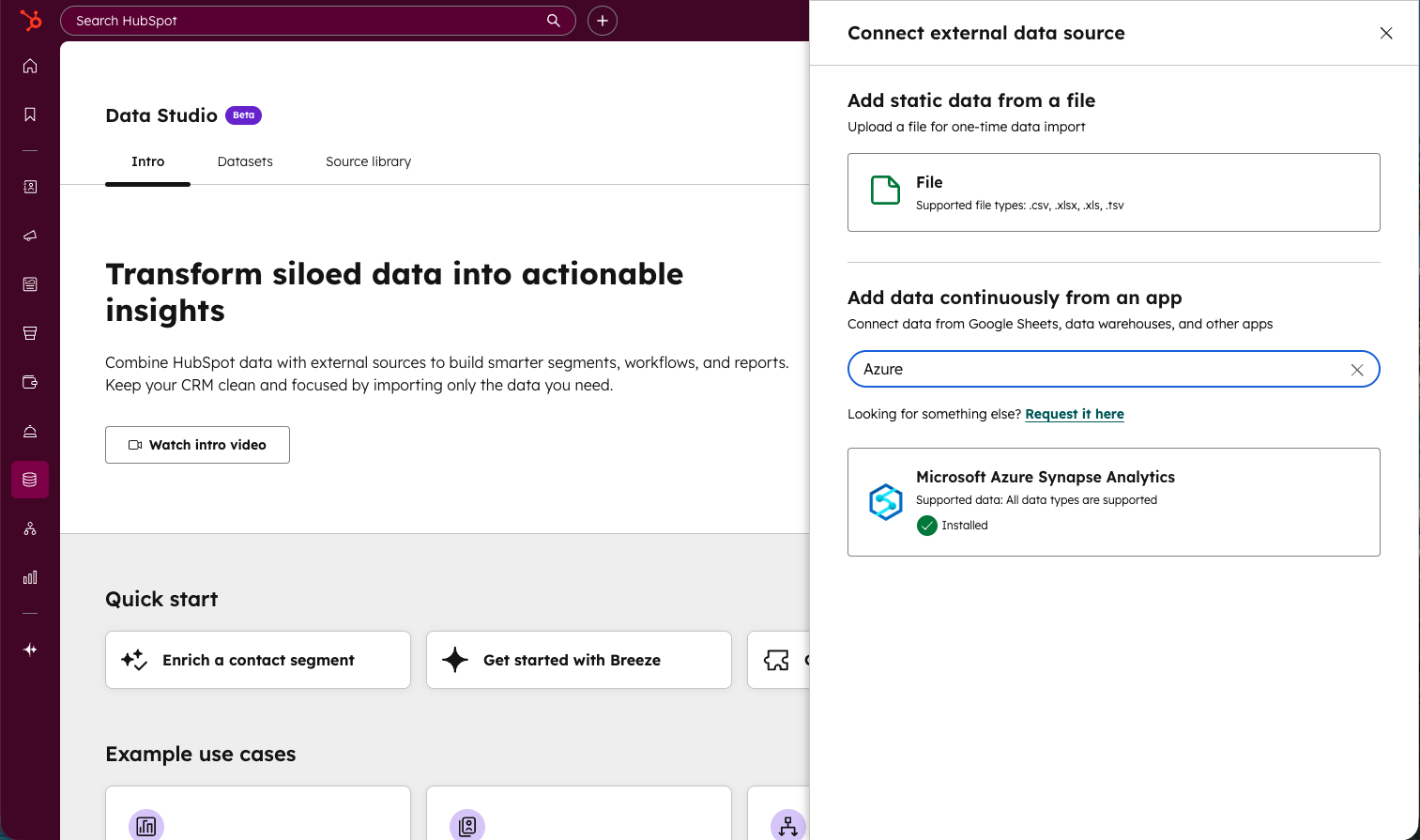
- Connect — Add Azure Synapse from data studio’s External Data panel or via the Azure Synapse marketplace listing and grant HubSpot access.
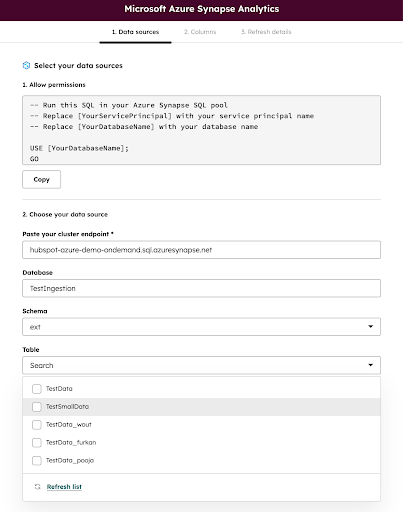
- Select & configure — Add your cluster endpoint and select the necessary database/schema/table/columns, pick what to sync, preview the data, and set a sync cadence. The connector supports tables, views and external tables and offers flexible sync timing (15 minutes to 24 hours)
- Activate & monitor — Use the data synced from your configured external source in segmentation, reports, syncs and workflows; check sync health, row counts and last refresh in Data Studio.
Note: While Data Studio is currently available to Data Hub Pro+ customers, data warehouse integrations (including Azure Synapse) are available only to Data Hub Enterprise customers
Who gets it?
Data Hub Enterprise


.png?width=193&name=jos%20(1).png)




