What is it?
The G2 MCP for HubSpot connects your Breeze Agents to real buyer behavior and verified customer voice from G2, no data engineering required. Reps can instantly understand what prospects are researching, which competitors they’re evaluating, and what’s driving their decisions, all without leaving HubSpot. The result is more relevant outreach, stronger conversations, and a faster path to revenue.
The G2 MCP for HubSpot connects Breeze Agents with:
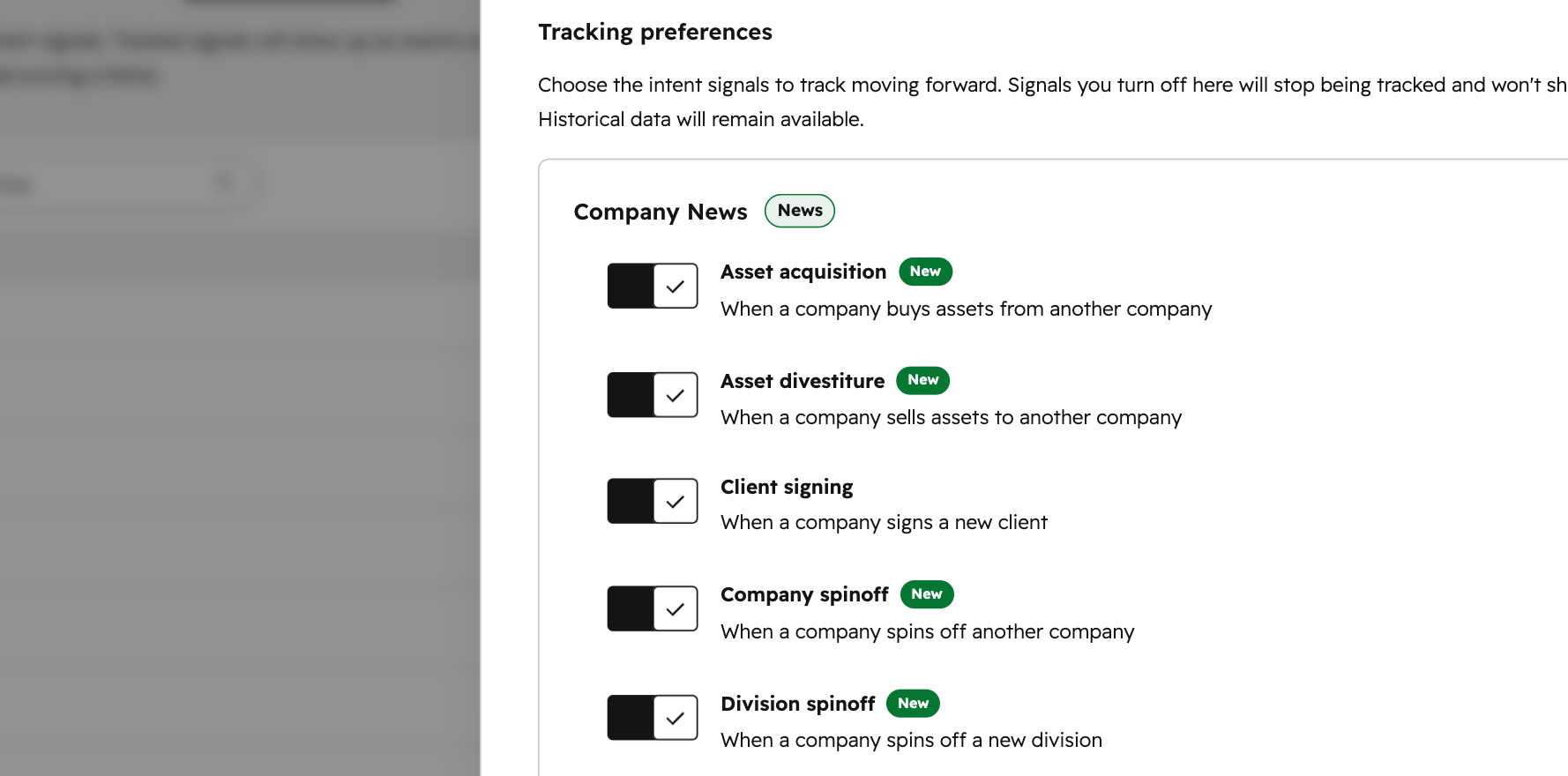
- Buyer Intent: Identify and analyze companies showing purchase intent for specific products
- Review Analysis: Retrieve and analyze G2 review data to surface real buyer language and competitive sentiment
- Product & Category Intelligence: Retrieve product listings, category data, and competitor comparison activity with advanced filtering
Why does it matter?
Never Go Into a Conversation Cold. Before, reps relied on generic web research or waited on data teams to understand what a prospect actually cared about — leaving them guessing at the right message and the right moment to reach out. Now, Breeze Agents can pull live G2 buyer intent signals and verified customer voice data directly into HubSpot CRM context. Reps can see what products a prospect is researching, which competitors they're evaluating, and what real buyers say drove their decisions — before the first touchpoint.
Re-engage accounts at the right time. The separate G2 app for HubSpot provides reps with data directly in the CRM. But reps didn’t have access to real time G2 signals like first-party buyer intent and verified customer voice to connect more context to the prospect’s research. Now reps can leverage Breeze Agents with the G2 MCP connection to identify when accounts return to market and why, helping teams prioritize re-engagement based on real buyer behavior instead of manual monitoring.
How does it work?
To connect the G2 MCP:
- - Navigate to Breeze Studio.
- Open the Breeze Agent you’d like to connect to the G2 MCP for HubSpot.
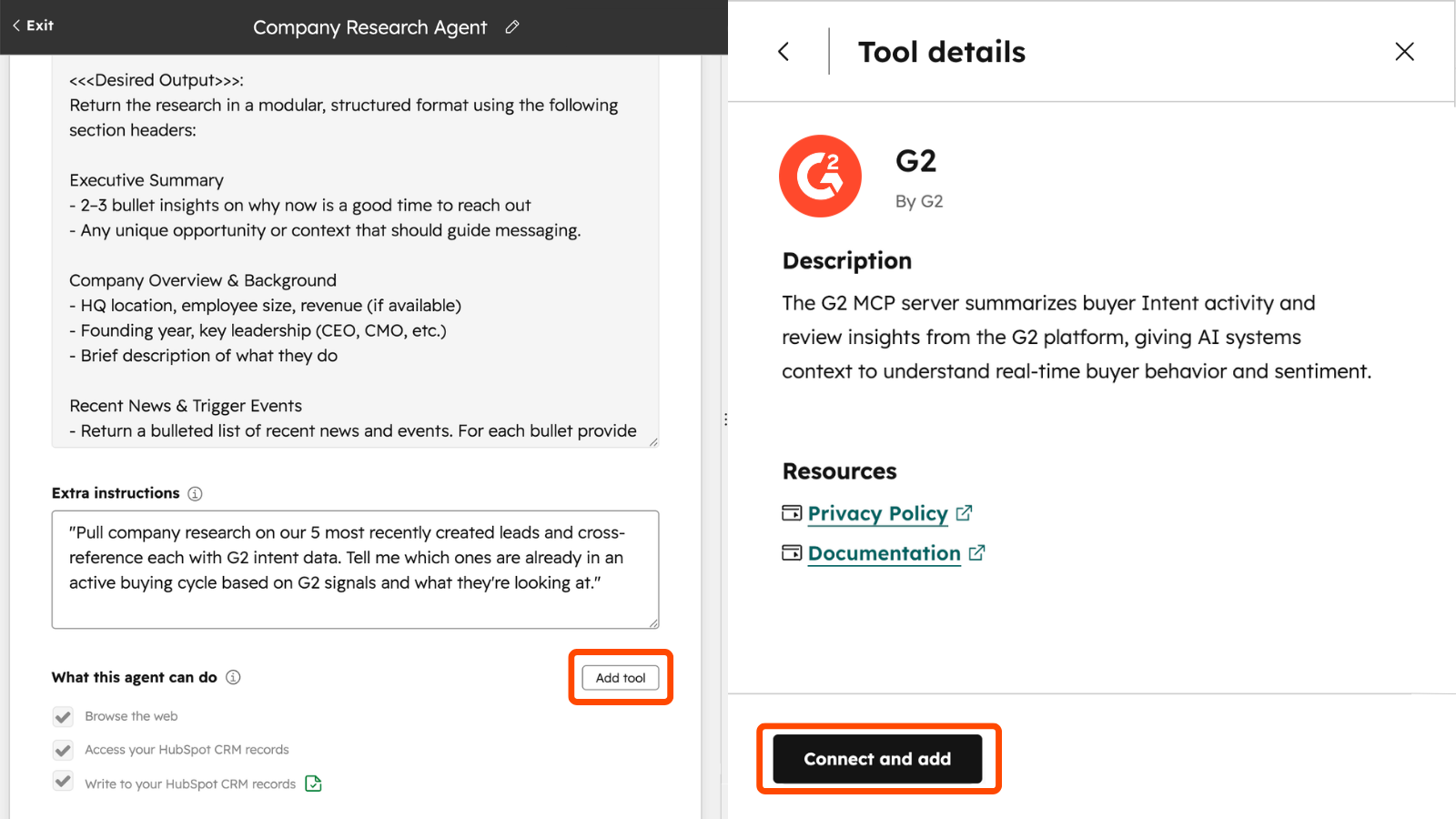
- Click Configure next to the Agent name.
- Next to the section named “What this agent can do” click Add tool.
- Select the tab labeled MCP Servers.
- Scroll down and click on the G2 MCP listing.
- Click Connect and add.
- In the pop-up click Connect to G2 MCP.
- Login to your G2 Account.
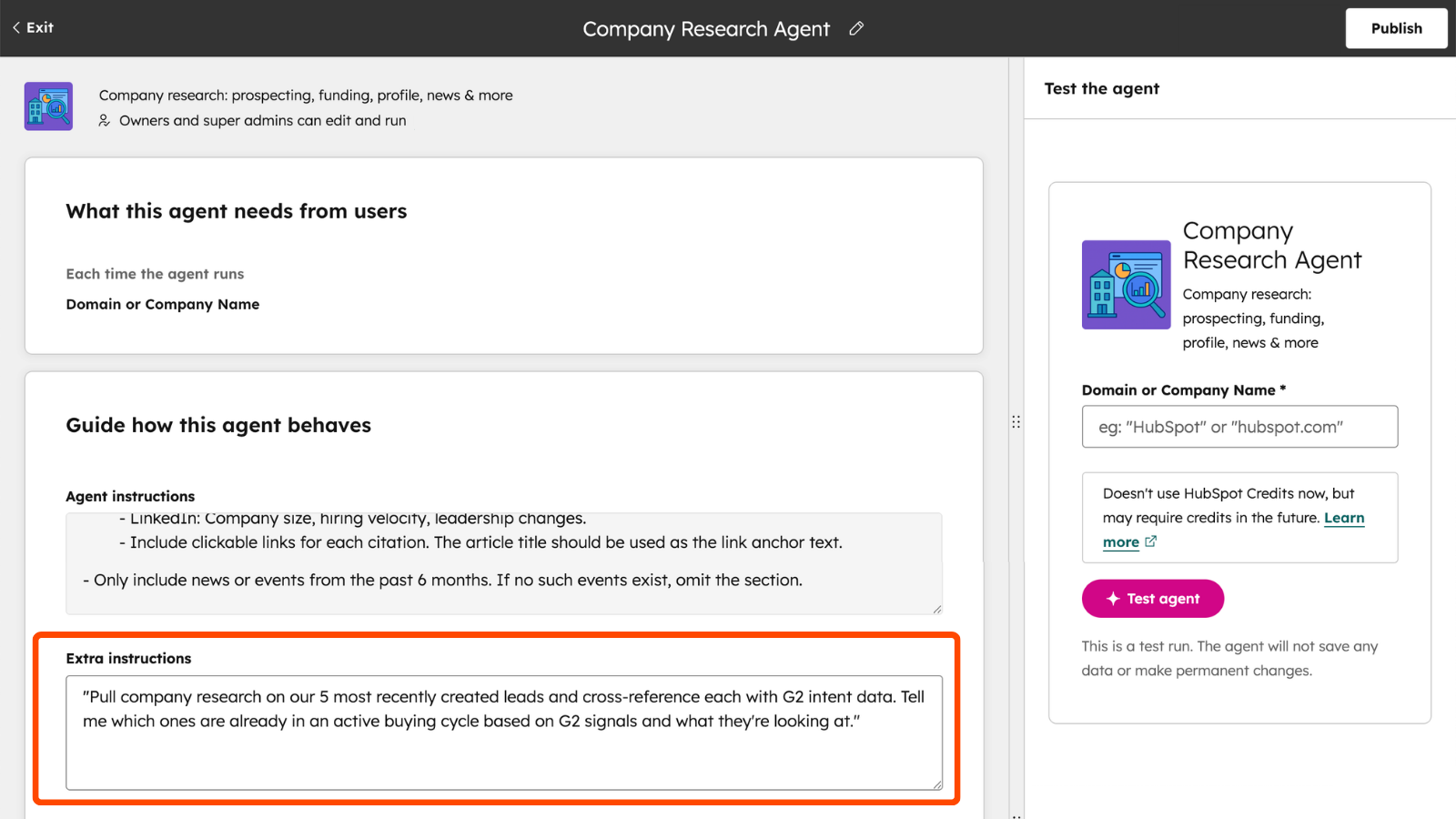
To add Agent instructions for the G2 MCP:
- - Navigate to Breeze Studio.
- - Open the Breeze Agent you’d like to add instructions for the G2 MCP.
- - Click Configure next to the Agent name.
- - Scroll down to the section labeled “Extra instructions.”
- - Type relevant instructions for your agent in the text box.
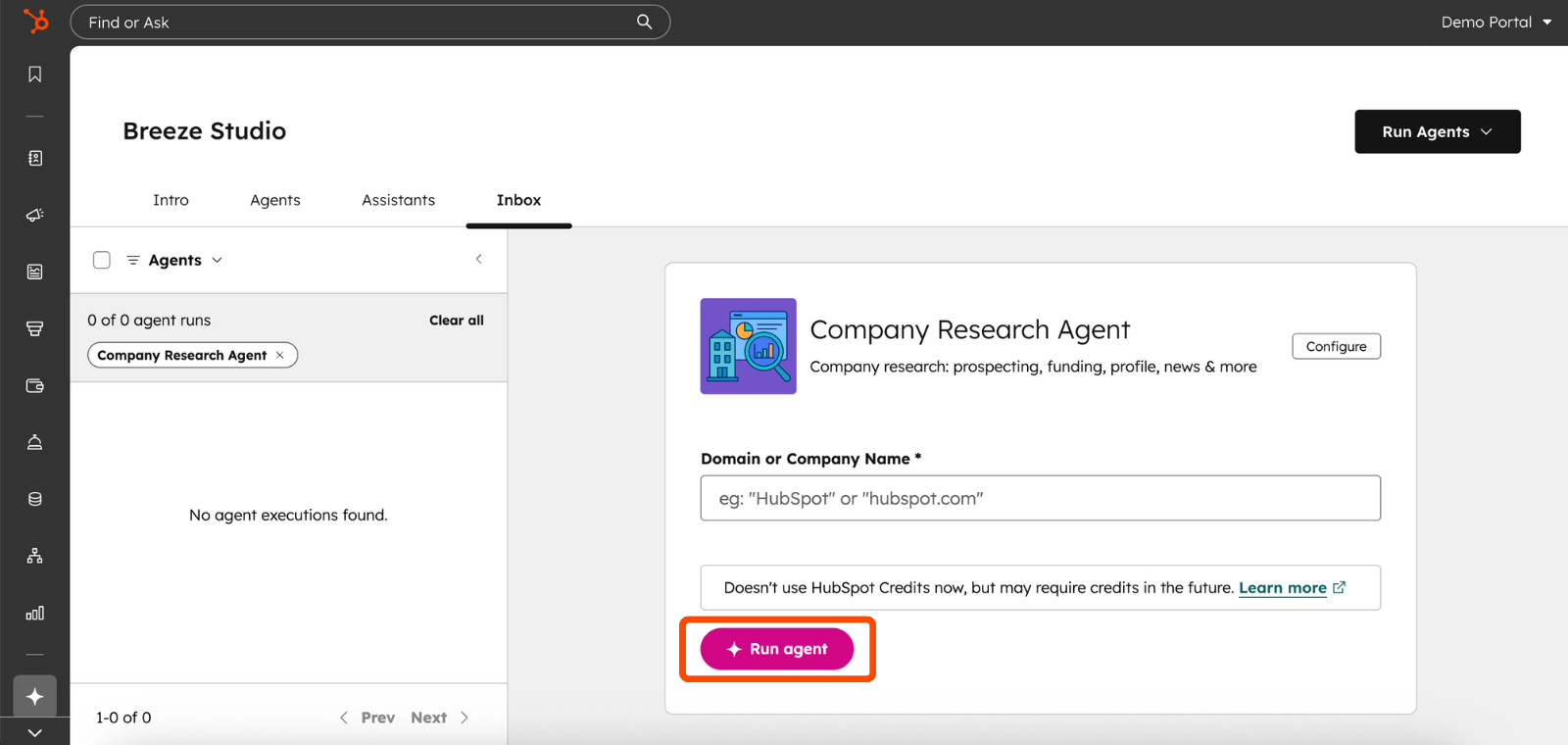
To run a Breeze Agent with G2 insights:
- - Navigate to Breeze Studio.
- - Click Open on the Agent you’d like to run.
- - Enter the required information for the Agent to research.
- - Click Run agent.
Who gets it?
Customers with HubSpot Professional or Enterprise subscriptions have access to Breeze Studio Agents. G2 Buyer Intent is available as an add-on for G2 Professional and Enterprise subscriptions.



.png?width=193&name=jos%20(1).png)




