What is it?
You can now create contacts directly in the HubSpot chrome extension while viewing a company's website, with automatic association to that company.
Why does it matter?
Prospecting requires momentum. Previously, adding a contact meant navigating away from the company website you were researching, switching to HubSpot, creating the contact, then manually associating it—breaking your workflow and slowing down lead capture.
Now you can capture contact information immediately while researching, keeping all relationship data connected without switching contexts or losing your place.
How does it work?
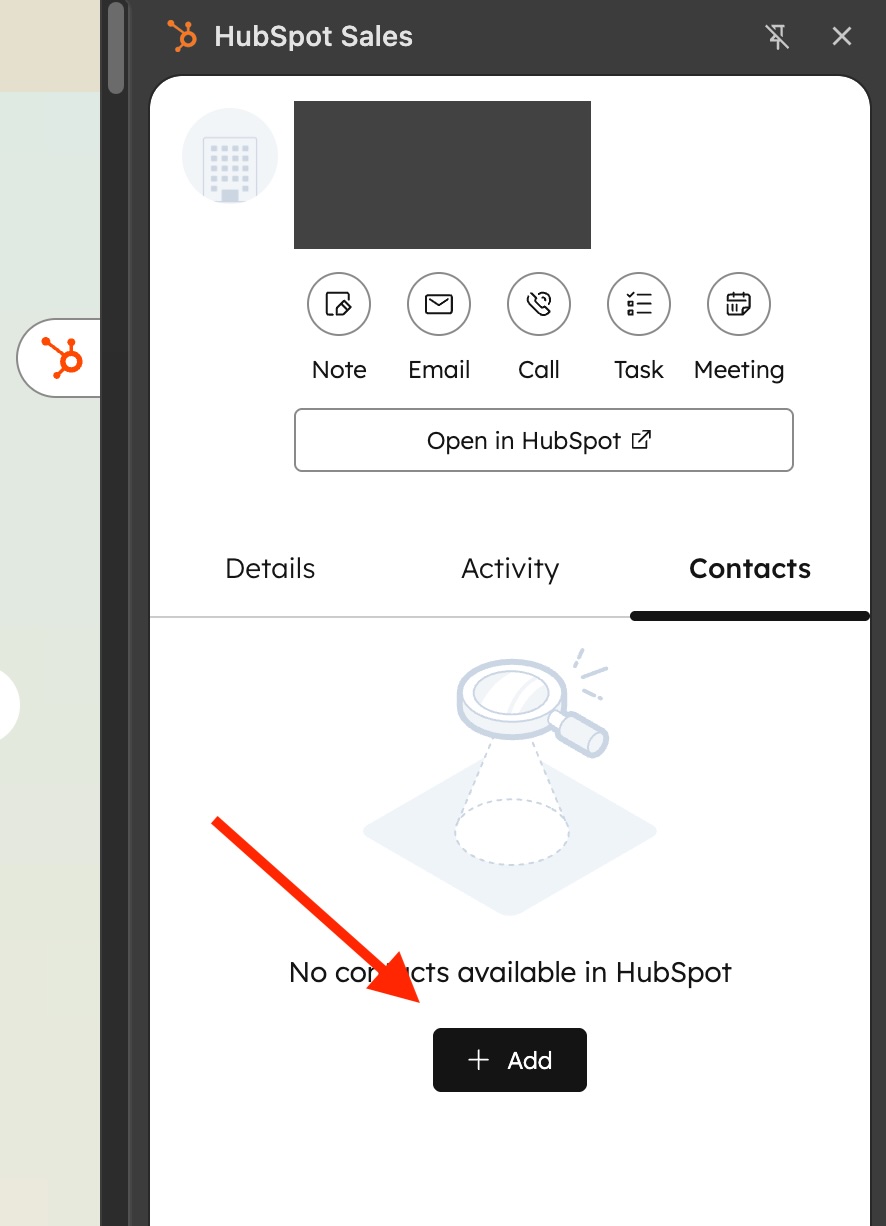
- Open the Chrome extension while viewing a company website.
- Navigate to the Contacts tab.
- Click the +Add button — this opens the Add Contact form.
- From here, you can either:
- Search for and add an existing contact, or
- Create a new contact
- The contact is automatically associated with the company you’re viewing, so everything stays connected — no extra steps needed.
Who gets it?
This feature is available for all HubSpot products and tiers.





.png?width=193&name=jos%20(1).png)




