What is it?
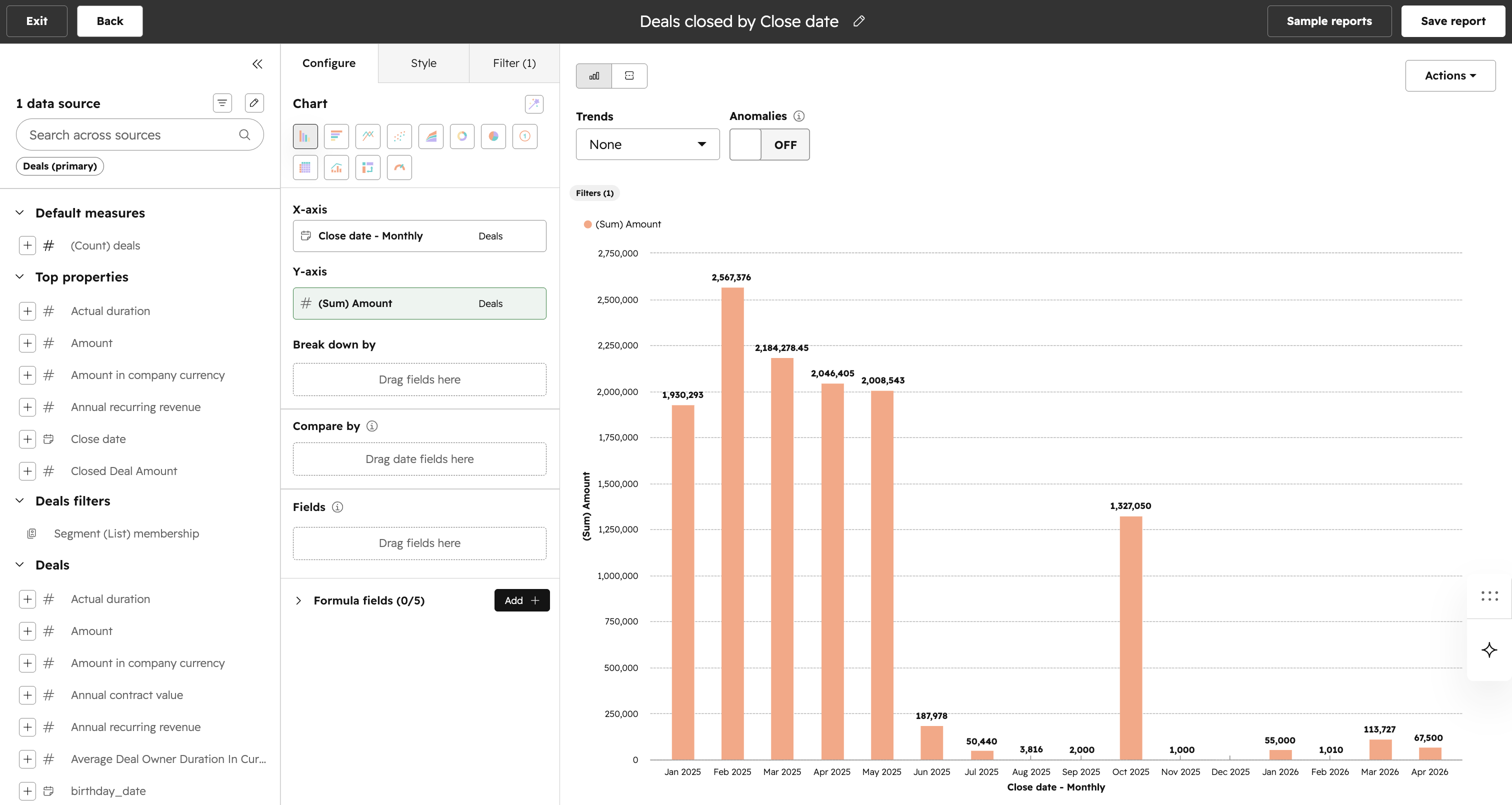
We have made the following improvements to the Custom Report Builder to simplify creating and editing reports. Here is a Loom video overview. The specific changes are as follows:
- Add data fields via the "+" icon. This will do a smart add of the property to start displaying your visualization. Note you still have drag and drop and click to add fields in specific places option available.
- Ability to shift to "Visualization only" mode to see the full visualization instead of both the Visualization and table below.
- The builder has been organized into three explicit tabs:
- Data --> Central place to configure your properties for tge visualziation
- Style --> All chart settings can be found here
- Filters --> Add filters to the visualization here
- Table will be the default selected visualization once you enter the report builder.
- An AI summary option can be enabled to get insights into the visualizaiton.
- Drag & drop improvements to make the drop area clearer.
- Design update on Auto-refresh behavior to make this option more noticeable for speed in building reports.
- Data source labels on fields more visible to clarify which data source the property is derived from.
- Cleaner view of empty state when you land into the report builder.
Why does it matter?
Custom Report Builder is a very powerful tool but can be complex to use to build reports. With these improvements we are hoping this makes the report creation process simpler to create your desired reports and drive time to value.
How does it work?
- Go to the "Reporting" tab on the left hand side main navigation bar in HubSpot.
- Click "Reports" from the three options available.
- Click "Create" and then "Create Report" from the main Report Lists page.
- "Custom Report" should already be selected as the default option so click "Next".
- Select one or multiple data sources and click "Next" again.
- You should now be dropped into the new CRB experience with tables as the default visualization selected. The differences compared to the old experience are catalogued above in the "What is it?" section.
Who gets it?
Commerce Hub Professional, Commerce Hub Enterprise, Content Hub Professional, Content Hub Enterprise, Marketing Hub Professional, Marketing Hub Enterprise, Data Hub Professional, Data Hub Enterprise, Sales Hub Professional, Sales Hub Enterprise, Service Hub Professional, Service Hub Enterprise, Smart CRM Professional, Smart CRM Enterprise



.png?width=193&name=jos%20(1).png)




