What is it?
Customize the meeting booked confirmation email that is sent to contacts when they book a meeting through your scheduling page.
Why does it matter?
Instead of sending a generic confirmation email to each contact that books a meeting, you can now customize it to include the best information to send to a contact to help them understand what to expect for that upcoming meeting.
How does it work?
When creating or editing a scheduling page (Sales > Meetings Scheduler), visit the "Automation" tab to customize your confirmation email.
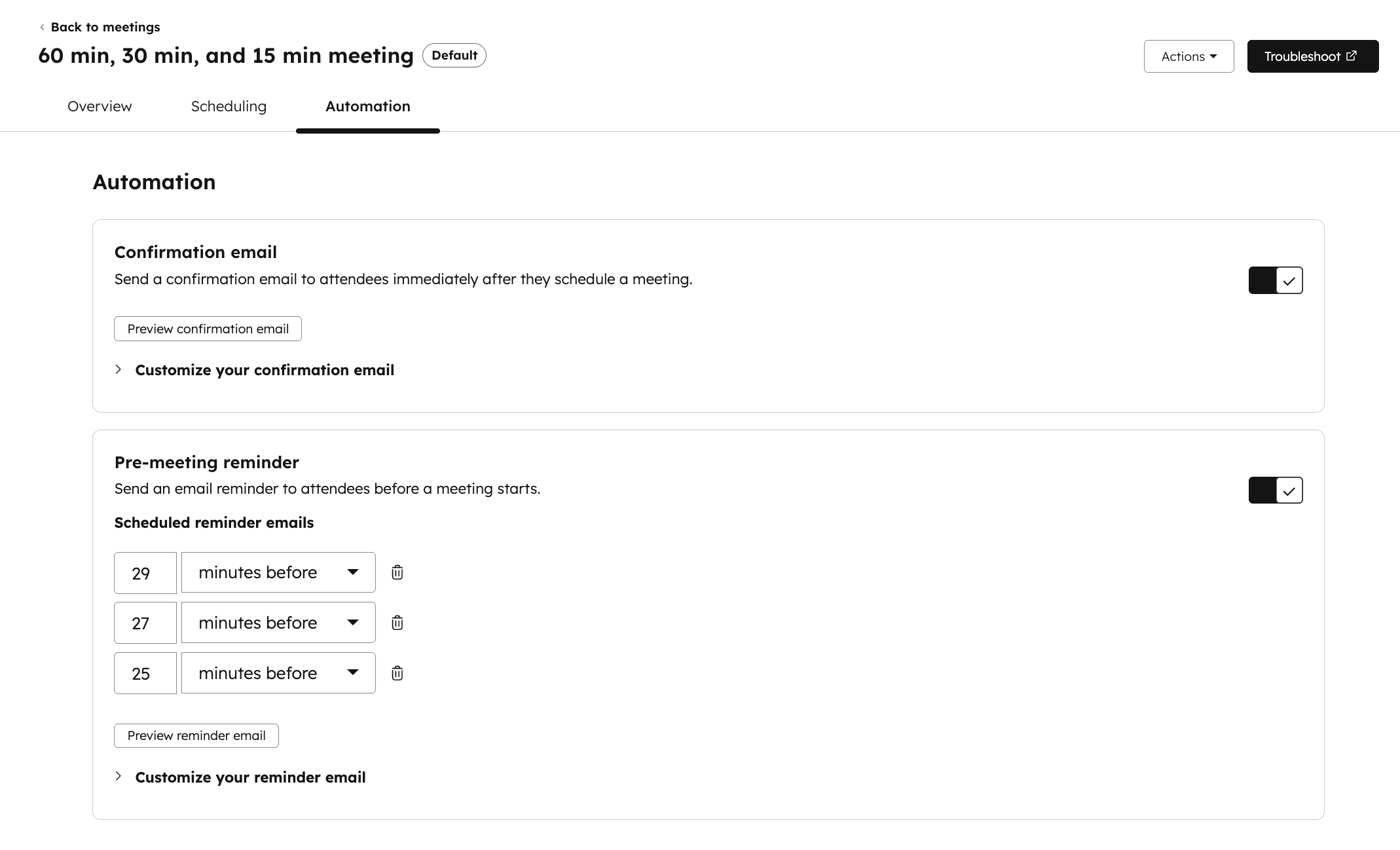
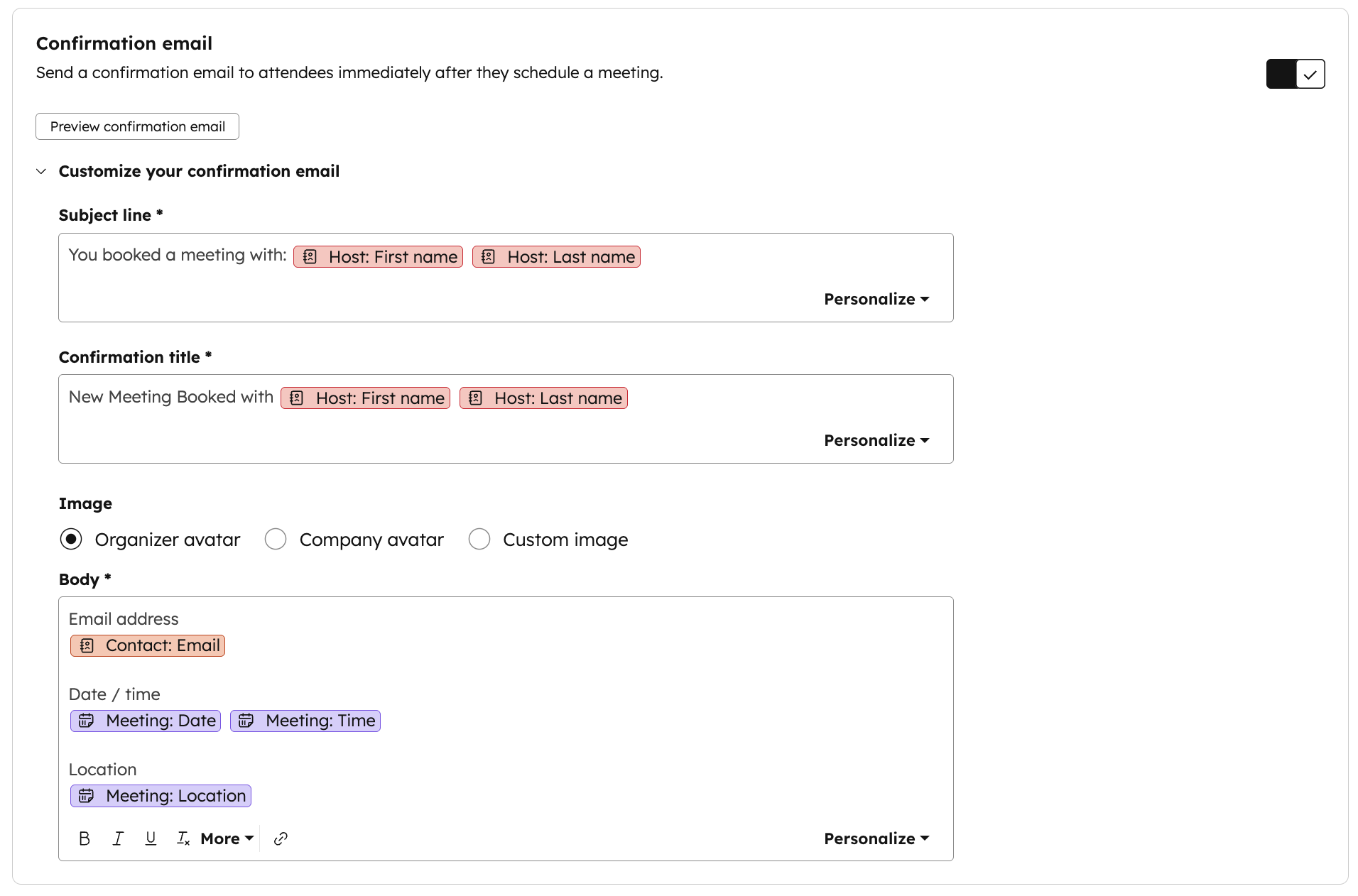
Customize the subject line, title, body, and image. Include tokens like meeting time and location.
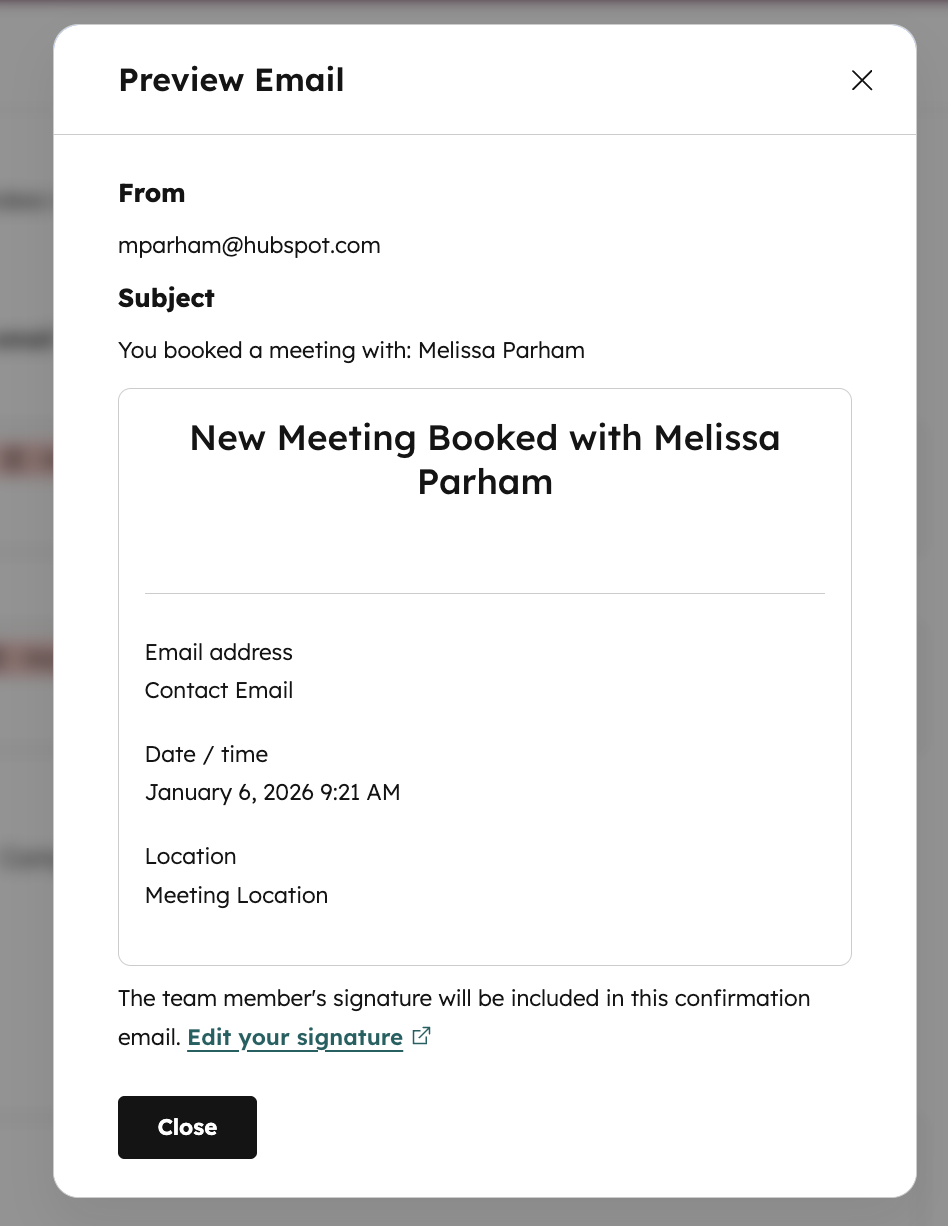
Click the "Preview confirmation email" button to preview what will be sent to contacts when they book a meeting through this scheduling page.
Who gets it?
Sales Hub Starter, Sales Hub Professional, Sales Hub Enterprise, Service Hub Starter, Service Hub Professional, Service Hub Enterprise





.png?width=193&name=jos%20(1).png)




