What is it?
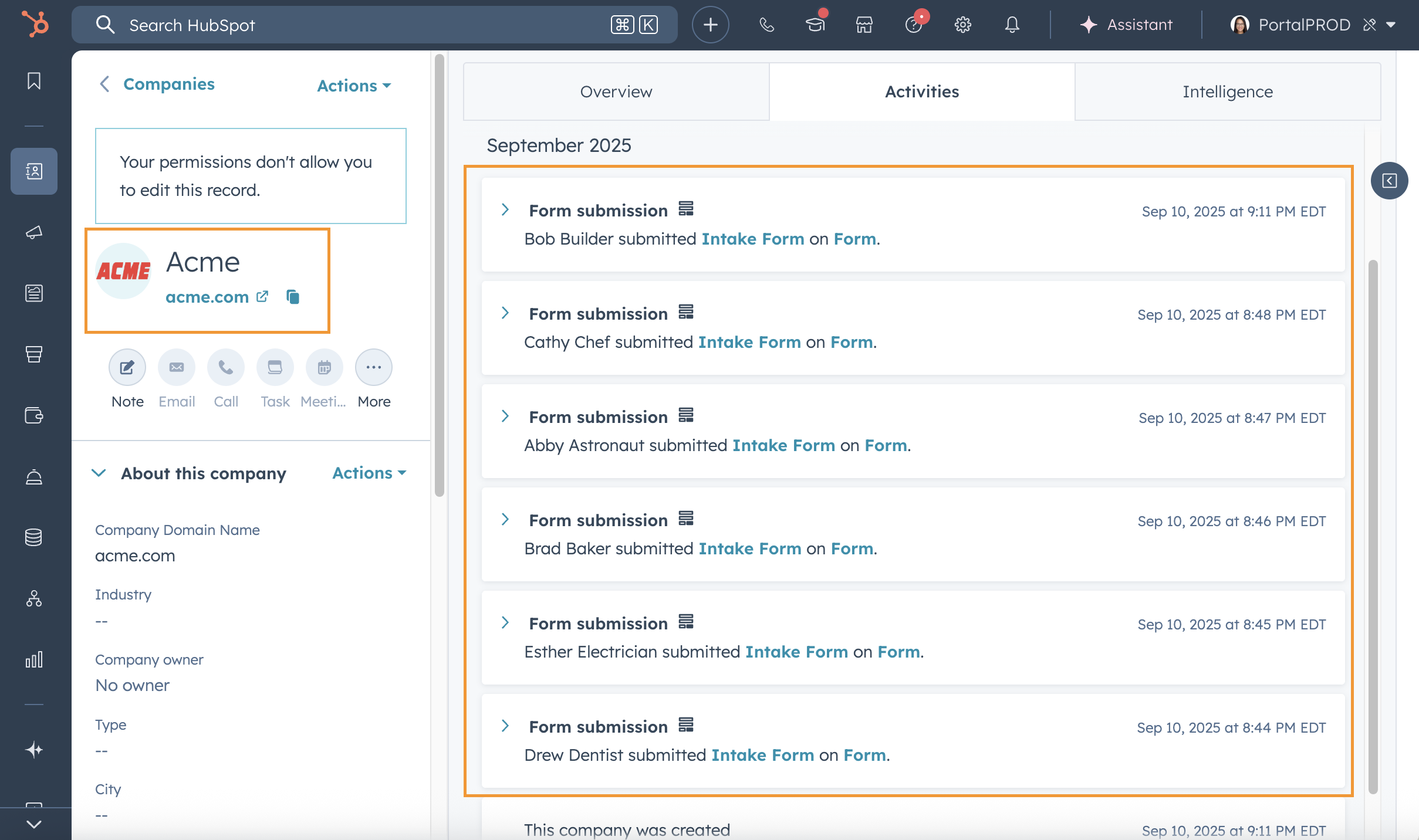
Company records now display form submissions from all associated contacts on the activity timeline.
Why does it matter?
When evaluating a company's engagement, you need visibility into all the touchpoints across the organization. Instead of checking individual contact records, you can now view all form submissions from associated contacts in one place, saving time and giving you a complete picture of company-level interest.
How does it work?
Form submissions captured on contact records automatically roll up to the company timeline based on existing contact–company associations in your CRM.
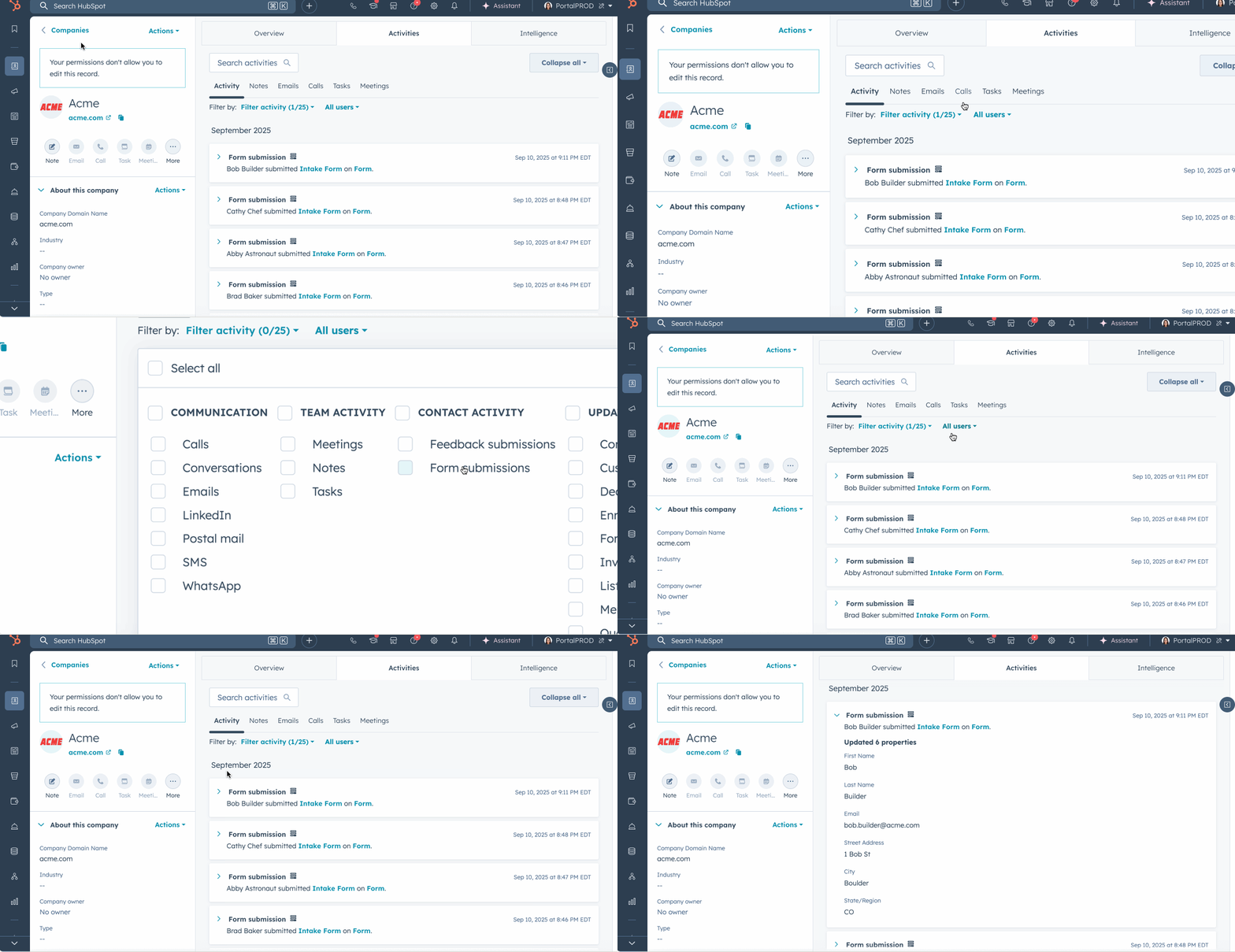
To view form submissions on a company record:
- Navigate to the company record.
- Click the Activity tab.
- Use the Activity filter and select Form Submissions under Contact Activity.
All form submissions from contacts associated with that company will appear on the timeline.
Who gets it?
This feature is available in all HubSpot products and tiers.





.png?width=193&name=jos%20(1).png)




