What is it?
Users can now get notified on the behavior of their CRM syncs from Data Studio. Within notification settings you have the option to get notified when...
- a sync completed successfully
- a sync completed with errors
- a sync failed
- a sync was archived
Why does it matter?
Data studio allows you to combine multiple data sources together to easily create and update records in the CRM on a recurring, predictable schedule. Staying on top of these syncs is essential to ensuring the quality of your data coming into the CRM.
Sync notifications in data studio ensure you're kept up to date on your data studio syncs, and let you take action quickly if errors occur, or a sync fails unexpectedly.
How does it work?
Navigate to Settings > Notifications.
From here you'll see the four new notification options under the Data Studio section.
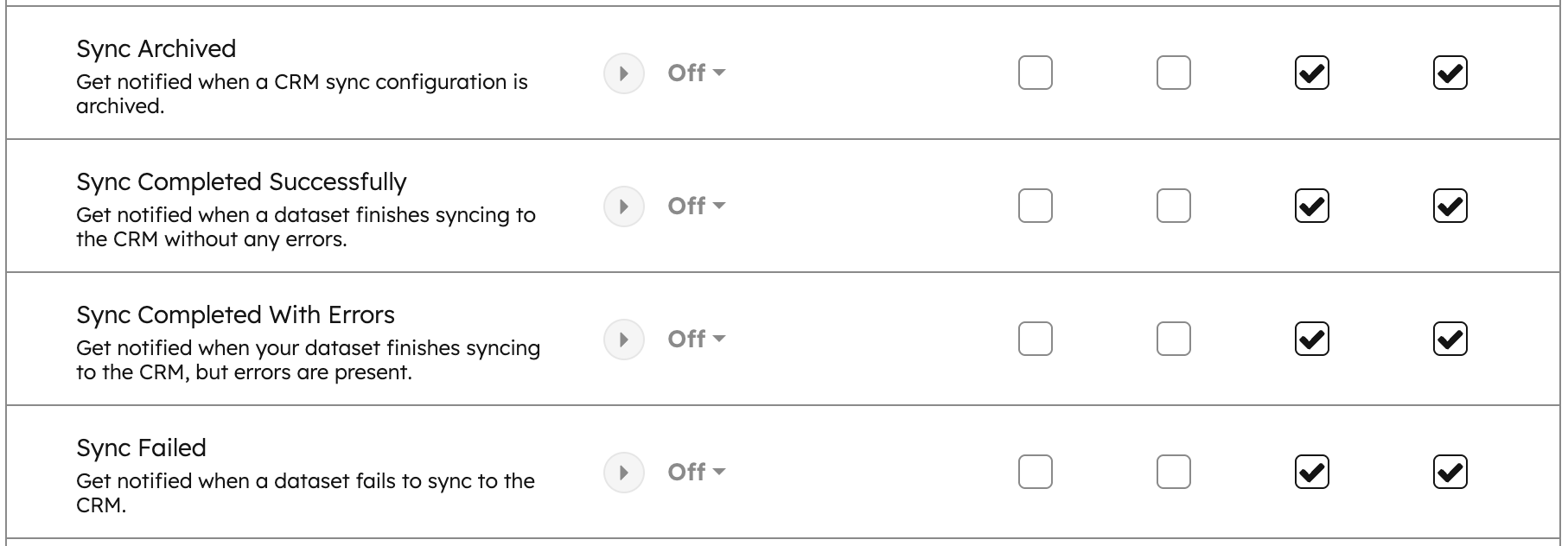
The "Bell" notification option will be turned on by default, with the option to toggle on additional notification settings as you see fit.
Who gets it?
Professional Customer Platform, Enterprise Customer Platform, Data Hub Professional, Data Hub Enterprise





.png?width=193&name=jos%20(1).png)




