What is it?
With the HubSpot connector for Gemini, customers can bring their HubSpot context to Gemini to surface insights, and generate content to be actioned back in HubSpot.
- Marketers can ask: "Show me a list of contacts in the “lead” lifecycle stage, and draft follow up notes that I can send in HubSpot."
- Sales reps can ask: "Show me a list of deals, and draft follow up emails that I can send in HubSpot."
- Support teams can ask: “Show me a list of companies, and recommend a follow up note that I can send in HubSpot."
The HubSpot connector for Gemini is now in public beta and available for HubSpot customers across all tiers with a paid Google Workspace Business Standard, Business Plus, or Enterprise plan and Gemini Alpha turned on.
Why does it matter?
We want customers to be able to use HubSpot context everywhere they're using AI. That's why we're expanding our list of connectors with the HubSpot connector for Gemini.
Nearly half of HubSpot customers are using multiple LLMs to work. So we’ve made it possible to bring their HubSpot context into these tools, get insights, and take action back in HubSpot.
We moved fast to become the first CRM with Connectors for ChatGPT and Claude. And we’re excited to add Gemini to our growing list of Connectors.
How does it work?
Ensure Gemini Alpha is turned on and connect here.
Google Workspace Marketplace app admins control their organization’s access to the HubSpot connector for Gemini. Learn more about Google Workspace Marketplace app admin controls here.
If enabled, users can install the HubSpot connector for Gemini by going to Google Gemini (gemini.google.com) and selecting Settings & Help > Apps > HubSpot. Turn on the toggle for HubSpot. From there, follow the prompt to install the HubSpot connector for Gemini.
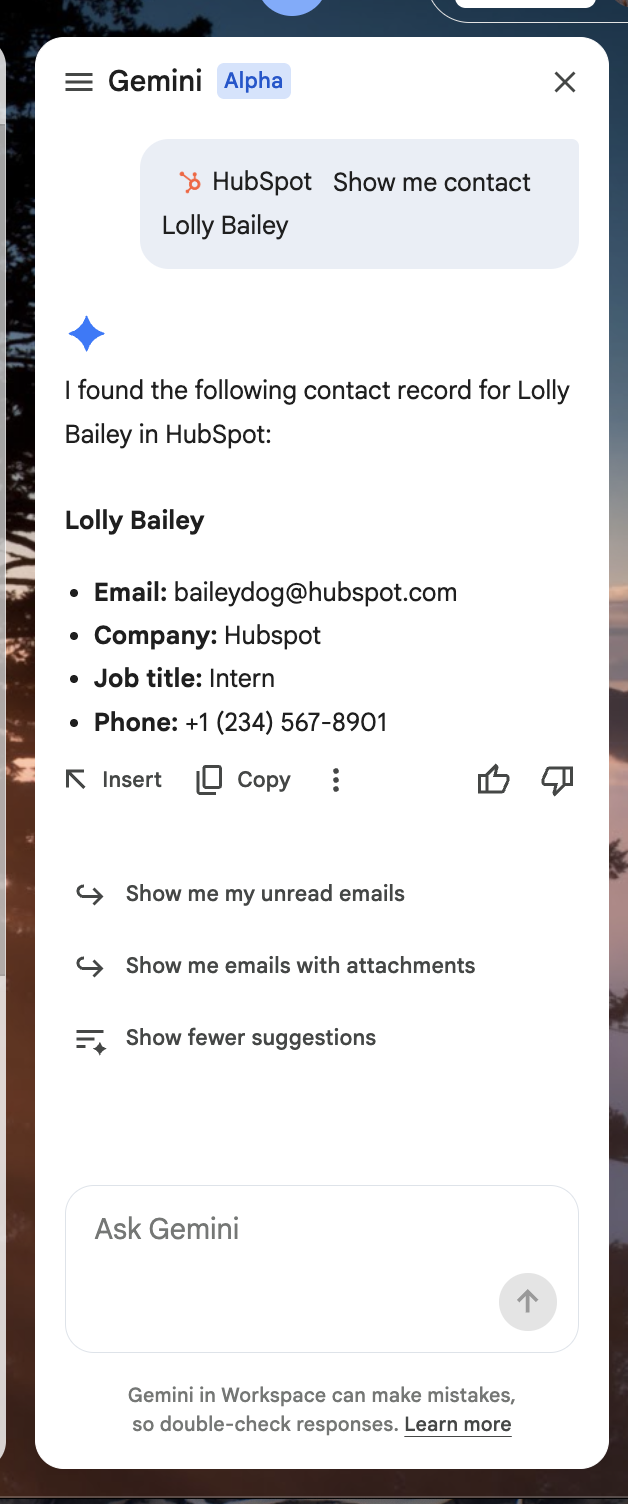
Once installed, return to Google Gemini and type @HubSpot into the Ask Gemini field to begin using the connector, which is currently read-only.
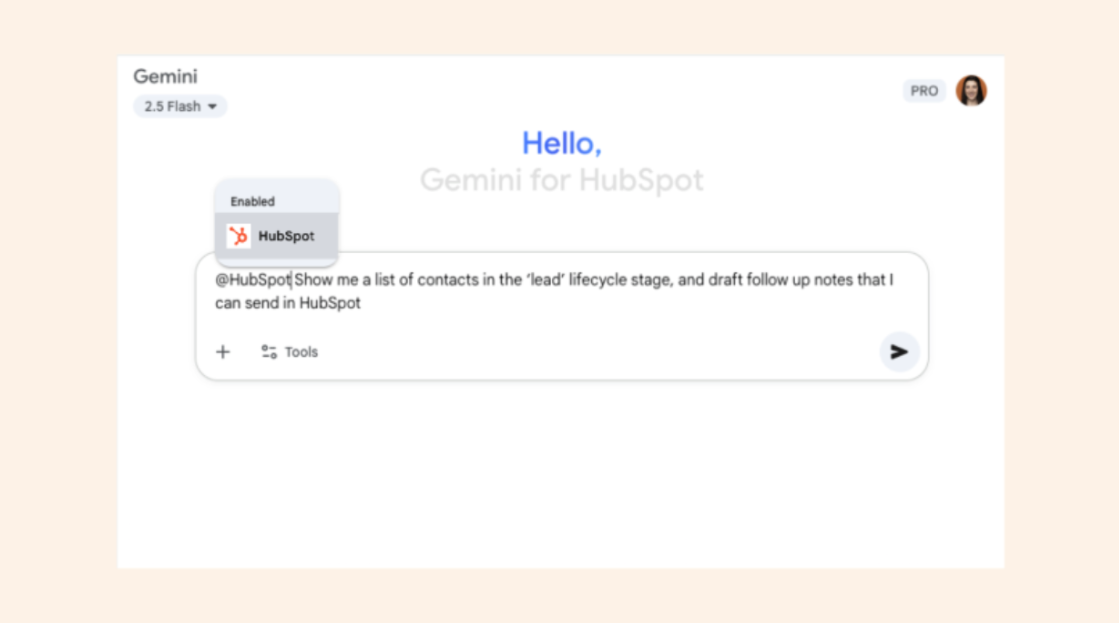
You can use it to fetch information about your HubSpot contacts, companies, and deals directly in Google Gemini. You can also pull lists of these objects based on their default properties.
To fetch specific information:
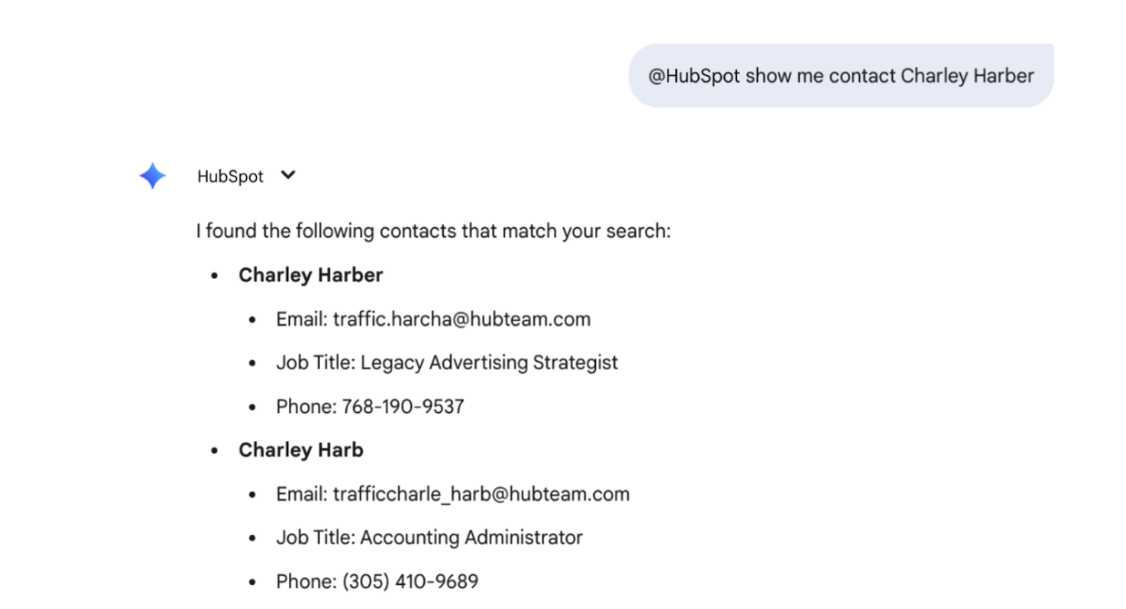
Type @HubSpot, followed by your specific data pull request. For example, “@HubSpot show me contact Charley Harber.” Gemini will respond with information on that contact from HubSpot.
To pull a list:
Type @HubSpot, followed by your request for a list. For example, you can ask Gemini “@HubSpot show me a list of companies located in the state of Arizona.”
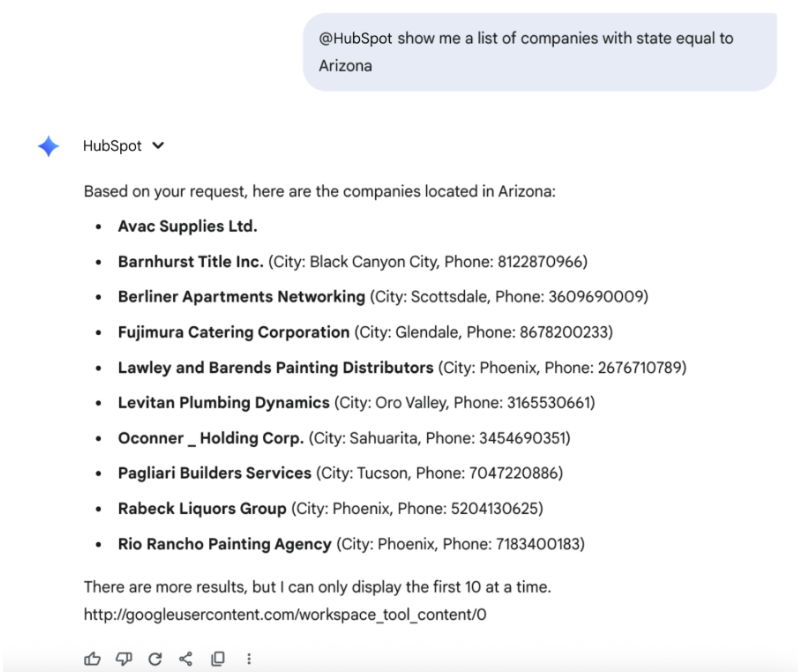
With access to HubSpot context in Google Gemini, users can ask Gemini how to take action back in HubSpot. For example, after receiving a list of companies in Arizona, you can ask Gemini to draft follow up personalized emails for these companies that can be then sent in HubSpot.
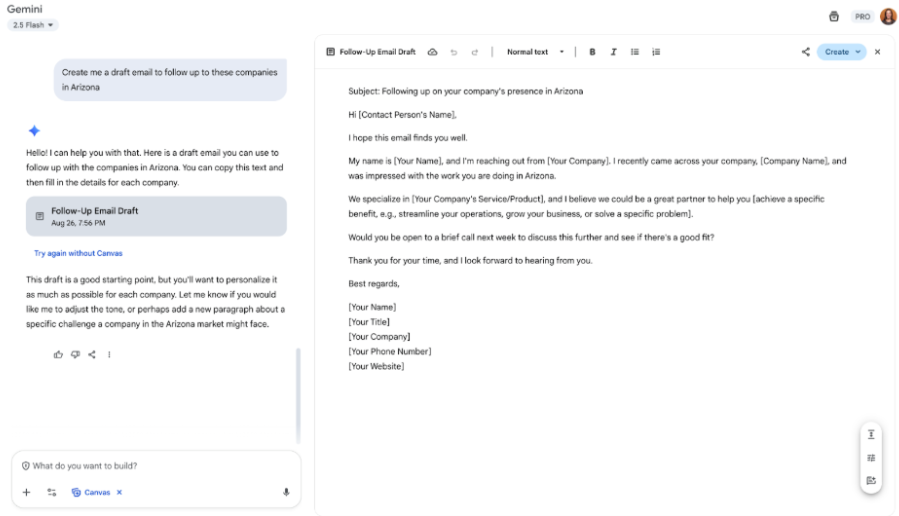
Functionality is also available in Gemini for Google Workspace in the sidepanel with Gmail, Docs, Sheets, and Chat.
Who gets it?
The HubSpot connector for Gemini will be available in public beta to all HubSpot customers across all tiers who have a paid Google Workspace plan (Business Standard, Business Plus, or Enterprise).
To access the connector, individuals must have:
- An active HubSpot user account
- A paid Google Workspace subscription (Business Standard, Business Plus, or Enterprise)
For support, a workspace admin can follow instructions here.





.png?width=193&name=jos%20(1).png)




