What is it?
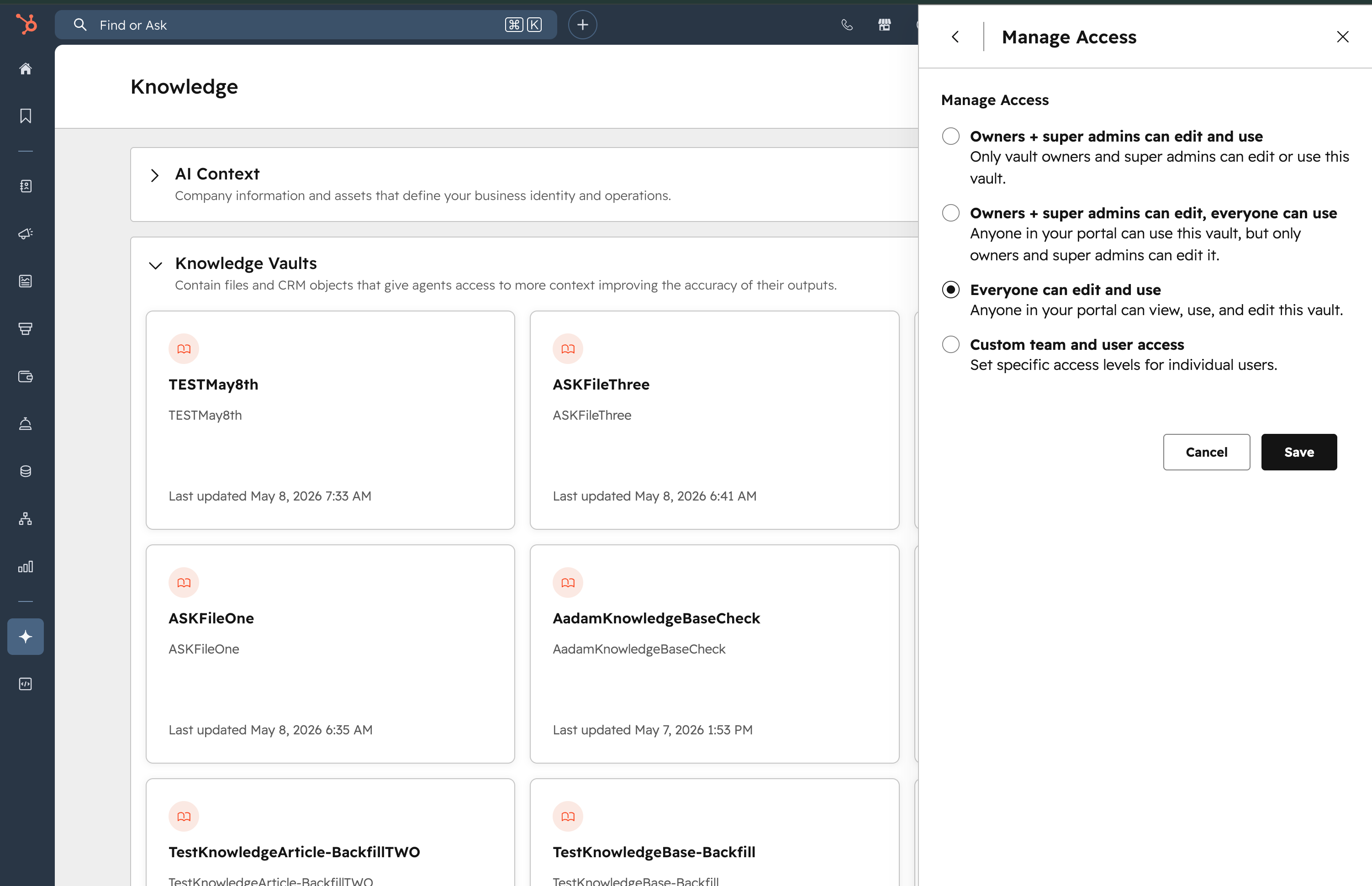
Customers can now manage access to knowledge vaults using Manage and Use permissions at both the portal and vault levels, with scope manage-by-default settings and granular control over who can use or edit each vault.
Why does it matter?
As organizations scale, teams accumulate more vaults — and not all of them are relevant to every user. Vault-level permissions let builders control who can see and edit each vault, keeping workspaces organized and reducing noise for users who don't need access. It also reduces the risk of accidental data loss or unauthorized exposure, supporting compliance requirements as organizations grow.
How does it work?
Access Control Setup
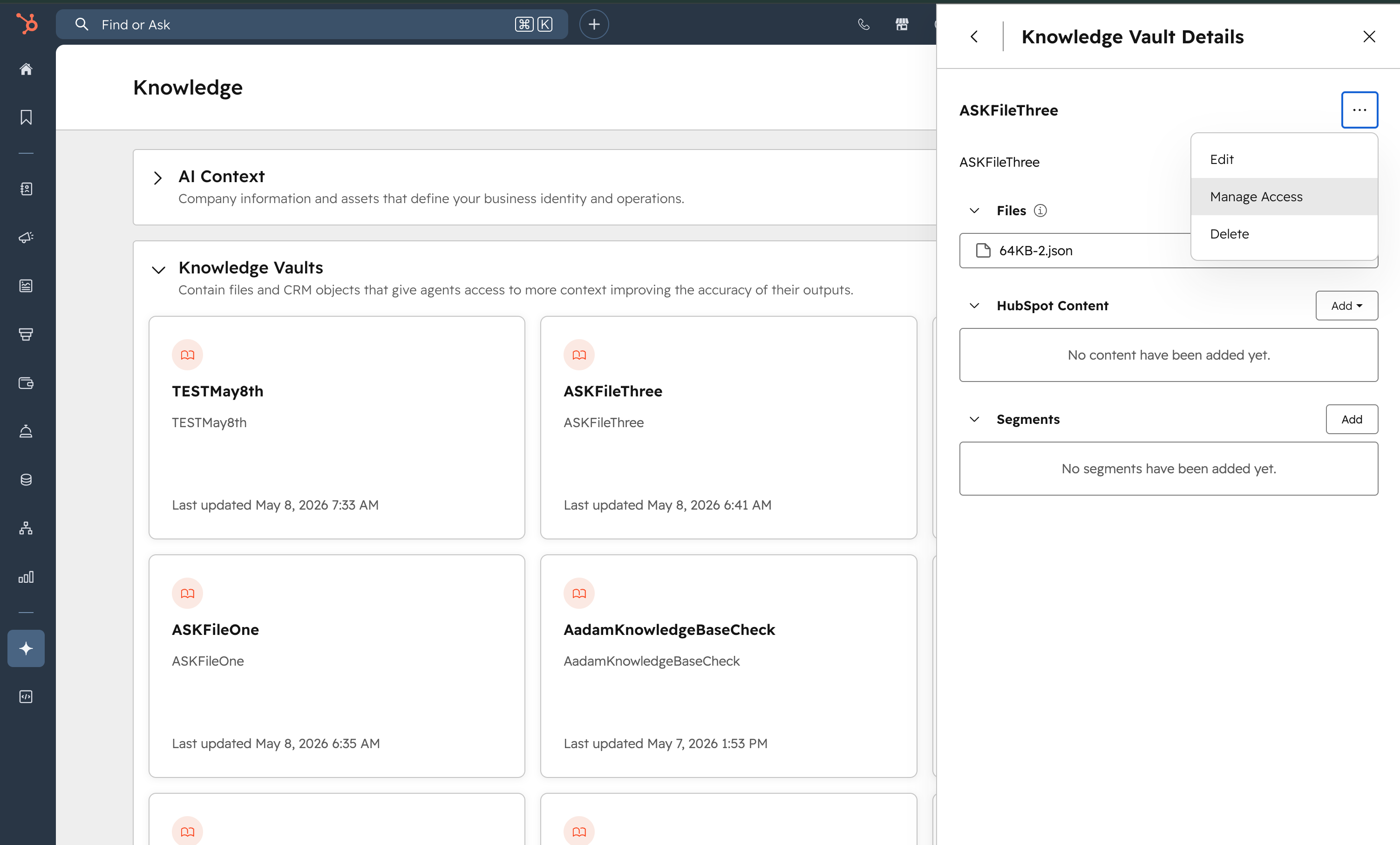
- Navigate to an existing knowledge vault (or create a new one)
- Click the three dots menu in the top corner
- Select Manage access
- Choose a permission level — you can assign to specific users or teams
Vault Permissions
- Manage — full control: create, edit, and delete content, and manage vault permissions
- Use — view vaults and attach them to agents, but not modify them
Demo found here: https://www.loom.com/share/82227e1d30d241dbab40ab99ad780839
Super Admin Access
- - Super admins always have access and can bypass vault-level permissions.
Who gets it?
All hubs and tiers



.png?width=193&name=jos%20(1).png)




