What is it?
The object selection step of import now calls attention to the objects you import the most. If you're new to import, we'll highlight "popular" objects.
Why does it matter?
HubSpot's Smart CRM provides you with a variety of objects so you can manage and store data across your entire customer experience quickly and easily. As we've added more objects into HubSpot, we've been committed to ensuring that these objects are available within import. But we also know that most customers aren't importing across the entire data model. Instead, they have two or three objects that they're routinely targeting via import.
By bringing your "frequently imported" objects front and center on the object selection step, you can stop searching for your objects and move on with your import more quickly.
How does it work?
When you land on the object selection stop of import, you'll now see a new section at the very top. If you are new to import, we'll highlight here some "popular" objects.
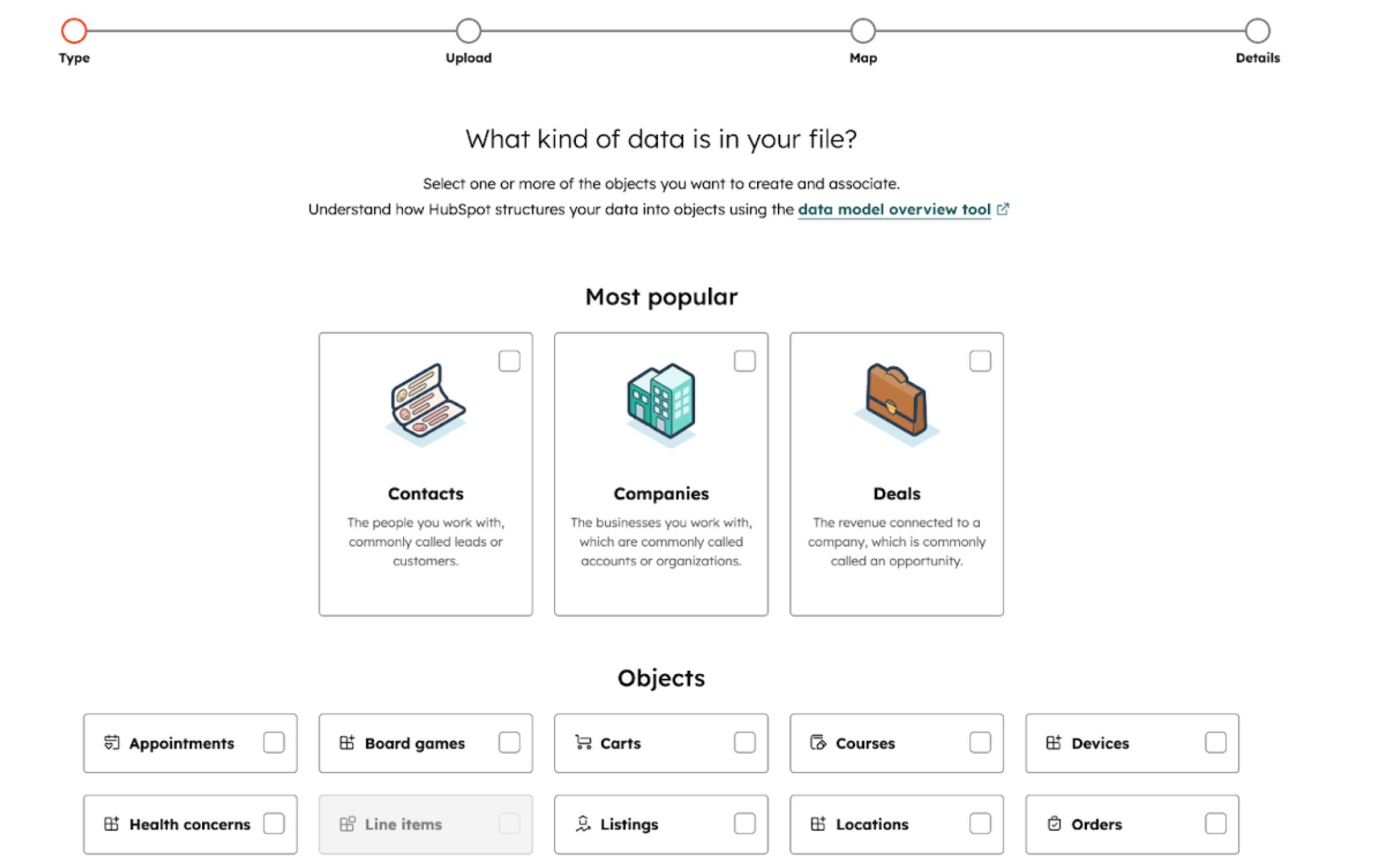
Once you've gotten experienced with import, this section will be tailored towards your preferences, and surface your most "frequently imported" objects or activities.
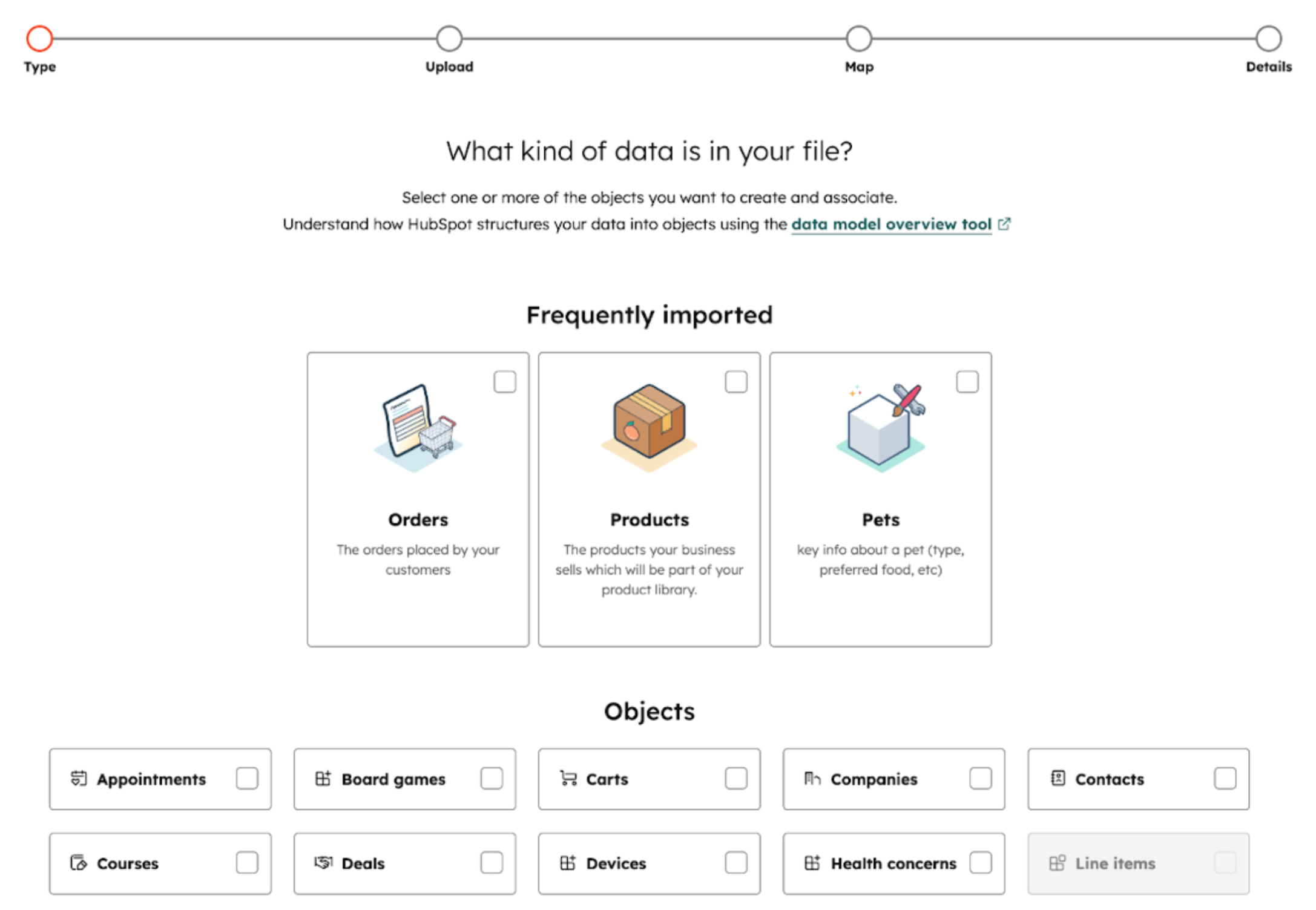
All other objects are still available below as they were before.
Who gets it?
All hubs and tiers



.png?width=193&name=jos%20(1).png)




