What is it?
Sellers can require buyers to enter a password before viewing a quote. This gives admin and reps control over who can access sensitive quote information.
Admins can enforce this across the entire portal or leave it optional, allowing reps to decide on a quote-by-quote basis.
Why does it matter?
Quotes often include sensitive information—pricing, terms, and company details that should only reach the right people. Until now, anyone with the link could view a quote, with no way to control or verify access. For regulated industries or high-stakes deals, that’s a real risk.
Password protection fixes this. Sellers can share quotes with confidence. Buyers get a clear, professional experience that reinforces trust. And admins can enforce consistent security standards across every rep and every quote.
How does it work?
🎥 Watch Demo Here
Admin Configuration (Quote Settings)
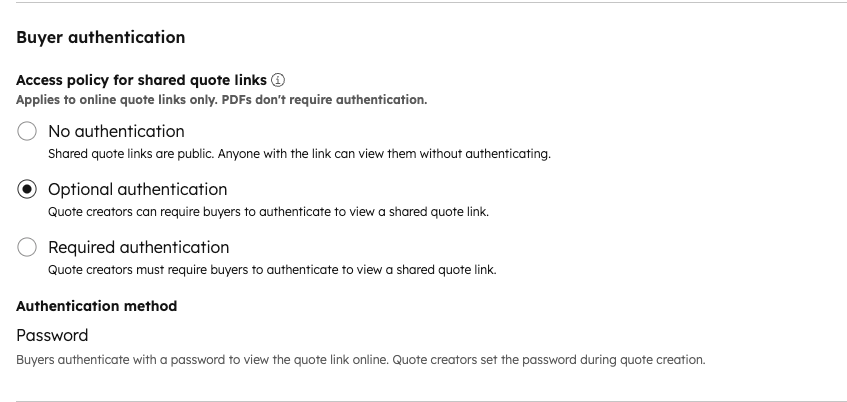
- Go to Settings → Commerce → Quotes.
- In the Buyer Authentication section, choose one of three options:
- No authentication: quotes stay publicly accessible via link (default, no change)
- Optional authentication: reps can choose to add a password per quote
- Required authentication: every quote must have a password before it can be published and shared
- Save.
Setting a Password on a Quote
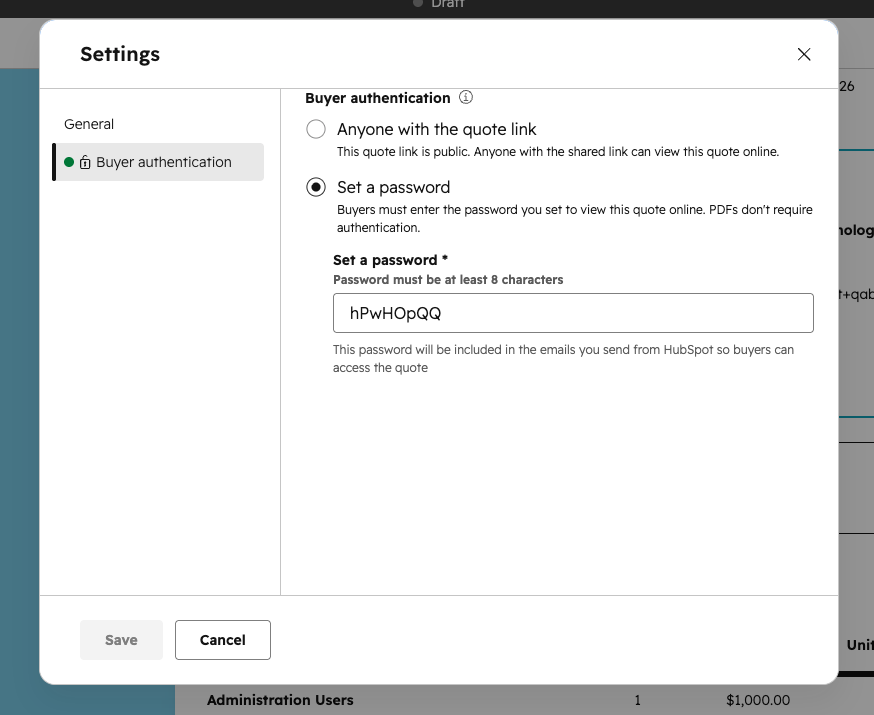
- Open a quote draft and go to the Parties section
- Click Edit password under "Buyer authentication" — a secure password is set by default, or enter a custom one (8-character minimum)
- Save. The password is automatically included in the quote email sent to the buyer, no need to send it separately.
Buyer Experience
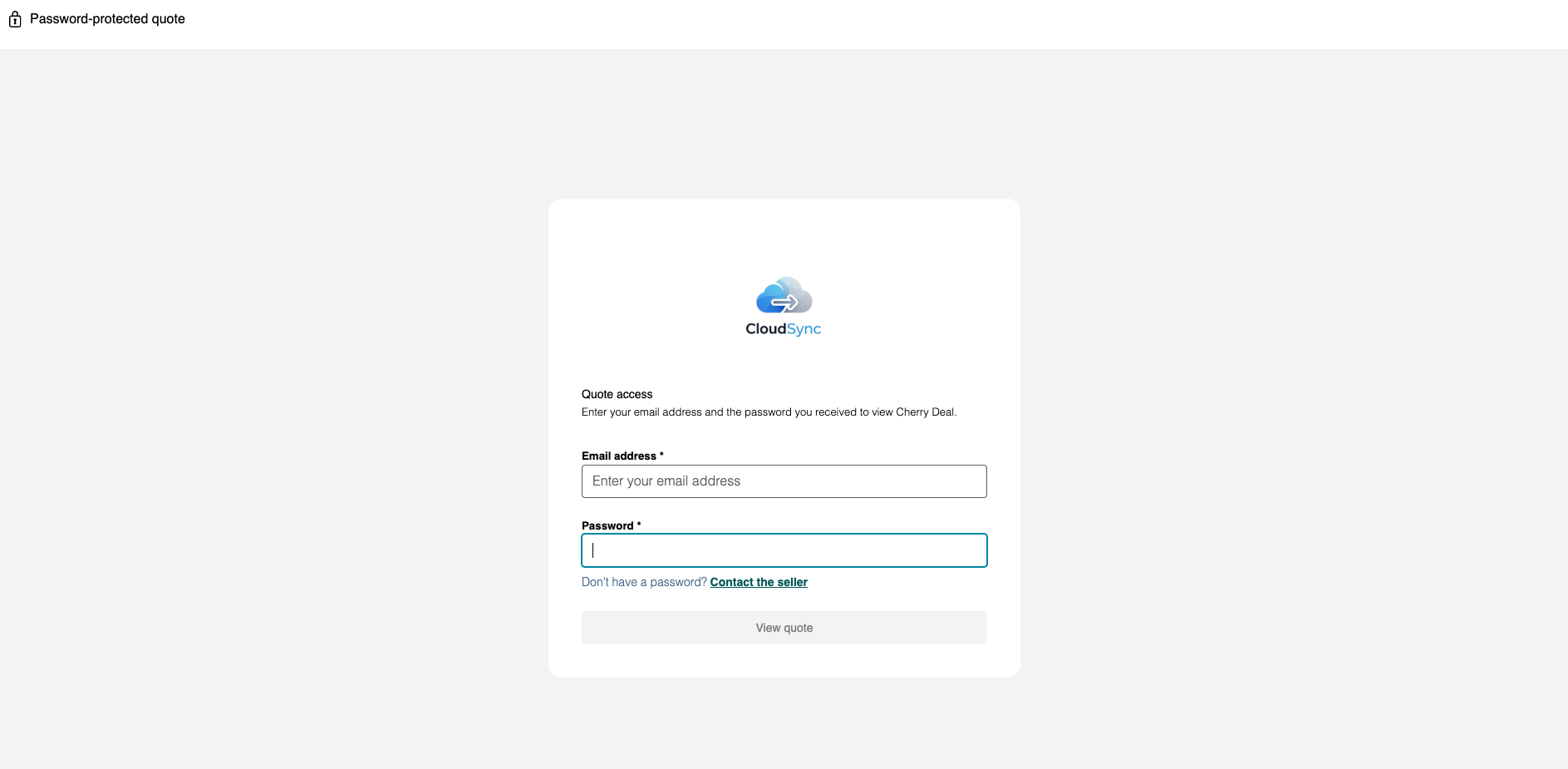
- Buyer receives the quote link and password via email.
- When they open the link, they enter their email address and password to view the quote.
Important Note
⚠️ PDF downloads are not password-protected. Password protection only applies to buyers accessing the quote via the shareable quote link.
⚠️ Authentication is by password only. The system does not currently verify the buyer's identity against their CRM contact record. Contact-based authentication (magic links) is planned for a future milestone.
⚠️ Passwords are not inherited across quote types. If a quote is converted to a change or renewal quote, a new password must be set.
Who gets it?
Commerce Hub Professional, Commerce Hub Enterprise



.png?width=193&name=jos%20(1).png)




