What is it?
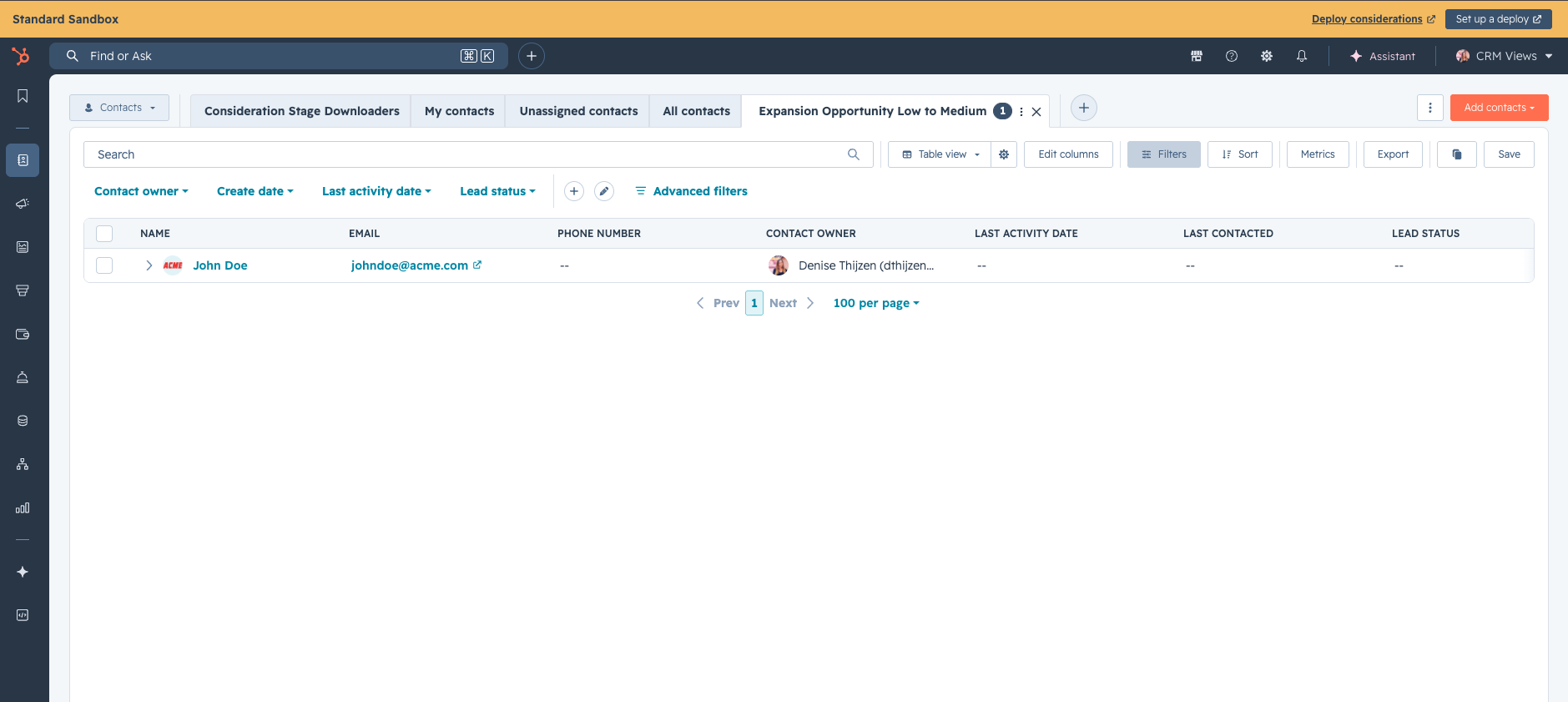
When you create a sandbox, team based and shared CRM views across contacts, companies, deals, tickets, and custom objects are copied from production.
Why does it matter?
Saved views define what your reps see on the records index page, which filters surface the right contacts or deals, and how managers operationalize playbooks across their team. Without these views, your sandbox doesn't reflect how your team actually uses HubSpot, making it hard to test changes realistically, train new hires, or validate your reps end-to-end workflows without disrupting them in your production account.
Previously, before testing could begin in a Sandbox, you had to manually recreate team views whenever you created a new sandbox. Now your sandbox starts with the same CRM view setup your team relies on in production, supporting realistic user acceptance testing.
How does it work?
To create a sandbox, go to Settings > Sandboxes > Create sandbox.
When you create a sandbox, HubSpot will:
- Copy all views shared with everyone or with specific teams across your supported objects
- Preserve each view's columns, filters, and access settings
Note:
- - If a view references a column or filter that can't be copied yet, that view will be skipped and flagged in your sandbox creation log.
- - Deploy to Production of CRM views is not yet supported in this iteration.
Who gets it?
Commerce Hub Enterprise, Content Hub Enterprise, Marketing Hub Enterprise, Data Hub Enterprise, Sales Hub Enterprise, Service Hub Enterprise, and Smart CRM Enterprise.



.png?width=193&name=jos%20(1).png)




