What is it?
The new Descript app for HubSpot seamlessly connects AI-powered video editing with your marketing platform. This bi-directional integration enables you to send HubSpot videos directly to Descript for editing and export finished videos back to HubSpot for distribution and reporting.
Why does it matter?
Streamline your video production workflows with connected platforms. Previously, marketing teams manually moved video files between platforms, creating bottlenecks that slowed time-to-market. Now, videos sync seamlessly between Descript and HubSpot—no downloading or manual file management required.
Prove video's impact on leads and revenue. Without video engagement data in the CRM, marketers couldn't connect video content to business outcomes. Now, videos edited in Descript and published to HubSpot automatically track engagement, so customers can measure video performance across channels and prove ROI.
Bring Loop Marketing to life with video production at scale. Before, marketers struggled to meet buyers across fragmented channels—social feeds, creator videos, and community spaces. Now, the Descript app helps you implement Loop Marketing by using AI to scale video creation and reach prospects where they are. Transform one recording into channel-specific variations for social, email, landing pages, and blogs.
Watch the new Academy video: Why Should You Integrate With Descript?
How does it work?
To connect the app:
- Navigate to the Descript app listing in HubSpot's App Marketplace and click Install.
- This will take you to Descript where you’ll log into the account you want to connect.
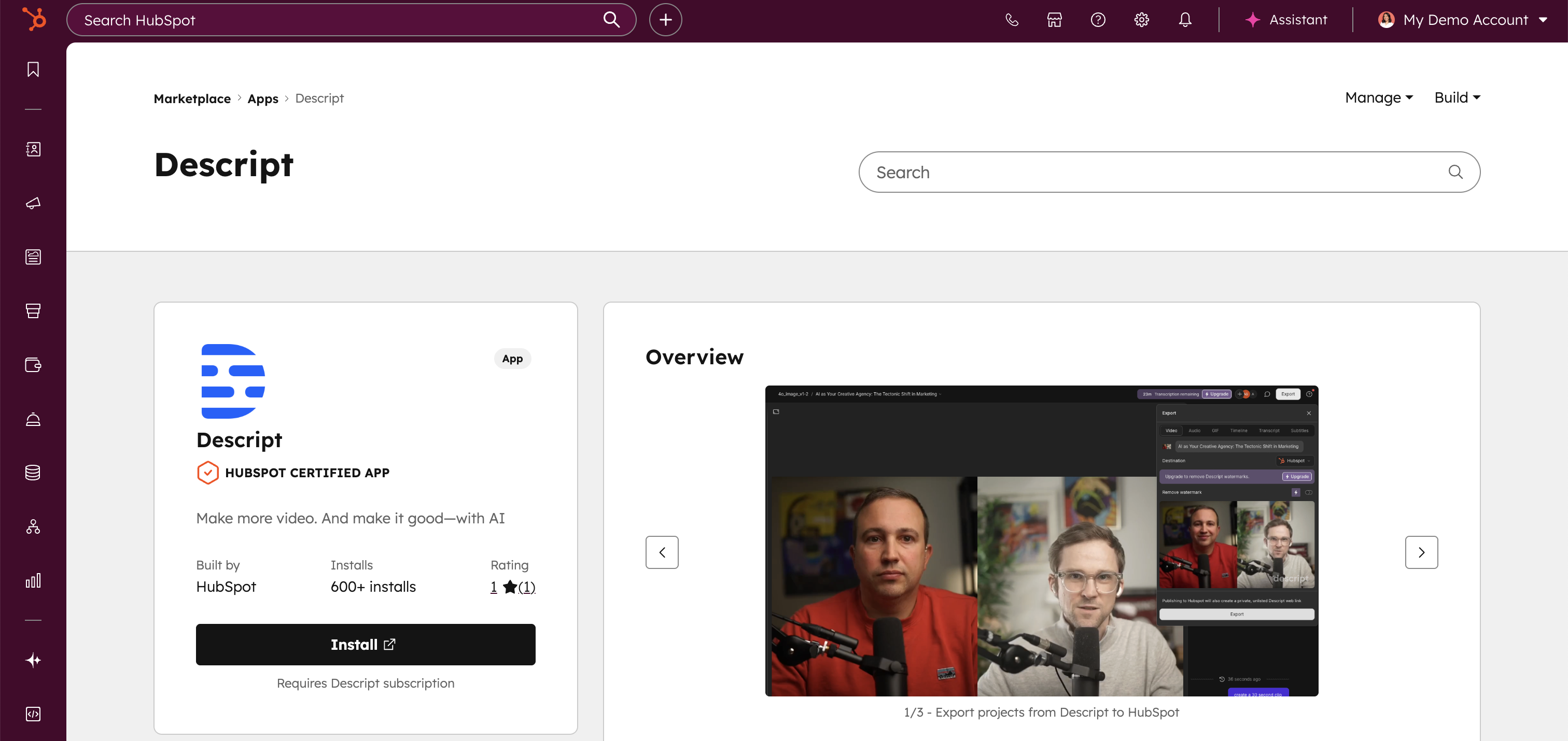
To edit HubSpot videos in Descript:
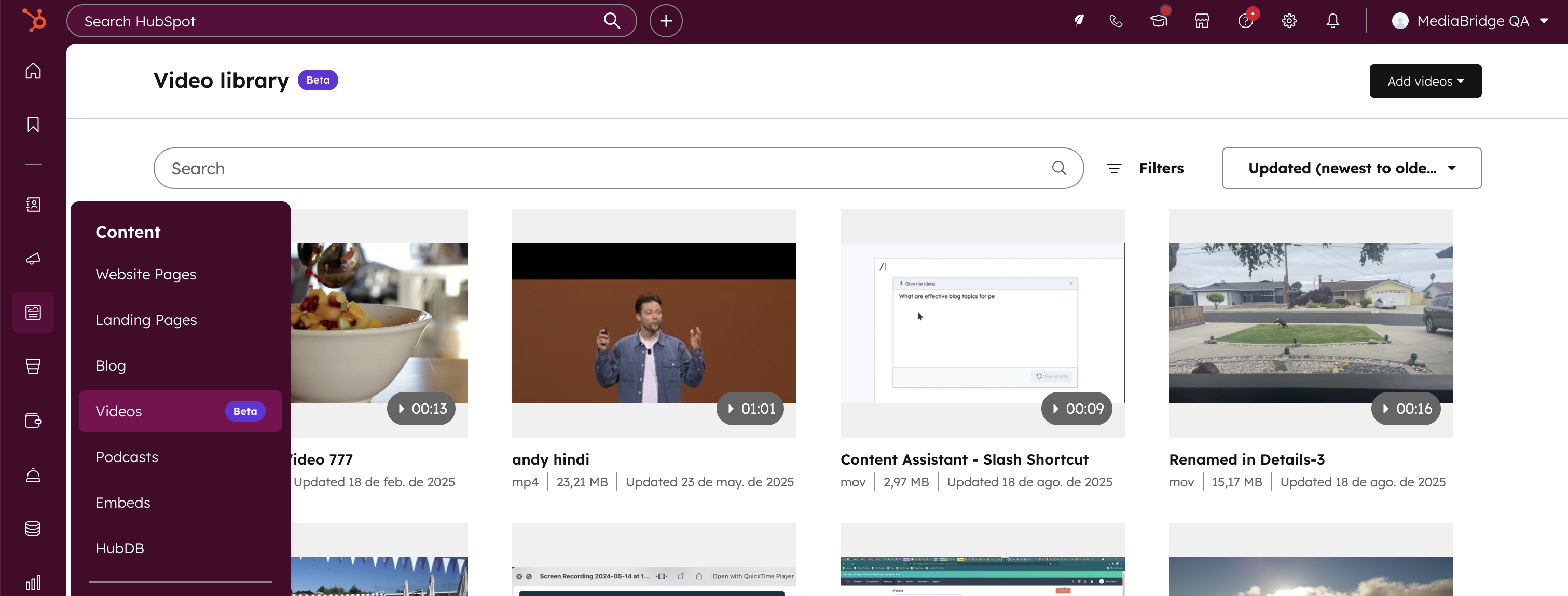
- Navigate to your left menu, select Content, then click Videos.
- This will take you to your HubSpot video library.
- Select the video you want to edit.
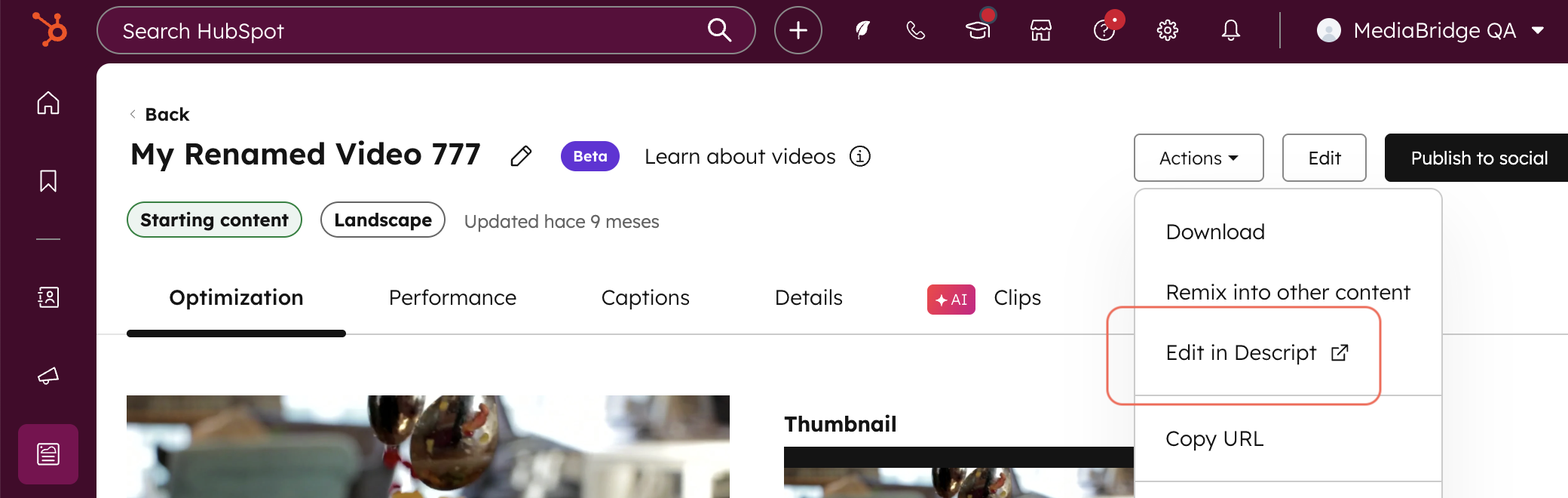
- Once you’ve selected your video, select Actions, then click Edit in Descript.
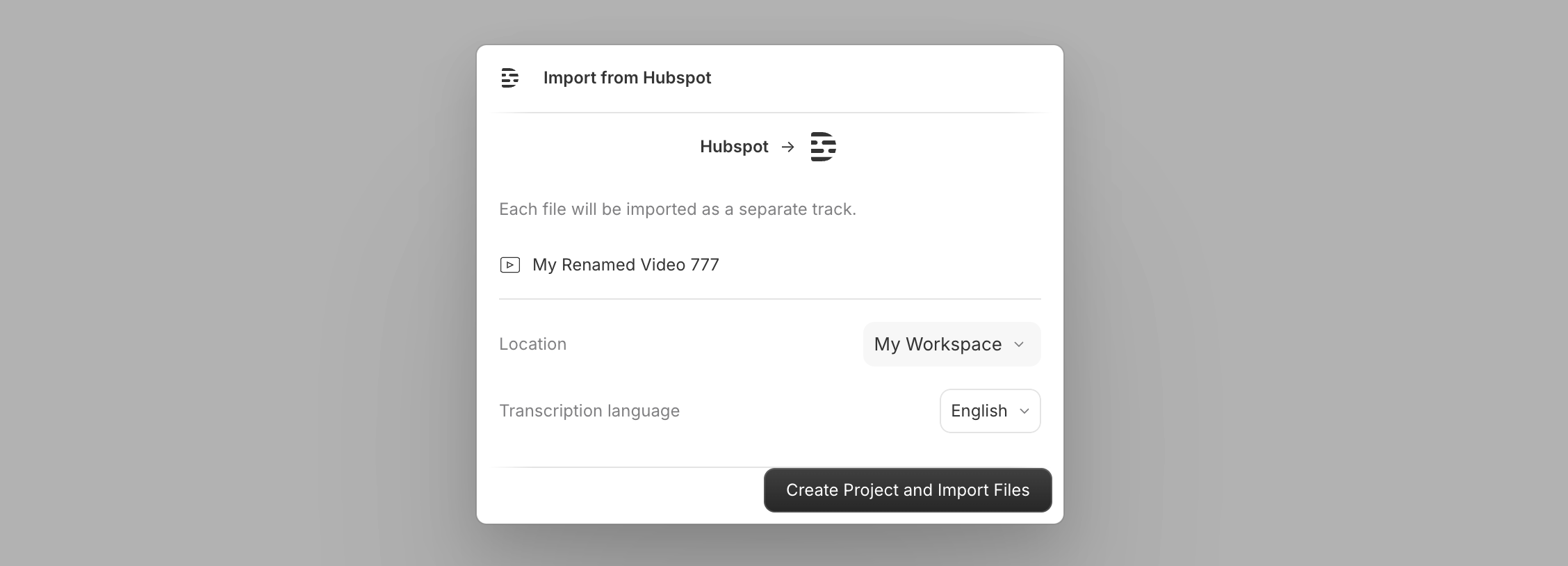
- Choose the location, transcription language, then select Create Project and Import Files.
- You’ll then find your HubSpot video in the Descript editor. Edit the video using AI-powered tools like text-based editing, filler word removal, or automatic transcription. Take a long form video and turn it into social ready clips with Create Clips.
To export Descript-edited videos back to HubSpot:
- In Descript, navigate to the top right and click Export.
- Change the Destination to HubSpot and click Publish.
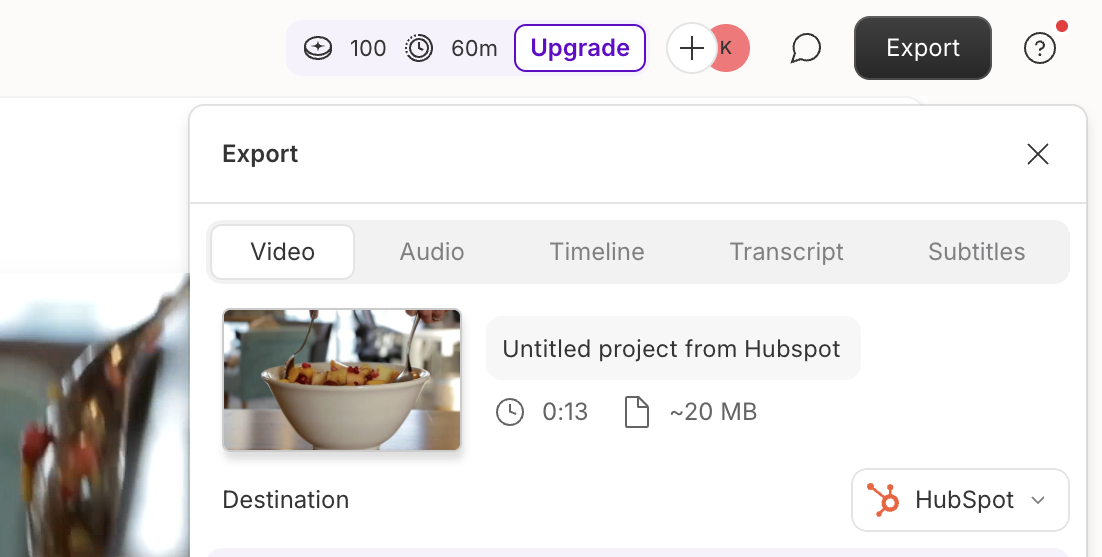
- You’ll be taken back to HubSpot to select the portal you’d like to continue with.
- The edited video will automatically appear in HubSpot's video library and file manager, ready to distribute across channels.
To amplify your video across channels:
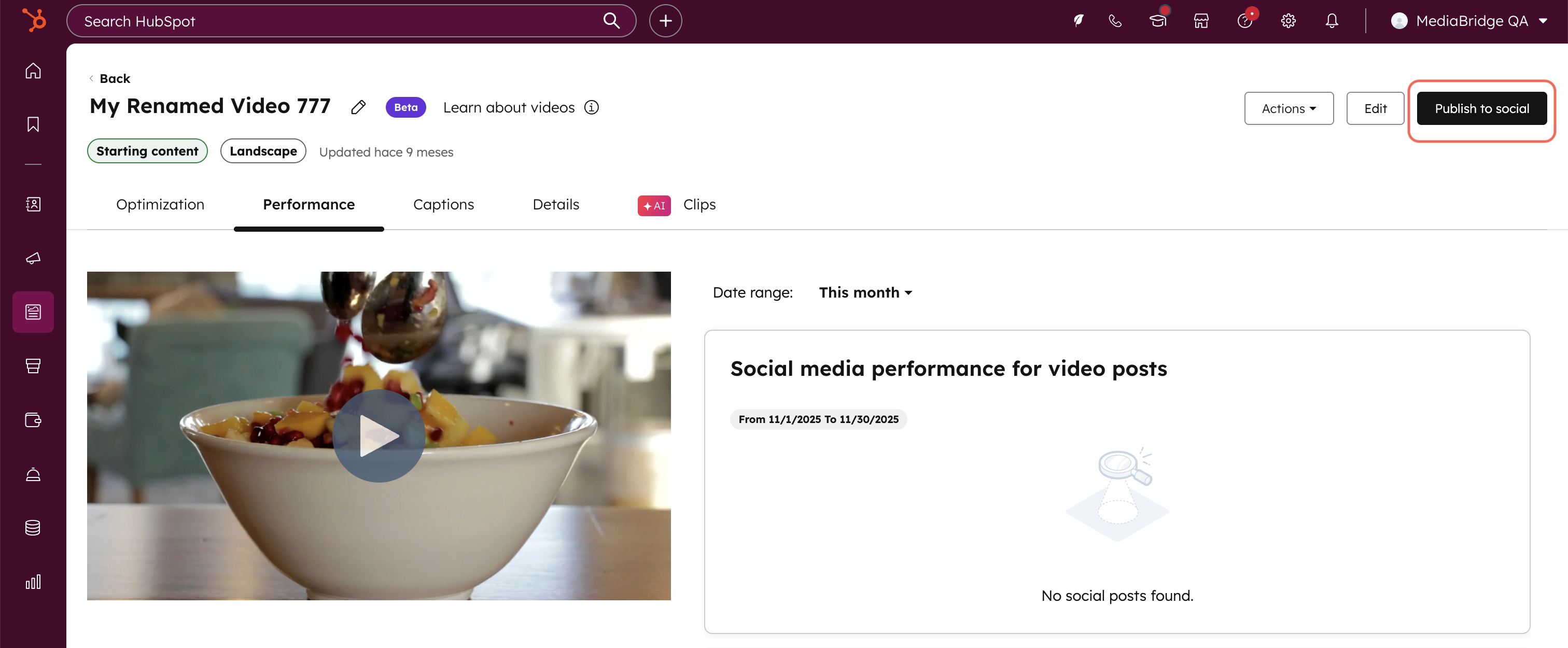
- Publish videos to social by navigating to the top right and clicking Publish to social.
- This will take you to HubSpot’s social tool for editing your post.
- You can also embed videos in an email, landing page, web page, blog post, or knowledge base article, by navigating to each editor and inserting a HubSpot video. All exported videos from Descript will appear in your file manager, ready to be embedded across channels.
To track video engagement and ROI:
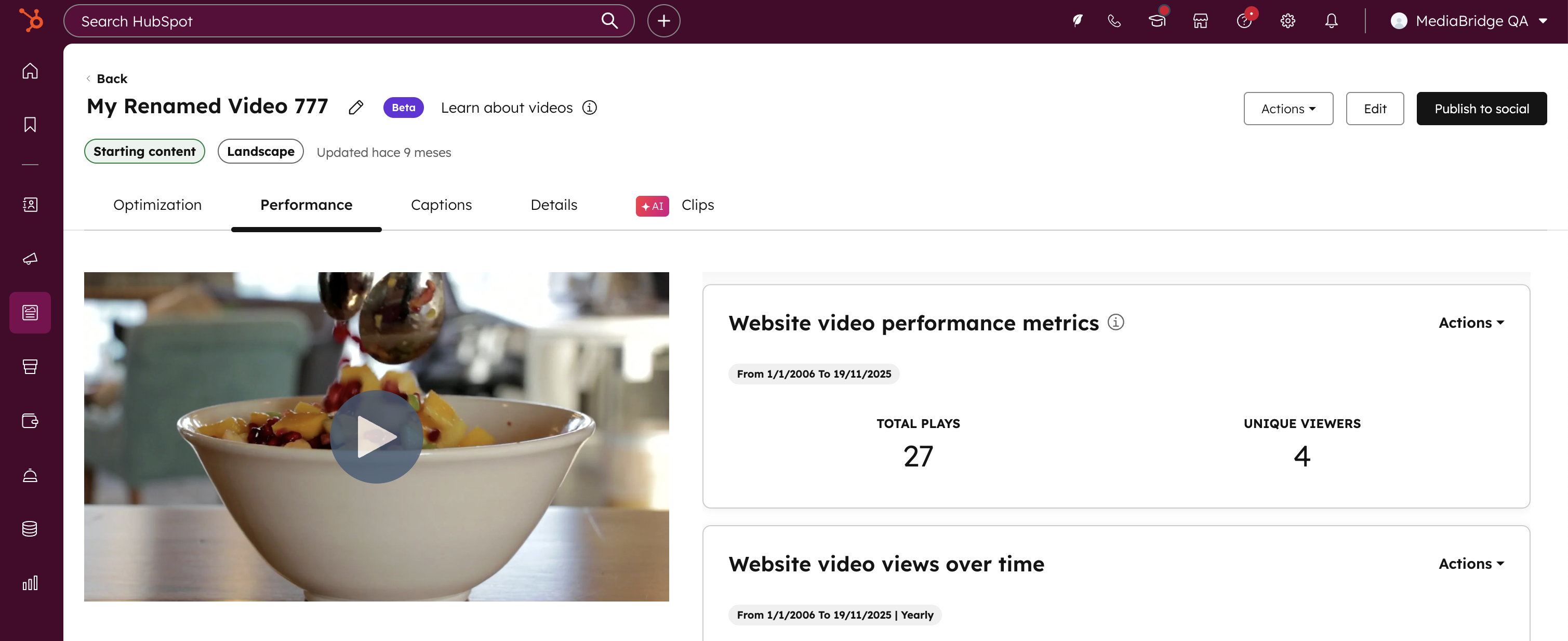
- Navigate back to your HubSpot video library and select your video.
- Select the Performance tab and you’ll find reports like social media performance for videos posts, website video plays, website video retention, and engagement by contacts.
Review this knowledge base article to learn more about connecting apps to HubSpot.
Who gets it?
The Descript app for HubSpot is available for all HubSpot customers and Descript users to install. To access HubSpot's video library, HubSpot customers will need Content Hub Professional or Enterprise. You can also access HubSpot videos in your files tool, which is available for all HubSpot plans.





.png?width=193&name=jos%20(1).png)




