What is it?
All Lead Scoring customers can now use Breeze Assistant to create, edit, and analyze lead scores. Tell Breeze “help me build a lead score” and it will review the context already in your portal — including your Ideal Customer Profile (ICP) and past conversion data — to create a draft score tailored to your business that you can refine through natural language or by uploading a file.
Why does it matter?
Previously, Breeze and the Lead Scoring app were not connected — Breeze could only answer questions about Lead Scoring, not actually build one for you. Also the “Create Score with AI” feature was only available to Marketing Hub Enterprise customers and was limited to lifecycle stages and timeframe as its only inputs.
Now, Breeze is fully connected to Lead Scoring and all of its functionality — making it faster and easier for all Lead Scoring customers to create, edit, and analyze any type of score, without clicking through the Lead Scoring builder.
How does it work?
Check out this quick 🎥 video demo to learn more!
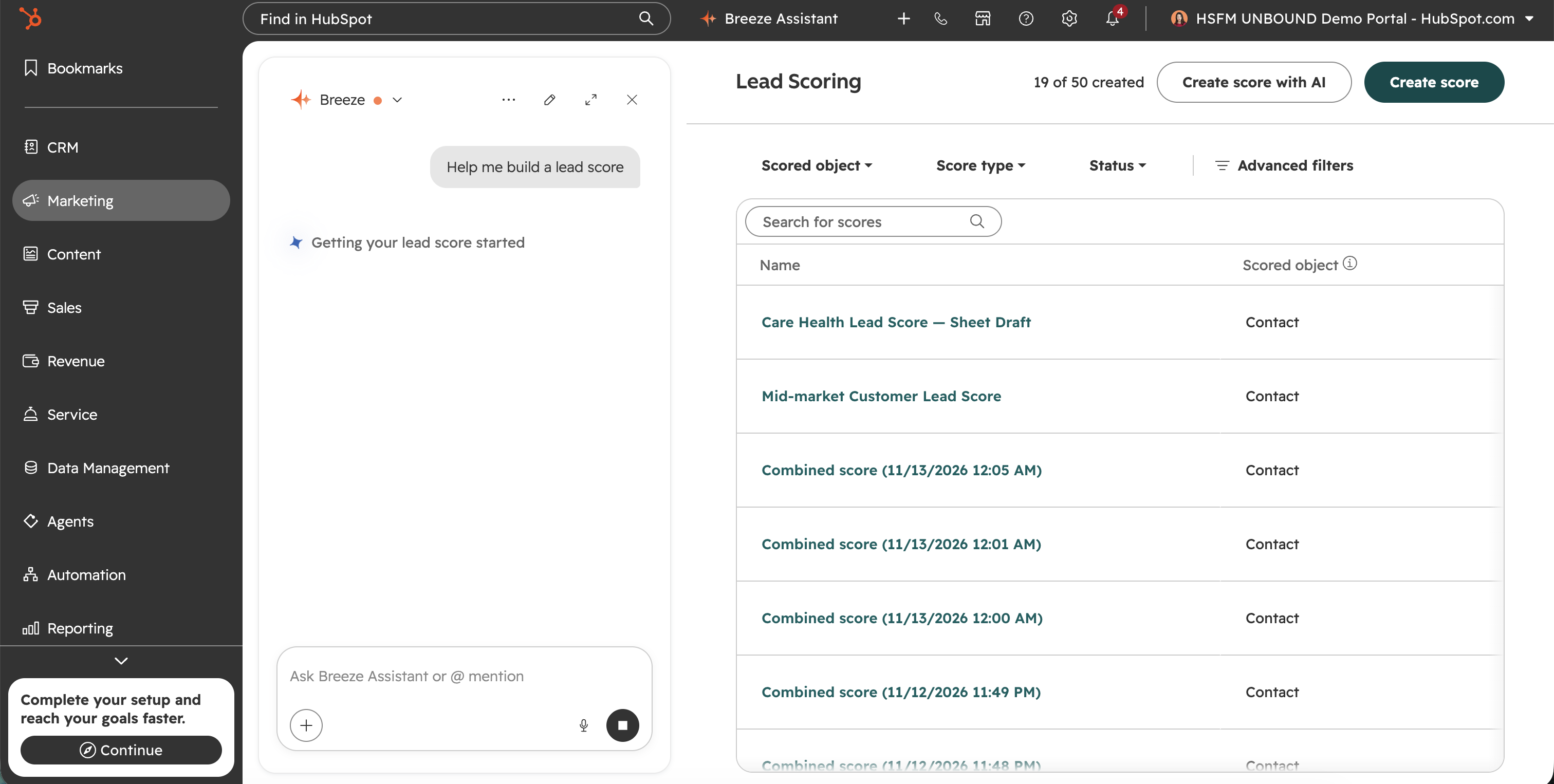
Step 1: Start from anywhere You can kick off a lead score with Breeze in multiple places:
- - From anywhere in HubSpot: open Breeze Assistant and type a prompt “help me build a lead score” or “edit a lead score”
- - From the Lead Scoring app: click “Create Score with AI”, which opens up Breeze Assistant
- - When creating a new score from “Create Score”: After selecting the score type, type a prompt in the top box and click “Plan my score”
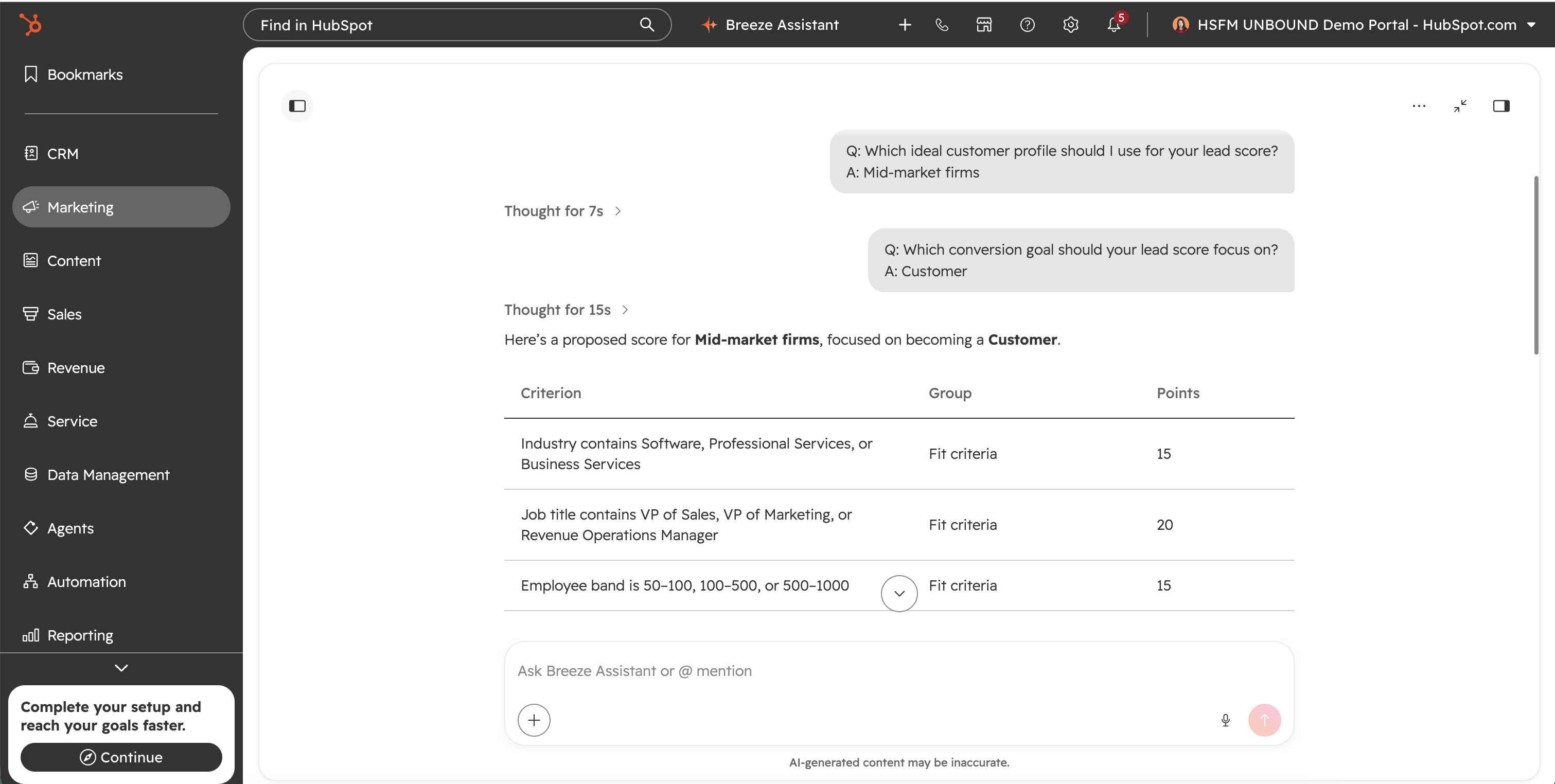
Step 2: Breeze builds a draft score If your portal has ICP (Ideal Customer Profile) and past conversion data, Breeze will suggest and create a score based on that information. If not, it will ask a few questions about your business and suggest a score based on best practices. You can also upload a file — like an Excel sheet with rules — to guide the score.
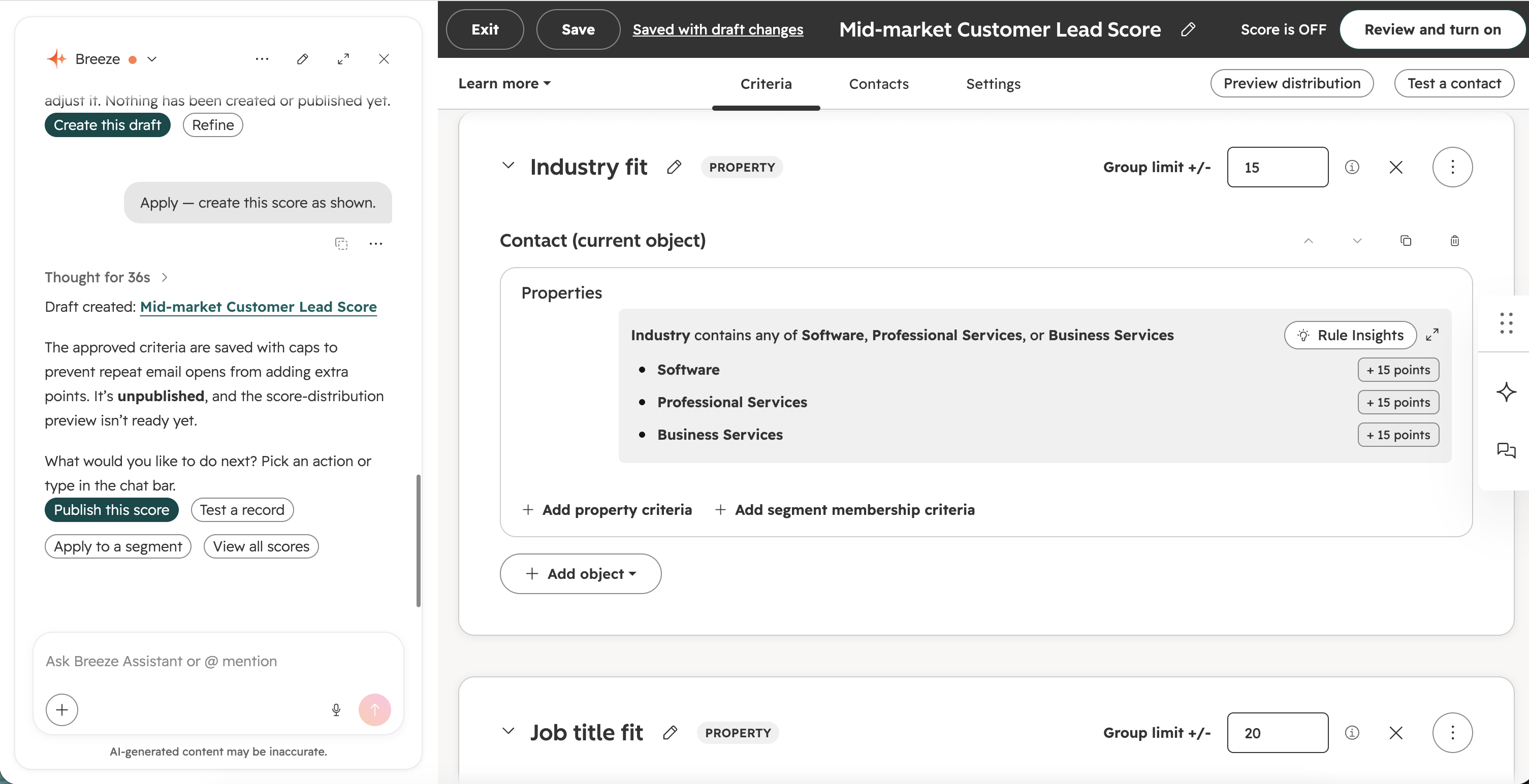
Step 3: Review, refine, and turn it on After Breeze creates a draft score, you can refine it through natural language, view and edit it directly in the Lead Scoring app, and turn it on when you’re ready.
Note:
- - This works for all score types — contacts, companies, and deals for fit, engagement, and combined scores
- - The past conversion data analyzed is the same as the Discover Rules feature (last 90 days of activity, conversions up to 14 days prior to reaching the goal stage, across supported event types). Supported event types include Form submission, Page visited, Opened email, Workflow enrolled, Clicked link in email, Updated email subscription status, CTA click, Marketing Event Attended, Marketing Event Registered, Bounced email, Media Played, and Email Delivered.
- - Score limits based on your subscription tier still apply — scores created with Breeze count toward your limit
Who gets it?
Sales Hub Enterprise, Marketing Hub Enterprise, Sales Hub Professional, Marketing Hub Professional