Customer Agent creation has never been easier. Customers can now create, configure, test, and deploy a Customer Agent with help from the context of your HubSpot portal. Use past conversations from your Help Desk or Inbox to help define the Agent's identity, Tone, Knowledge, Guidelines, Handoffs, workflows and everything in-between.
Why does it matter?
Many customers hesitate to adopt Customer Agent due to complexity, trust, and unclear setup steps, leading to drop-off before deployment. This initiative streamlines the agent creation-to-deployment process, reducing friction and guiding users step-by-step, so they can reach a successful trial more quickly and reliably.
How does it work?
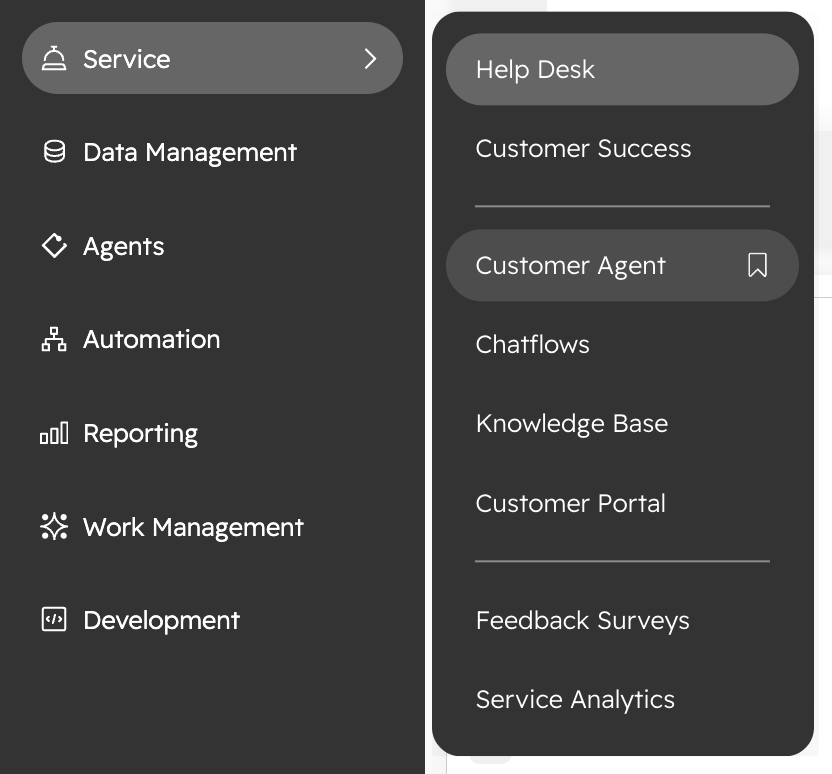
- Navigate to the Customer Agent section in HubSpot Workspace.
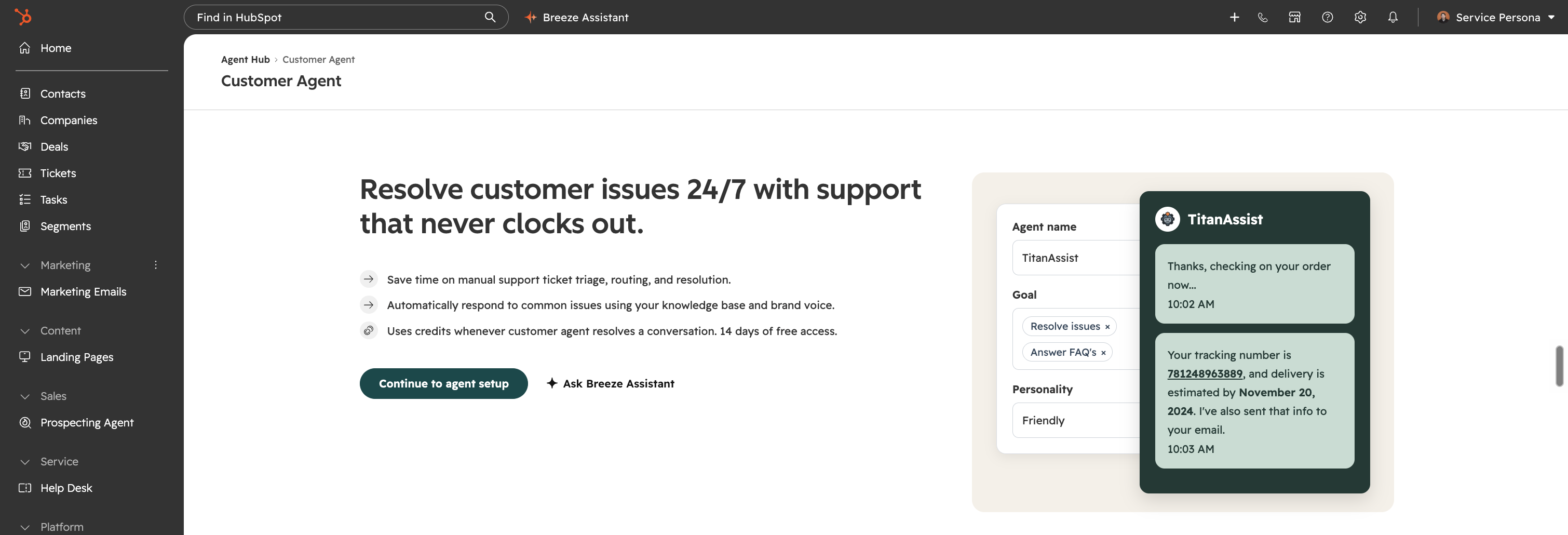
- Choose 'Continue to agent setup'
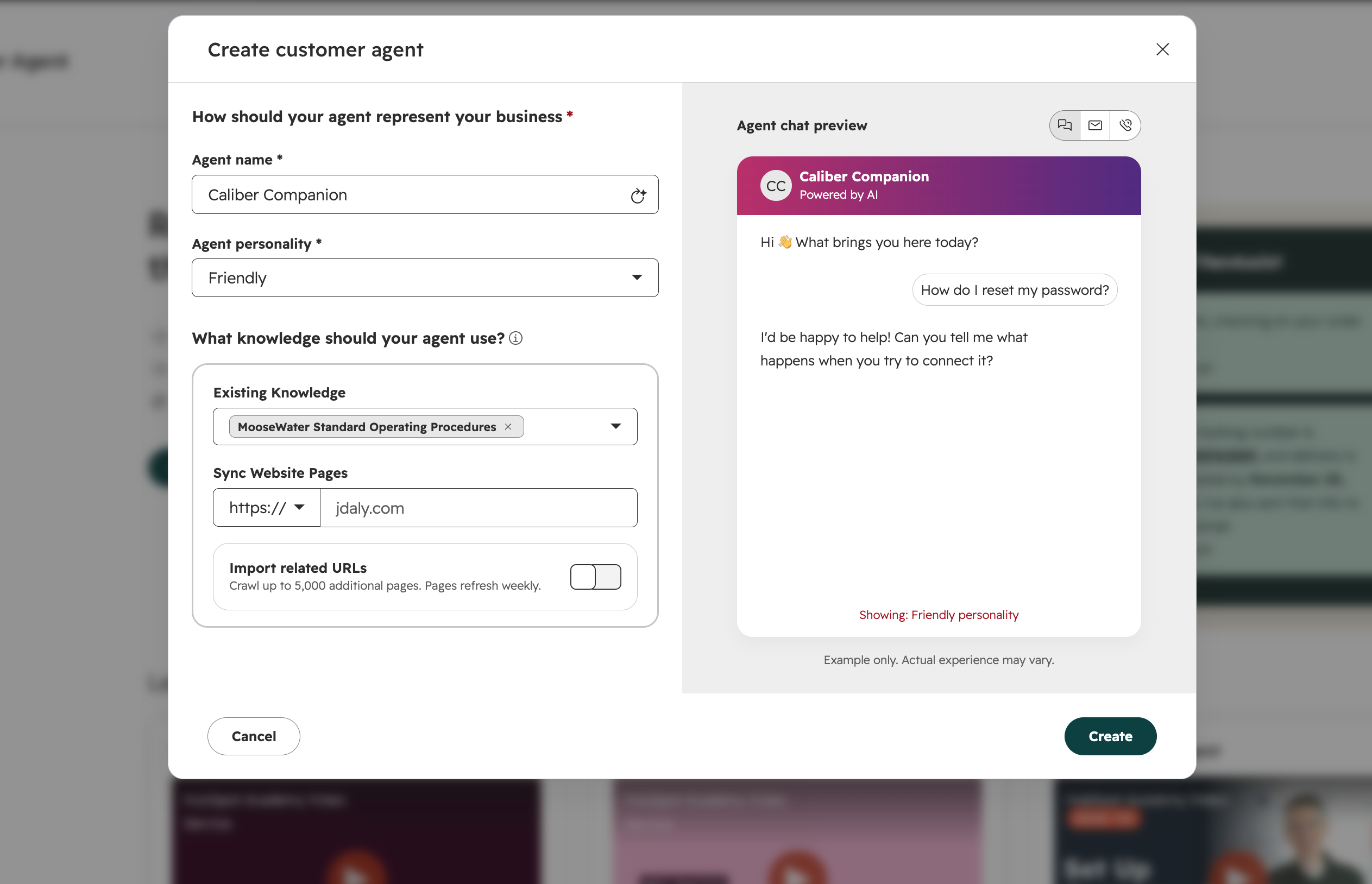
- Follow the overview modal to access your draft agent and complete setup steps.
Ask Breeze to generate a name for you Agent and add your own!
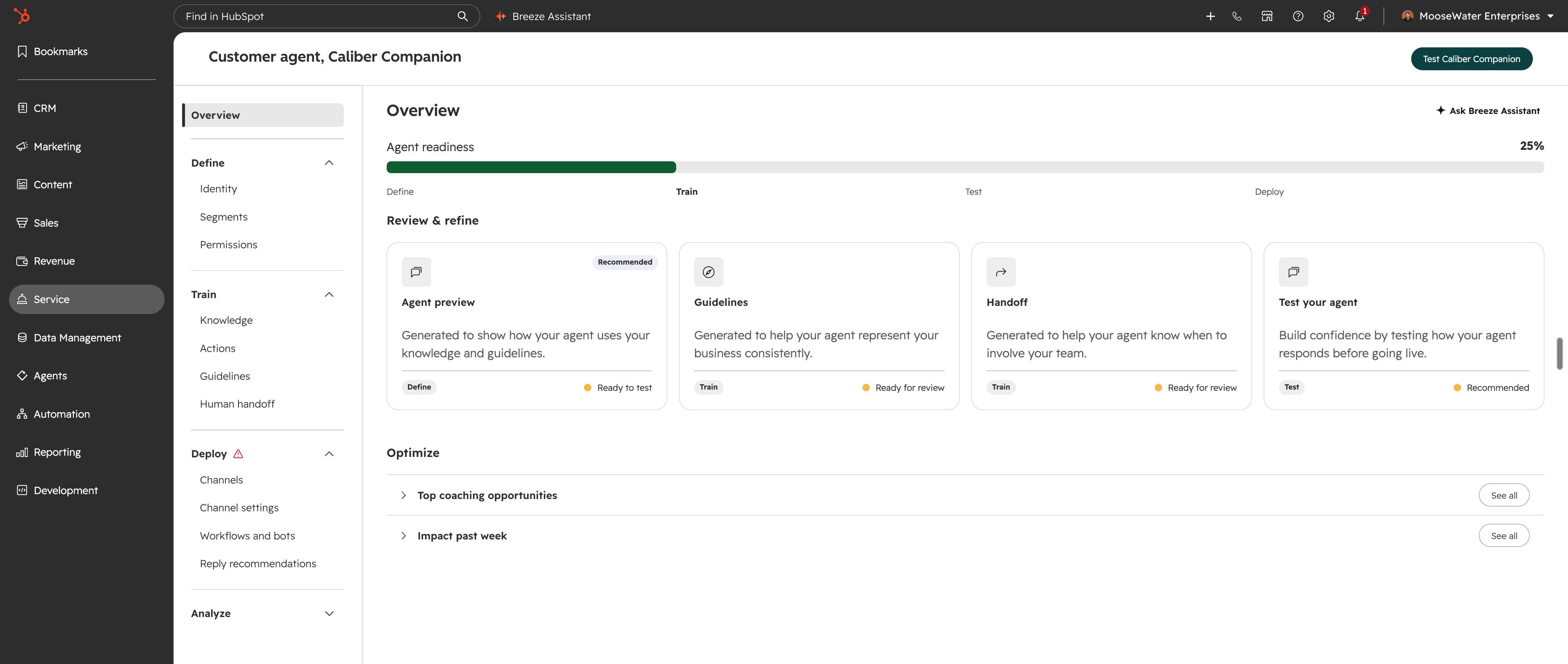
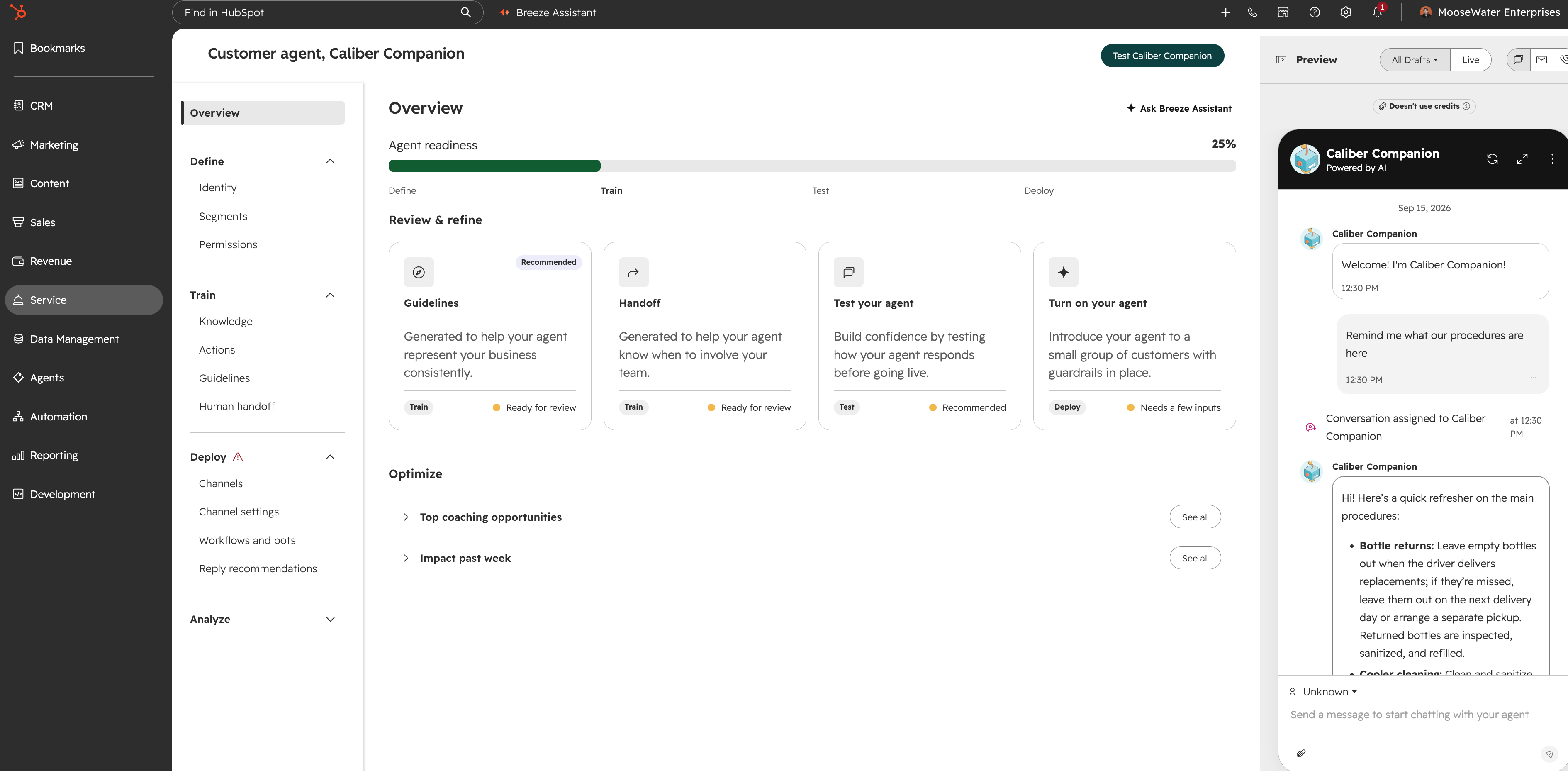
- The Overview Page will guide you through each step of the Customer Agent building process
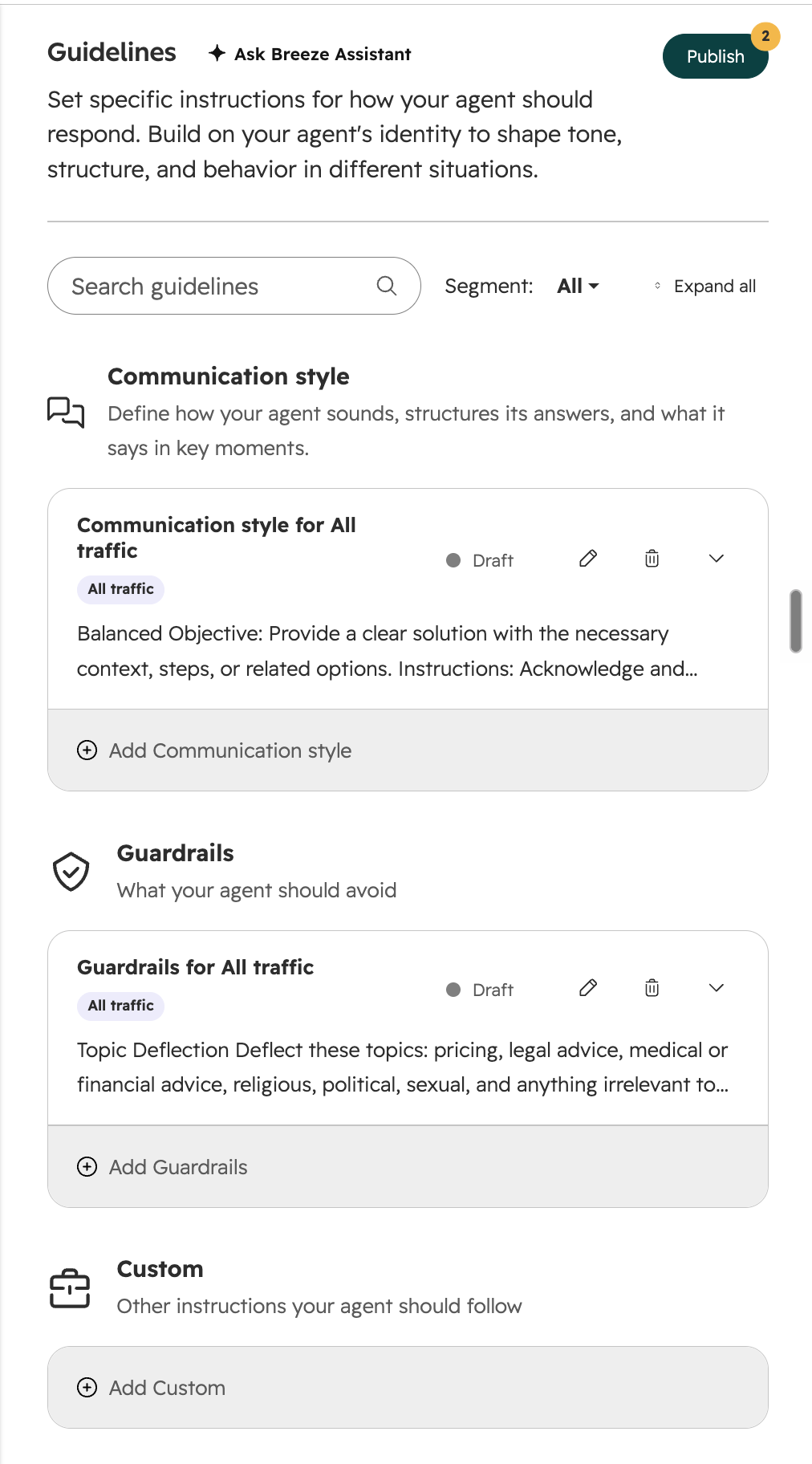
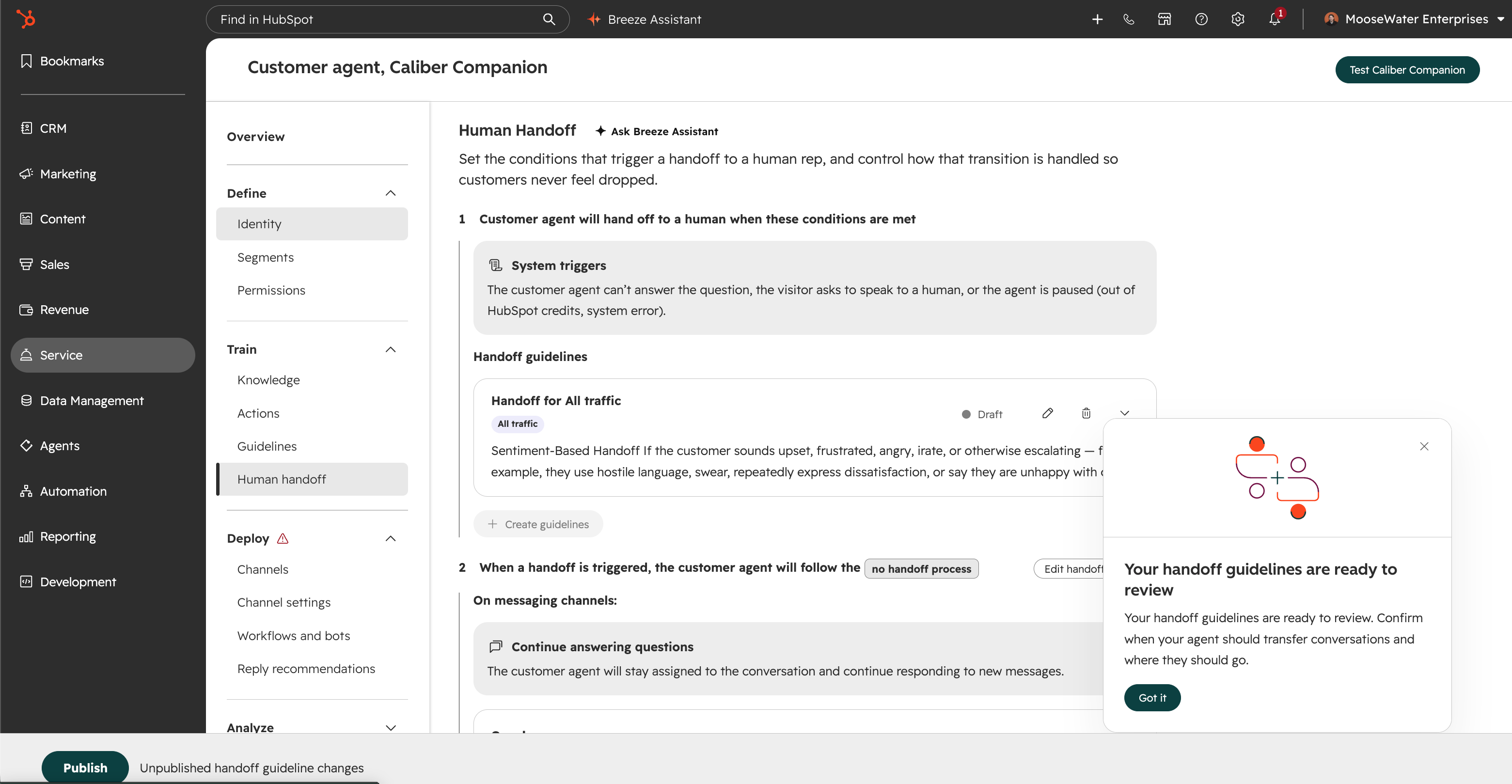
- Review and approve guidelines and handoffs, leveraging suggestions generated for you
Customer Agent will now help you create guidelines and a workflow for when Customer Agent should hand off to a human
- Test your agent and knowledge review tools to surface and address gaps.
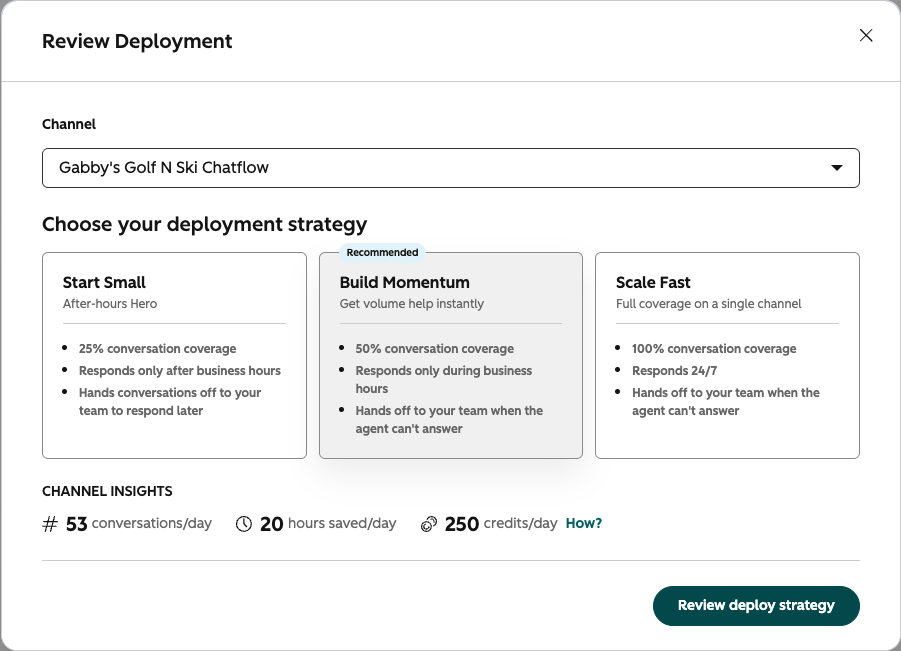
- Once setup and testing are complete, receive a deployment recommendation and deploy your agent to a trial environment.
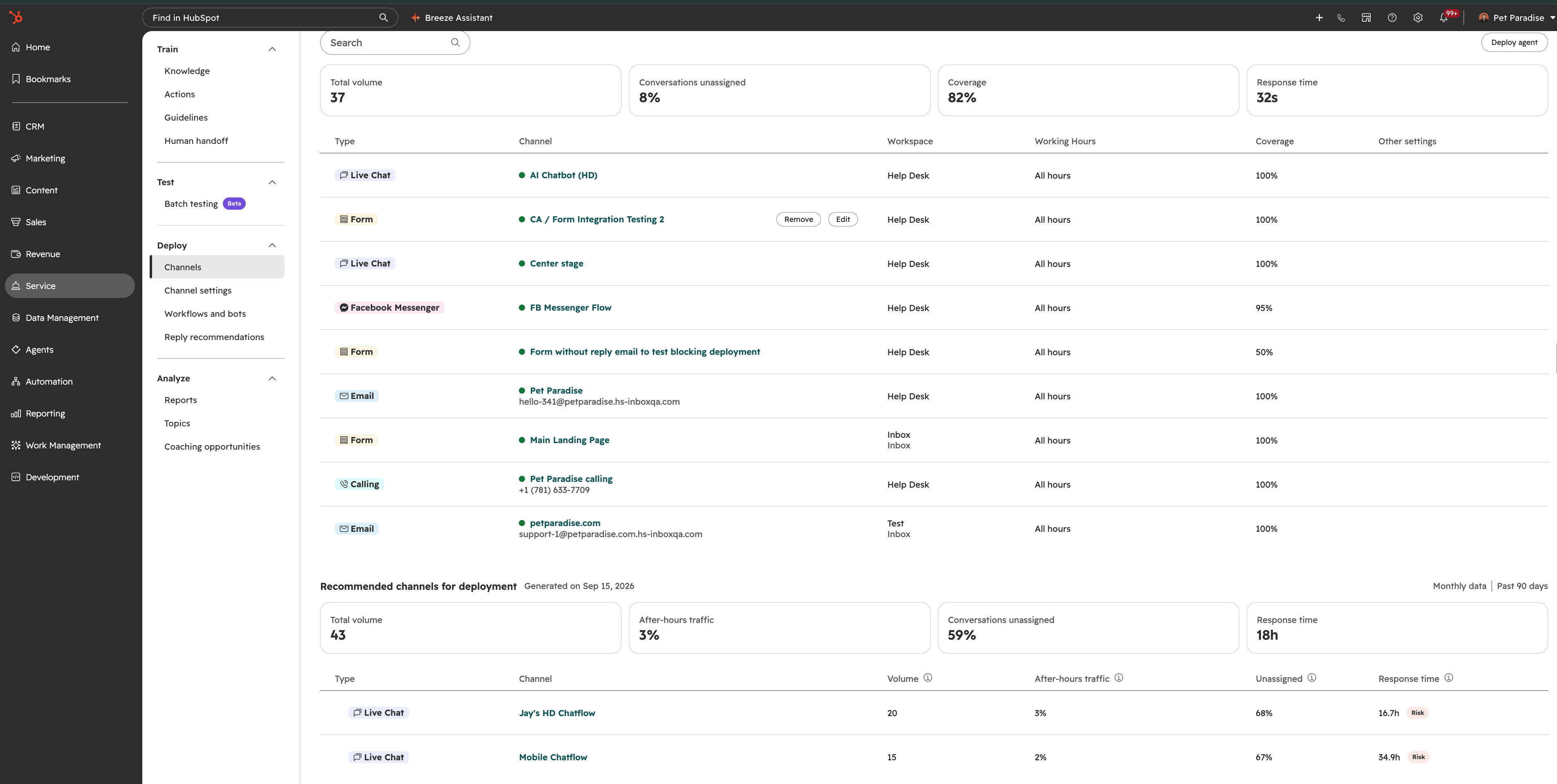
Note:For Workspaces that have conversations coming through HubSpot already, the deployment strategy recommendations will provide "channel insights" where Customer Agent will estimate the amount of conversations resolved per day, along with hours saved and credits used.
- Deploy! You can keep track of your deployment recommendations and Active Deployments in the Channel section
Who gets it?
Marketing Hub Professional, Data Hub Professional, Sales Hub Professional, Sales Hub Enterprise, Content Hub Enterprise, Data Hub Enterprise, Marketing Hub Enterprise, Revenue Hub Enterprise, Smart CRM Enterprise, Revenue Hub Professional, Service Hub Professional, Service Hub Enterprise, Smart CRM Professional, Content Hub Professional
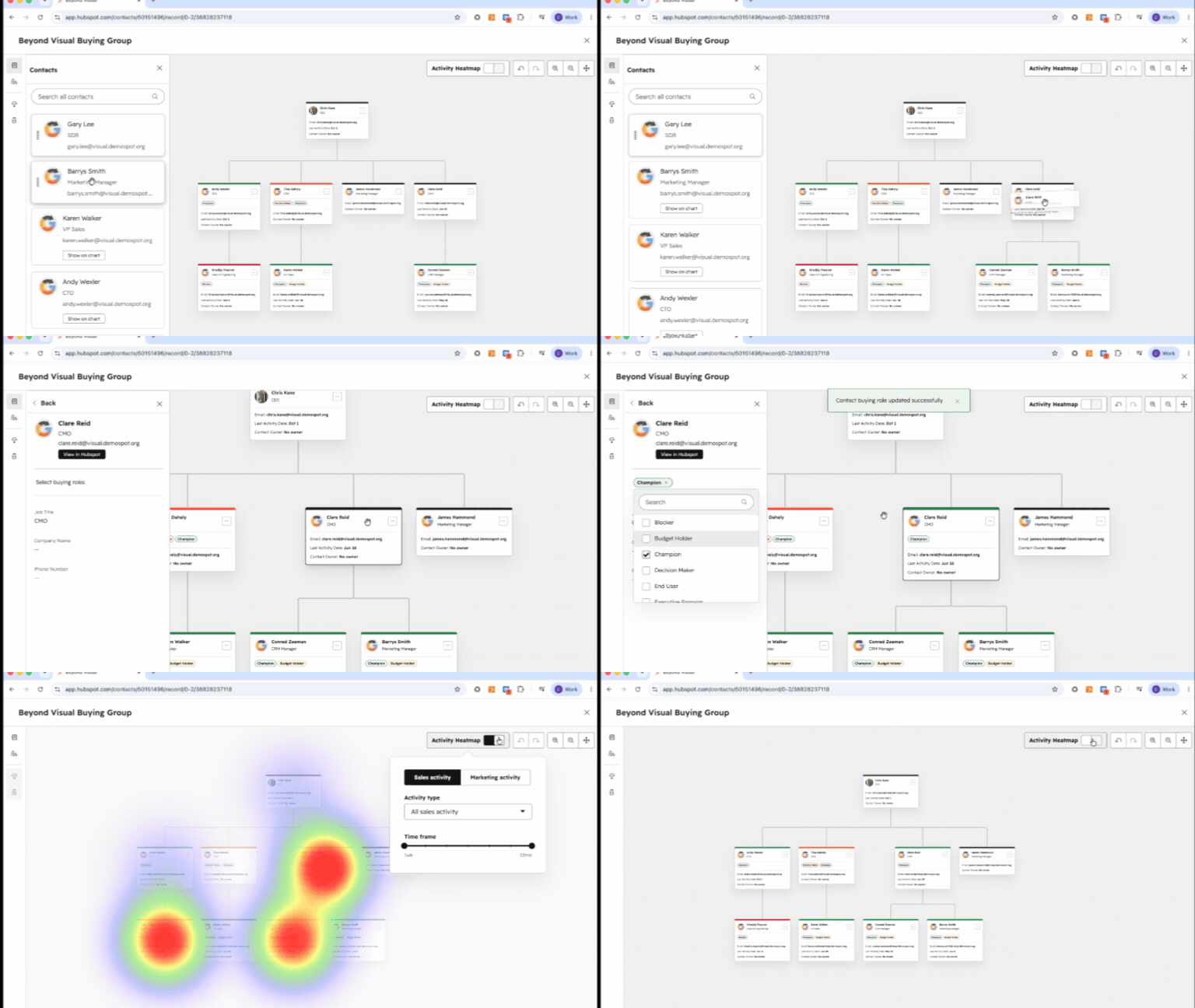
What is it? Buying Groups Just Got More Powerful Buying Groups bring powerful context right into HubSpot, making it easier than ever for your team to understand and influence every decision-maker..
What is it? Dashboard caching lets you control how long your reporting dashboards hold onto loaded data — from 5 minutes up to 7 days — so dashboards load faster as you move through HubSpot, while..
29 Sep 2026
Ready to maximize your business growth with our HubSpot-accredited services?
Contact us today to learn how we can help you succeed.



.png?width=193&name=jos%20(1).png)




