What is it?
Users can now edit ticket names directly in the header of help desk.
Why does it matter?
Before this change, help desk users needed to navigate to the ticket name property on the help desk sidebar or go back to the ticket record to manually change the ticket name. This change allows users to quickly update the ticket name with a couple clicks from a central and easily accessible part of the workspace, and helps them to stay focused on the customer problem in front of them.
How does it work?
Hover over the ticket name and click on the pencil icon that appears towards the right hand side of the ticket name:
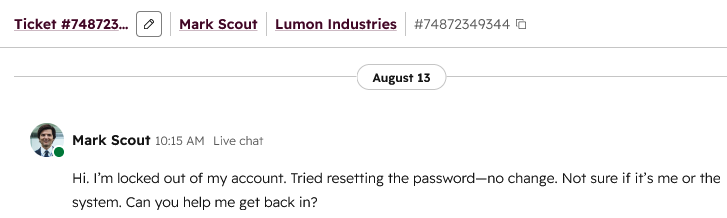
Note: this update does not remove the existing navigation to the ticket record. Users can still click the ticket name text to view the record.
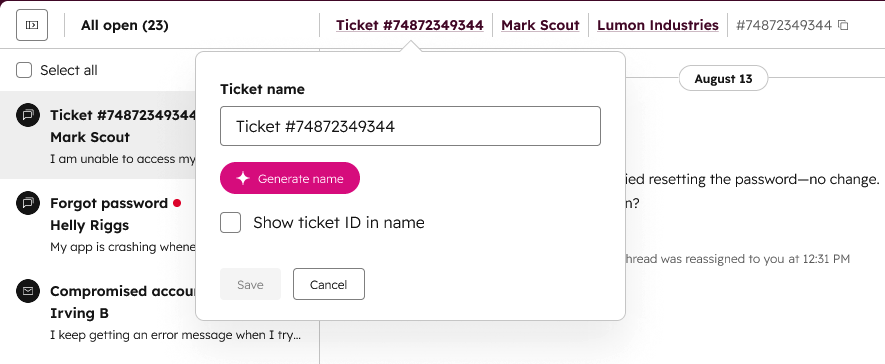
Click the pencil icon to open the editing modal. Here you have several options:
- Manually edit the ticket name in the text box.
- Click "Generate name" for an AI-generated ticket name based on details from the ticket's conversation thread.
- Click "show ticket ID in name" to append the ticket's unique ID number to the name.
Who gets it?
Service Hub Professional, Service Hub Enterprise





.png?width=193&name=jos%20(1).png)




