-
What is it?
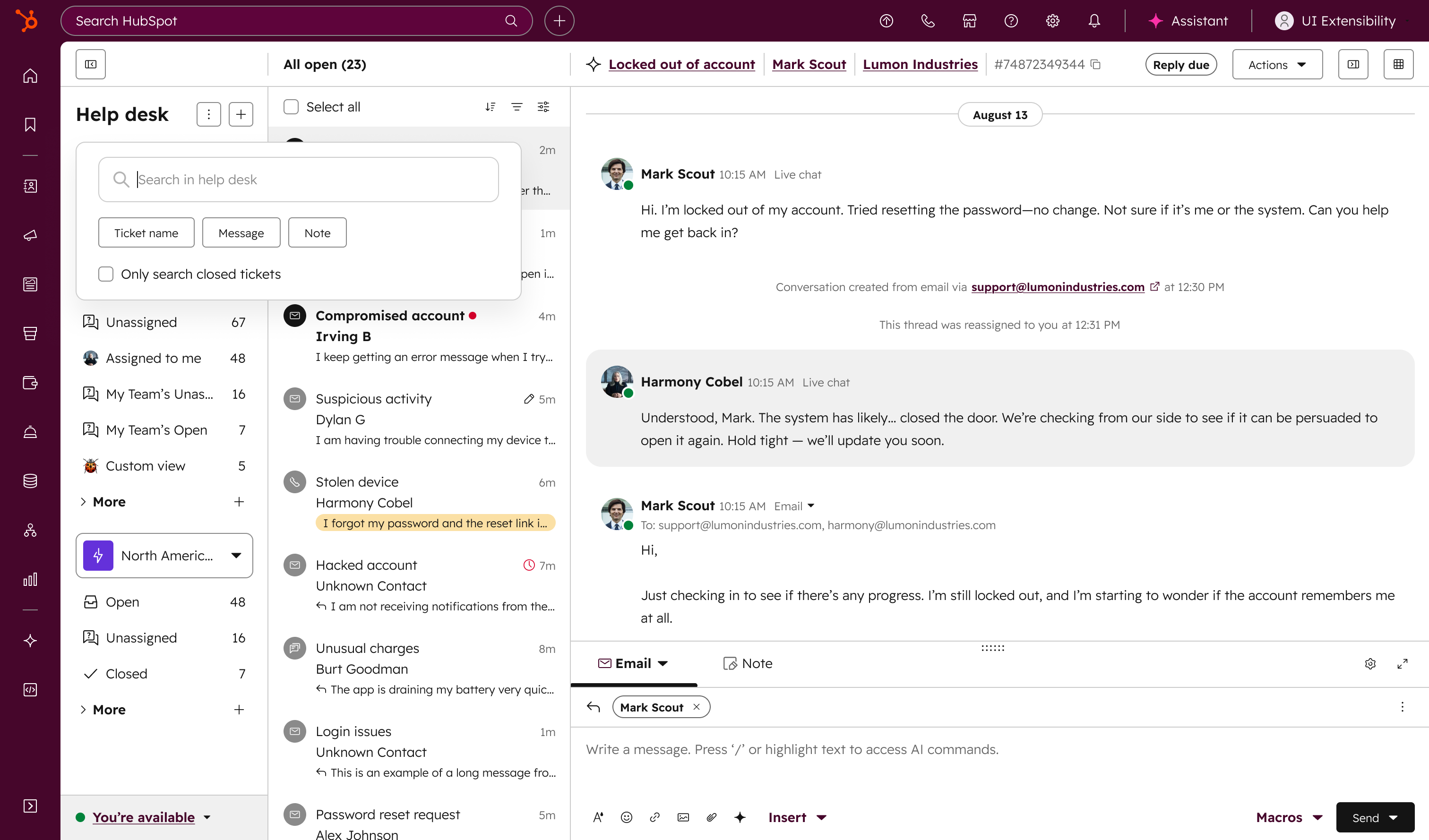
We’ve introduced a set of enhancements designed to make it faster and easier for support teams to find the tickets they need. The help desk search experience now includes:
A new search popover with pre-search filters that help you narrow results before running a query, such as by closed tickets
An updated search results page that automatically reflects any filters applied
Smoother search interactions
-
Why does it matter?
For high-volume support teams, finding the right ticket can often feel like looking for a needle in a haystack. Customers have expressed that the search experience is inefficient, with noisy results that are hard to navigate. These improvements directly address those challenges:
- Narrow results earlier – Pre-search filters reduce noise from the start, surfacing the most relevant results.
- Improved search interactions – A more intuitive and predictable flow makes it easier to apply filters, understand why results appear, and refine queries with confidence.
-
How does it work?
Search Popover with Pre-Filters
When users start a search, they’ll see a popover where they can apply pre-search filters to narrow down results before running the query. These filters automatically carry into the results view. For example, to find closed tickets, select the "Only closed tickets" toggle.
Updated Search Results Page
The results page dynamically reflects all pre-search filters. Users can layer on additional filtering using the quick and advanced filters.
Who gets it?
Service Hub Professional, Service Hub Enterprise





.png?width=193&name=jos%20(1).png)




