What is it?
When a Microsoft Dynamics 365 Sales Order is created in HubSpot—either manually or through an automated workflow—the corresponding HubSpot Deal will now be automatically associated with a HubSpot Order.
This new association unifies sales data between HubSpot and Microsoft Dynamics 365, improving consistency and reducing the need for repetitive data entry.
Previously, when a Sales Order was created from HubSpot, the resulting Microsoft Dynamics 365 Sales Order was only able to be associated with HubSpot Deals via an intermediary Integration Sales Order.
Learn more about HubSpot’s Microsoft Dynamics 365 integration.
Why does it matter?
Automatically synchronizing deal and order data between HubSpot and Microsoft Dynamics 365 allows you to:
- Unify sales data across both HubSpot and Microsoft Dynamics.
- Reduce time spent on administrative tasks.
- Ensure data accuracy and consistency across your sales technology stack.
- Minimize manual data entry and human error.
How does it work?
Ensure you’ve installed HubSpot’s Microsoft Dynamics 365 integration, by going to the settings page via the gear icon > Integrations > Connected Apps > Microsoft Dynamics 365.
- Follow the setup guide on Connect HubSpot and Microsoft Dynamics 365 - once set up correctly, you're ready to creator sales orders for your Microsoft Dynamics 365 integration in HubSpot

To get started, follow the guide to create a Microsoft Dynamics 365 sales order in HubSpot
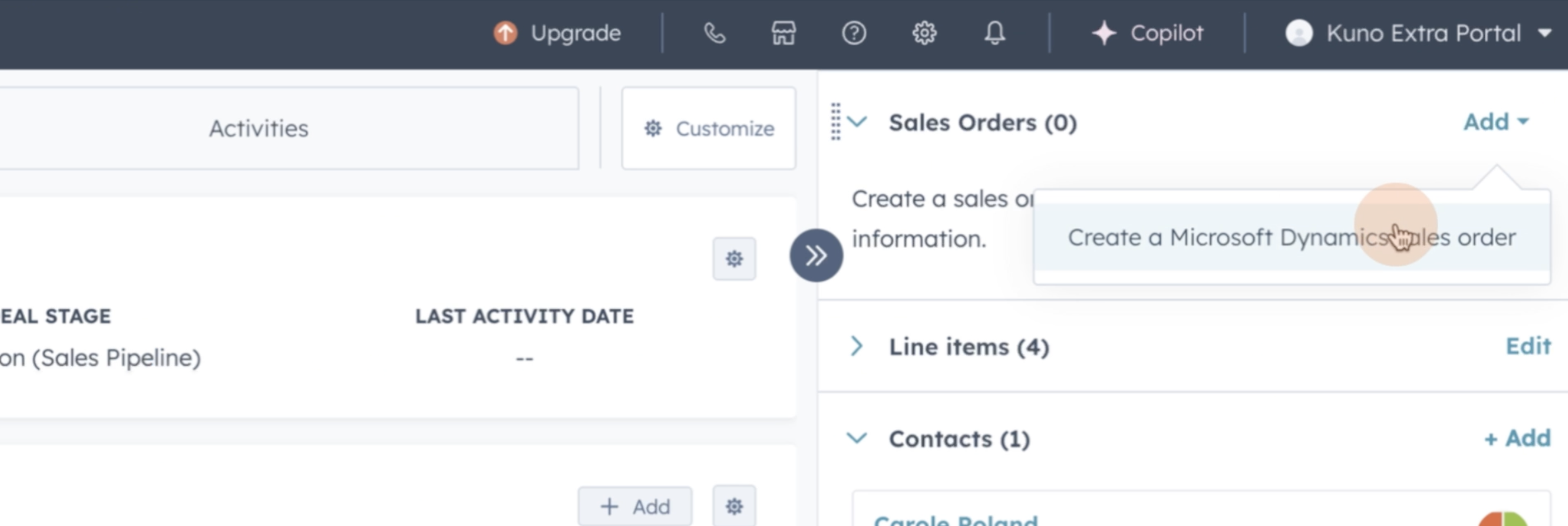
- Create a Microsoft Dynamics 365 sales order in HubSpot either directly from the deal record or by using a deal-based workflow.
Before you begin sure to check that your product sync is set up correctly
- Microsoft Dynamics 365 Sales Order --> HubSpot Order sync should be configured, otherwise it will not create HubSpot order
- Line items must be included to create the sales order
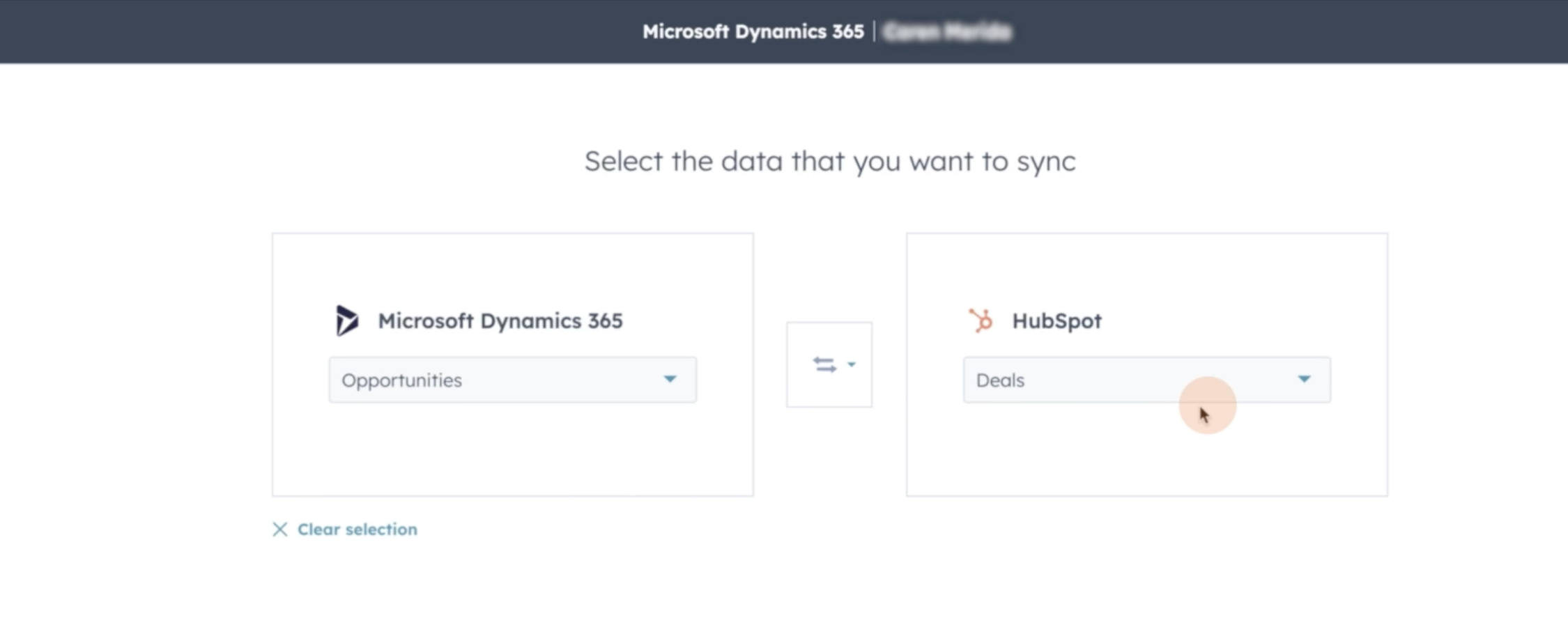
Now you are ready to create Mircosoft Dynamics 365 sales orders using deal-based workflows (Sales Hub Professional or Enterprise)
Navigate to Automation > Workflows in HubSpot and ensure your workflow is configured correctly.
- Workflow action configuration
- Ensure to include all required properties and branching in the workflow before adding the sales order creation action.
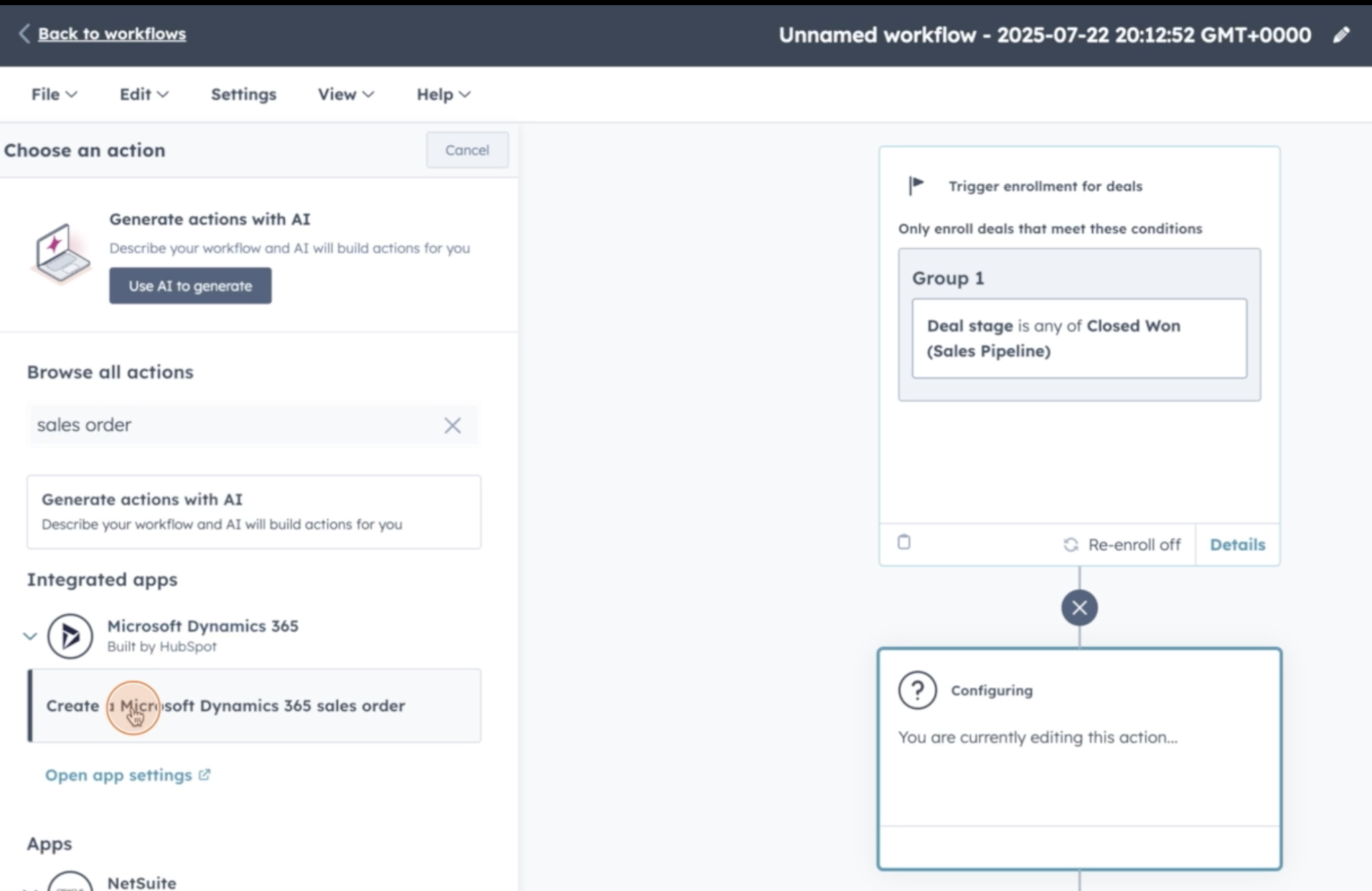
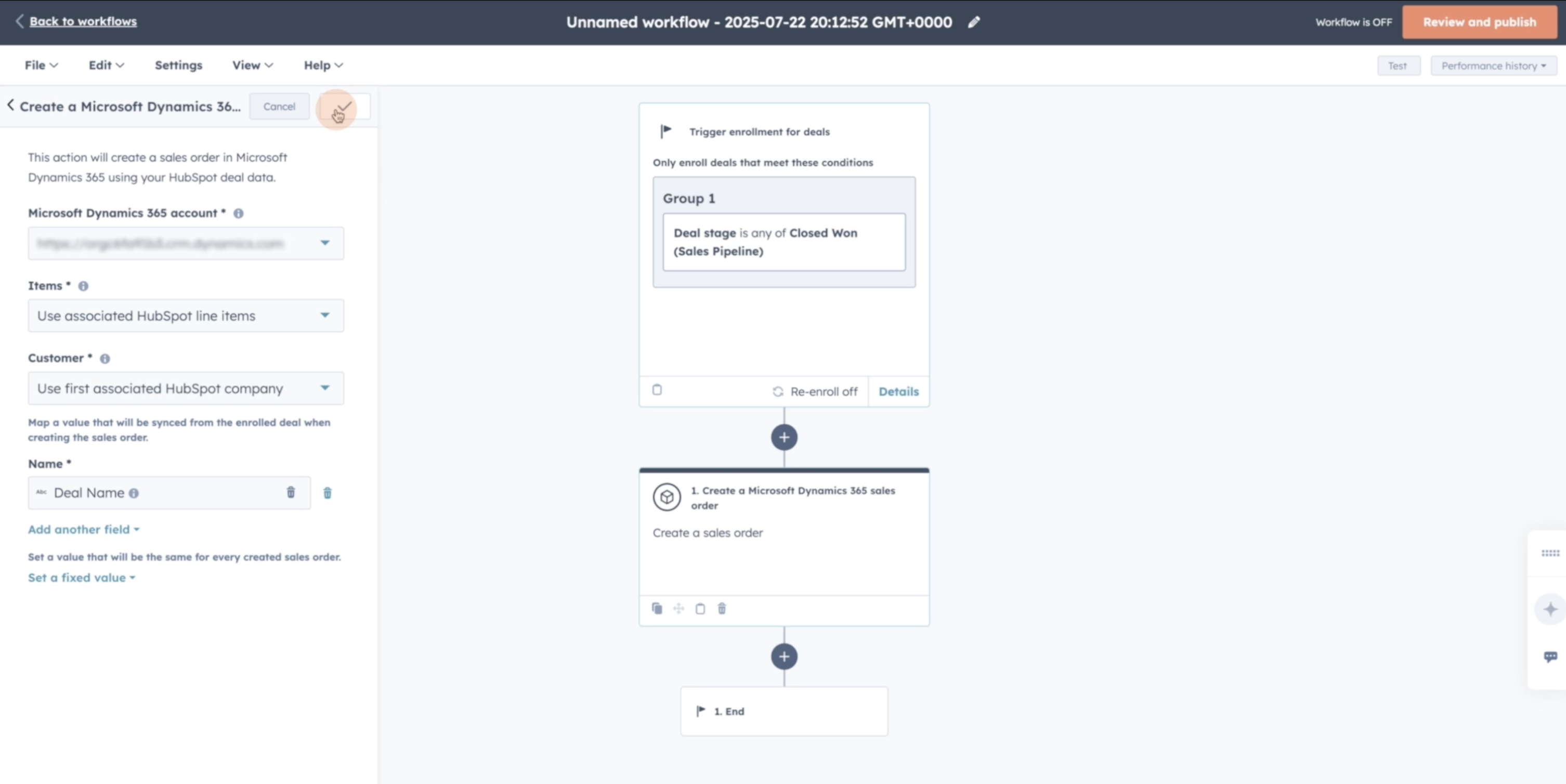
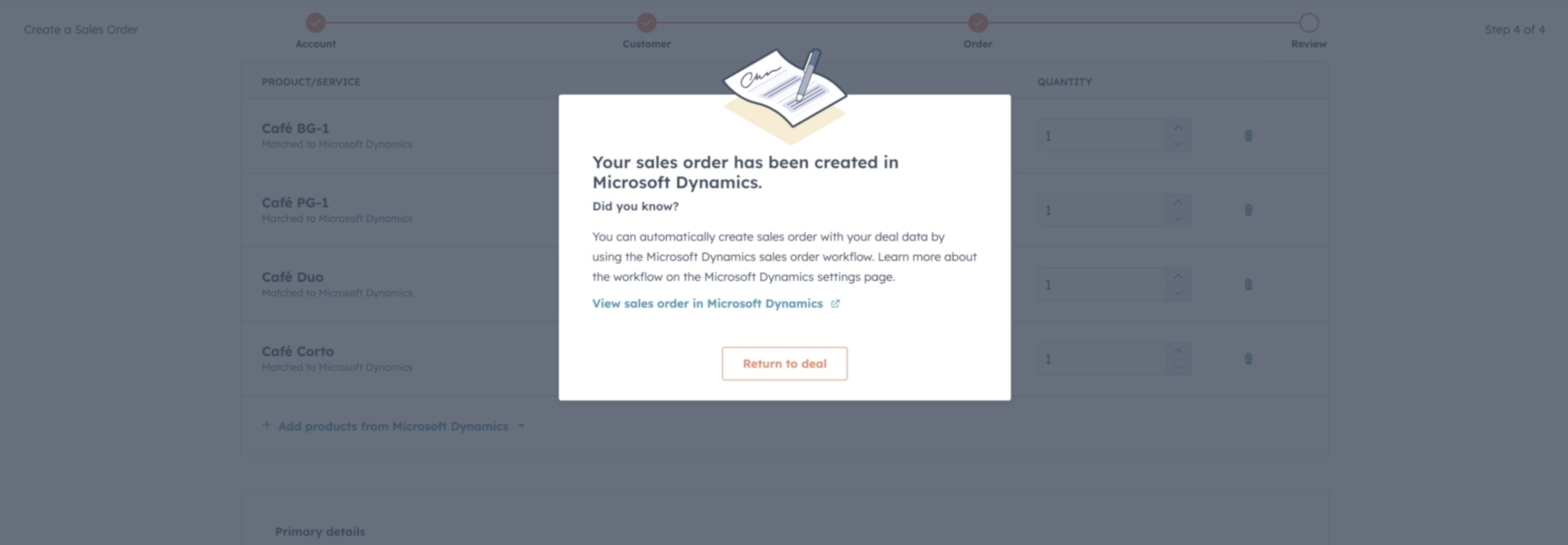
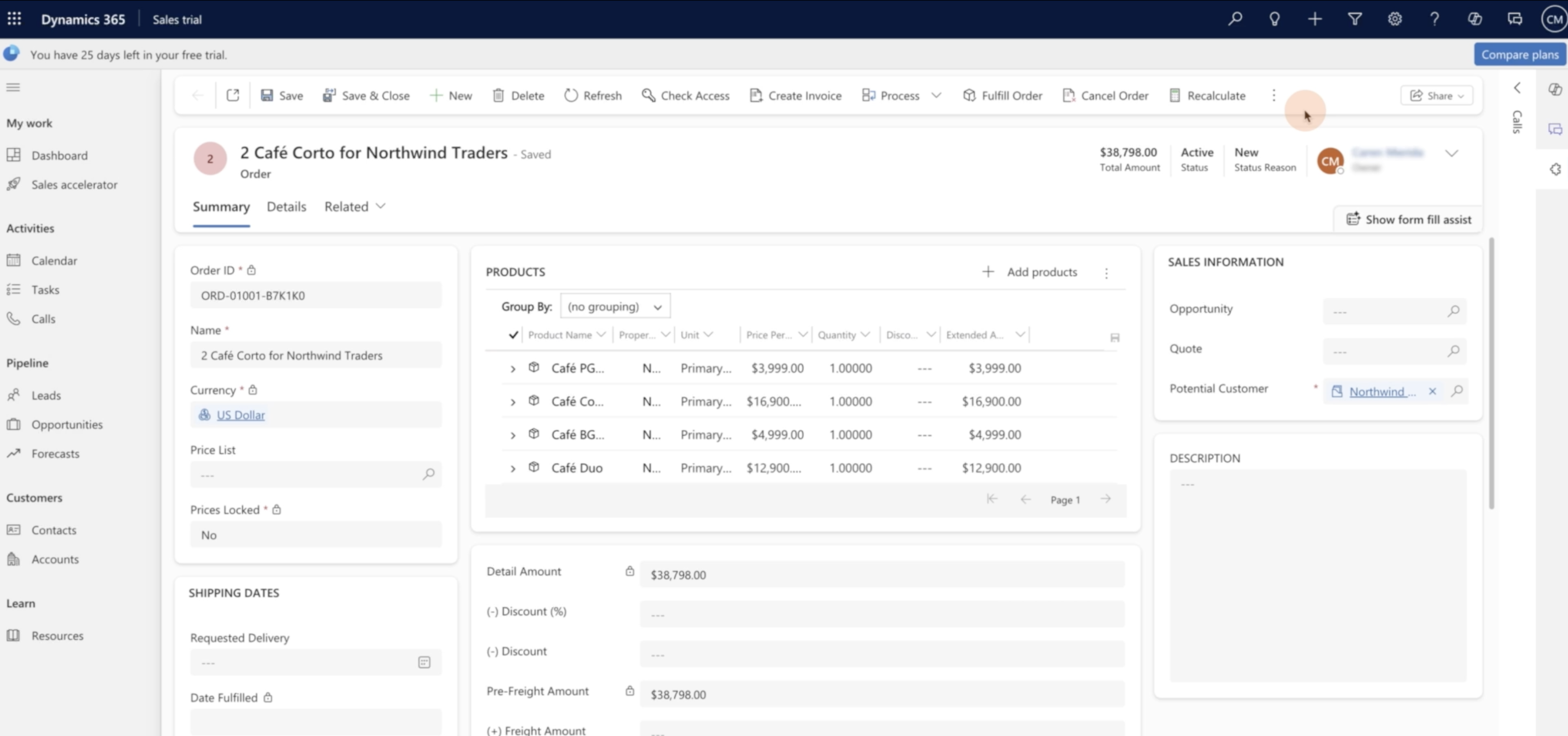
- Note: Some properties, like ‘subsidiary’ can only be manually created as custom properties today, and are only available with some tiers - if you wish to include these in your flow you can create as custom properties
Once you have created your sales order manually or in workflow, with required properties and branching included before the sales order creation action, you can "Save & Sync" is On.
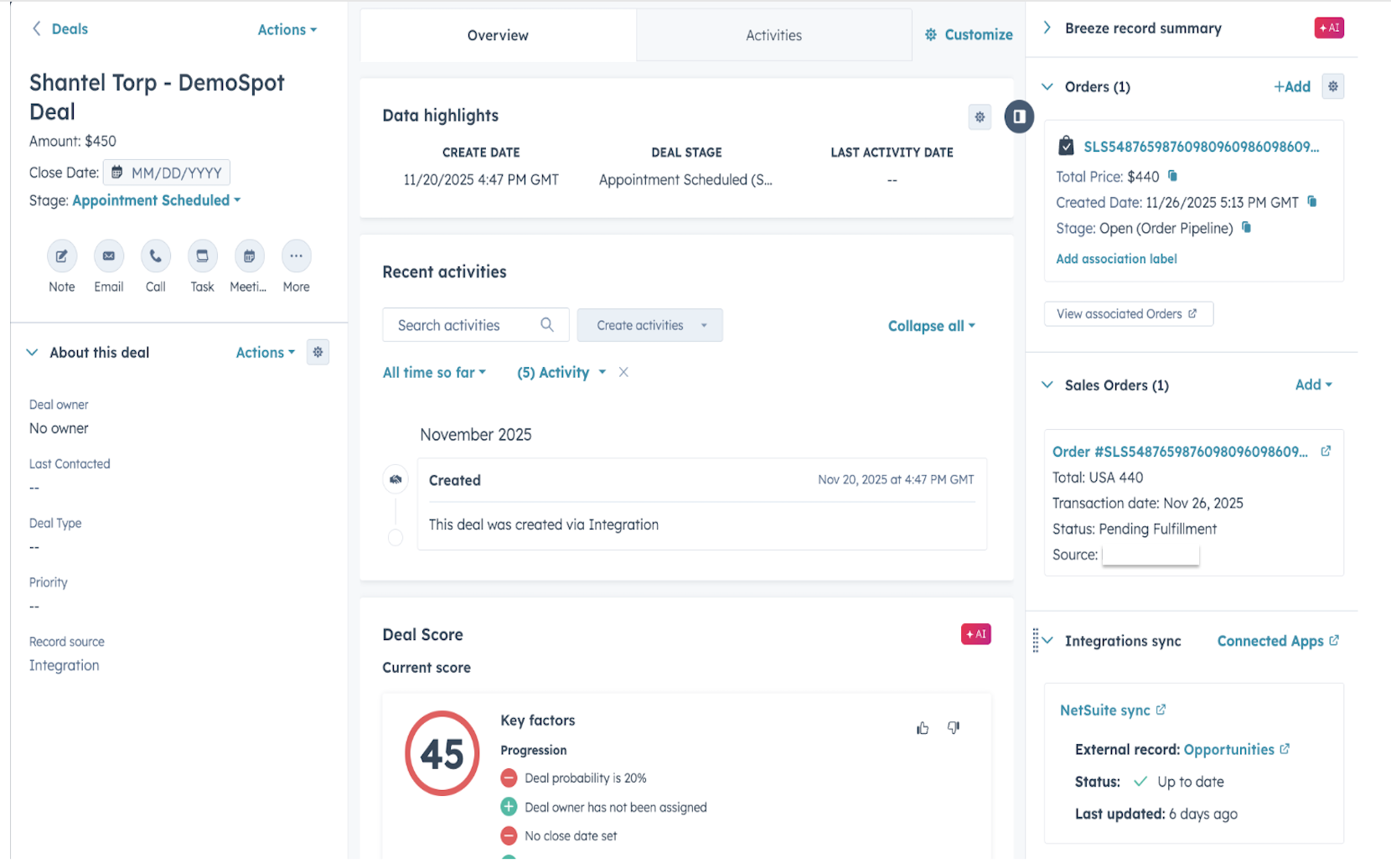
The HubSpot Deal to Order Association occurs when a Microsoft Dynamics 365 Sales Order is created in HubSpot using manual or automated workflow.
Now, wherever your deal-based sales order workflow triggers, your deal to order association will happen automatically.
Any Deals enrolled in this Sales Order creation workflow, will automatically have ‘Order’ and ‘Sales Order’ automatically synced and associated with the deal record.
You can see this association referenced on your Deal record in HubSpot - check the side panel “Order” from HubSpot and “Sales Order” from Microsoft Dynamics will automatically be aligned and reflected
See our Knowledge Base for detailed instructions on how to set up these Microsoft Dynamics workflow actions.
Who gets it?
All hubs and tiers





.png?width=193&name=jos%20(1).png)




