Note
What is it?
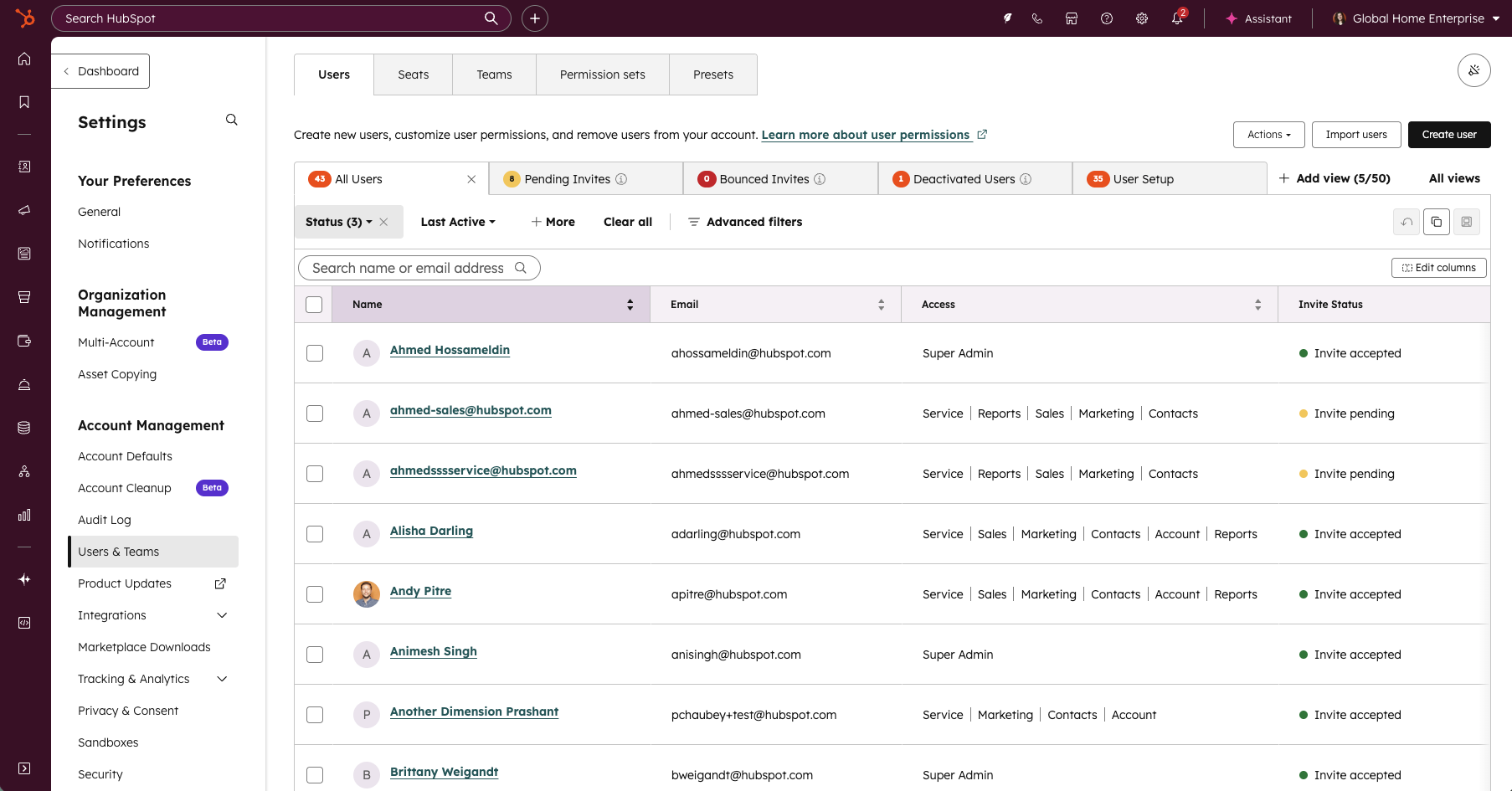
The Users page has been redesigned with modern data table functionality to streamline admin workflows and reduce friction in user management. Admins can now leverage inline editing and bulk operations to update user properties directly from the table without navigating away. The redesign introduces customizable and movable columns, saved custom views, and optimized default views with total user counts for quick reference, enhanced quick filters, and export filtered views.
Why does it matter?
Admins report that the prior Users page was slow, required deep navigation to complete simple tasks, and lacked editable columns, saved views, and bulk workflows needed for scaled organizations. Basic tasks, such as updating user properties, adjusting permissions, or filtering to monitor inactive or pending users, often required dozens of repetitive clicks, leading to frustration and operational inefficiency.
This redesign focuses on reducing administrative overhead and introducing predictable, modern table experiences that already exist elsewhere in the CRM.
How does it work?
Default Views
The Users page offers pre-built views for common admin workflows: All Users, Active Users, Pending Invites, Bounced Emails, Deactivated Users, and User Setup (which includes onboarding fields and disconnected accounts for email and calendar sync issues). Each view displays total user counts at a glance, enabling admins to prioritize work and monitor user status instantly.
Saved and Custom Views
Admins can clone existing default views to create custom variations tailored to their specific workflows, or build entirely new views from scratch. Once created, these custom views can be easily managed, renamed, or deleted as your team's needs evolve. Saved views persist across sessions, allowing you to set up your most common workflows once and access them consistently without rebuilding filters each time.
Inline and Bulk Editing
Update user information directly from the table without opening individual profiles. Inline editing is available for Manager, Availability Status, Job Title, Timezone, Language Skills, and all custom user properties, allowing quick single-user updates. For larger changes, bulk editing lets you select multiple users and update these same properties simultaneously, eliminating repetitive profile navigation.
Filters and Column Customization
The Users page now includes expanded quick filters that let you easily filter users based on your required criteria. Columns are fully movable and customizable, allowing you to drag and reorder information based on your workflow priorities. Changing seats is now easily accessible from the action dropdown, streamlining this common admin task.
Export Filtered Users
Users can now export filtered views for both default and custom views. The existing export functionality continues to work as before, exporting all users in the portal when needed. This flexibility enables admins to generate targeted reports based on their current view without losing the ability to export complete user lists, including any custom user properties and connected account status.
Who gets it?
All hubs and tiers





.png?width=193&name=jos%20(1).png)




