What is it?
Merge Rules allow customers to programmatically determine which record in a duplicate group should be the primary or "winning" record and what properties in a duplicate group should persist after the merge, regardless of which record that property value was part of.
Why does it matter?
Today, users have the option to manually select a winning record and property overrides -- or they can choose a winning record using basic criteria like "Created first" or "Most recent engagement." Users have told us that they need more advanced means for selecting a winning record based on information they have stored in the CRM. Winning records does just that -- giving users more granular options for merging records.
Merge rules will increase confidence when merging in bulk, and (in the future) directly support automated methods of merging duplicate records.
How does it work?
Within Data Quality, you'll see a new "Rules" tab. Navigating here and clicking 'Create rule' > 'Duplicate Merge Rule', you'll be able to create a merge rule. You'll be asked to name your rule, select the object it applies to, set criteria for choosing a winning record, and set a tiebreaker.
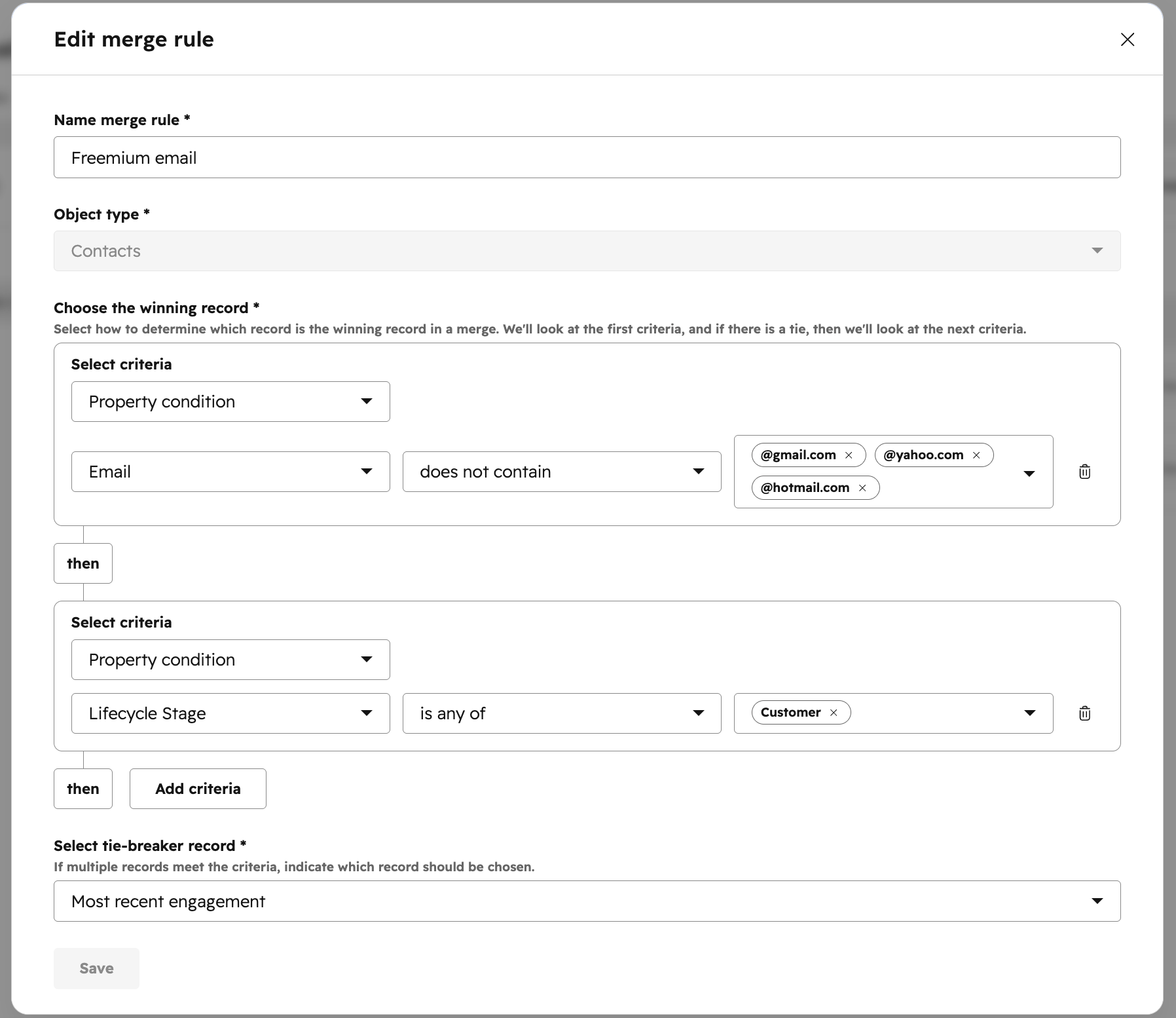
The logic in these winning record merge rules is applied sequentially in a waterfall fashion. In the above example, the email property for each record in your group is analyzed to see if one record emerges as the "winning" record. If there is still a "tie" at this point, the lifecycle stage property is then analyzed. After this check, the record with the most recent engagement is chosen as the 'tiebreaker.' Up to five winning record conditions can be applied before the tiebreaker.
In the next step, you'll have the option to add property overrides.
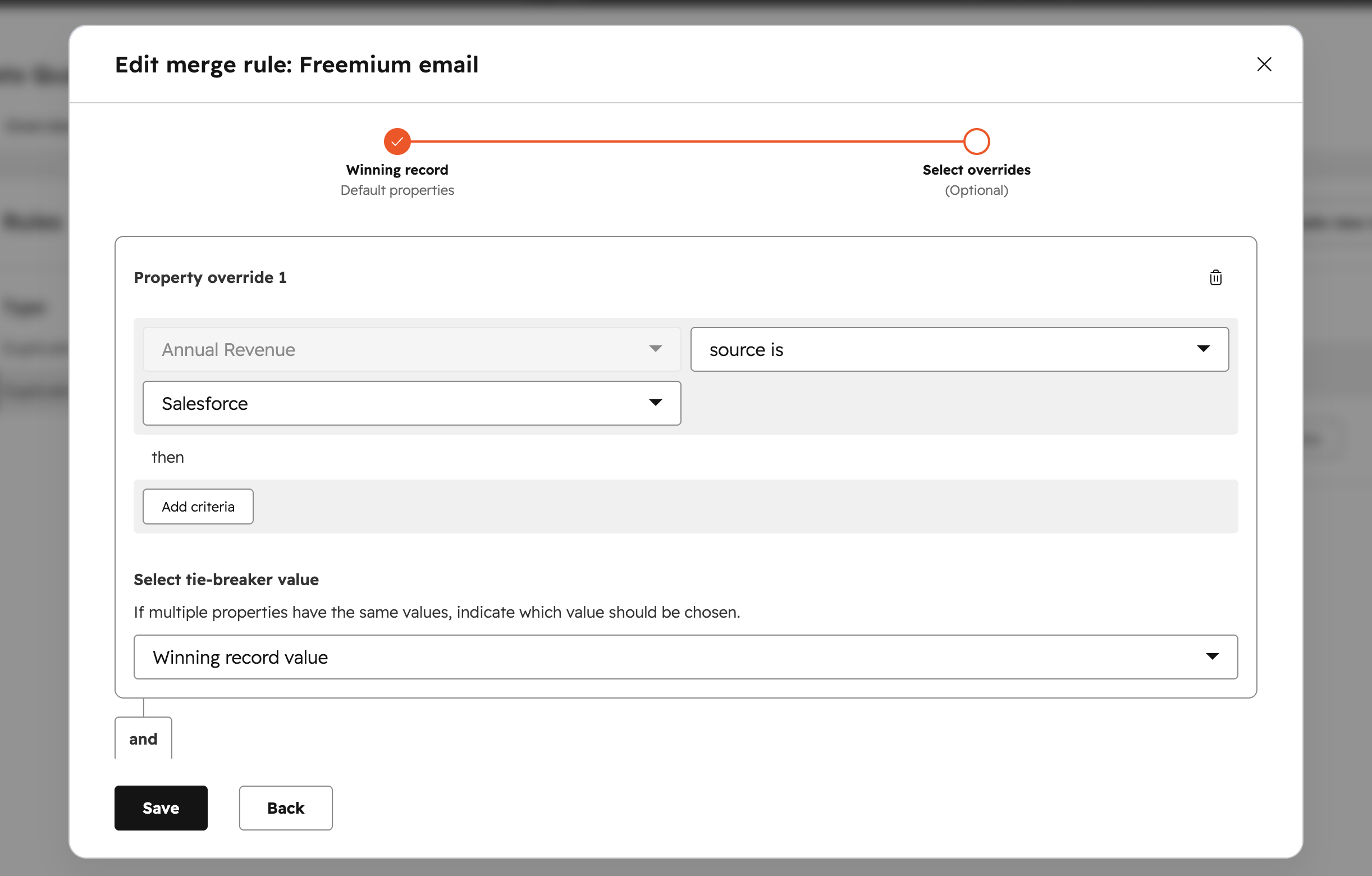
In the above example, a property override has been set where the field "Annual Revenue" should always be taken from Salesforce. If none of the records in the duplicate group meet this criteria, a tiebreaker rule is applied (in this example, the winning record value is chosen). Just like winning record rules, logic is applied sequentially.
You can set up to 20 property overrides per merge rule.
When reviewing duplicates, these merge rules can then be invoked to select a winning record by selecting them in the "Merged by" dropdown.
Who gets it?
Data Hub Enterprise, Data Hub Professional



.png?width=193&name=jos%20(1).png)




