What is it?
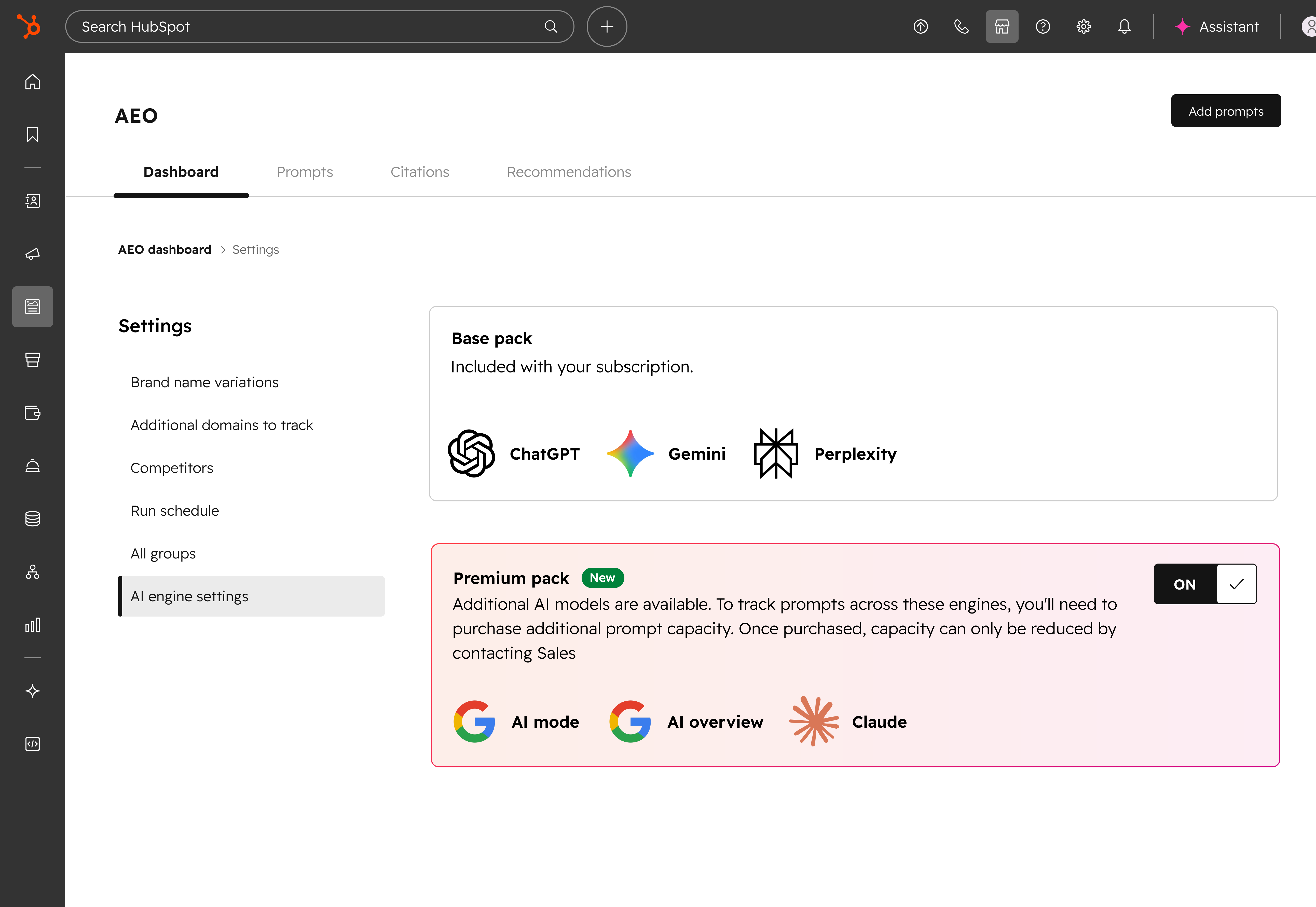
Premium Engines is a new setting in the AEO tool. When you turn it on, your tracked prompts also run through Claude, Google AI Mode, and Google AI Overviews, in addition to ChatGPT, Perplexity, and Gemini. Results from all six engines count toward your overall brand visibility score.
Why does it matter?
Until now, you could track your brand in three engines. Buyers also ask Claude, search with Google AI Mode, and read the AI-generated summaries at the top of Google results. Turning on Premium Engines helps you answer three questions:
- - Claude: Does your brand show up when people ask Claude about your category?
- - Google AI Mode: Is your brand mentioned in Google's conversational search results?
- - Google AI Overviews: Does your brand appear in the AI-generated summaries at the top of Google search results?
This gives you a more complete view of where buyers find your brand, and where they don’t.
How does it work?
- Join the beta using the button below
- Navigate to Marketing > AEO
- Click the Settings wheel in the top right corner of your dashboard
- Click the AI engine settings tab, then turn on Premium pack
- Your tracked prompts will then run through all six engines
Answer capacity
Tracking six engines uses twice as many answers per prompt. One Answers Capacity Pack covers 10 prompts on 3 engines, or 5 prompts on 6 engines. If you need more capacity, you can purchase additional prompts. Prompts will not run on the premium engines until you have enough capacity.
Note: It may take a few hours to start seeing answers from the additional engines.
How AI Overviews work
AI Overviews work differently from the other engines:
- - Not every prompt triggers an AI Overview. Google decides when to show one, so your AI Overviews visibility is calculated only from the prompts that returned one.
- - Results can change quickly. Your visibility can swing sharply from one day to the next, even when nothing about your brand has changed.
- - You can view your data with or without AI Overviews. A toggle in the brand visibility gauge, the visibility over time chart, and the prompts table lets you include or exclude it.
Who gets it?
This feature is available for Marketing Hub Professional and Marketing Hub Enterprise.