What is it?
We’ve added new sorting options to the property picker that help you understand which properties are actively used and make it easier to find the right one.
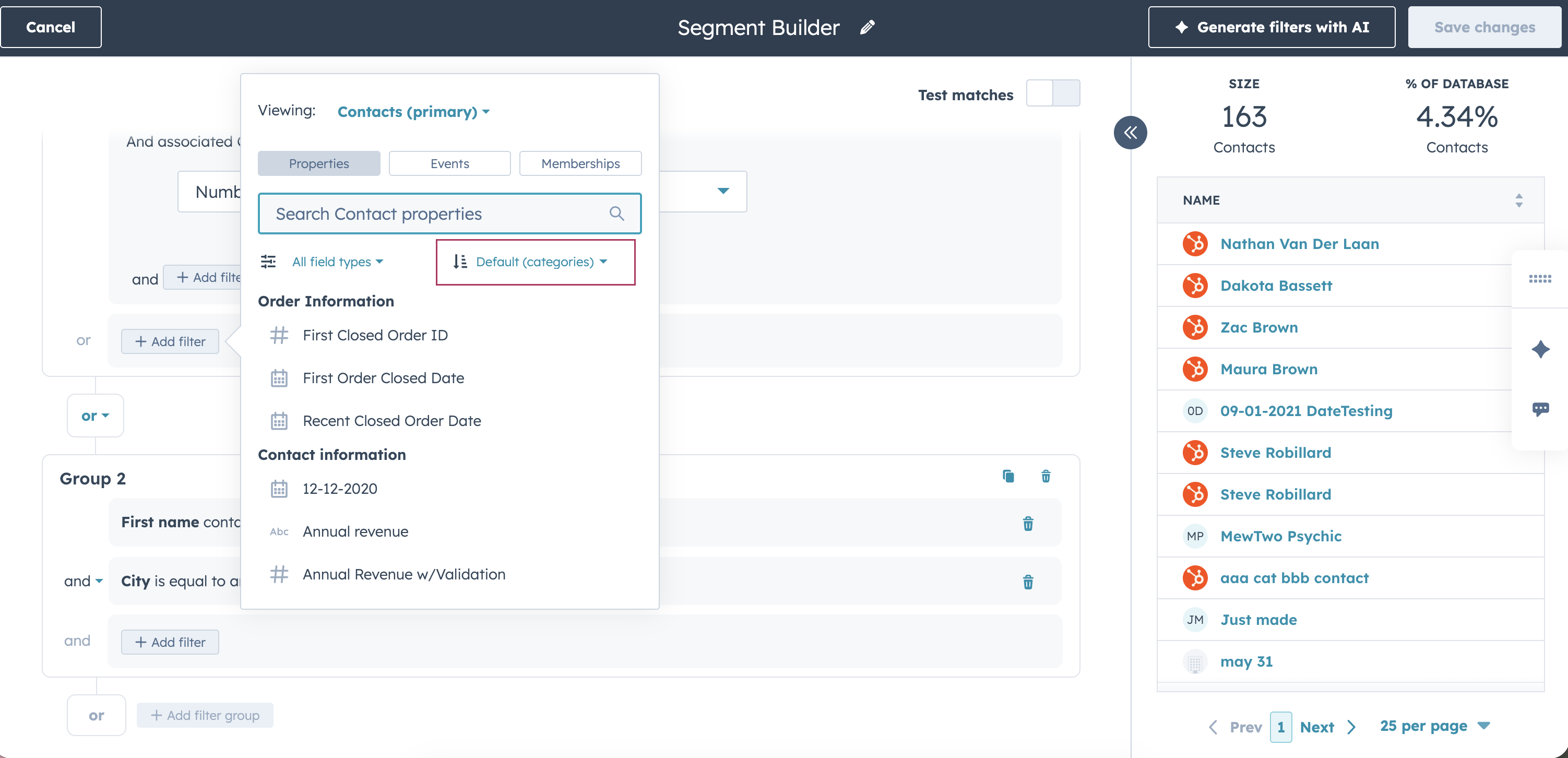
You can now sort properties by:
- Name (A–Z)
- Name (Z–A)
- Used in assets (Most → Least)
- Created date (Newest → Oldest)
- Last updated (Newest → Oldest)
This gives you visibility into property usage directly where you build segments, lists, and workflows.
Why does it matter?
Customers told us that managing properties often feels like a guessing game, especially in portals with years of customization.
Common feedback we heard:
- “I don’t know which properties are actually used anywhere.”
- “We want to clean up properties, but we’re afraid of breaking something.”
- “There are too many properties, and I can’t tell which ones matter.”
By surfacing usage-based sorting, you can quickly identify which properties are heavily relied on—and which ones may be safe to audit, clean up, or ignore. This reduces risk, speeds up filtering, and makes large property libraries easier to manage.
How does it work?
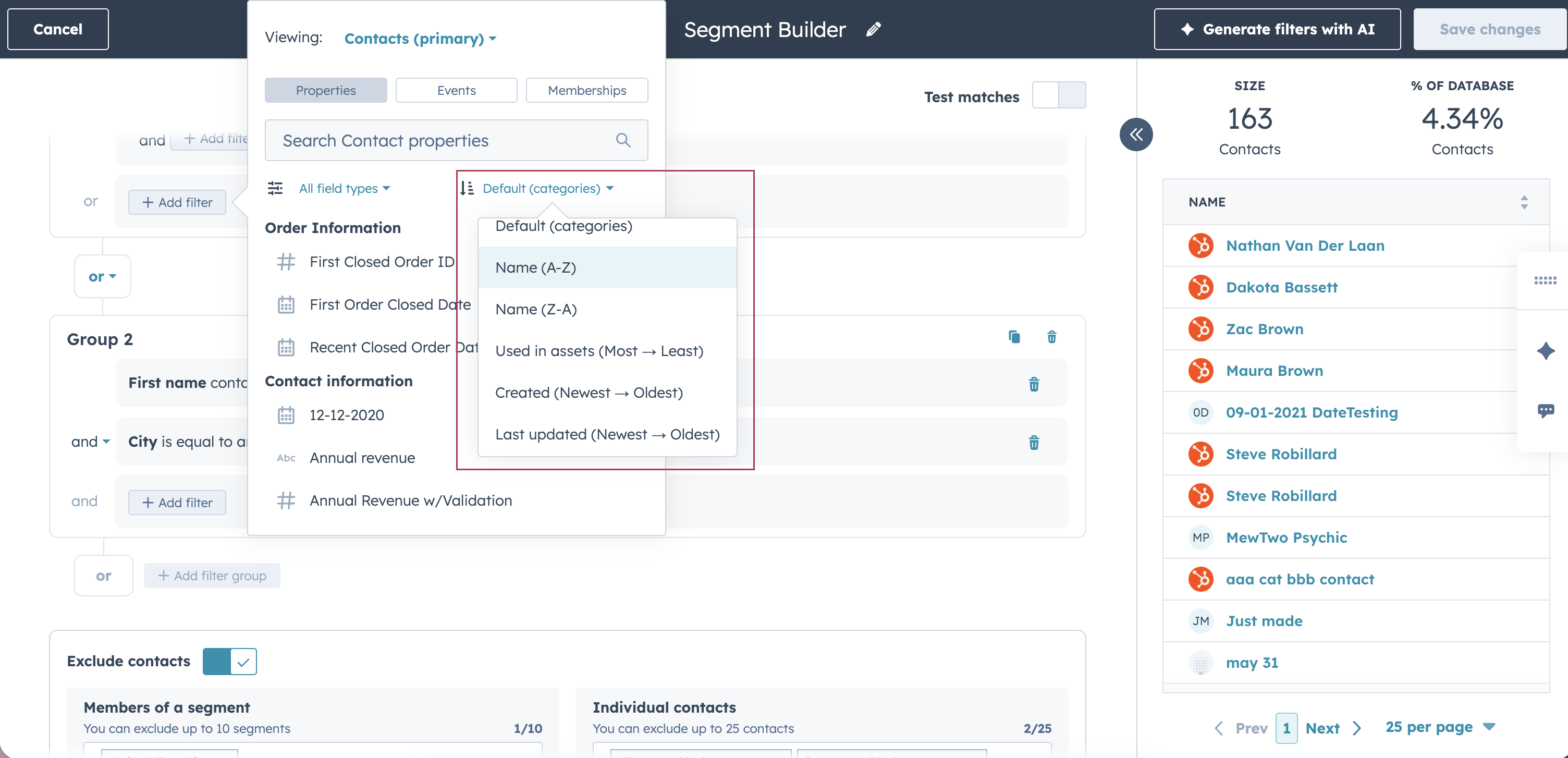
- Open the property picker while building a filter
- Use the sort dropdown at the top of the panel
- Choose how you’d like to sort properties:
- Alphabetically
- By usage across HubSpot assets
- By creation or last update date
Who gets it?
All hubs and tiers


.png?width=193&name=jos%20(1).png)




