What is it?
You can now add a middle panel card to Contact and Company records to easily visualize custom and app event occurrences over a selected timeframe.
Why does it matter?
Previously, understanding how a Contact or Company interacted with your product or content often required using multiple tools or manual work. Now you can easily see custom event or app event visuals with a middle panel card on Contact and Company records. The new visuals help your team spot trends quickly, contextualize customer behavior, and take more-informed next actions.
How does it work?
When customizing a Contact or Company record view, you can now add a middle panel card called Event data.
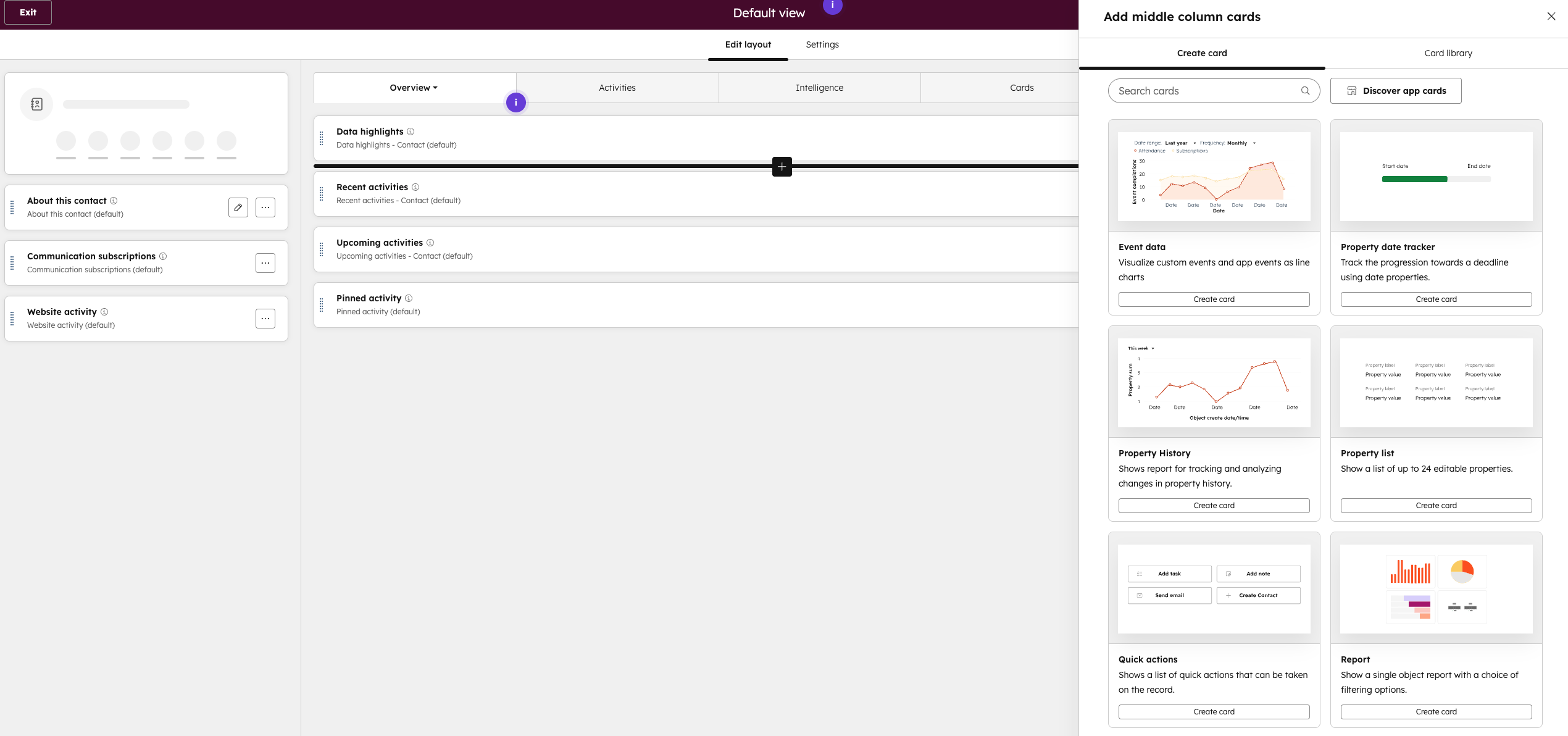
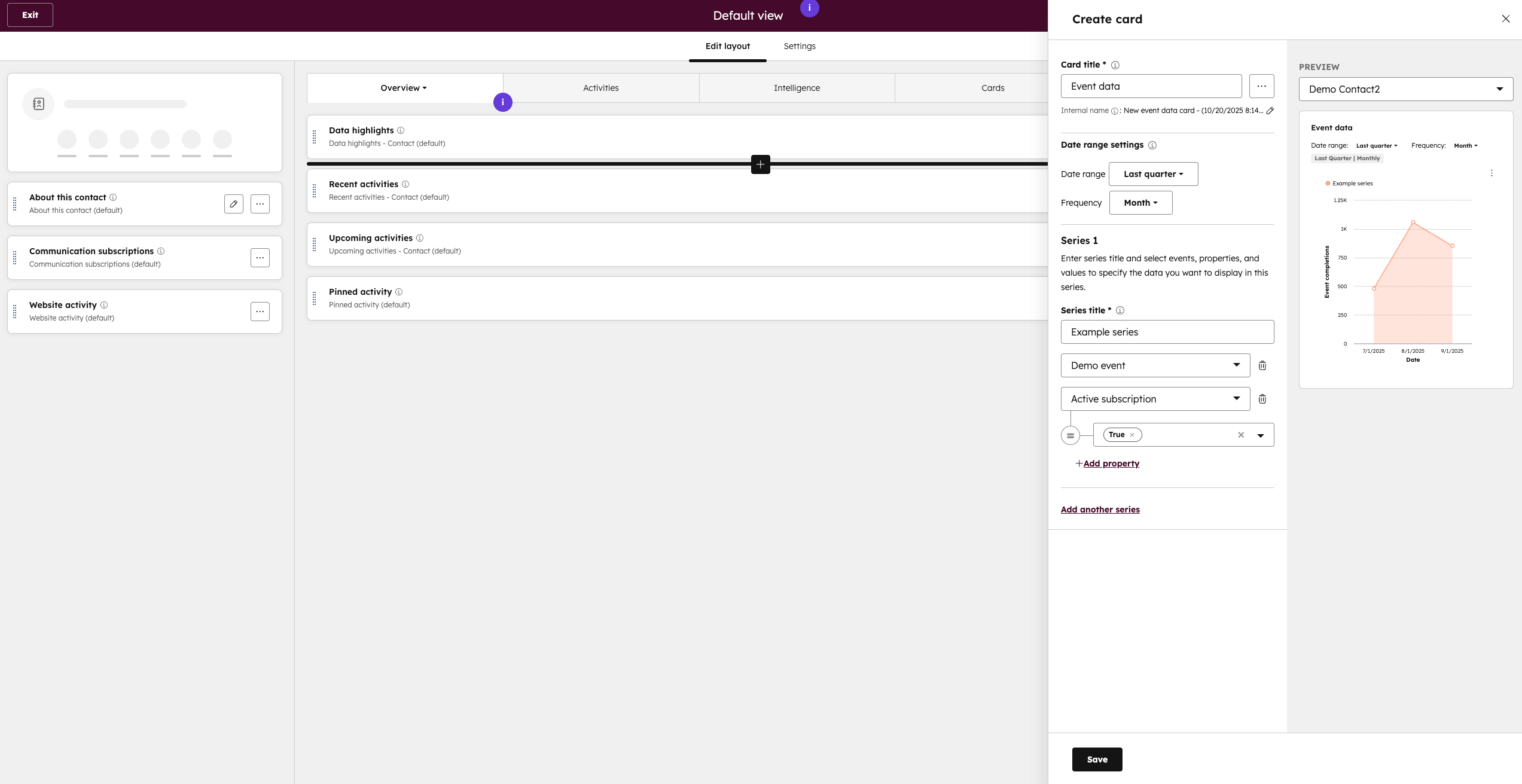
Once selected, you can add a card title and default date range settings. Then, you can add series to your visual. Each series allows you to select a custom or app event, and filter to specific event property values.
Once saved, you will see the middle panel card and can adjust the date ranges as needed.
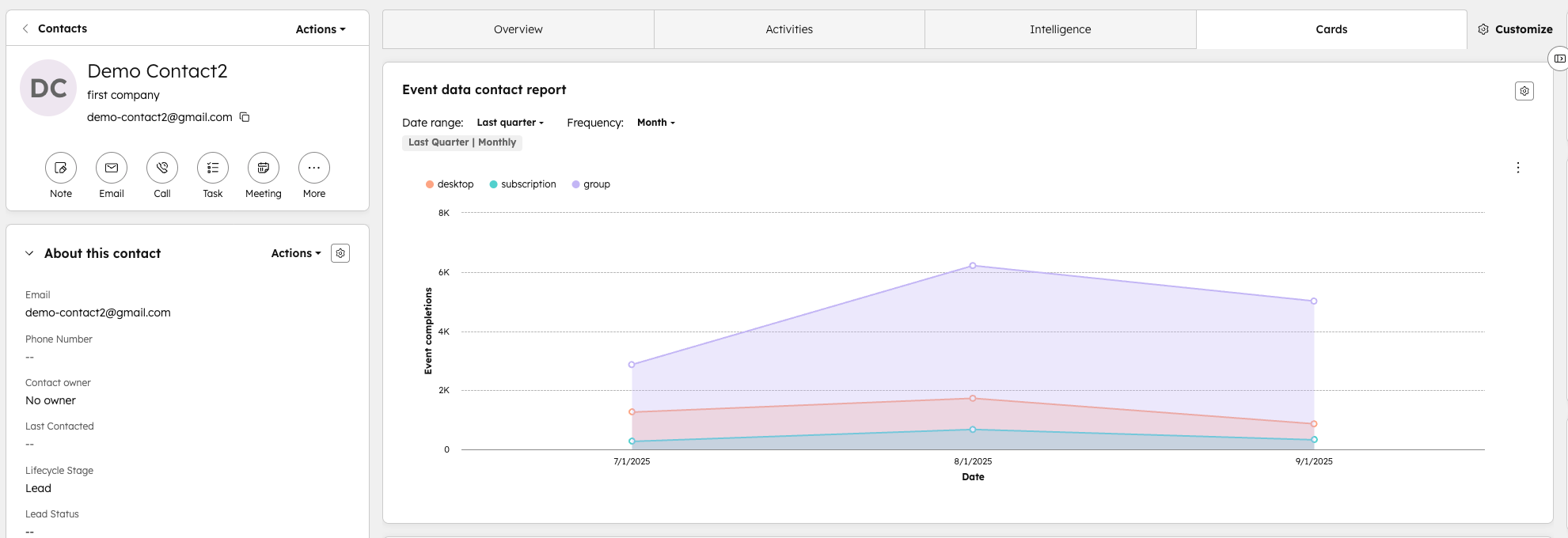
Note: The card auto-filters to the specific Contact or Company record. For Company records, it rolls up all event occurrences across associated Contacts.
Learn more about customizing records.
Learn more about creating custom events.
Who gets it?
- App Events are available to all hubs and tiers
- Custom Events are available for the following: Enterprise Customer Platform, Content Hub Enterprise, Marketing Hub Enterprise, Data Hub Enterprise, Sales Hub Enterprise, Service Hub Enterprise, Smart CRM Enterprise


.png?width=193&name=jos%20(1).png)




