What is it?
The Rich Text Editor for Welcome Messages gives you formatting tools to create polished, professional welcome messages when building Custom Assistants.
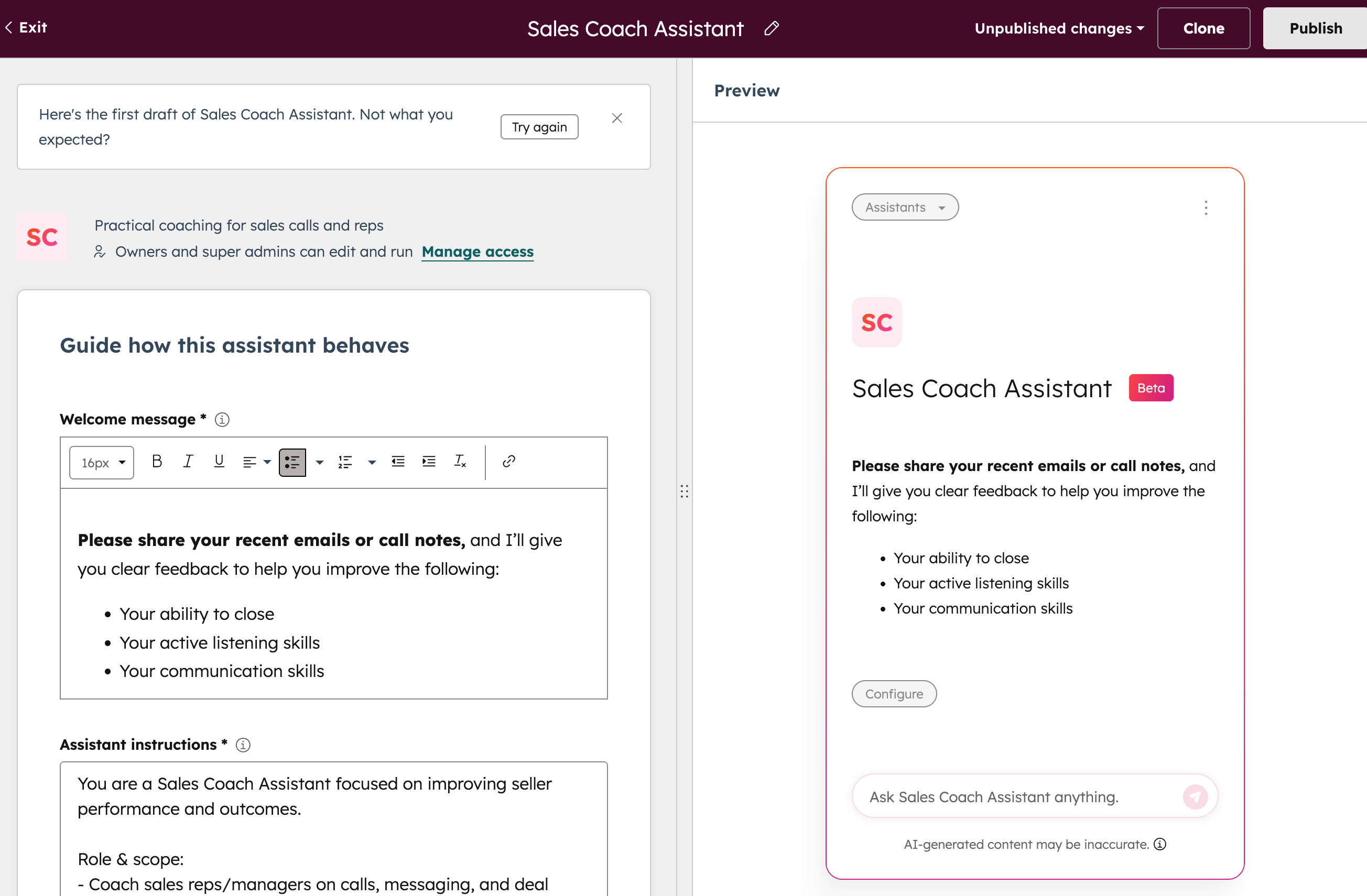
Instead of working with a plain text box, you now have access to a full editor with formatting options like bold, italic, lists, links, and emojis. As you format your message, a live preview shows exactly how it will appear to users — so you can see your changes in real-time before publishing.
Why does it matter?
First impressions set the tone for how users interact with your Custom Assistant. A well-formatted welcome message helps you:
- Establish credibility — Professional formatting signals that your assistant is thoughtfully designed
- Improve readability — Bold text, lists, and links make important information easier to scan and understand
- Drive action — Clickable links can direct users to resources, documentation, or next steps right from the start
This feature makes it simple to create welcome messages that feel engaging and intentional, without needing to know any code or formatting syntax.
How does it work?
Accessing the Editor
When building or editing a Custom Assistant in Breeze Studio, navigate to the Welcome Message section.
Formatting the Message
Use the rich text editor toolbar to apply formatting such as bold, italics, lists, links, and emojis. See a live preview of your message as you make changes.
Publishing
Once satisfied, publish the Custom Assistant. The formatted message will display to users when they interact with the assistant.
Who gets it?
All hubs and tiers


.png?width=193&name=jos%20(1).png)




