What is it?
Admins can now revoke all existing external sharing links created for call and meeting recordings in bulk.
Why does it matter?
This change enables admins to identify how many external recording links have been created and revoke them all links in bulk, addressing data governance requirements, reducing risk, and reducing auditing manual work.
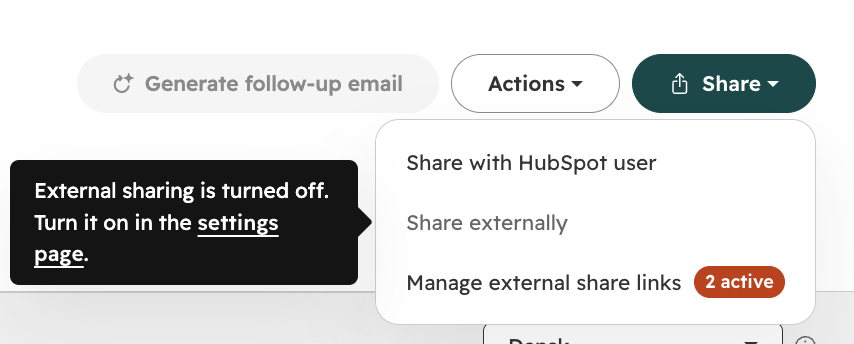
If admins disable external sharing but choose not to revoke all existing links, users can still view and revoke pre-existing live links from the meeting or call review page.
How does it work?
Admins go to Settings > Notetaker and do either of the following:
- - Toggle off the external sharing setting.
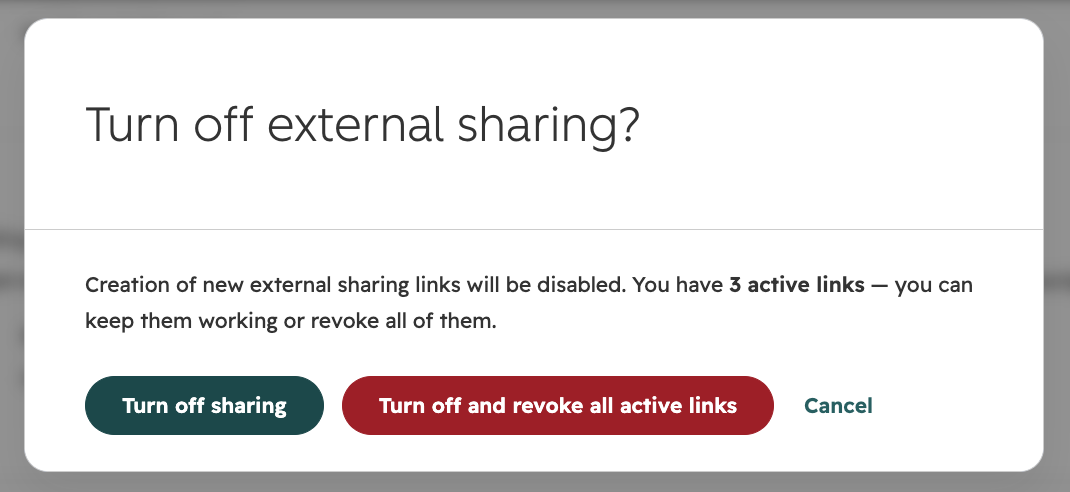
- - A confirmation modal appears with two options: 'Turn off sharing' (disables new link creation, leaves existing links active) or 'Turn off and revoke all links' (disables new link creation and revokes all existing links).
- - If 'Turn off and revoke all active links' is selected, admins must type 'revoke' to confirm.
- - Click Revoke all 112 existing share links.
- - A confirmation modal appears. If 'Revoke all links' is clicked, admins must type 'revoke' to confirm.
Once a link is revoked, anyone who clicks the link will see: “This recording is no longer available.”
If someone already has a recording link open prior to revocation, they may retain access for up to one hour.
Who gets it?
Sales Hub Enterprise, Service Hub Enterprise, Sales Hub Professional, Service Hub Professional, Service Hub Starter, Sales Hub Starter