What is it?
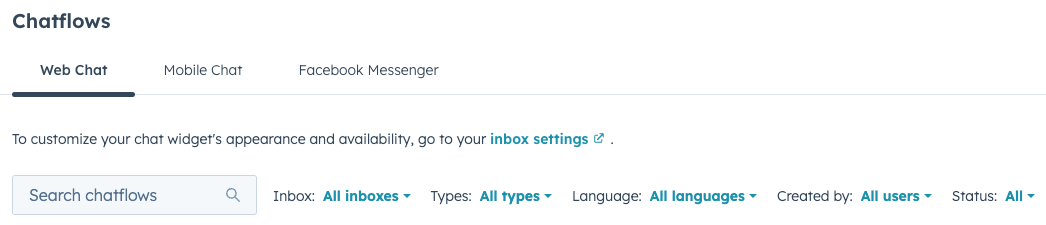
You can now filter and search your chatflows table to find specific chatflows without scrolling through pages.
Why does it matter?
As your website grows, you may create more chatflows to support different pages, audiences, or use cases. When managing many chatflows, searching or filtering helps you quickly locate the one you need to edit or review, saving time navigating through your chatflows table.
How does it work?
In your HubSpot account, navigate to Service > Chatflows.
At the top of the chatflows table, enter keywords in the search bar to search by chatflow name, or use the filter dropdown to filter by specific criteria.
Who gets it?
All hubs and tiers



.png?width=193&name=jos%20(1).png)




