What is it?
The SurveyMonkey app now allows you to automatically sync data as native feedback survey and survey response objects in HubSpot. This update allows you to use survey data from SurveyMonkey in tools such as Breeze, workflows, reporting, and segmentation.
Why does it matter?
With this update, your SurveyMonkey survey responses become more integrated HubSpot assets, breaking down barriers between your survey tools and customer insights.
Previously, survey data was trapped in activity timelines, limiting what your team can do with it within HubSpot.
Now, you can:
- Analyze survey data synced from SurveyMonkey with Breeze
- Use SurveyMonkey survey responses as triggers in HubSpot workflows
- Build HubSpot reports using SurveyMonkey survey data
How does it work?
Install the SurveyMonkey app. If already installed, navigate to Settings > Integrations > Connected Apps and find the SurveyMonkey integration settings. You will find the new option to sync survey data directly to HubSpot's native feedback survey objects in the Global Settings tab.
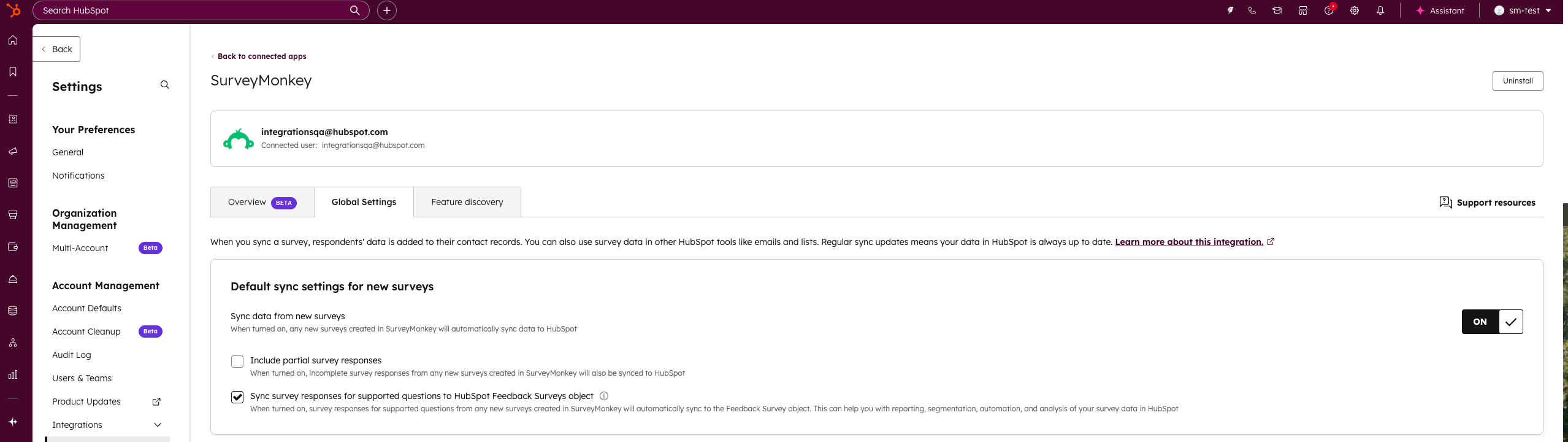
Set up how to sync survey data to HubSpot by choosing to sync all newly created surveys by default, or control this at the survey level for new or existing surveys.
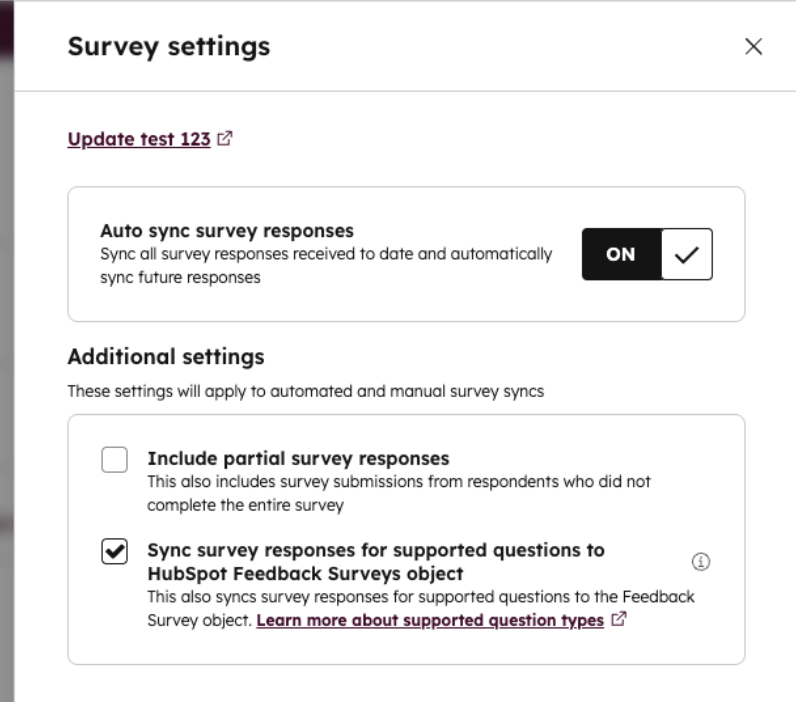
Once synced, survey responses from SurveyMonkey will appear in HubSpot's Feedback Surveys with the SourceType property value set to integration. These surveys cannot be shared or edited in HubSpot, but survey responses will be available on the survey record.
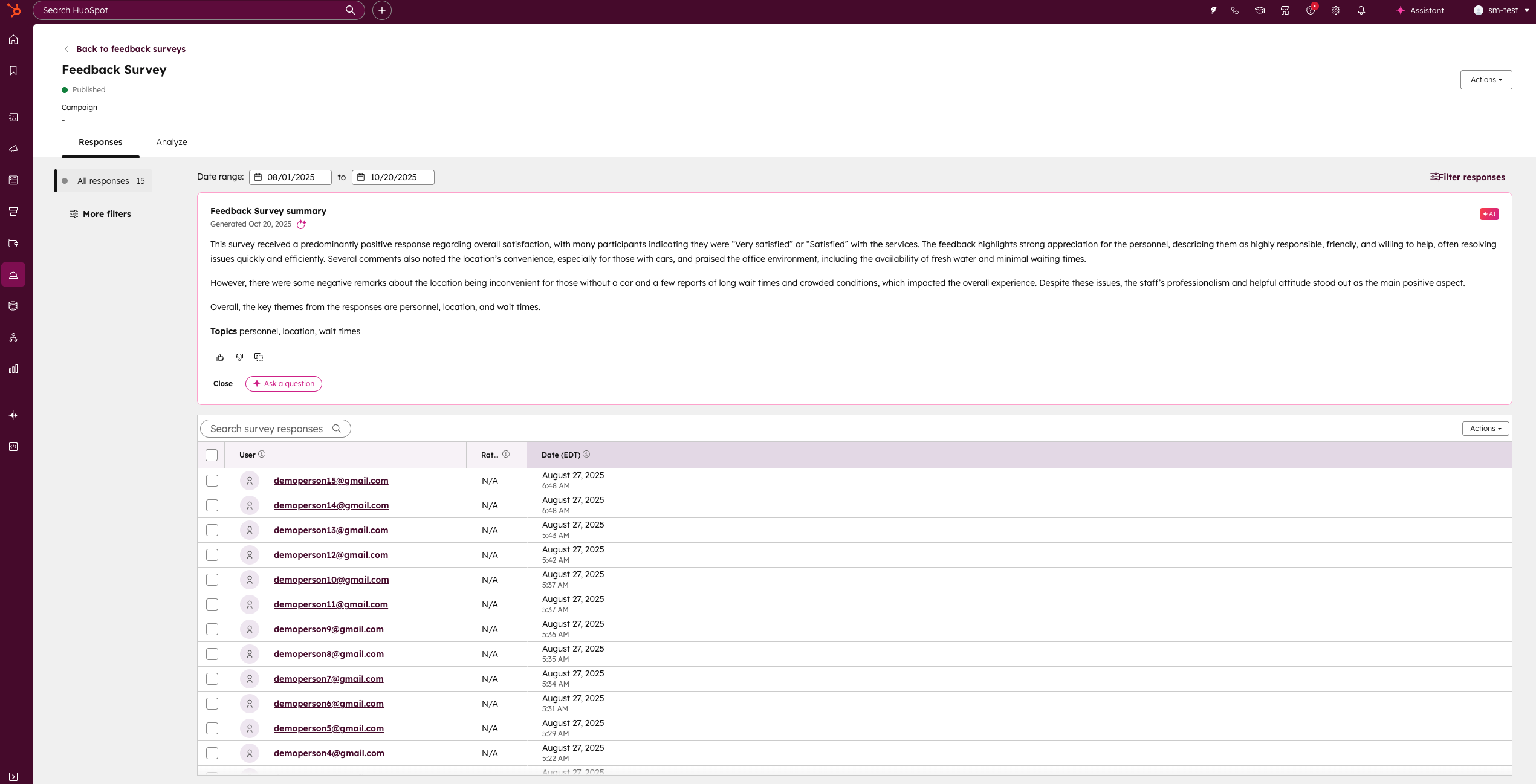
Data synced from SurveyMonkey will be available for use in HubSpot in Breeze, workflows, reporting, and segmentation.
Learn more about this feature here. (Password: Integrations_224946)
Who gets it?
Service Pro, Service Enterprise





.png?width=193&name=jos%20(1).png)




