What is it?
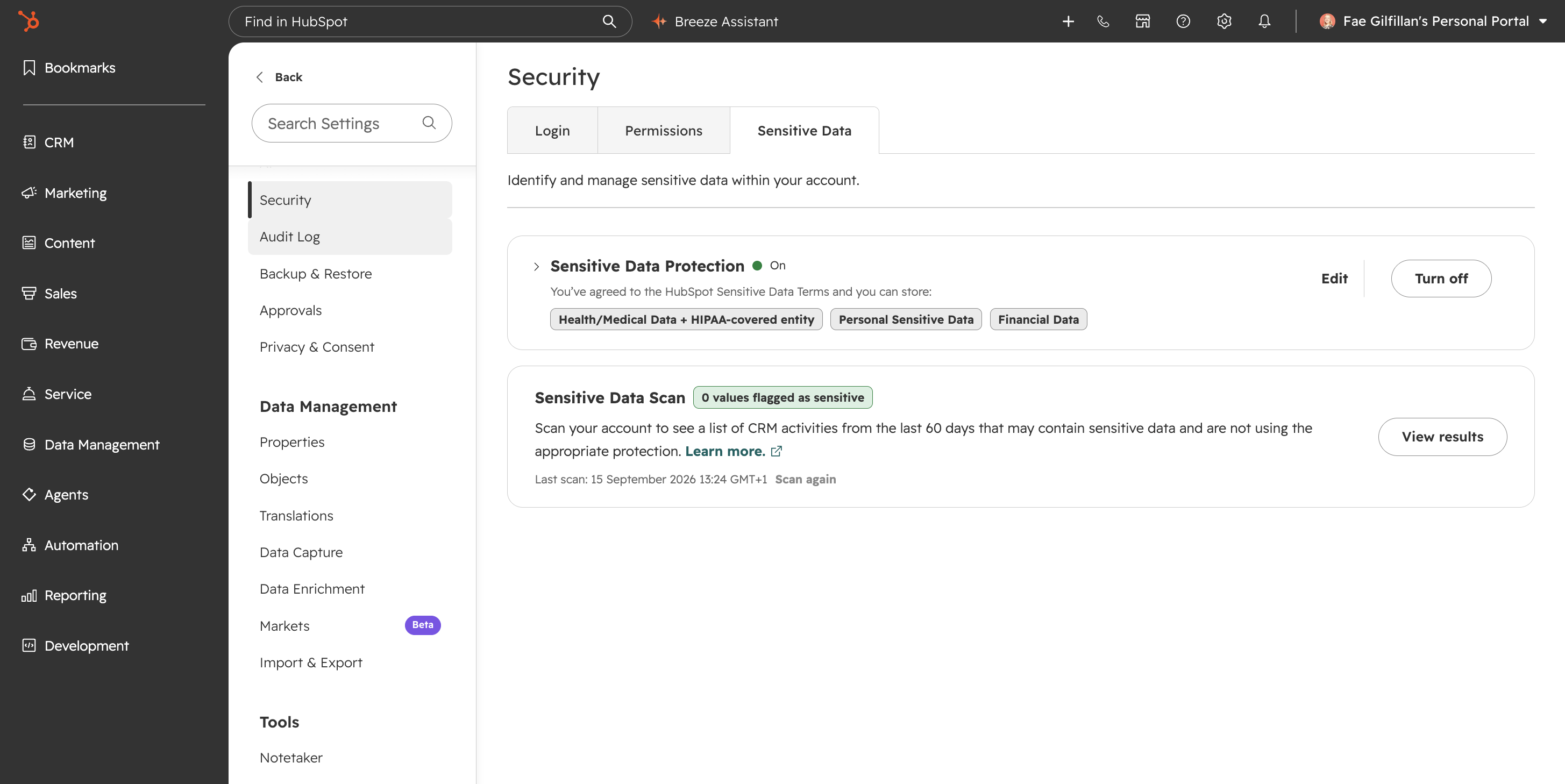
You can now turn off Sensitive Data Protection in your account through a self-serve wizard, including accounts with highly sensitive properties or HIPAA settings configured.
Why does it matter?
Previously, once enabled, Sensitive Data Protection couldn't be turned off, even when your compliance requirements changed. Now you can independently deactivate the setting without involving engineering, so your data protection configuration stays aligned with how your organization actually operates.
How does it work?
Super Admin permissions are required to deactivate Sensitive Data Protection.
- In your HubSpot account, click the Settings icon in the top navigation bar.
- In the left sidebar menu, navigate to Security.
- Click the Sensitive Data tab.
Launch the deactivation wizard and follow the three-step process:
- - Step 1: Archive and delete any highly sensitive or PHI-marked properties. You must archive each property individually before it can be deleted.
- - Step 2: Run a sensitive data scan to confirm your account is clear.
- - Step 3: Accept terms confirming data protection will be removed. If your account has HIPAA settings, you must also acknowledge termination of the Business Associate Agreement with HubSpot.
- - Deactivation is recorded as a Critical Action in the audit log.
- - A confirmation email is sent once complete.
Watch the demo: https://www.loom.com/share/da22e10ebca44978ad86e85954ce2363
Who gets it?
Smart CRM Enterprise, Marketing Hub Enterprise, Service Hub Enterprise, Content Hub Enterprise, Sales Hub Enterprise, Data Hub Enterprise



.png?width=193&name=jos%20(1).png)




