What is it?
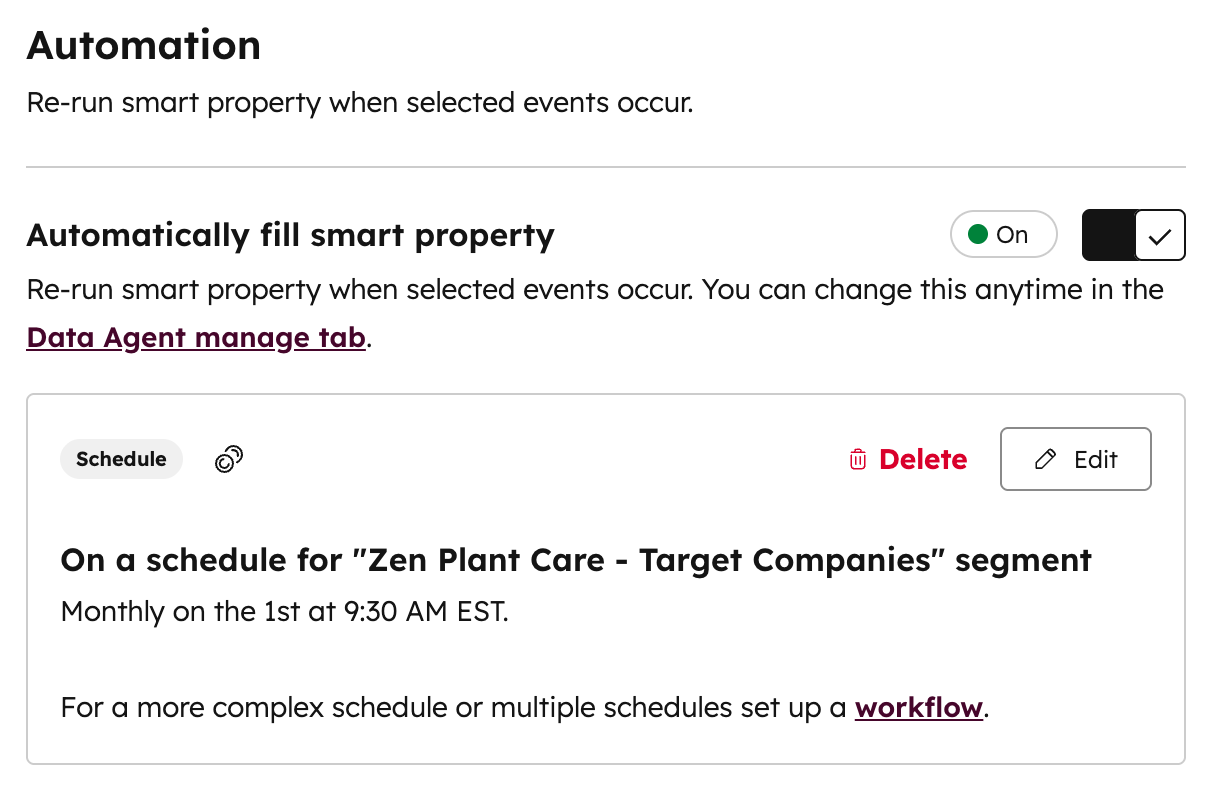
You can now schedule automatic updates for smart properties to keep your data current, accurate, and actionable.
Why does it matter?
You can now automate the process of refreshing research data in your CRM, saving time and ensuring up-to-date information. This feature allows you to:
- Stay informed about prospect news with weekly updates
- Capture call insights as soon as new transcripts are available
- Focus research efforts on companies entering or exiting specific segments
How does it work?
To set up automated updates:
- Go to Data Management > Data Agent
- Click the Manage tab
- In the Manage Property column, open the Manage dropdown menu next to the property you want to configure
- Select your desired update frequency
- Choose whether to fill only blank properties or always overwrite existing data
Once enabled, HubSpot will automatically fill the smart property at the specified interval.
Who gets it?
This feature uses HubSpot Credits





.png?width=193&name=jos%20(1).png)




