What is it?
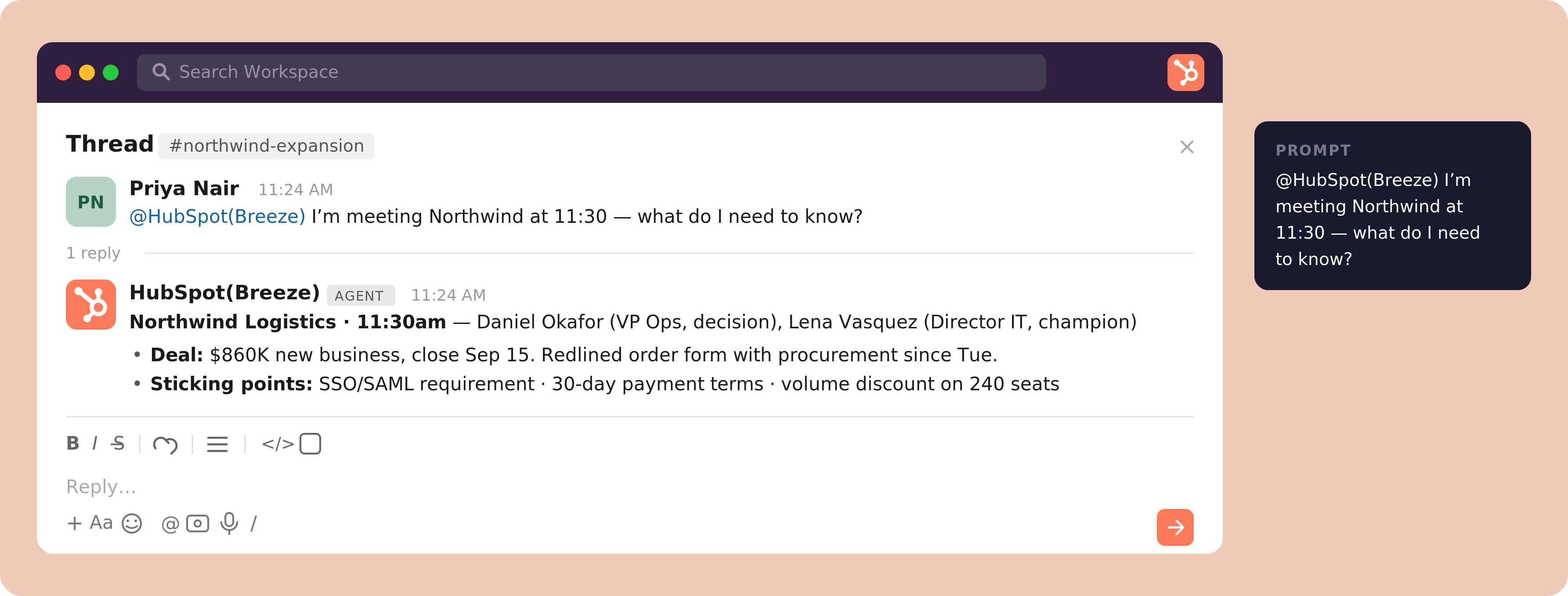
We've shipped several quality-of-life improvements to Breeze Assistant in Slack, making it easier to discover what Breeze can do and trust the answers it gives.
New welcome message
When you install Breeze into a Slack channel, it now posts a visible (non-ephemeral) welcome message so your whole team sees it:
You're connected to HubSpot. Your CRM lives where your team already works — ask Breeze about your deals, contacts, tickets, and more, right here in Slack.
The message includes example prompts your team can click to get started.
Smarter @mention helper
When you @mention Breeze without a question, it now replies privately (ephemerally) with a quick guide:
What can I help with? A few things you can try…
…followed by example prompts — so nobody is left guessing what to type.
Clearer Breeze Assistant buttons
Every button that invokes Breeze Assistant now shows a filled sparkle (✨) icon, making it easy to distinguish Breeze-powered actions from standard Slack actions.
Citations
Breeze responses now show a collapsed "N sources" indicator with a "View sources" toggle, instead of inline superscript citations. This keeps responses clean and readable while still letting you verify where the answer came from.
How does it work?
- - Install Breeze into a channel and watch for the new welcome message with clickable example prompts.
- - @mention Breeze with no message to see the ephemeral helper with suggested prompts.
- - Ask Breeze a question that draws on your CRM data, then expand "View sources" to see where the answer came from.
- - Click any Breeze-powered button (look for the ✨ icon) to launch Breeze Assistant from a Slack action.
Who gets it?
All hubs and tiers


.png?width=193&name=jos%20(1).png)




