What’s changed?
What is it?
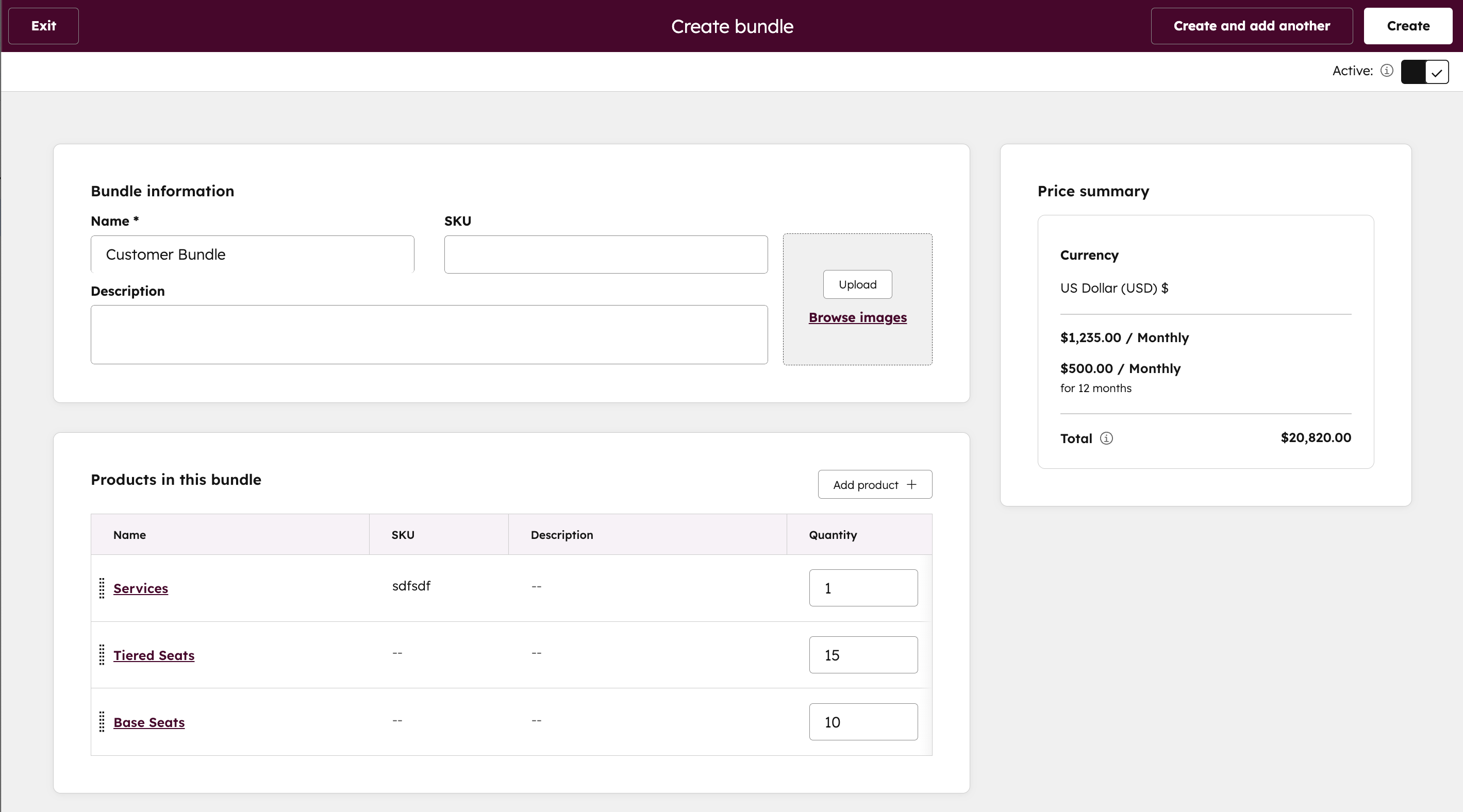
You can now create reusable product bundles directly from the Product Library. This enables you to group commonly sold items like implementation services and licenses into a single, repeatable configuration. Bundles are inserted into the line item editor with one click and behave like standard line items after insertion.
What's currently in development?
- Visual grouping
- Roll up pricing
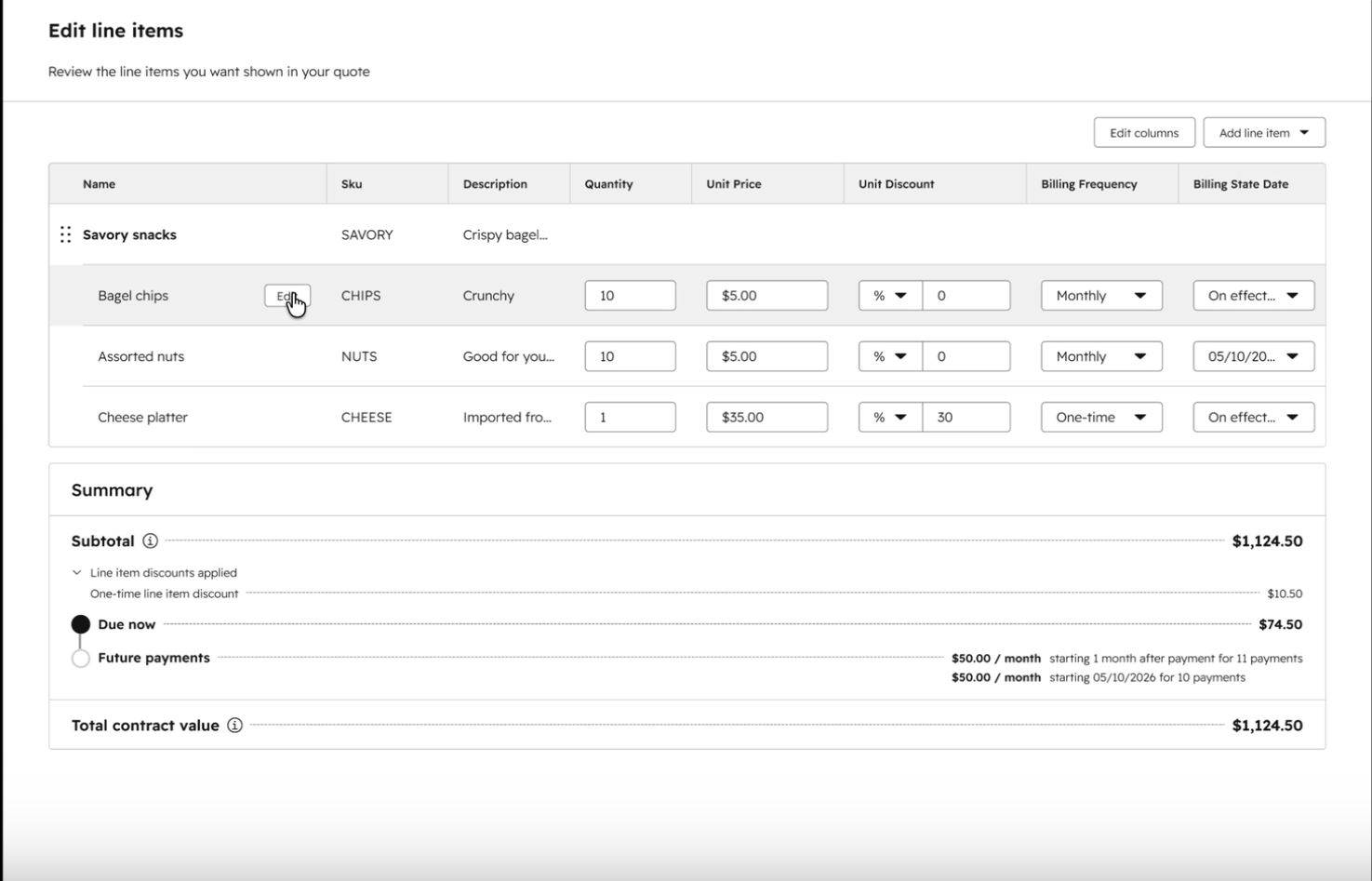
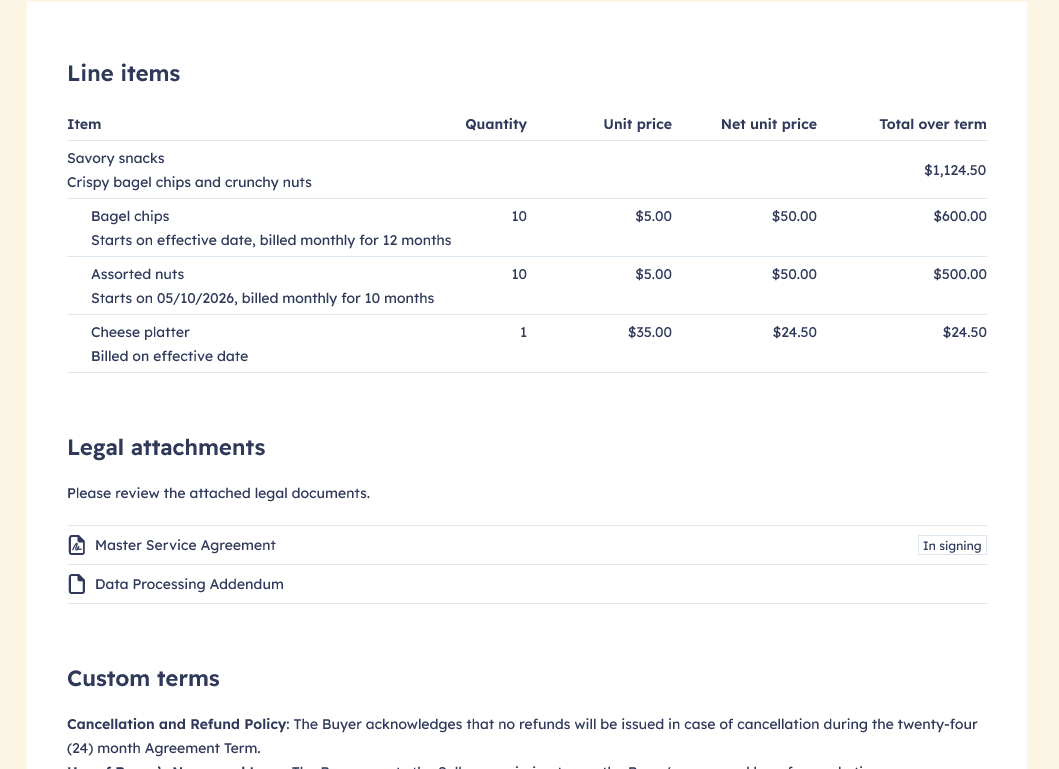
See screenshots below for a preview of how a grouped bundle with roll up pricing will display in the line item editor and on a rendered Quote.
Why does it matter?
Quoting is time-consuming and error-prone when reps manually add the same items over and over. Bundles eliminate that repetitive work by letting you define once, reuse everywhere. This reduces quote creation time, avoids mistakes (like forgetting installation or shipping), and gives RevOps more control over pricing consistency.
How does it work?
- Create a bundle from the Product Library using the new “Create a bundle” button.
- Add products from your catalog via side panel.
- Configure bundle items with default quantities and discounts.
- Save as Active or Inactive.
- Insert bundles in the line item editor across all Commerce tools (and Deals).
- Edit line items after insertion to adjust quantities, prices, and discounts.
Bundles appear in the same index as products and are visually marked for easy discovery.
Who gets it?
Commerce Professional, Commerce Enterprise



.png?width=193&name=jos%20(1).png)




