What is it?
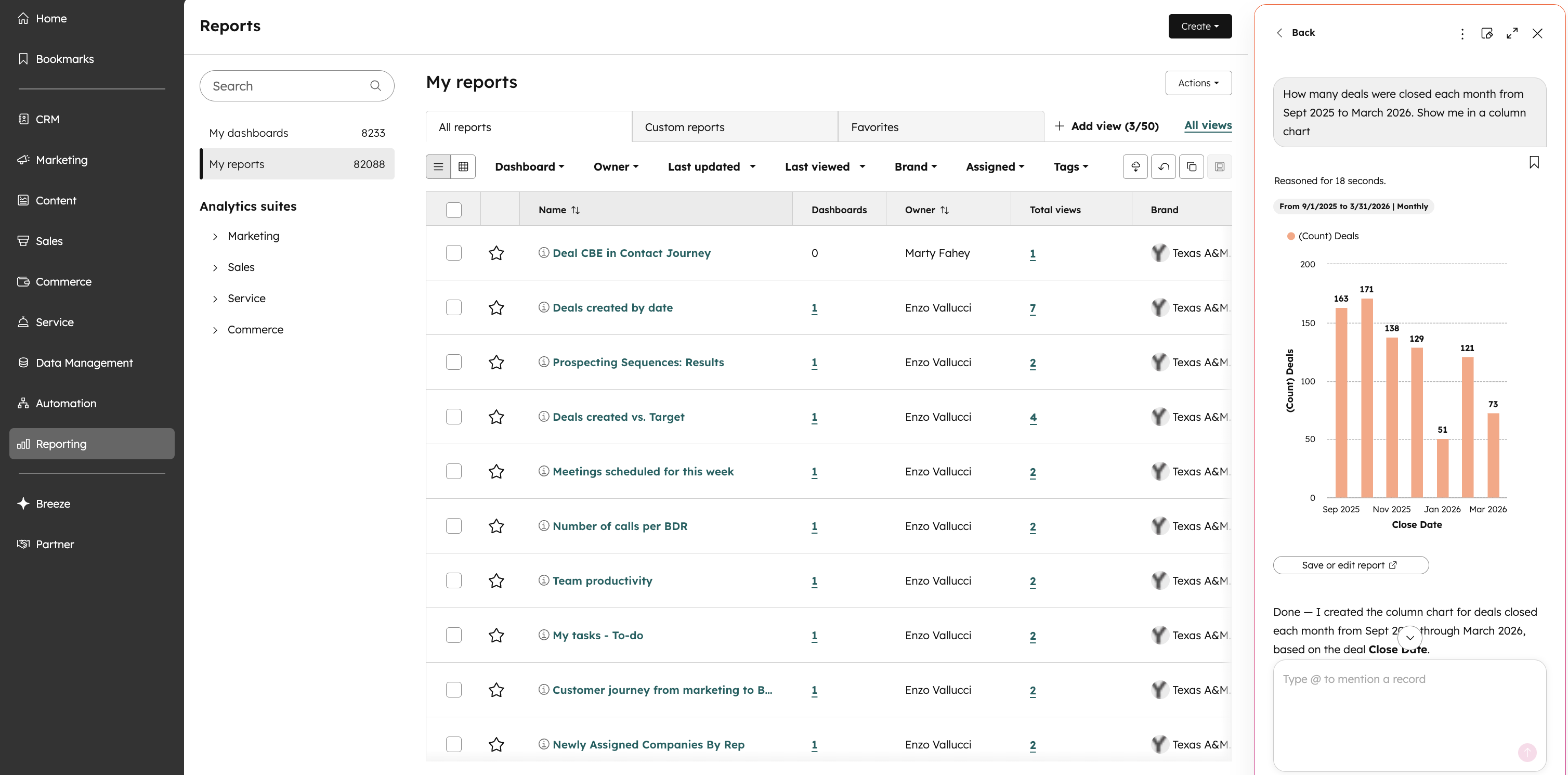
Users can now select 'Create report with AI' from the Reporting page to open Breeze Assistant and generate reports via chat. They will have the ability to open this report in the appropriate report builder at any point as well.
Why does it matter?
This change provides a much more powerful AI reporting option available to users in the form of creating a report in the latest Breeze Assistant. This should also be a more usable and consistent experience with the rest of the product and makes it more discoverable to our users as well to provide more simple and easy to use ways to create and filter reports.
How does it work?
Accessing the Feature
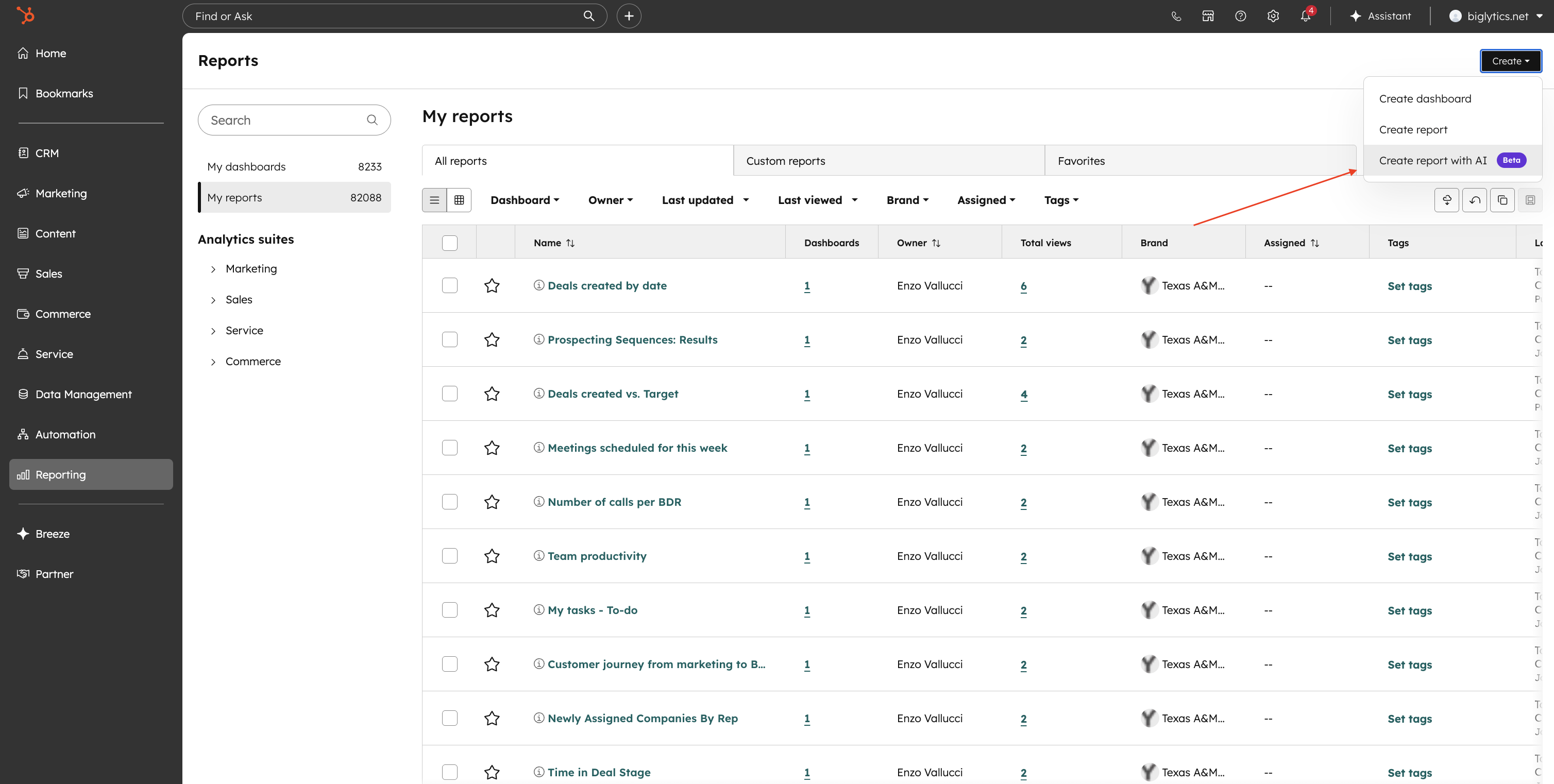
- Visit the Reporting page and click 'Create '.
- Choose the new 'Create report with AI'
Using Breeze Assistant
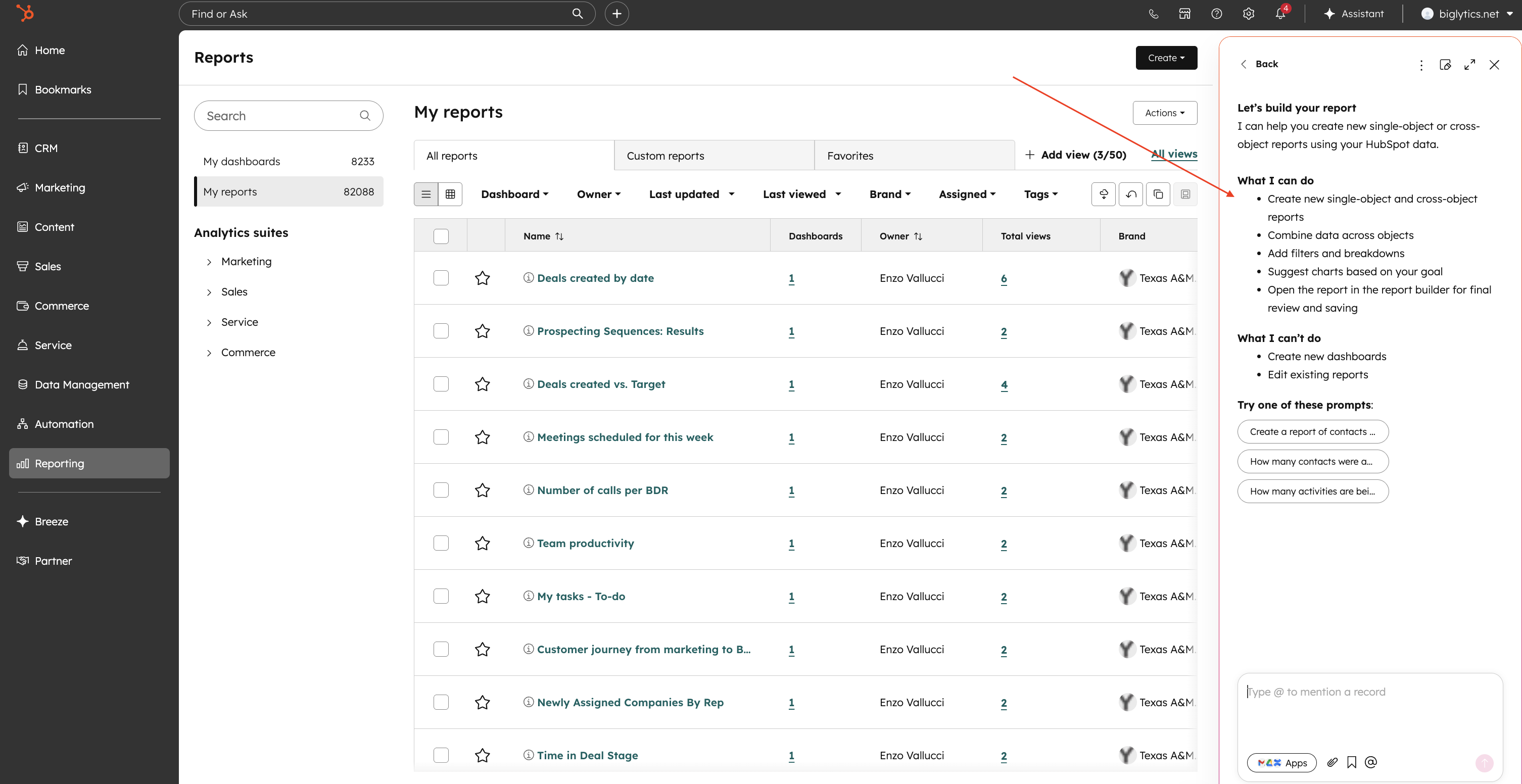
- - Breeze Assistant opens in a side panel with a new chat.
- - The initial response will tell you what you can and cannot do in terms of report creation while also giving you some sample prompts to get started
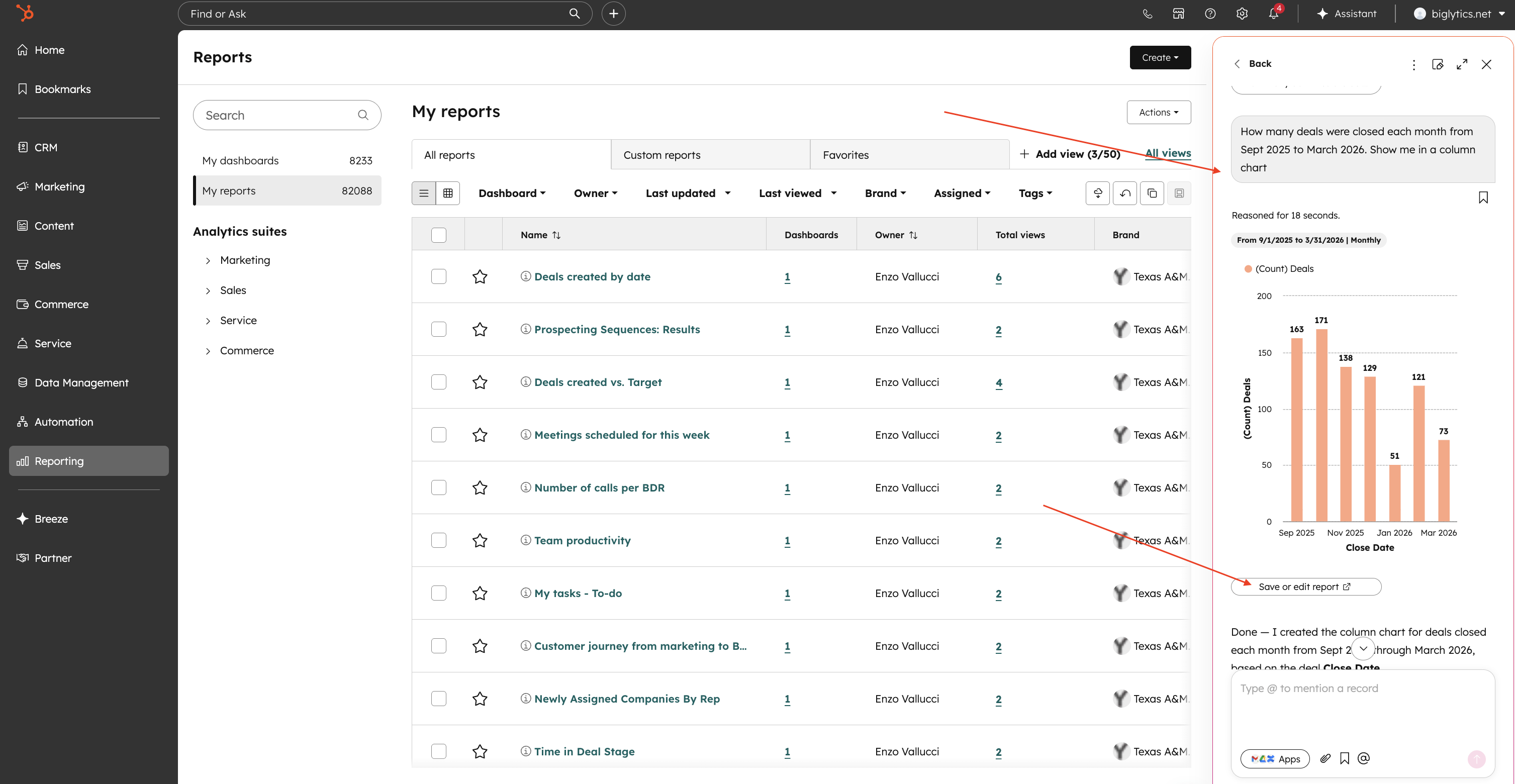
- - Use natural language to build single object reports and multi-object reports as well
- - Any report shown in Breeze assistant can be opened and saved in the report builder by clicking "Save or Edit in report builder". Single object reports (1 data source) will be opened in the Single object report builder and multi-object reports (2 or more data sources) will be opened in the Custom report builder.
Deprecation Notes
- - The previous 'AI generated report' option in the Create report view under "Start with help" section will be completely removed on April 24th 2026. This will be removed both from Create Report flow and in the Single Object report builder flow.
- - You should still be able to access any saved reports created from the "AI-generated report" option as before so none of your existing saved reports or workflows should be disrupted.
Who gets it?
Commerce Hub Professional, Commerce Hub Enterprise, Content Hub Professional, Content Hub Enterprise, Marketing Hub Professional, Marketing Hub Enterprise, Data Hub Professional, Data Hub Enterprise, Sales Hub Professional, Sales Hub Enterprise, Service Hub Professional, Service Hub Enterprise



.png?width=193&name=jos%20(1).png)




