What’s changed?
What is it?
You can now create workflows based around the 1:1 email object.
Why does it matter?
With this change, you can now trigger automation based directly on events such as emails being created. Then, you can use workflow actions to create standard, automatic internal processes for email management.
How does it work?
To create an Email workflow:
- From the Workflows tool homepage, click "Create workflow" and select "From scratch"
- Choose the Email object on the object select page
- Choose the trigger based on Email events or properties
- Add actions as usual
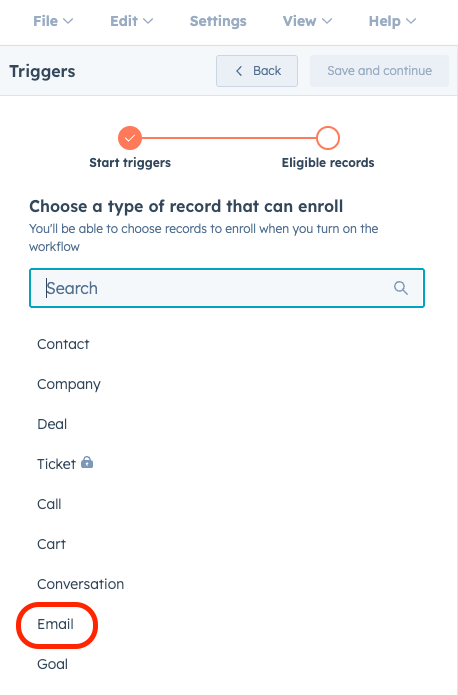
You can also access the Email object from other object workflows.
Note: This functionality does not include the ability to send 1:1 emails from workflows, only to trigger automation based on emails once they exist in the CRM.
Who gets it?
Marketing Hub Professional, Marketing Hub Enterprise, Data Hub Professional, Data Hub Enterprise, Sales Hub Professional, Sales Hub Enterprise, Service Hub Professional, Service Hub Enterprise, Smart CRM Professional, Smart CRM Enterprise



.png?width=193&name=jos%20(1).png)




