What is it?
Expressions define how your agent expresses itself. You can instruct your agent on tone, response style, when to use scripted responses, and the guardrails it should follow.
Why does it matter?
Previously, the agent’s tone, style, guardrails came from a single personality and a fixed set of HubSpot guidelines. Customers wanted more control. Expressions solve this by letting you write natural-language instructions so the agent consistently responds the way you intend.
How does it work?
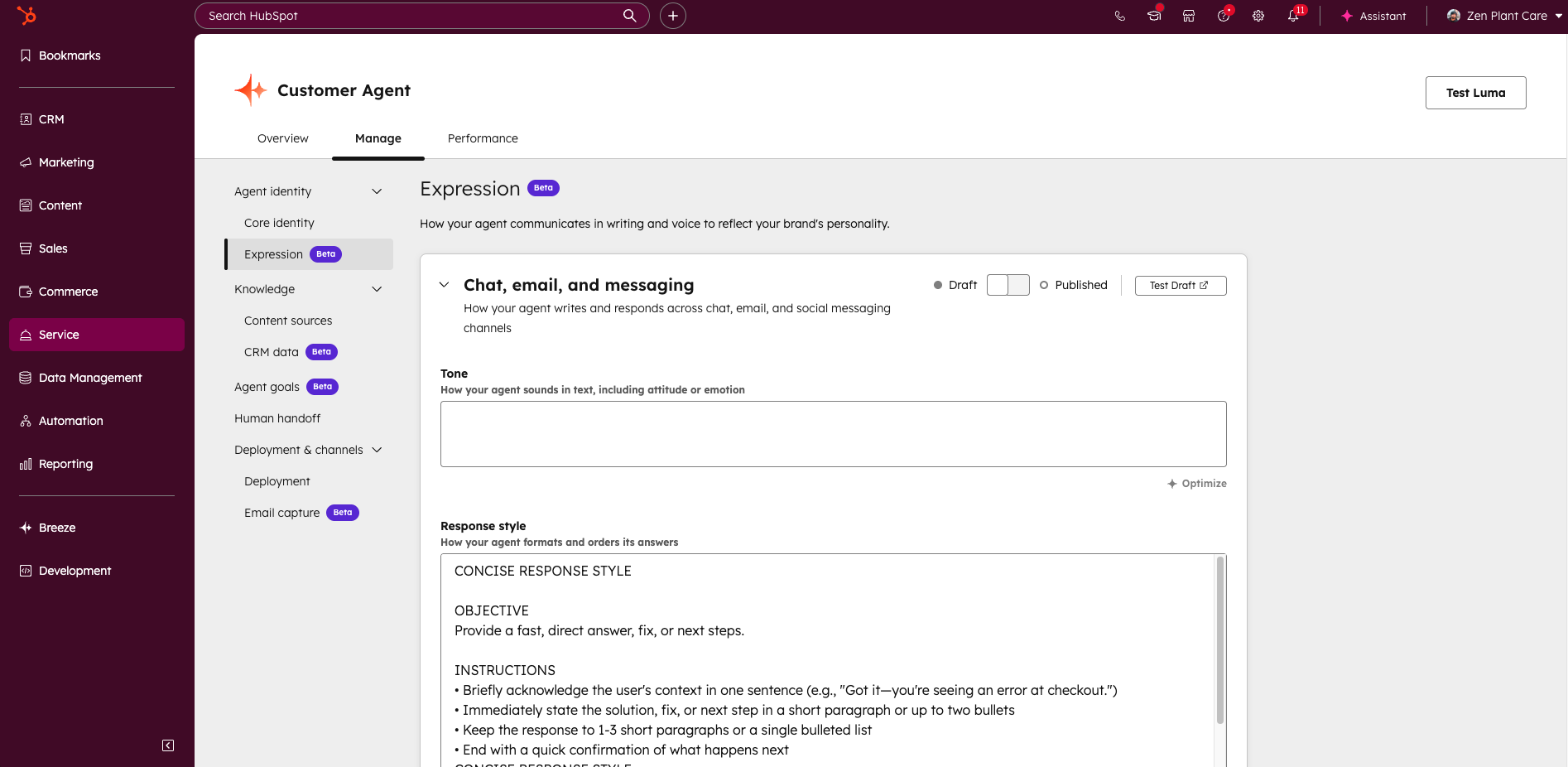
- Go to the customer agent by clicking on Service in the main navigation, then Customer Agent.
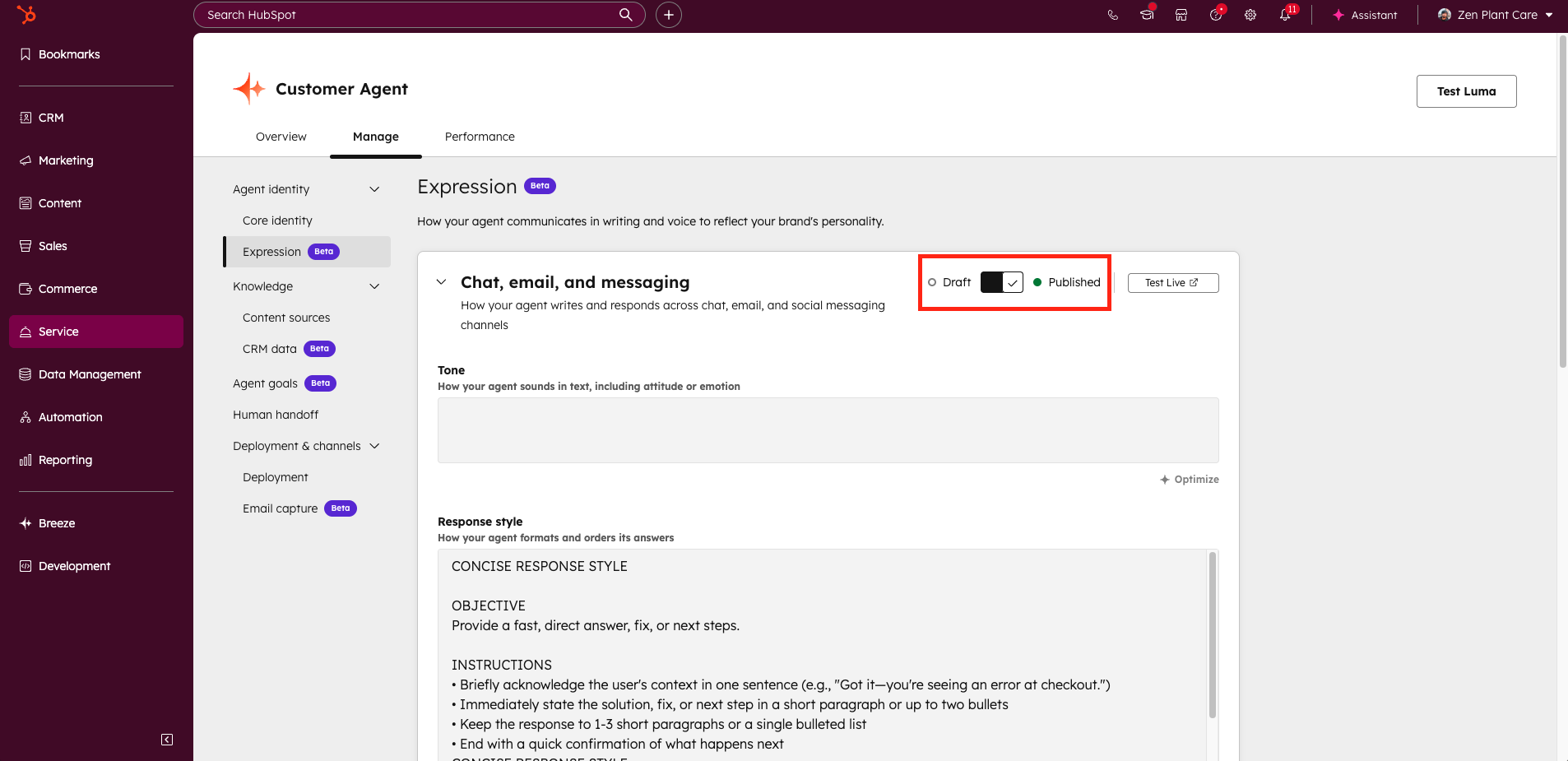
- Click on Agent identity > Expression.
- Enter the instructions in the respective sections
- Tone: How your agent sounds in text, including attitude or emotion.
- Response style: How your agent formats and orders its answers.
- Scripted Responses: Reusable lines for greetings, apologies, or follow-ups.
- Guardrails: What your agent should avoid or refuse.
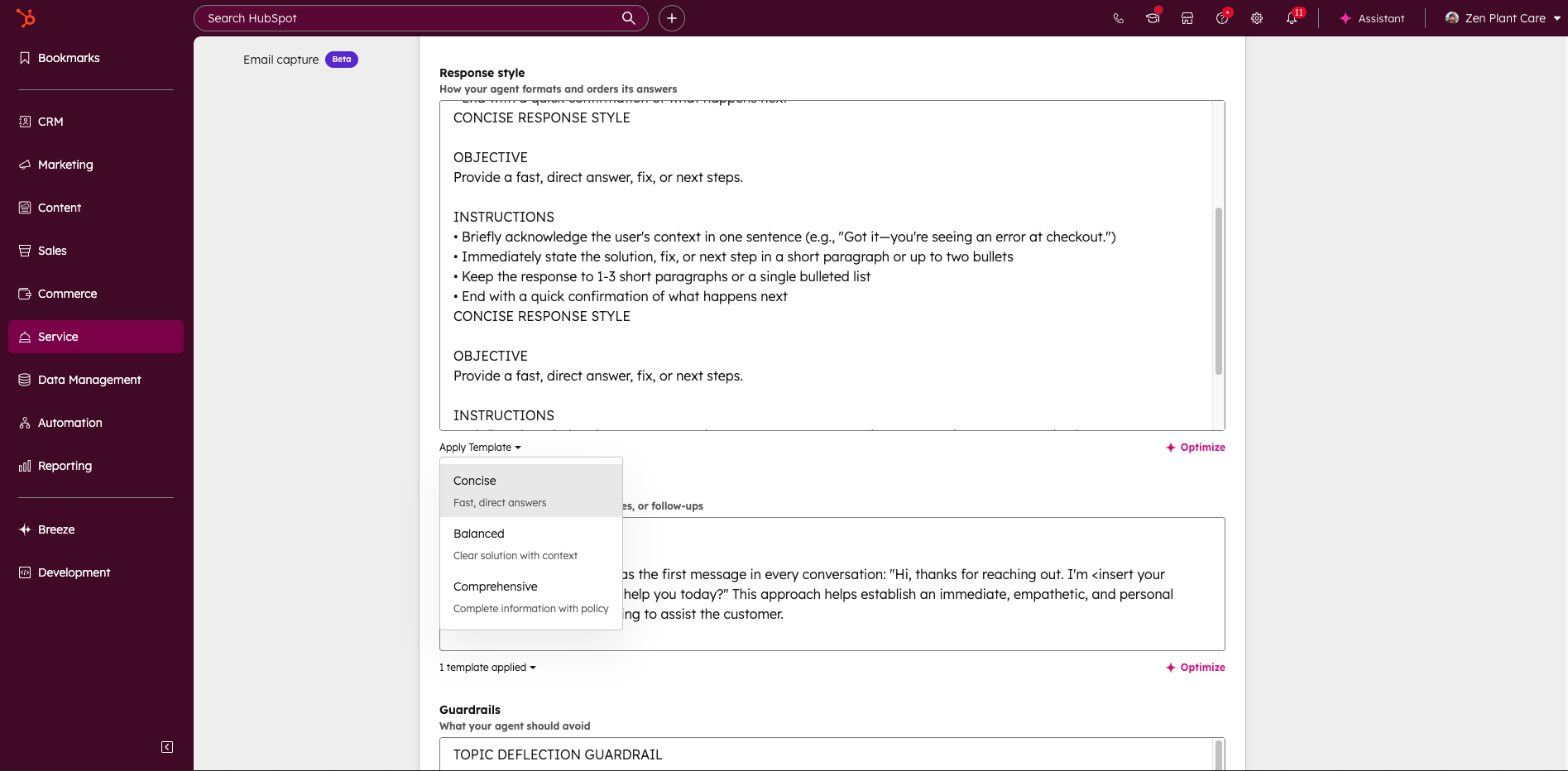
- You can either write these instructions from scratch or use templates that we provide out of the box by clicking on the “Apply Template” button.
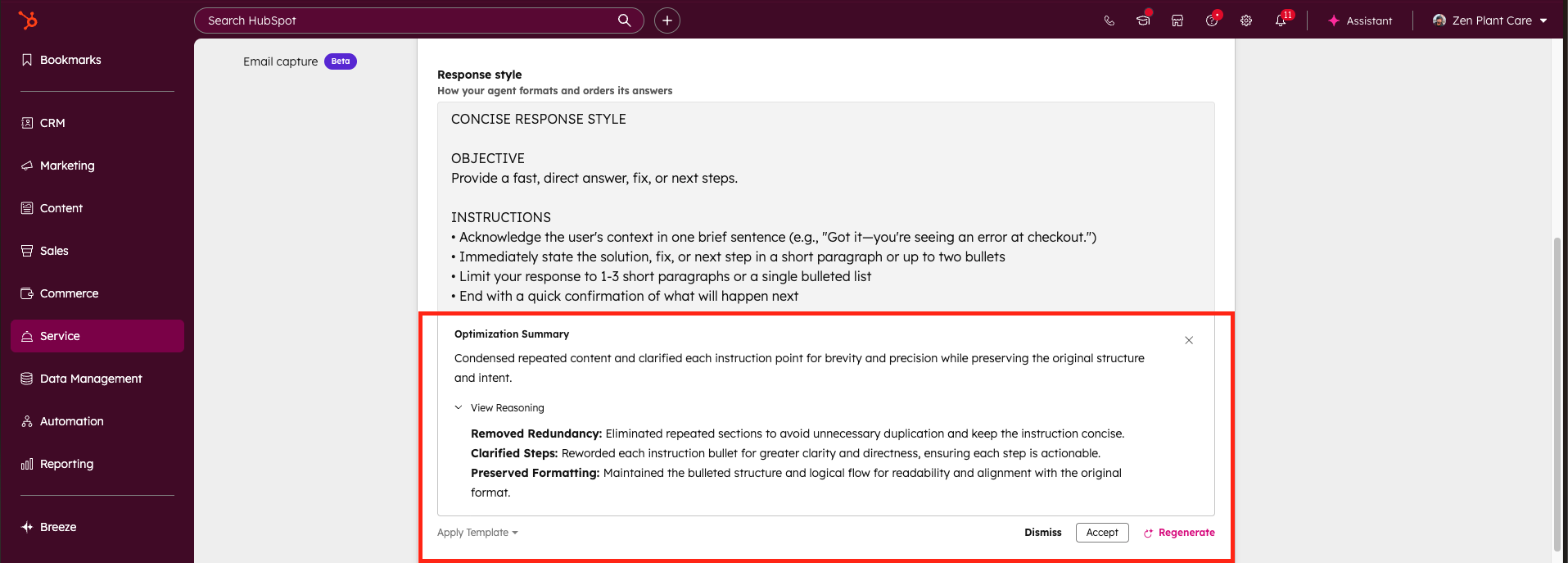
- Once you’ve written your instructions, you can optimize them for best performance by clicking on the Optimize button. The Optimize function also gives clear reasoning for any updates it makes.
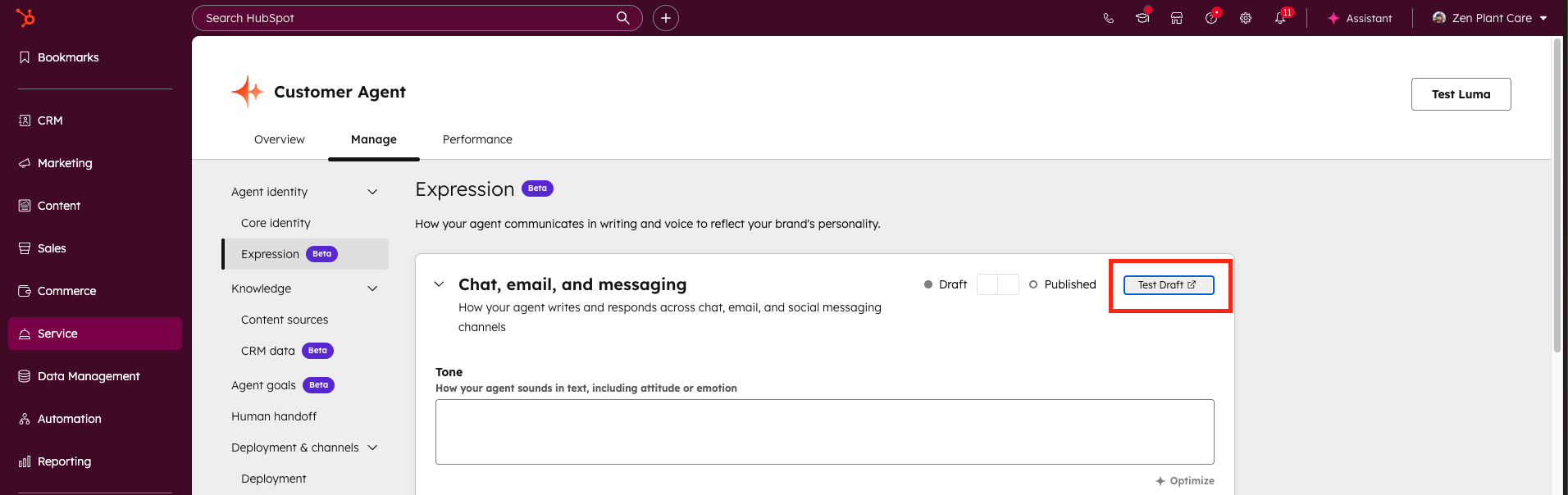
- When you’re ready, click the Test draft button to open the tester and validate your instructions while they’re still in draft.
- If you’re satisfied with your agent’s responses, toggle Publish.
- Your instructions are now live, and your agent will express itself based on them.
Who gets it?
HubSpot Credits, Professional Customer Platform, Enterprise Customer Platform, Content Hub Professional, Content Hub Enterprise, Marketing Hub Professional, Marketing Hub Enterprise, Data Hub Professional, Data Hub Enterprise, Sales Hub Professional, Sales Hub Enterprise, Service Hub Professional, Service Hub Enterprise





.png?width=193&name=jos%20(1).png)




