What is it?
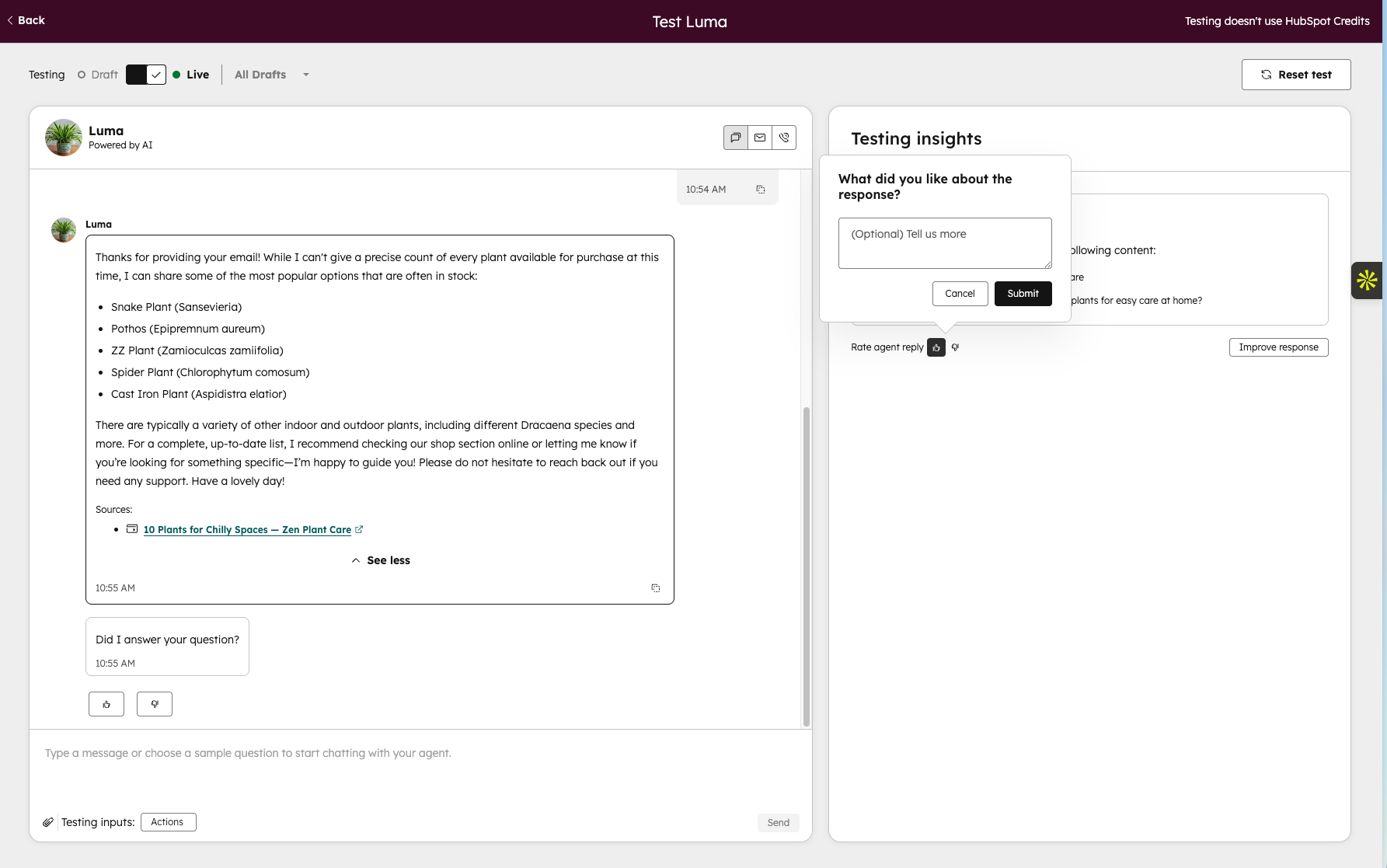
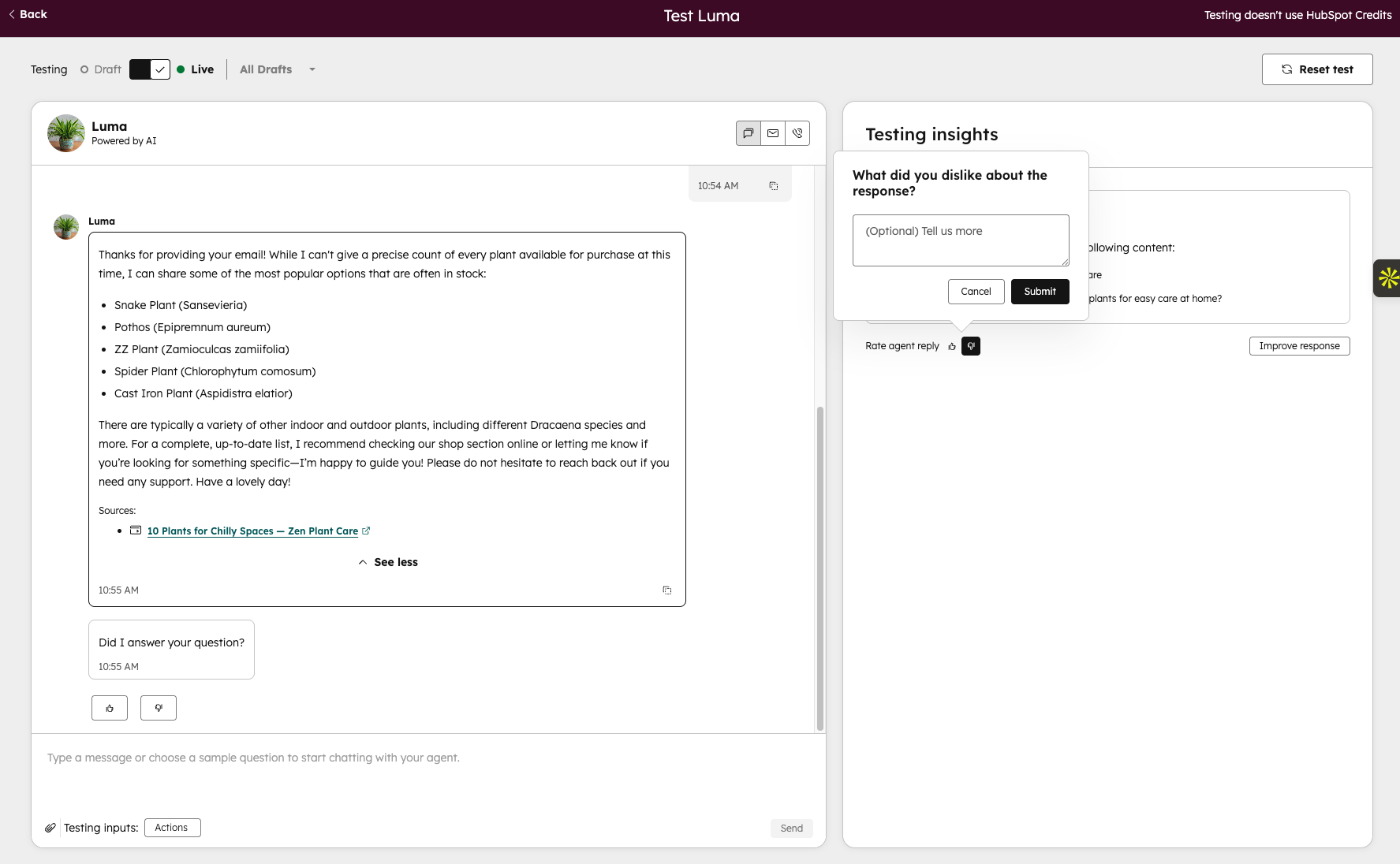
Rate Reply lets admins give a thumbs up or thumbs down on individual agent responses directly within the tester. After rating, admins can optionally leave a comment explaining what they liked or didn't like about the response.
Why does it matter?
Testing your agent is only half the loop — knowing why a response is good or bad is what drives improvement.
Rate Reply turns the tester from a passive observation tool into an active coaching surface, giving admins a direct way to signal which responses are working and which need attention. Over time, this feedback becomes the foundation for more structured coaching — surfacing patterns, flagging recurring issues, and helping teams make smarter decisions about what to fix next.
How does it work?
- Run a conversation in the tester as you normally would
- A "Testing Insights" panel opens on the right, prompting you to share what you liked or disliked
- At the end of each message insight after the response is generated, click the 👍 or 👎 to rate it
- Optionally add a comment and hit Submit — your feedback is saved against that response
Ratings are captured per response, so you can give nuanced feedback across a full conversation rather than rating the interaction as a whole.
Who gets it?
HubSpot Credits, Content Hub Professional, Content Hub Enterprise, Marketing Hub Professional, Marketing Hub Enterprise, Data Hub Professional, Data Hub Enterprise, Sales Hub Professional, Sales Hub Enterprise, Service Hub Professional, Service Hub Enterprise, Smart CRM Professional, Smart CRM Enterprise



.png?width=193&name=jos%20(1).png)




